
The best Prime Day Dell laptop deals are usually the models with 16GB of RAM, a recent Core Ultra or Ryzen 7 processor, a 1080p-or-better display, and a price that leaves room for a larger SSD or warranty—rather than the cheapest Dell with a premium discount label.
For work and school, prioritize memory, keyboard quality, battery capacity, and screen comfort. For gaming, prioritize a discrete GeForce RTX GPU, dual-channel RAM, cooling, and a high-refresh display. Dell’s range spans mainstream Inspiron and Dell-branded laptops, business-focused Latitude systems, workstation-class Precision models, and gaming laptops such as the Dell G15 and Alienware m16.
As an Amazon Associate we earn from qualifying purchases at no extra cost to you.



Our Top Picks
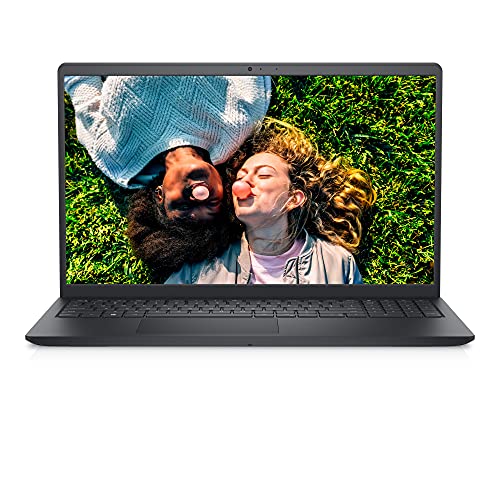
 Dell Latitude 5420 14" FHD Business Laptop Computeri5-1145G7-16-256-SV-Win1112.76 x 8.35 x 0.76 inches3 PoundsCheck on Amazon


Top 3 picks at a glance
Quick decision guide
| Your situation | Best specification target | Dell class to consider | Typical deal range |
|---|---|---|---|
| Web, documents, video calls | Core 5 or Ryzen 5, 16GB RAM, 512GB SSD | Dell 14, Inspiron 14, Latitude 3450 | Usually $400–$700 |
| School and heavier multitasking | Core Ultra 5 or Ryzen 7, 16GB RAM, 512GB–1TB SSD | Dell 14 Plus, Inspiron 14 Plus, Latitude 5450 | Usually $600–$1,000 |
| Photo work, coding, or engineering software | 32GB RAM, 1TB SSD, Core Ultra 7 or Ryzen 7 | Precision 5490 or a higher-end Dell 16 | Usually $1,000–$1,800 |
| 1080p gaming | Core i7 or Ryzen 7, 16GB RAM, RTX 4050 or RTX 4060 | Dell G15 | Usually $800–$1,400 |
| Gaming plus content creation | RTX 4060 or better, 32GB RAM, 1TB SSD, high-refresh display | Alienware m16 | Usually $1,300–$2,300 |
How to judge the best Prime Day Dell laptop deals
1. Choose the CPU for the workload
For office work, an Intel Core 5, Core Ultra 5, AMD Ryzen 5, or equivalent recent processor is enough for browser tabs, Microsoft 365, accounting software, and video meetings. A Core Ultra chip can also provide a useful NPU for supported AI features, but the NPU alone should not justify paying substantially more.
Move to a Core Ultra 7, Core 7, or Ryzen 7 if you regularly compile code, edit photos, run virtual machines, or keep many demanding applications open. For gaming, the GPU usually matters more than moving from a midrange processor to the fastest CPU option, provided the processor is modern and has enough cooling.
Be cautious with a deal that combines a strong CPU with only 8GB of RAM. The processor may be capable, but memory pressure can cause browser tabs and applications to slow down or reload.
2. Treat RAM as a long-term purchase
- 8GB: Acceptable only for light use at a very low price. It is limiting for Windows multitasking and modern games.
- 16GB: The sensible minimum for a new work, school, or gaming laptop in 2026.
- 32GB: Better for virtual machines, large creative projects, software development, and gaming while streaming or recording.
- 64GB: Useful mainly for professional workloads and selected Precision or high-end Alienware configurations.
Check whether the RAM is soldered before buying. Many thin Dell laptops cannot be upgraded, while some thicker business, gaming, and workstation models provide accessible memory slots. Two memory modules can also improve integrated-graphics performance through dual-channel bandwidth, so a 16GB dual-channel configuration can be preferable to a single 16GB module.
3. Compare the display, not just the size
A 14-inch 1920×1200 panel is often an excellent work-and-school choice because its 16:10 shape shows more lines of a document than a standard 1920×1080 screen. A 16-inch 1920×1200 display gives more workspace but makes the laptop less portable.
For office use, look for at least 300 nits if you work near windows, a matte surface where possible, and an IPS panel with comfortable viewing angles. OLED screens offer deeper blacks and stronger contrast, but they can use more power and may reflect overhead lighting. They are most attractive for media and creative work rather than basic spreadsheets.
For gaming, 120Hz or 165Hz is more useful than an unnecessarily high resolution on a midrange GPU. A GeForce RTX 4050 or RTX 4060 laptop is generally better matched to 1920×1080 or 1920×1200 gaming than to a demanding 2560×1600 panel.
Work and school: which Dell deal makes sense?
Dell 14, Inspiron 14, and Dell 14 Plus
These are the most practical targets when the priority is portability and value. A configuration with a recent Core 5 or Ryzen 5 processor, 16GB RAM, and a 512GB SSD should handle documents, research, programming classes, video calls, and streaming. A Dell 14 Plus or Inspiron 14 Plus is worth considering when its brighter, higher-resolution display and faster processor cost only modestly more.
Check the port selection before ordering. A thin laptop may provide USB-C, USB-A, HDMI, and a headphone jack, but some configurations may rely heavily on USB-C for charging and external displays. If you regularly connect a projector, wired network, or two monitors, a Latitude or a USB-C dock may be the better choice.
Latitude 3450 and Latitude 5450
Latitude laptops are usually the safer choice for frequent travel, office deployment, and long-term serviceability. The Latitude 5450 is the more appealing deal when it includes 16GB RAM, a 512GB SSD, a good keyboard, and a larger battery. Business features can include better docking support, enterprise security options, and more predictable driver availability.
Do not assume every Latitude configuration has a premium display. Some business models are sold with basic panels, so compare brightness and resolution rather than selecting by series name alone.
Gaming: Dell G15 versus Alienware m16
Dell G15
The Dell G15 is usually the value-oriented gaming pick. Look for an RTX 4050 or RTX 4060, 16GB of RAM, a 512GB or 1TB SSD, and a 120Hz-or-faster display. It is heavier than a typical school laptop, but the larger chassis can provide better cooling and a more upgrade-friendly design.
An RTX 4050 is a sensible entry point for modern 1080p gaming with sensible settings. An RTX 4060 is the more durable deal because its 8GB of VRAM gives additional room for high textures and newer games. Exact frame rates vary with settings, resolution, processor, cooling, and game patches; published reviews commonly show a broad range rather than one universal result.
Alienware m16
The Alienware m16 is the better choice for sustained gaming, a high-refresh display, and demanding creative workloads. Its larger power adapter and heavier chassis reduce portability, but they also support stronger cooling and higher-power GPU configurations than thin office laptops.
Prefer 32GB RAM if the price difference is reasonable, especially if you stream, edit video, use mods, or keep a browser and communication apps open while playing. Also check SSD capacity: modern games can occupy 80GB or more each, making a 512GB drive feel small after Windows and applications are installed.
Battery expectations: a useful way to estimate runtime
Advertised battery life is measured under light conditions and should not be treated as a gaming estimate. A simple energy calculation explains why two laptops with the same CPU can behave differently.
Suppose a laptop has a 54Wh battery and your average light-use draw is 9W. The theoretical runtime is:
54Wh ÷ 9W = 6 hours.
Allowing for display brightness, battery aging, background activity, and conversion losses, a practical expectation might be roughly 4.5–5.5 hours. A 70Wh battery at the same 9W average draw starts at about 7.8 theoretical hours, so it may deliver roughly 6–7 hours in comparable use.
Gaming changes the calculation completely. A 70Wh battery at a 70W average system draw would theoretically last one hour, before accounting for power-management losses. In practice, gaming laptops should be plugged in for performance, and battery gaming often reduces GPU power and frame rates.
Upgradeability and compatibility checks
- RAM: Confirm whether memory is soldered, uses one slot, or uses two replaceable modules. Buy 16GB or 32GB initially when there is no upgrade path.
- SSD: Look for an accessible M.2 2280 slot and verify whether a second slot exists. A second slot is more convenient than replacing the original drive.
- Wi-Fi: On some laptops the wireless card is replaceable; on others it is integrated or difficult to access. This matters less if the included Wi-Fi 6E or Wi-Fi 7 adapter is already adequate.
- External displays: Check whether USB-C supports DisplayPort and charging, and confirm the HDMI version if you need a high-refresh monitor.
- Power adapter: A gaming configuration may require a large adapter. A USB-C charger that works for a Latitude may not provide enough power for a G15 or Alienware m16.
How to recognize a real deal
Compare the complete specification, not the percentage discount. A laptop with 16GB RAM, a 1TB SSD, and an RTX 4060 can be a better value than a supposedly cheaper model with 8GB RAM, a 512GB SSD, and an RTX 4050 once upgrade costs are included.
Before buying, record the processor model, GPU model and wattage if listed, RAM arrangement, display resolution and refresh rate, battery capacity, SSD size, and return terms. Then compare that configuration with similar Dell models and competing spec classes. The best Prime Day Dell laptop deals are the ones that meet your workload without requiring an immediate memory, storage, or display compromise.

