Shopping for a tablet under 200 dollars means walking through a market where specs can be wildly misleading. A listing might shout about 36GB of memory or a 1TB expandable slot while the processor underneath is entry-level, and a quieter listing from a known brand might sound modest yet run smoother in daily use. The trick is learning which numbers carry weight and which are padding, so you pay for the parts you will actually notice.
This guide is for parents buying a first tablet, students who want a note-taking and reading screen, and anyone who wants a couch-side device for streaming. The eight listings range from 8.7-inch Android models to 11-inch Lenovo tablets and 10-inch budget options. Judgments are based on the listed specs only, so check the current configuration before buying, especially on storage and memory claims.
Our Top Picks


Top 3 picks at a glance
Quick Picks
As an Amazon Associate we earn from qualifying purchases at no extra cost to you.



| Product | Best for | Key spec from the title |
|---|---|---|
| Fire HD 10 | Family streaming and reading | 10.1″ Full HD, octa-core, 4GB RAM, 32GB |
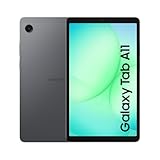
| Samsung Galaxy Tab A11 | Compact all-rounder | 8.7″ 90Hz, 64GB, 4GB, dual speakers |
| URAO 10.1″ Tablet | Large storage on a lean listing | Android 16, 128GB, 6000mAh |
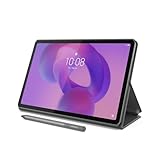
| Lenovo Idea Tab (4GB/128GB) | Sharp screen for schoolwork | 11″ 2.5K IPS, 90Hz, 128GB |
| Lenovo Tab One | Light portable streaming | 8.7″ HD, up to 12.5 hours of YouTube |
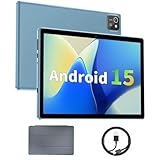
| COOPERS 10 Inch Tablet | Cheap expandable storage | Android 15, 1TB expandable, 6000mAh |
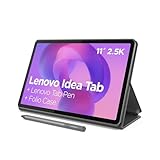
| Lenovo Idea Tab (8GB/256GB) | Most memory and storage | 11″ 2.5K IPS, 8GB memory, 256GB |
| aiprotablet 10 Inch | Basic multitasking claims | 12GB RAM, 64GB ROM, 1TB expandable |
How to Choose
Screen resolution and refresh rate
Resolution shapes everyday comfort. A 1280 by 800 panel is serviceable for video but looks soft for reading small text, while Full HD or the 2.5K panel on the Lenovo Idea Tab renders text more crisply. A 90Hz refresh rate, listed on the Samsung and Lenovo Idea Tab, makes scrolling smoother. Ignore screen size alone, because an 8.7-inch tablet is easier to hold with one hand than a 10-inch one.
Processor, memory, and what to distrust
Look for a named processor from MediaTek, Samsung, or similar rather than a generic quad-core claim. Four gigabytes of RAM is the practical minimum, and eight gigabytes gives more headroom. Be skeptical of memory totals that combine real and virtual RAM, such as 36GB made from 6GB plus 30GB, because virtual memory uses storage and does not behave like real RAM. Budget models cut corners on the processor first.
Storage and expansion
32GB fills quickly after apps and downloads, so 64GB is a more comfortable floor and 128GB is better for kids’ games and offline videos. A microSD slot helps, but listing a 1TB expansion limit does not mean a card that size is included. Check whether the tablet already ships with the storage you need.
Battery, software, and safety features
A 6000mAh battery is a common figure for budget tablets, and manufacturer claims such as 12.5 hours of video streaming are best treated as ceilings. Check that the tablet includes Google services if you want the Play Store, and whether parental controls are easy to reach. In 2026, current Android versions on budget tablets still vary in how many updates they receive.
The 8 Best Options
Fire HD 10
This is a 10.1-inch tablet with a Full HD screen, an octa-core processor, 4GB of RAM, and 32GB of storage, described as built for relaxation. It suits families who stream, read, and browse, and want a larger screen at an easy-to-understand configuration. The Full HD display is a step above the 1280 by 800 panels in several listings.
- Strength: a 10.1-inch Full HD screen for video and reading.
- Strength: 4GB of RAM with an octa-core processor.
- Trade-off: 32GB of storage fills quickly without a card or cloud space.
Skip it if you want many apps and offline downloads. Families who plan to load lots of games or videos should compare the 64GB and 128GB listings, since the storage gap is the first thing most owners run into.
Samsung Galaxy Tab A11
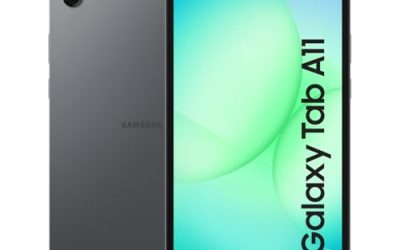
An 8.7-inch Android tablet with a 90Hz screen, 64GB of storage, 4GB of RAM, Wi-Fi, an octa-core 6nm processor, dual speakers, and a 20W fast charger. It fits buyers who want a compact tablet that is easy to hold, with Samsung’s name and a charger included. The dual speakers and 90Hz panel make it a pleasant fit for bedtime video and casual games, and the smaller size suits kids and commuters alike.
- Strength: 90Hz display and dual speakers are listed.
- Strength: a 20W fast charger comes in the box.
- Trade-off: the 8.7-inch screen is small for reading documents.
Skip it if you want a larger display for schoolwork. Students who write long papers or split the screen between apps will feel the smaller canvas, and an 11-inch tablet suits them better.
URAO 10.1″ Tablet
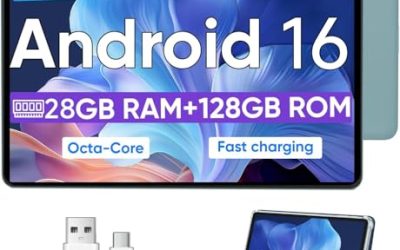
A 10.1-inch Android 16 tablet with an octa-core processor, 128GB of storage, a 1280 by 800 IPS touchscreen, dual cameras, a 6000mAh battery, Wi-Fi 6, and Bluetooth 5.4. The 36GB memory figure is 6GB of real RAM plus 30GB of virtual, so treat it as 6GB in practice. It targets buyers who want a lot of storage on a lean budget.
- Strength: 128GB of storage and Wi-Fi 6 are listed.
- Strength: a 6000mAh battery and Android 16 are named.
- Trade-off: the 36GB memory claim includes virtual memory, and the display is only 1280 by 800.
Skip it if you want a sharper screen or a major brand. Careful buyers should confirm update support and warranty terms before purchasing, since lesser-known brands vary a lot in how long they keep a model supported.
Lenovo Idea Tab (4GB/128GB)
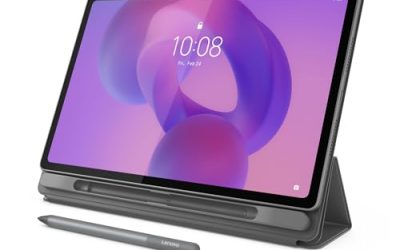
An 11-inch tablet with a 2.5K IPS touchscreen, 90Hz refresh, a MediaTek Dimensity 6300 processor, 4GB of memory, and 128GB of storage. It is a college-oriented tablet that suits students who read, annotate, and watch lectures on a bigger, sharper screen. The 90Hz refresh rate and 2.5K resolution are the headline reasons to choose it over the 10-inch listings, which top out at 1280 by 800.
- Strength: a 2.5K IPS display at 90Hz is among the sharpest here.
- Strength: 128GB of storage and a named processor.
- Trade-off: 4GB of memory limits heavy multitasking.
Skip it if you want more memory or a smaller body. Buyers who run many apps at once should look at the 8GB version with 256GB.
Lenovo Tab One
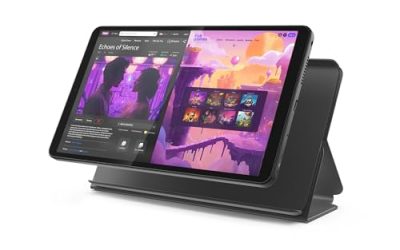
An 8.7-inch lightweight tablet with an HD display, 4GB of memory, 64GB of storage, a MediaTek Helio G85 processor, and up to 12.5 hours of YouTube streaming. It suits commuters and kids who want a light tablet that lasts through a day of videos and reading. Its Helio G85 processor is named in the title, which gives buyers something concrete to compare against the generic quad-core claims elsewhere.
- Strength: a listed 12.5 hours of YouTube streaming.
- Strength: a lightweight 8.7-inch size that is easy to carry.
- Trade-off: an HD screen is less sharp than the 2.5K Idea Tab.
Skip it if you want a big, sharp display. Anyone who reads small text for long sessions should compare the larger Lenovo Idea Tab listings.
COOPERS 10 Inch Tablet
A 10-inch Android 15 tablet with 32GB of ROM, a 1TB expansion limit, a quad-core processor, a 6000mAh battery, a 1280 by 800 IPS touch screen, and 2 plus 8 megapixel cameras. It suits shoppers who want a basic, big-screen tablet with room for a memory card. A buyer who already owns a spare microSD card, or who plans to keep movies offline, gets the most from the expansion slot.
- Strength: expandable storage is listed.
- Strength: a 6000mAh battery and IPS panel.
- Trade-off: a quad-core processor and 32GB of built-in storage are limited.
Skip it if you want smooth performance or plenty of built-in storage. A named-brand processor is a better bet for demanding apps.
Lenovo Idea Tab (8GB/256GB)
The higher-memory version of the 11-inch Idea Tab, with a 2.5K IPS touchscreen, 90Hz, a MediaTek Dimensity 6300 processor, 8GB of memory, and 256GB of storage. It suits buyers who want to keep apps, notes, and downloads on one device without managing space. It is the closest thing here to a tablet that can replace a basic laptop for reading and notes, especially if you pair it with a keyboard case.
- Strength: 8GB of memory and 256GB of storage are the most here.
- Strength: a 2.5K, 90Hz display.
- Trade-off: higher memory and storage tiers usually cost more, so it may stretch a tight cap.
Skip it if you only stream video and browse, since the 4GB version covers that.
aiprotablet 10 Inch
A 10-inch Android 15 tablet with 12GB of RAM, 64GB of ROM, a 1TB expansion limit, a quad-core processor, a 1280 by 800 LCD, WiFi 5, and dual cameras. The title does not say how much of the 12GB is physical memory, so treat it cautiously. It suits shoppers who want basic tablet functions at a low entry tier. It is best viewed as a simple screen for streaming and light browsing rather than a device for demanding apps.
- Strength: expandable storage and dual cameras are listed.
- Strength: Android 15 is named.
- Trade-off: a quad-core chip, an LCD at 1280 by 800, and WiFi 5.
Skip it if you want a trusted processor or a sharper display.
Which One Fits Your Situation
You want a tablet for school reading and notes
The Lenovo Idea Tab with 2.5K display fits best, and the 8GB and 256GB version gives room to grow.
You need a small tablet for travel
Pick the Lenovo Tab One or the Samsung Galaxy Tab A11. Both are 8.7 inches, and the Lenovo lists a long streaming time.
You want a big family streaming screen
The Fire HD 10 gives a 10.1-inch Full HD screen, and the URAO adds more storage if you want to keep downloads.
You need expandable storage
The COOPERS and aiprotablet list 1TB expansion limits, but remember a card is a separate purchase.
Common Mistakes
- Trusting memory totals that include virtual RAM.
- Buying 32GB of storage and running out within weeks.
- Choosing a 1280 by 800 screen for heavy reading.
- Assuming a listed 1TB expansion limit means a card is included.
- Ignoring update support and parental controls on budget models.
Related guides
- How To Use Camelcamelcamel For Amazon Deals
- Warranty Considerations When Buying On Sale
- Browser Extensions For Finding Deals
Frequently Asked Questions
Is 4GB of RAM enough for a tablet?
For streaming, reading, and light games, yes. For many apps at once, 8GB gives more room.
What is virtual RAM?
It borrows storage to act like memory. It can help a little but is slower than real RAM, so judge a tablet by its physical memory.
Does a higher refresh rate matter?
A 90Hz screen feels smoother when scrolling and writing, but it does not change how video looks.
Can I use these for kids?
Yes, but check parental controls and consider a protective case. Smaller 8.7-inch models are easier for small hands, and a case with a stand helps protect the screen from drops and makes it easier to watch videos from a table without holding it.
Related guides
More from Amazon
Programs that pair well with the guide above. Offers and eligibility are set by Amazon and may change.
Free shipping on eligible items, Prime Video and more. Eligible new members can start with a free trial.
Start a Prime free trialAd-free music streaming. Eligible new subscribers can start with a free trial.
Try Music Unlimited freeA Prime membership for ages 18-24 with a trial period. Eligibility is set by Amazon.
See Prime for Young AdultsAudiobooks and podcasts to listen to on the go. Eligible new members can start with a free trial.
Try Audible freeAs an Amazon Associate we earn from qualifying purchases.