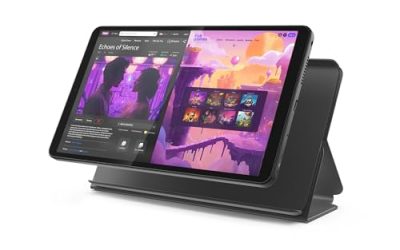
Ten inches is the size where a tablet stops being a big phone and starts being a small screen you can actually work and watch on. It is large enough for a split-screen of a video call and a notes app, small enough to hold in one hand on a couch, and it fits in most backpacks without a second thought. The catch is that the 10-inch class is crowded with listings that look identical in a thumbnail and differ wildly in the details that matter: panel resolution, how much memory is physical versus borrowed from storage, which Android version ships, and whether the accessories in the box are worth keeping.
This guide is for buyers who have already settled on the 10-inch footprint and want help sorting eight specific options for 2026. It leans on the specs printed in each listing, such as RAM, storage, battery capacity, screen resolution and camera pairings, and it flags where the numbers are likely to be marketing arithmetic rather than real-world headroom. If you are comparing a family streaming tablet against a study tablet with a stylus, the sections below should let you narrow the field in a few minutes.
Our Top Picks
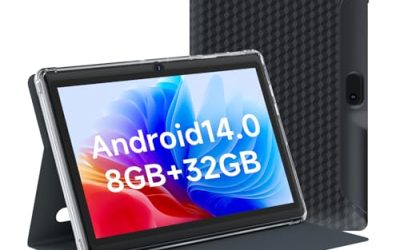
 Android Tablet 10 Inch Tablet With Case Screen8GB+32GB With Case9.6 x 6.7 x 0.3 inches2 poundsCheck on Amazon
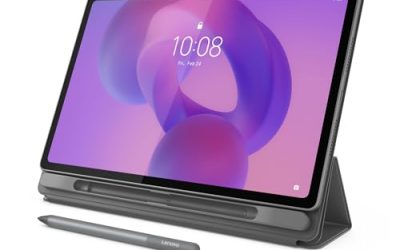
 Android Tablet 10 Inch Tablet With Case Stylus8GB+32GB With Case12 x 7 x 0.4 inches1 poundsCheck on Amazon



Top 3 picks at a glance
Quick Picks
As an Amazon Associate we earn from qualifying purchases at no extra cost to you.



| Product | Best for | Key spec from the title |
|---|---|---|
| Fire HD 10 | Streaming and casual family use | 10.1″ Full HD screen, octa-core, 4 GB RAM, 32 GB |
| Android 15 Case-and-Stylus Tablet (8GB/32GB) | Note-taking on a tight budget | 8GB RAM, 32GB ROM, 1TB expansion, 6000mAh |
| Android 15 Tablet with Cover and Dual Camera | Kids and shared household use | Protective cover, stylus, dual camera, 1TB expansion |
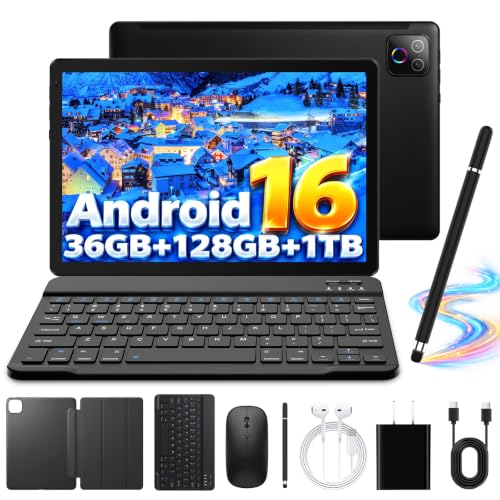
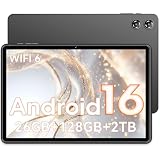
| Android 16 Tablet with Keyboard Case and Mouse | Light laptop-style typing | 128GB ROM, WiFi 6, BT 5.4, keyboard, mouse, stylus |
| COOPERS 10-inch Android 15 | Simple browsing and video | Quad-core, 1280×800 IPS, 6000mAh, 32GB ROM |
| Android 15 Stylus Tablet (2MP-camera listing) | Second-tablet or travel use | 8GB RAM, 32GB ROM, 10.1″ IPS HD, 6000mAh |
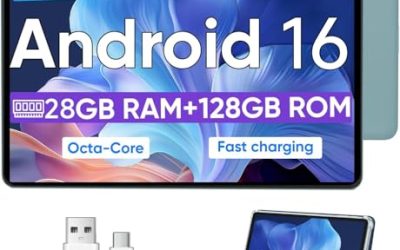
| URAO 10.1-inch Android 16 | Buyers who want more storage | Octa-core, 36GB(6+30) RAM, 128GB, WiFi 6 |
| Android 16 Tablet with 7000mAh Battery | Long days away from an outlet | 7000mAh, 128GB ROM, 2TB expansion, octa-core |
How to Choose
Screen resolution and panel type
Ten inches at 1280×800 works out to roughly 150 pixels per inch, which is fine for video and web pages but visibly soft on small text and comic or magazine pages. A Full HD panel (1920×1080) lifts that to around 220 pixels per inch, and the difference is obvious the first time you read a PDF. Look for IPS in the listing, since it keeps colors and brightness stable when the tablet is tilted on a lap or a stand. If your main use is reading or document work, treat Full HD as the dividing line; if it is cartoons for a six-year-old, 1280×800 is perfectly adequate.
RAM, storage and the virtual-memory trick
Many budget listings add physical RAM to a slice of storage and print the total. The URAO title is honest about it: 36GB is written as 6 plus 30. Treat the first number as the real one. For smooth multitasking on Android, 4GB is a workable floor, 6GB to 8GB is comfortable, and anything beyond that figure is borrowed space that does little for speed. For storage, 32GB leaves surprisingly little after the system and a handful of apps, so a card slot that supports 1TB or more is a real advantage, though a card is slower than built-in storage for app installs. Prefer 128GB if you plan to download offline video.
Battery, processor and software version
A 6000mAh to 7000mAh cell is typical for this size and is enough for a full day of mixed light use, but capacity alone does not predict endurance because screen resolution and processor efficiency matter as well. Octa-core chips handle app switching better than quad-core ones; a quad-core part is fine if the tablet will mostly run one video app at a time. Android 15 and Android 16 labels both appear in this group. A newer version label helps with security updates only if the manufacturer actually delivers them, so do not pay a premium for the number alone.
Bundled accessories versus build quality
Cases, styluses, keyboards and mice are the budget-tablet sales pitch. A rubberized case is genuinely useful for children and commuters; a bundled stylus is handy for notes but rarely matches the precision of a pressure-sensitive pen; a keyboard case helps for email but is no substitute for a laptop. The corners cut by the lowest-priced models usually show up in the camera (2MP and 5MP rear sensors are for scanning a receipt, not for photography), in speaker quality, and in how long the software stays pleasant to use.
The 8 Best Options
Fire HD 10
This is the most straightforward pick for a household that wants a big screen for video, reading and casual browsing. The listing pairs a 10.1″ Full HD display with an octa-core processor, 4 GB of RAM and 32 GB of storage, a set of numbers that are modest but honest and not padded with virtual memory.
- Strength: Full HD resolution gives sharper text than the 1280×800 panels in most of this group.
- Strength: RAM is stated plainly, so what you read is what you get.
- Trade-off: 32 GB fills quickly, and the listing does not mention a card slot or stylus.
Skip it if you need a bundled keyboard or pen, or if you rely on apps that expect the standard Google storefront on Android. Anyone planning offline downloads should budget for a memory card or cloud storage.
Android 15 Case-and-Stylus Tablet (8GB/32GB)
Aimed at students and note-takers who want a case and a stylus in one box, this listing combines a 10.1″ IPS HD touchscreen with 8GB RAM, 32GB ROM, support for 1TB of expansion and a 6000mAh battery. That is a lot of headline hardware for a budget tablet.
- Strength: expandable storage up to 1TB solves the thin built-in 32GB.
- Strength: case and stylus included, so there is nothing else to buy to start.
- Trade-off: HD resolution means text is softer than on a Full HD panel, and the camera pair is only listed as 2MP-class.
Skip it if you want a sharp reading screen or expect desktop-class performance from the 8GB figure. Treat it as a capable note-taking slate, not a laptop replacement.
Android 15 Tablet with Cover and Dual Camera
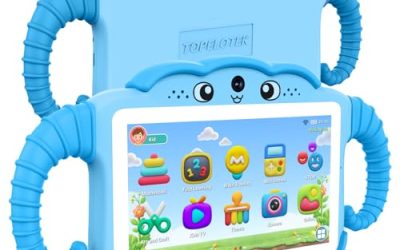
This listing leans into family use. It is a 10-inch Android 15 tablet with a protective cover, a stylus, dual cameras, 8GB RAM, 32GB ROM and expansion up to 1TB. The cover is the practical feature for homes where tablets get dropped on kitchen floors.
- Strength: the included cover adds protection from day one.
- Strength: the 1TB expansion ceiling leaves room for offline cartoons and games.
- Trade-off: the title is thin on display resolution, so confirm the panel before assuming it matches a Full HD screen.
Skip it if you are buying for photography or if crisp text is a priority. Parents should still confirm the exact panel and charging details before ordering.
Android 16 Tablet with Keyboard Case and Mouse
The most laptop-like bundle of the group, this one ships with a keyboard case, mouse and stylus around a 10-inch octa-core Android 16 tablet. It lists 128GB of storage, expansion up to 1TB, WiFi 6, Bluetooth 5.4, an IPS HD screen and a 6000mAh battery.
- Strength: WiFi 6 and Bluetooth 5.4 are newer wireless standards than many rivals mention.
- Strength: 128GB built in is four times the base storage of several others.
- Trade-off: the 36GB RAM figure includes virtual memory, so do not expect it to behave like a laptop with that much real memory.
Skip it if you only want a slim tablet for the couch, since the accessories add bulk. Buyers who never type on a tablet are paying for extras they will leave in a drawer.
COOPERS 10-inch Android 15
COOPERS keeps the spec sheet short: a quad-core processor, 32GB ROM, 1TB expansion, a 6000mAh battery, a 1280×800 IPS touchscreen and a 2MP plus 8MP camera pairing. It is the simplest listing here, and that is part of its appeal.
- Strength: an 8MP rear camera is the sharpest on offer in the budget end of this group for scanning documents.
- Strength: IPS panel and a clearly stated resolution make expectations easy to set.
- Trade-off: quad-core processing will feel slower when switching between several apps.
Skip it if you plan to multitask heavily or want a stylus and case bundled in. It is a one-app-at-a-time machine, best for video, browsing and e-books.
Android 15 Stylus Tablet (2MP-camera listing)
This is a close sibling of the other Android 15 stylus bundle, with a 10.1″ IPS HD touchscreen, 8GB RAM, 32GB ROM, 1TB expansion, a 6000mAh battery and a 2MP-led camera setup. It suits buyers who want a second tablet for travel or the guest room.
- Strength: familiar specs and a battery size that comfortably covers a travel day of video.
- Strength: case and stylus bundled, keeping total outlay in the budget tier.
- Trade-off: almost identical to its sibling, so choose on whichever bundle contents you prefer rather than expecting a performance difference.
Skip it if you want a camera for video calls that looks sharp in dim rooms. Anyone wanting a clearly different feature set from its sibling listing should look elsewhere in this group.
URAO 10.1-inch Android 16
URAO is among the more transparent listings, spelling out 36GB(6+30) RAM and pairing it with an octa-core processor, 128GB of storage, a 1280×800 IPS screen, dual cameras, WiFi 6, Bluetooth 5.4 and GMS support for Google services.
- Strength: 128GB internal storage and GMS support simplify setting up a normal Android account.
- Strength: the 6+30 breakdown tells you exactly how much physical memory you have.
- Trade-off: the screen resolution is the common 1280×800 rather than Full HD.
Skip it if screen sharpness matters most, or if you want a stylus and case in the listing. Families with young children will likely want to add a protective cover separately.
Android 16 Tablet with 7000mAh Battery
The battery leader of the set, this Android 16 tablet lists a 7000mAh cell, an octa-core processor, 128GB of storage, expansion up to 2TB, a 1280×800 IPS touchscreen and a camera pair starting at 2MP. It is a good fit for someone who commutes and wants fewer charging stops.
- Strength: the largest battery capacity and the highest expansion ceiling in this group.
- Strength: octa-core processing and 128GB built in give it more headroom than the 32GB models.
- Trade-off: the 26GB RAM figure appears to include borrowed memory, so treat it as a smaller real number.
Skip it if you need a keyboard or case in the box. Heavy multitaskers should also remember that the memory total is likely padded with virtual space.
Which One Fits Your Situation
You want a screen for reading and streaming
The Fire HD 10 is the clear match, because its Full HD panel and plainly stated 4 GB of RAM favor sharper text and predictable video playback over bundled extras.
You are buying for a student who takes handwritten notes
The Android 15 Case-and-Stylus Tablet (8GB/32GB) covers the essentials with a stylus, a case and 1TB expansion, which suits lecture notes plus a library of PDFs.
You need the tablet to double as a typing machine
The Android 16 Tablet with Keyboard Case and Mouse is the only one here that packages all three input tools, which makes it the sensible choice for emails and short documents.
You spend long days away from an outlet
The Android 16 Tablet with 7000mAh Battery offers the biggest cell on the list, plus a 2TB card ceiling for downloading movies before a flight.
Common Mistakes
- Trusting the biggest RAM number without checking whether it is physical memory or borrowed storage.
- Assuming every 10-inch panel looks the same, when 1280×800 and Full HD are clearly different for reading.
- Treating a bundled stylus as equal to a pressure-sensitive pen made for drawing.
- Skipping the card slot, then running out of the 32GB of built-in storage after a few downloads.
- Buying on the newest Android version label alone, when update support and panel quality matter more.
Related guides
- Gaming Chair Cushions And Lumbar Supports
- Warranty Considerations When Buying On Sale
- How To Use Camelcamelcamel For Amazon Deals
Frequently Asked Questions
Is 32GB enough for a 10-inch tablet?
It is enough for streaming and a modest app list, but the system takes a large share. If you download video or games, choose a model with 128GB or a card slot that supports a large memory card.
Does 1TB or 2TB expansion mean the tablet is faster?
No. Expansion only adds storage space, and cards read more slowly than built-in storage. It helps for media libraries but not for app performance.
Are tablets with keyboards good for school?
For short assignments and email they work well, and the bundled case protects the screen. For long essays or coding, a laptop is more comfortable, so use these as a lightweight companion instead.
What does the 6+30 style of RAM listing mean?
It means 6GB of physical memory plus 30GB of virtual memory carved from storage. Real speed depends on the physical portion, so compare that number across listings.
Related guides
More from Amazon
Programs that pair well with the guide above. Offers and eligibility are set by Amazon and may change.
Free shipping on eligible items, Prime Video and more. Eligible new members can start with a free trial.
Start a Prime free trialAd-free music streaming. Eligible new subscribers can start with a free trial.
Try Music Unlimited freeA Prime membership for ages 18-24 with a trial period. Eligibility is set by Amazon.
See Prime for Young AdultsAudiobooks and podcasts to listen to on the go. Eligible new members can start with a free trial.
Try Audible freeAs an Amazon Associate we earn from qualifying purchases.