
Choosing an asus gaming pc means navigating a lineup that stretches from entry-level towers to full flagship desktops, with price gaps between tiers running from a few hundred to well over a thousand dollars. The model numbers—G700TF, GM700TZ, T500MV—signal almost nothing about what actually drives performance or longevity, which leaves buyers comparing near-identical chassis with radically different silicon inside.
What separates a worthwhile pick from a disappointing one comes down to a handful of decisive specs: the GPU tier, whether the processor is locked or unlocked, DDR5 capacity, and storage configuration. Owner feedback consistently flags thermal headroom and upgrade limitations as the areas where ASUS desktops either justify their premium or quietly underperform a similarly priced competitor. This roundup compares published specifications, current pricing, and recurring owner observations to sort the lineup honestly.
As an Amazon Associate we earn from qualifying purchases at no extra cost to you. Product prices and availability are accurate as of the date shown and are subject to change.


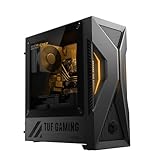
Top 3 picks at a glance
Quick Picks
| Product | Best for | Price |
|---|---|---|
| ROG G700 DS774 | Balanced mid-range gaming | $1,799.99 |
| ROG G700 PB776Ti | High-refresh 1440p gaming | $2,199.99 |
| ROG G700 XS776 | Value buyers needing Pro and 32 GB | $1,706.05 |
| ROG GM700 MS777 | AMD platform loyalists | $2,999.99 |
| ROG GM700 PS787 | Flagship NVIDIA performance | $3,199.99 |
| ROG NUC 16 | Small-form-factor gaming | $2,999 |
| Skytech Azure 3 | Cross-brand AMD comparison | $2,899.99 |
| TUF T500 MS564Ti | Tight-budget entry gaming | $1,241.99 |
How We Picked
We weighted four criteria: GPU tier relative to price (the single biggest frame-rate variable), RAM capacity as a durability signal, processor variant (unlocked KF or X3D chips earn their premium through sustained clocks or cache advantages), and storage configuration. A machine at $1,799.99 shipping 16 GB while another at $1,706.05 ships 32 GB is not a close call, and those comparisons drive most of the rankings below.
The 8 Best Asus Gaming Pc in 2026
1. ASUS ROG G700 Gaming Desktop PC (G700TF-DS774)
The default mid-range pick for anyone who wants a current RTX 5070 without paying extra for higher VRAM or additional storage. The Core Ultra 7 265F handles gaming workloads cleanly, and the 1 TB PCIe 4 SSD covers most libraries without a secondary drive. It is the right machine for 1080p-to-1440p gaming on a sensible budget.
- Strong GPU-for-dollar ratio at its tier
- Proven G700 chassis with accessible internals
- Only 16 GB DDR5 limits multitasking and future-proofing
Skip this if you stream, run creative apps alongside gaming, or want to avoid a RAM upgrade within a year.
2. ASUS ROG G700 Gaming Desktop PC (G700TF-PB776Ti)
The PB776Ti upgrades in exactly the right places: an unlocked Core Ultra 7 265KF for higher sustained clocks, an RTX 5070 Ti for a meaningful frame-rate bump, and 32 GB DDR5 that eliminates the most common owner complaint against its siblings. For competitive 1440p players wanting headroom without jumping to the 5080 tier, this is the sweet spot.
- Unlocked CPU plus 32 GB RAM removes near-term upgrade pressure
- 5070 Ti delivers a noticeable step above the standard 5070
- Premium over the base model is significant for the incremental gains
Skip this if you primarily play at 1080p; the 5070 Ti headroom goes to waste at that resolution.
3. ASUS ROG G700 Gaming Desktop PC (G700TF-XS776)
On paper this is the value play: same GPU and CPU as the DS774 but with double the RAM and a Windows 11 Pro license, all at a lower price. For buyers wanting 32 GB headroom without the 5070 Ti tax, the XS776 is compelling. The Pro license also matters for anyone running VMs or domain-joined work alongside gaming.
- 32 GB DDR5 and Windows 11 Pro at a lower price than the 16 GB alternative
- Identical core gaming silicon to the pricier DS774
- Still locked to the 265F with no overclocking potential
Skip this if you need the unlocked processor or the extra GPU power the 265KF and 5070 Ti provide.
4. ASUS ROG GM700 Gaming Desktop PC (GM700TZ-MS777)
The GM700 pairs AMD’s 9800X3D—widely regarded as the strongest pure-gaming CPU available—with a Radeon RX 9070 XT and a generous 2 TB SSD. It targets buyers who prioritize CPU-bound gaming (simulations, large open worlds) and want a full AMD stack. Owner feedback consistently praises the X3D cache advantage in competitive frame consistency.
- 9800X3D delivers top-tier gaming CPU performance
- 2 TB SSD eliminates storage anxiety out of the box
- Radeon driver maturity still trails NVIDIA in niche titles and upscaling
Skip this if you depend on CUDA, DLSS, or ray tracing features where NVIDIA’s software stack remains ahead.
5. ASUS ROG GM700 Gaming Desktop PC (GM700TZ-PS787)
The flagship of this group: 9800X3D CPU, RTX 5080 GPU, 32 GB DDR5, and 2 TB PCIe 4 storage in one package. It targets buyers who want no compromises at high refresh rates and refuse frame drops in the most demanding titles. Pairing AMD’s best gaming CPU with NVIDIA’s second-best GPU tier is a deliberate, no-cut-corners configuration.
- Best available CPU-GPU combination outside the 5090 tier
- Ample storage and RAM with zero upgrade requirements
- Highest price in this roundup by a wide margin
Skip this if your display does not demand 5080-class output; the value proposition thins below 1440p at 144 Hz.
6. ROG NUC 16 Gaming Mini PC
The NUC 16 solves a spatial problem. It delivers an RTX 5070 Ti and Core Ultra 9 290HX+ in a footprint that fits on a desk without dominating it. For buyers in apartments, offices, or media setups where a full tower is impractical, this is the only asus gaming pc here that genuinely fits small-space constraints. The 32 GB RAM and 1 TB SSD round out a credible mid-range spec.
- Compact form factor with desktop-class GPU performance
- Top-tier mobile CPU for its size class
- Pricing near full-tower flagship territory for a mini chassis
Skip this if desk space is not a constraint; a G700 or GM700 offers better thermal margins at similar cost.
7. Skytech Gaming Azure 3 Gaming PC
Listed as a cross-brand comparator because it occupies the same AMD X3D-plus-9070-XT configuration space as the GM700 MS777 at a nearly identical price. Skytech tends to offer more visible RGB and a different chassis aesthetic. For buyers weighing whether to stay within ASUS or go third-party for the same core platform, this is the direct alternative to evaluate.
- Competitive pricing against ASUS for the same CPU-GPU pairing
- Distinct case design and lighting options
- Warranty and support ecosystem outside ASUS’s established network
Skip this if you want a single-vendor service relationship; ASUS owns the support chain for every other entry here.


