
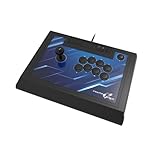
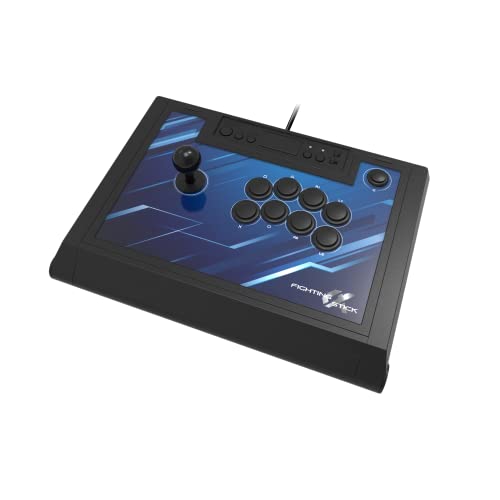
For most PS5 owners, a licensed arcade stick with Sanwa-style or equivalent parts, such as the Victrix Pro FS-12 or Hori’s Fighting Stick Alpha, is the safest buy, while players who want a leverless layout should look at the Razer Kitsune or a Hit Box-style board. Whichever route you take, the key filter is the same: the stick must explicitly list PS5 support, and it should have a physical mode switch or a documented pairing method for PS5 and PC.
As an Amazon Associate we earn from qualifying purchases at no extra cost to you.



Our Top Picks

Top 3 picks at a glance
What matters when picking a PS5 fight stick
Fighting games such as Street Fighter 6 and Tekken 8 reward consistent inputs, not flashy features. When comparing sticks, these points do most of the work.
- PS5 compatibility: look for the maker’s listing naming PS5 specifically. Many sticks are sold as PS4 and PC devices that also work on PS5 only for PS4 games, so read the fine print.
- Layout: a classic lever with eight face buttons, or a leverless all-button layout where directions are buttons too. Leverless boards are popular in tournament play but feel different from a traditional stick.
- Parts: Sanwa-style or Seimitsu-style levers and buttons are replaceable, which extends the life of the stick.
- Cable and mode switches: a detachable USB cable and clearly marked platform toggles make travel easier.
- Size and weight: a heavy case stays put on a lap or table; a compact leverless board packs easily.
At a glance
| Stick | Best for | Key stated features | Limits |
|---|---|---|---|
| Victrix Pro FS-12 | Players who want a premium lever stick with PS5 support | Maker lists PS5, PS4 and PC compatibility, a metal-panel design and a lever-and-button layout with swappable parts | High-end tier; bulky to carry |
| Hori Fighting Stick Alpha | Buyers who want a licensed, mid-range tournament-style stick | Hori lists PS5, PS4 and PC support and a traditional layout with Hori’s arcade-style parts | Parts are less commonly modded than Sanwa-based sticks |
| Razer Kitsune | Leverless fans who want an optical-switch board for PS5 and PC | All-button layout with optical switches; Razer lists console and PC support | Different muscle memory from a lever; confirm PS5 mode details on the maker’s page |
| Hit Box-style leverless controllers | Players who want a no-lever, button-only layout | Hit Box Arcade sells several leverless models; its page lists multiple models and platform options | Not every model supports PS5; read each product page |
| Qanba Obsidian 2 | Value-oriented buyers who want a conventional stick with swappable parts | Lists PS5, PS4 and PC support and arcade-style parts | Case is larger and heavier than leverless boards |
The picks in detail
Victrix Pro FS-12
The Pro FS-12 is generally described by reviewers as a premium, tournament-oriented stick built around a sturdy case with swappable parts. It is listed for PS5, PS4 and PC. It suits players who want one stick that handles console play now and can be modded later. The case is large enough to rest across your lap or sit on a table without sliding, which also means it is not the easiest to carry in a backpack.
Fit notes: the larger deck gives you room for wrist placement, and most players find that a bigger stick helps with long sessions. If you take it to events, factor in a case or bag.
Hori Fighting Stick Alpha
Hori is a long-running name in arcade-style controllers, and the Alpha is positioned as a PS5, PS4 and PC stick for players who want a licensed, ready-to-play model without custom building. It uses a traditional lever-and-eight-button layout. Reviewers generally frame it as a mid-range pick that favors straightforward plug-and-play over deep customization.
Fit notes: the layout will feel familiar if you have played arcade cabinets. Because modding options are narrower than with some Sanwa-based sticks, think of it as a long-term daily driver rather than a project.
Razer Kitsune
The Kitsune is a leverless controller with optical switches and a compact footprint, aimed at PS5 and PC players who want fast direction inputs from buttons. Leverless layouts put directional commands under your left fingers, which can make quick direction changes and dash inputs easier for players who lean on keyboard-style movement. The tradeoff is a learning curve if you are used to a lever, and some rule sets at events restrict certain input patterns, so read the tournament’s rules before relying on any special binding.
Fit notes: its smaller size suits tight desks and travel. Confirm PS5 mode and the exact platform toggle steps on Razer’s product page before buying.
Hit Box-style leverless boards
Hit Box Arcade pioneered the leverless format and lists several models on its site. The brand’s product listings include PC-focused and other models, and not every one is stated to work on PS5. If you are going this route, choose a model whose page names PS5 support and confirm whether an adapter or special mode is required.
Qanba Obsidian 2
A conventional stick offered at the value end of the licensed range. It is typically listed for PS5, PS4 and PC and uses arcade-style parts that you can replace later. A good fit for beginners who want a solid base without paying for the top-tier case.
Budget tiers
- Budget: value lever sticks and licensed beginner models. Expect lighter cases and stock parts that many players swap later.
- Mid-range: Hori’s Alpha class, Qanba and similar. A reasonable balance of case quality and PS5 support.
- Premium: Victrix Pro FS-12 and top leverless models. Heavier build, better parts, and more customization.
Pick X if…
| If you… | Pick |
|---|---|
| Want a premium, modifiable lever stick for PS5 | Victrix Pro FS-12 |
| Want a licensed, simple mid-range stick | Hori Fighting Stick Alpha |
| Prefer buttons for directions and need a compact board | Razer Kitsune or a PS5-listed Hit Box-style board |
| Want a lower-cost conventional stick | Qanba Obsidian 2 |
| Play mostly at tournaments | A tournament-legal lever stick; read the event rules on layouts |
PS5 compatibility notes
- PS4 mode vs PS5 mode: some sticks work with PS5 games only through a PS4-compatible mode. Native PS5 games may require a device the console recognizes as PS5-compatible, so confirm in the maker’s compatibility list.
- PC use: most of these sticks are also listed for PC, which suits PC gamers who play fighting games on Steam as well.
- Firmware and updates: check the maker’s support page for firmware updates that fix input issues, and follow their instructions exactly.
- Safe use: use only the supplied cable or a cable the maker approves, and stop using any controller with a damaged cable.
Alternatives to consider
- Fight pads: Hori and Razer sell six-button pad-style controllers that are cheaper and easier to carry than any stick.
- DIY or kit boards: Brook and similar boards let you build your own case with your choice of parts. This needs time and patience.
- Standard DualSense: still fully capable for many players, particularly if you play several genres.
Practical buying notes
Before ordering, decide where the stick will live. A desk setup lets you use a heavy case with a long cable, while a lap setup on a couch favors a stick with a non-slip base and a detachable cable that will not tug the console. Players who travel to local events tend to prefer compact leverless boards or a stick with a carry bag.
Think about what you will actually modify. Replaceable levers, buttons and restrictor gates let you tune the feel, but only if the case opens easily and the wiring uses standard connectors. Makers such as Victrix and Qanba market their sticks around swappable parts, while all-in-one models emphasize being ready out of the box.
Finally, set expectations about the learning curve. Moving from a pad to a stick takes weeks of practice for motions like quarter circles and dragon punches, and leverless boards bring their own habits for direction priority. Many players start with a pad, then add a stick once they know which games they will stay with. Most sticks are usable across the fighting-game library on both PS5 and PC, so the investment carries over from one game to the next.
Frequently Asked Questions
Do PS4 fight sticks work on PS5?
Many do, but often only for PS4 games on the PS5. For native PS5 titles, look for a stick the maker lists as PS5 compatible. Read the compatibility notes on each product page.
Is a leverless controller better than a lever stick?
Neither is universally better. Leverless boards suit players who like button-based direction inputs and a compact size, while lever sticks keep the classic arcade feel. Try each if you can before committing.
Are replaceable parts worth paying for?
If you plan to play for years, yes. Replaceable levers and buttons let you fix wear or change the feel without buying a new stick, and many buyers upgrade in stages.
Can I use a PS5 fight stick on PC?
Most listed models support PC too, often through a mode switch or a start-button combination. Follow the maker’s instructions for switching modes and confirm Steam compatibility on the product page.
Which stick is best for beginners?
A licensed mid-range lever stick is a sensible start, since it offers familiar controls and a stable case. If you already game on a keyboard, a leverless board may feel natural.
Do I need a stick to play fighting games well?
No. Many top players use pads. A stick is a comfort and preference choice, so buy one only if the layout appeals to you.
Related guides
More from Amazon
Programs that pair well with the guide above. Offers and eligibility are set by Amazon and may change.
Free shipping on eligible items, Prime Video and more. Eligible new members can start with a free trial.
Start a Prime free trialAd-free music streaming. Eligible new subscribers can start with a free trial.
Try Music Unlimited freeA Prime membership for ages 18-24 with a trial period. Eligibility is set by Amazon.
See Prime for Young AdultsAudiobooks and podcasts to listen to on the go. Eligible new members can start with a free trial.
Try Audible freeAs an Amazon Associate we earn from qualifying purchases.


