Our Short List of 3

- Best for: Tactical shooter players who want a proven control surface at a mouse-only size.
- Surface: Micro-woven cloth, optimized for gaming sensors
- Dimensions: 320 x 270 mm
- Thickness: 2 mm
- Base: Non-slip rubber

- Best for: All-round players on a standard desk who want cloth control with extra cushioning.
- Surface: Textured micro-weave cloth
- Dimensions: 360 x 275 mm
- Thickness: 3 mm
- Base: Thick, high-density rubber foam, anti-slip

- Best for: Low-sensitivity players who want keyboard and mouse on one consistent surface.
- Surface: Performance-tuned cloth, moderate surface friction
- Dimensions: 900 x 400 mm
- Thickness: 3 mm (0.12 in)
- Base: Stable rubber
All 4 Picks at a Glance
| Product | Specs | Action |
|---|---|---|
| SteelSeries QcK |
| Check price on Amazon |
| Razer Gigantus V2 Medium |
| Check price on Amazon |
| Logitech G840 XL |
| Check price on Amazon |
 Corsair MM350 PRO Extended XL |
| Check price on Amazon |
Choosing a gaming mouse mat comes down to two things most listings bury: how much friction the surface puts under your mouse, and whether the footprint actually matches the way you aim. A control player on low sensitivity needs a wide, slower cloth; a high-sensitivity player on a cramped desk needs the opposite. Get either wrong and even a flagship mouse feels inconsistent.
This guide is for FPS players who swipe with their whole arm, MOBA and RTS players who flick in short bursts, and anyone whose current pad bunches up, frays or slides around. Every mat below was picked from its Amazon product page details — surface material, dimensions, thickness and base construction — so the differences are physical, not marketing.
Our Top Picks
Top 3 picks at a glance
Quick Picks
As an Amazon Associate we earn from qualifying purchases.
| Product | Best for | Key spec from title |
|---|---|---|
| SteelSeries QcK | Players who want the proven control cloth | Micro-woven cloth, 320 x 270 mm |
| Razer Gigantus V2 Medium | Everyday gaming on a standard desk | Textured micro-weave cloth, 3 mm foam |
| Logitech G840 XL | One surface under keyboard and mouse | 900 x 400 mm XL cloth |
| Razer Strider Large | A faster hybrid glide that still stops cleanly | Hybrid polyester weave, 450 x 400 mm |
| Corsair MM350 PRO Extended XL | Full-desk coverage that shrugs off spills | Spill-proof cloth, 930 x 400 mm |
How to Choose
Surface material and friction
Cloth, hybrid and hard surfaces glide very differently, and that difference decides how your aim feels. A tightly woven cloth like the QcK’s micro-weave gives more stopping power, which helps when you need a flick to end exactly on a head. Hybrid mats weave polyester into a firmer top that starts moving with less effort, suiting players who find cloth sluggish. Match the surface to your sensitivity first: low-sensitivity arm aimers usually prefer control cloth, while wrist aimers often like the easier initial glide of a hybrid.
Size matched to sensitivity and desk
Measure the space you actually swipe, not the desk you wish you had. A medium pad around 320 x 270 mm covers high and medium sensitivity play, but a low-sensitivity player can run off its edge mid-turn. Large 450 x 400 mm mats give that player room to finish a 180 without lifting the mouse. Extended XL mats stretch to 900 mm or more and hold the keyboard too, which keeps both hands on one level surface. Check the listing dimensions against your desk depth before ordering, especially with monitor stands eating into the rear.
Thickness and base construction
Thickness changes both comfort and consistency. Thin 2 mm pads sit almost flush with the desk and feel direct, but they telegraph every bump underneath and offer little wrist cushioning. A 3 to 4 mm foam or plush rubber core smooths out uneven desks and feels kinder over long sessions, in exchange for a slightly softer, less rigid glide. Whatever the thickness, the base matters as much: a textured or grooved non-slip rubber underside keeps the mat planted during fast swipes, so confirm the listing states a rubber base rather than a plain fabric back.
Edges, coatings and upkeep
Edges are where cheap mats die first. Unstitched cloth eventually peels and frays along the wrist line, while anti-fray stitched edges survive years of forearm contact — worth checking in the listing if you play daily. Coatings are the other divider: spill-proof and water-resistant surfaces let drinks bead up and wipe off, whereas plain cloth soaks stains in and needs washing, which slowly changes its glide. If your desk hosts coffee or energy drinks, a coated extended mat removes a whole category of accidents from your setup.
The 5 Best Options
SteelSeries QcK
- Best for: Tactical shooter players who want a proven control surface at a mouse-only size.
- Surface: Micro-woven cloth, optimized for gaming sensors
- Dimensions: 320 x 270 mm
- Thickness: 2 mm
- Base: Non-slip rubber
Tactical shooter players who want a proven control surface at a mouse-only size.
The edges are not stitched, so heavy daily use can eventually fray the wrist line.
The QcK is the control cloth that much of the category is still measured against, and it earns its place here for players who value a predictable stop over raw speed. Its micro-woven surface is tuned for gaming sensors and gives low and medium sensitivity players a consistent, slightly grippy glide that makes micro-corrections easy to repeat. At 320 x 270 mm it suits a mouse-only footprint on a normal desk, and the slim 2 mm profile keeps your wrist close to desk level. It is the safest first upgrade from a bundled or office pad.
Razer Gigantus V2 Medium
- Best for: All-round players on a standard desk who want cloth control with extra cushioning.
- Surface: Textured micro-weave cloth
- Dimensions: 360 x 275 mm
- Thickness: 3 mm
- Base: Thick, high-density rubber foam, anti-slip
All-round players on a standard desk who want cloth control with extra cushioning.
Like most uncoated cloth, it will absorb spills and needs proper drying after a wash.
Razer’s medium Gigantus V2 is the middle path for players who want cloth control with a bit more cushion and glide than the classic pads offer. The textured micro-weave surface is built for a balance of speed and control, and the thick, high-density rubber foam underneath keeps the mat flat and adds padding during long sessions. Its 360 x 275 mm footprint gives medium-sensitivity players a little more horizontal room than a standard medium pad without taking over the desk, and the anti-slip base holds it steady through fast turns.
Logitech G840 XL
- Best for: Low-sensitivity players who want keyboard and mouse on one consistent surface.
- Surface: Performance-tuned cloth, moderate surface friction
- Dimensions: 900 x 400 mm
- Thickness: 3 mm (0.12 in)
- Base: Stable rubber
Low-sensitivity players who want keyboard and mouse on one consistent surface.
Measure your desk first — 900 mm of width plus a monitor stand leaves little room for speakers or a desk lamp base.
The G840 XL answers a different question: what if the keyboard sits on the mat too? At 900 x 400 mm it covers the full width of a typical desk, giving low-sensitivity players an uninterrupted sweep and keeping the keyboard on the same level, friction-matched surface. Logitech describes the cloth as performance-tuned with moderate surface friction, so it sits between a pure speed pad and a heavy control pad. The 3 mm profile stays thin enough to feel stable under a keyboard, and the rubber base keeps the whole sheet from creeping.
Razer Strider Large
The Strider is the pick for players who find cloth too slow but do not want the harsh feel and noise of a hard pad. Razer calls it a hybrid: a proprietary woven polyester surface over a soft base, giving a firmer, faster glide that still rolls up for transport. At 450 x 400 mm it is a true large pad for arm aimers, and the details are travel-friendly — anti-fraying stitched edges, a water-resistant surface that wipes clean, and a grooved rubber underside that anchors it. It behaves like a speed pad that kept cloth’s stopping manners.
Specs
- Surface: Hybrid polyester, proprietary weaved surface
- Dimensions: 450 x 400 mm
- Thickness: 3 mm
- Base: Grooved anti-slip rubber
- Edges: Anti-fraying stitched
- Model: RZ02-03810200-R3M1
Best for: Players who want a faster glide than cloth with large-pad room and easy cleaning.
Watch out for: The firmer hybrid top feels different from cloth for the first sessions, and it sits in a higher tier than basic large cloth pads.
ASIN: B097HQGR4H
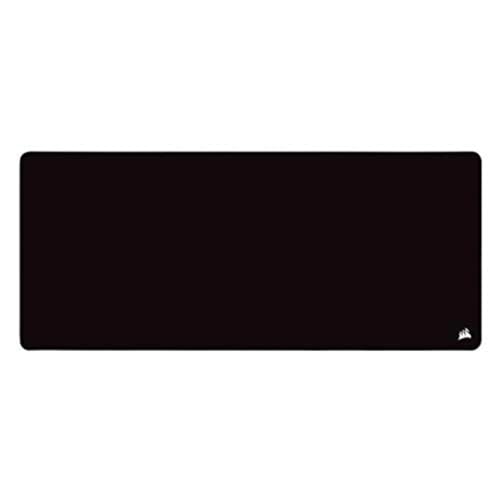
Corsair MM350 PRO Extended XL
- Best for: Full-desk setups and anyone who keeps drinks near the keyboard.
- Surface: Spill-proof micro-weave cloth, stain-resistant
- Dimensions: 930 x 400 mm (36.6 x 15.7 in)
- Thickness: 4 mm plush rubber base
- Edges: Anti-fray stitched
Full-desk setups and anyone who keeps drinks near the keyboard.
At 930 mm wide it can crowd out monitor stands and desk shelves, so confirm your layout before choosing it over the G840 XL.
Corsair’s MM350 PRO Extended XL is built for the desk that hosts everything: keyboard, mouse, headset stand and a drink within spill range. The 930 x 400 mm surface uses a spill-proof, stain-resistant micro-weave cloth, so liquid beads on top instead of soaking through to the foam. A plush 4 mm rubber base cushions the wrist edge where your forearm rests all day, anti-fray stitched edges protect the perimeter, and the textured underside keeps the mat from migrating. It is the most desk-like mat here, in coverage and in upkeep.
Which One Fits Your Situation
You play tactical shooters at low sensitivity
You need width and stopping power more than anything. The Razer Strider Large and the Logitech G840 XL both give you a 400 mm-deep field to finish long turns, with the Strider gliding faster and the G840 offering a more traditional cloth feel. If your desk cannot take an XL sheet, the Strider’s 450 mm width is the practical compromise.
Your desk is small or doubles as a work desk
A mouse-only pad keeps the rest of the desk free for a laptop, notebook or second screen. The SteelSeries QcK’s 320 x 270 mm footprint is the tidy option and disappears under a keyboard tray when you work. The Razer Gigantus V2 Medium adds a little more room and cushion if your gaming sessions run long after the workday ends.
You keep knocking drinks over near your setup
Coating matters more than glide for you. The Corsair MM350 PRO’s spill-proof surface lets liquid sit on top until you wipe it away, and the Strider’s water-resistant hybrid top handles splashes almost as casually. Plain uncoated cloth, by contrast, drinks the spill for you and needs a wash and a full dry before it glides the same again.
You travel to LANs or swap desks often
Portability rules out the XL sheets, which roll into bulky tubes. The Strider Large rolls up, resists warping and has stitched edges that survive being stuffed into a backpack, making it the travel pick. The QcK is the budget alternative: it rolls just as easily, weighs little, and if it gets lost or ruined on the road, replacing it hurts far less.
Common Mistakes
- Buying by desk size alone and ignoring sensitivity, so a low-sensitivity player runs off a medium pad mid-turn.
- Choosing a speed surface for control-heavy games, then blaming the mouse when flicks overshoot.
- Skipping the edge check: unstitched cloth frays along the wrist line within a season of daily play.
- Washing an uncoated cloth pad and gaming on it while damp, which makes the glide inconsistent for days.
- Placing an extended mat under a monitor stand without measuring, leaving a ridge that rocks the keyboard.
Frequently Asked Questions
Does a gaming mouse mat actually improve aim?
It improves consistency rather than raw skill. A uniform, sensor-tuned surface removes the random friction changes of a bare desk, so the same hand movement produces the same cursor movement every time. That repeatability is what players mean by better aim: flicks become predictable, and muscle memory builds on a surface that does not change between sessions or after cleaning.
What size mouse mat should a low-sensitivity player buy?
Look at large or extended sizes, roughly 450 x 400 mm or wider. Low sensitivity means long arm sweeps, and a pad that is too small forces constant mouse lifts to re-centre, which breaks tracking mid-fight. Measure your available desk depth as well as width, since many large pads are 400 mm deep and can collide with monitor stands.
Is a hybrid mat better than a cloth mat?
Neither is universally better; they trade glide against stopping power. Hybrid mats like the Strider start moving with less effort and suit players who find cloth draggy, while control cloth gives a firmer brake at the end of a flick. If you play several genres, a hybrid is a reasonable middle ground, but dedicated tactical shooter players often still prefer cloth.
How often should a gaming mouse mat be replaced or cleaned?
Wipe coated and hybrid surfaces whenever they look dusty, and wash uncoated cloth every few weeks if you play daily, letting it dry fully before use. Replace a cloth pad when the centre develops a glazed, faster patch than the edges, when fraying reaches the mousing area, or when the base stops gripping — typically after a year or two of heavy use.
Related guides
More from Amazon
Programs that pair well with the guide above. Offers and eligibility are set by Amazon and may change.
Free shipping on eligible items, Prime Video and more. Eligible new members can start with a free trial.
Start a Prime free trialAd-free music streaming. Eligible new subscribers can start with a free trial.
Try Music Unlimited freeA Prime membership for ages 18-24 with a trial period. Eligibility is set by Amazon.
See Prime for Young AdultsAudiobooks and podcasts to listen to on the go. Eligible new members can start with a free trial.
Try Audible freeAs an Amazon Associate we earn from qualifying purchases.