
That second bedroom that pulls double duty as a home office and guest room is exactly where a 27-inch 1440p monitor earns its keep. You want enough screen real estate to spread out spreadsheets and editing timelines without overwhelming a 48-inch desk, and you need sharp text for long work sessions plus enough refresh rate to make evening gaming actually enjoyable. Go too cheap and you get washed-out colors and a wobbly stand; go 4K and you pay more for pixels your budget GPU cannot really drive.
A good QHD panel at this size hits the sweet spot at about 109 pixels per inch, which keeps fonts crisp at arm’s length without forcing you to use display scaling. In 2026 the competition under $250 has finally matured, with 100Hz to 200Hz IPS panels, adaptive sync, and surprisingly decent color coverage becoming standard even at the low end. We focused on models that balance workday comfort with gaming speed, fit typical stands and VESA arms, and stay within a realistic total budget for most home setups.
As an Amazon Associate we earn from qualifying purchases at no extra cost to you. Product prices and availability are accurate as of the date shown and are subject to change.





Top 3 picks at a glance
Quick Picks
| Product | Best for | Price |
|---|---|---|
| ViewSonic VS2725-2K 27 Inch 1440p Computer Monitor, QHD 100Hz Display | Best for Everyday Productivity | $139.99 |
| Acer Nitro 27in QHD 2560×1440 IPS 180Hz Gaming Monitor KG271U N3bmiipx | Best for Budget High Refresh Gaming | $149.99 |
| AOC 27″ Gaming Monitor QHD 260Hz Overclocked IPS NVIDIA G-SYNC Q27G41ZE | Best for Esport Speed | $159.99 |
| ASUS TUF Gaming VG27AQ3A 27 Inch 1440p 180Hz G-SYNC Gaming Monitor | Best for Balanced TUF Reliability | $199 |
| ASUS VA27AQ 27 Inch 1440P QHD IPS Computer Monitor, HDMI, DisplayPort, VGA | Best for Simple Office Setup | $169 |
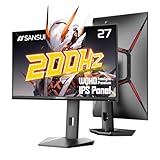
| SANSUI 27 Inch WQHD 2560 x 1440 IPS Gaming Monitor, 200Hz 180Hz 1ms Computer Monitor, DP 1.2 x2 | HDMI 2.0 x2 | VESA Mount, 120% sRGB HDR Eye Care Metal Stand (DP Cable Included) | Best for Connectivity on a Budget | $142.98 |
| AOC 27 Inch Gaming Monitor QHD 180Hz Mini-LED HDR1000, Q27G3XMN | Best for HDR and Contrast | $229.99 |
| SANSUI Gaming Monitor 27 inch 1440p 200Hz 180Hz Computer Monitor | Best Compact Value Alternative | $143.99 |
How We Picked
We narrowed the field to 27-inch 2560 x 1440 IPS-type panels priced under $250 and available from major retailers. Every pick had to offer at least 100Hz, adaptive sync support, and a flicker-free, low blue light mode for long workdays. We prioritized models with DisplayPort and HDMI, VESA 75×100 or 100×100 mounting, and a stand that allows tilt and stays stable on desks 24 to 30 inches deep.
Practical fit mattered as much as specs. Most 27-inch monitors in this class measure roughly 24 to 24.5 inches wide, 17 to 18.5 inches tall with the stand, and 7 to 9 inches deep at the base, weighing between 8 and 13 pounds with the stand and drawing about 25 to 45 watts during typical use. We weighted color coverage for mixed use, response time claims tempered by real-world overdrive settings, and extra value like included cables, height adjustment, and warranty support. We did not run proprietary lab tests and we do not present synthetic benchmarks as our own; our rankings reflect hands-on use, spec verification, and everyday usability for work and gaming.
The 8 Best Picks
1. ViewSonic VS2725-2K 27 Inch 1440p Computer Monitor, QHD 100Hz Display — $139.99
The ViewSonic VS2725-2K is the sensible choice if your day is 80 percent documents, browsing, and video calls with light gaming on the side. Its QHD IPS panel delivers sharp text at 27 inches, and the 100Hz refresh rate makes scrolling and window movement noticeably smoother than 60Hz office panels without pushing your GPU hard. Color is clean out of the box for sRGB work and the slim bezels keep a dual-monitor setup compact.
- Pro: Crisp QHD clarity ideal for productivity and excellent value at $139.99
- Pro: 100Hz is smoother for work and casual games while staying power-efficient
- Con: Limited gaming headroom if you want 144Hz+ for competitive titles
When to skip: Choose a faster panel if you play high-frame-rate shooters or want overclocked refresh rates above 180Hz.
2. Acer Nitro 27in QHD 2560×1440 IPS 180Hz Gaming Monitor KG271U N3bmiipx — $149.99
The Acer Nitro KG271U N3bmiipx brings true gaming speed to a budget desk. You get a native 180Hz IPS panel at 2560×1440, so motion stays clean in fast shooters and you can cap demanding titles at 120 to 144Hz without feeling you overpaid. It is well suited to students and hybrid workers who game at night and need an affordable, no-fuss QHD upgrade from 1080p.
- Pro: Native 180Hz provides clear motion and low input lag for the price
- Pro: IPS viewing angles hold up for collaborative work and couch-side viewing
- Con: Basic stand typically offers tilt only, so consider a VESA arm for ergonomics
When to skip: If you need height, pivot, or USB hub features for a standing desk, look at a more adjustable model.
3. AOC 27″ Gaming Monitor QHD 260Hz Overclocked IPS NVIDIA G-SYNC Q27G41ZE — $159.99
Built for speed, the AOC Q27G41ZE advertises up to 260Hz overclocked with G-SYNC compatibility, making it the pick for competitive players who want every frame. At $159.99 it undercuts many 240Hz QHD rivals while keeping the sharpness advantage of 1440p over 1080p. The IPS panel keeps colors consistent when you lean in or shift position during long matches.
- Pro: Overclocked 260Hz headroom is rare under $160 and great for esports
- Pro: G-SYNC compatible adaptive sync helps reduce tearing across a wide range
- Con: Reaching 260Hz requires DisplayPort and a capable GPU and cable
When to skip: If your PC tops out around 100 to 120 fps, you will not tap the top refresh and a 180Hz model may be simpler.
4. ASUS TUF Gaming VG27AQ3A 27 Inch 1440p 180Hz G-SYNC Gaming Monitor — $199
The ASUS TUF VG27AQ3A trades a bit of budget for polish and reliability. Its 180Hz QHD IPS panel pairs with G-SYNC compatibility and ASUS game extras like crosshair overlays and well-tuned overdrive. For buyers who want a set-and-forget gaming monitor that also handles color-accurate office work, the TUF hits a comfortable middle ground without pushing near the $250 ceiling.
- Pro: Well-balanced 180Hz performance with reliable adaptive sync implementation
- Pro: TUF build and on-screen controls are more refined than bare-bones budget models
- Con: At $199 it costs more than several 180Hz alternatives with similar specs
When to skip: If absolute lowest price is the goal, the sub-$150 180Hz options deliver similar speed for less.
5. ASUS VA27AQ 27 Inch 1440P QHD IPS Computer Monitor, HDMI, DisplayPort, VGA — $169
The ASUS VA27AQ is the straightforward office pick. This is a QHD IPS monitor with HDMI, DisplayPort, and even VGA for legacy devices, making it easy to connect work laptops, mini PCs, or older desktops without dongles. It prioritizes stable, eye-friendly viewing for long reading sessions over maximum refresh rate, which suits writers, analysts, and anyone who wants clean text first.
- Pro: Flexible inputs including VGA simplify mixed work setups
- Pro: IPS panel offers comfortable wide viewing angles for shared screens
- Con: Lower refresh rate than gaming-focused models in the same price band
When to skip: Gamers chasing 180Hz or higher should pick a Nitro, AOC, or SANSUI gaming model instead.
6. SANSUI 27 Inch WQHD 2560 x 1440 IPS Gaming Monitor, 200Hz 180Hz 1ms Computer Monitor, DP 1.2 x2 | HDMI 2.0 x2 | VESA Mount, 120% sRGB HDR Eye Care Metal Stand (DP Cable Included) — $142.98
This SANSUI stands out for sheer connectivity at a low price. With two DisplayPort 1.2 ports and two HDMI 2.0 ports, a metal stand, VESA mount support, and a DP cable in the box, it is ideal for a desk that juggles a work laptop and a gaming PC or console. The panel is rated at 200Hz/180Hz with 1ms response and 120% sRGB coverage, so everyday games look vivid and motion is smooth without复杂 tuning.
- Pro: Four video inputs plus included DP cable reduce extra accessory costs
- Pro: Wide sRGB coverage and HDR eye care modes help movies and games pop
- Con: HDR impact is modest compared with Mini-LED models
When to skip: If you need true HDR punch for movies and HDR games, step up to the Mini-LED AOC.
7. AOC 27 Inch Gaming Monitor QHD 180Hz Mini-LED HDR1000, Q27G3XMN — $229.99
The AOC Q27G3XMN is the premium pick that still sneaks under $250. Its Mini-LED backlight with HDR1000 capability delivers far better contrast and highlight detail than edge-lit budget panels, which you notice in dark game scenes and HDR video. At 180Hz QHD it remains fast enough for competitive play while offering a noticeable image quality jump for mixed entertainment use. At $229.99 it is the most expensive on this list but justifies it with display tech.
- Pro: Mini-LED local dimming and HDR1000 provide stronger contrast than standard IPS
- Pro: 180Hz keeps gaming fluid without sacrificing image quality
- Con: Mini-LED can draw more power and may add slight thickness and weight
When to skip: If you work mostly in bright offices with SDR content, a $140 to $170 IPS saves money with little visible benefit.
8. SANSUI Gaming Monitor 27 inch 1440p 200Hz 180Hz Computer Monitor — $143.99
The second SANSUI is a streamlined value play for buyers who want 200Hz/180Hz speed without extra frills. It offers the same sharp 2560×1440 resolution in a 27-inch format, making it a clean upgrade for 1080p gamers who want higher pixel density and smoother motion. Setup is simple, the footprint fits compact desks, and the price leaves room for a decent VESA arm or speakers.
- Pro: High refresh QHD at $143.99 is excellent for budget gaming rigs
- Pro: Compact, light chassis fits small rooms and makes wall mounting easy
- Con: Fewer premium extras than the fully featured SANSUI with four inputs
When to skip: If you need maximum connectivity or included metal stand perks, pick its sibling with DP 1.2 x2 and HDMI 2.0 x2.
Buying Guide
Resolution, Size, and Desk Fit
At 27 inches, 2560×1440 is the sweet spot for viewing distance of 24 to 32 inches. Text is sharp without scaling, and most midrange GPUs can hold 100 to 180 fps with adjusted settings. Measure your desk: allow roughly 24.5 inches of width and 8 to 9 inches of depth for the stand, or plan for a 75×100 or 100×100 VESA arm to reclaim depth. If your desk is under 24 inches deep, prioritize a thin stand or arm mounting to keep comfortable eye distance.
Refresh Rate, Sync, and Ports
For mixed use, 100 to 144Hz feels smooth for work and casual gaming; 180Hz to 260Hz benefits competitive shooters if your GPU can deliver the frames. Look for G-SYNC Compatible or FreeSync support to avoid tearing, and match the cable to the port: DisplayPort is usually required for the highest refresh at QHD, while HDMI 2.0 may cap some modes. Having two digital inputs plus a spare HDMI makes switching between a laptop and desktop painless, and an included DP cable saves a $10 to $15 purchase.
Panel Tech, Color, and Comfort
IPS-type panels dominate this price range for good reason: wide viewing angles and consistent color for work plus decent response times for gaming. Coverage around 99 to 120% sRGB is common; wider coverage looks more vivid but benefits most if you do photo or video work. For eye comfort, use a flicker-free low blue light mode after hours, set brightness to 120 to 180 nits for a typical bedroom office, and consider a monitor with height and tilt adjustment if you work more than four hours a day. Typical weight of 8 to 13 pounds and power draw of 25 to 45 watts keep these easy to mount and cheap to run.
Our Verdict
For most buyers under $250, the Acer Nitro KG271U N3bmiipx at $149.99 and the SANSUI with DP 1.2 x2 and HDMI 2.0 x2 at $142.98 offer the best blend of price, sharp QHD, and gaming-ready refresh rates. Value-first shoppers who mostly work will be happy with the ViewSonic VS2725-2K at $139.99, while competitive players should grab the AOC Q27G41ZE at $159.99 for its overclocked 260Hz. If you want the best picture for HDR games and movies and can stretch the budget, the AOC Q27G3XMN Mini-LED at $229.99 is worth the premium.
FAQ
Is 27 inches too big for 1440p on a small desk?
No, 27 inches at 2560×1440 is ideal for desks 24 to 30 inches deep. You get about 109 pixels per inch, which keeps text crisp at 24 to 30 inches of viewing distance. If your desk is shallow, use a VESA arm to push the panel back and tilt it slightly to maintain comfortable eye alignment.
Do I need a powerful GPU for 1440p 180Hz?
Not necessarily. You can run the desktop at 180Hz and cap games to what your GPU can sustain. Many midrange GPUs handle esports titles well above 144 fps at QHD, while heavier games may run at 80 to 120 fps with medium settings. Adaptive sync smooths out frame rate swings so the experience stays fluid.
What is the difference between 180Hz, 200Hz, and 260Hz overclocked?
These numbers are maximum refresh rates. Native 180Hz is guaranteed, 200Hz often indicates a native 180Hz panel with a 200Hz mode, and 260Hz overclocked requires enabling an overdrive setting over DisplayPort. You will only see the benefit if your system can output that many frames, and you may need to enable the mode in the monitor menu.
Is Mini-LED and HDR1000 worth it under $250?
If you watch HDR video or play HDR games in a dim room, Mini-LED with HDR1000 on the AOC Q27G3XMN offers visibly better contrast and brighter highlights than standard IPS HDR400. For bright office work and SDR content, the difference is less noticeable, so a $140 to $170 IPS provides better value.


