Setting up a high-performance gaming station in a compact room or home office requires balancing power with spatial efficiency. While modern gaming laptops boast desktop-class processors and high-refresh-rate screens, their internal audio hardware is frequently an afterthought. Tucked away next to hot graphics cards and noisy cooling fans, internal sound chips are highly susceptible to electromagnetic interference (EMI). This manifests as a persistent, low-frequency hum, static hiss, or crackle in your headset just as you are trying to listen for enemy footsteps.
An external USB sound card solves this spatial and electrical problem by moving the digital-to-analog conversion process outside of the laptop’s cramped, noisy chassis. This upgrade bypasses failing 3.5mm jacks and delivers clean, isolated audio directly to your analog headphones or surround-sound speakers. By selecting a budget-friendly external sound card, you can reclaim pristine, lag-free audio and gain physical control over your soundscape without taking up valuable desk real estate.
As an Amazon Associate we earn from qualifying purchases at no extra cost to you. Product prices and availability are accurate as of the date shown and are subject to change.







Top 3 picks at a glance
Quick Picks
| Product | Best for | Price |
|---|---|---|
| StarTech 7.1 USB Audio Adapter (ICUSBAUDIO7D) | Desktop Speaker Arrays | $38.00 |
| Cubilux 7.1 USB Surround Sound Card | High-Resolution Audio | $31.59 |
| SABRENT USB External Stereo Sound Card (AU-MMSA) | Ultra-Budget Portability | $8.02 |
| VENTION USB Sound Card with Volume Control | Desktop Control & Convenience | $13.99 |
| biaze USB Audio Adapter | Console & Laptop Crossover | $12.99 |
| Optimal Shop 6 Channel Sound Card (Black) | Optical S/PDIF Output | $17.99 |
| Optimal Shop USB 2.0 Sound Card (Blue) | Striking Color Customization | $17.99 |
| USB Sound Card, 7.1 Channel Adapter | Emergency Replacement | $5.99 |
How We Picked
To find the best budget external sound cards, we evaluated options based on physical footprint, ease of integration into a home setup, and sound performance. We prioritized models that offer plug-and-play driverless installation across Windows and macOS, ensuring you do not have to struggle with outdated software mid-game. We also analyzed build materials, comparing durable aluminum enclosures to lightweight, high-impact plastics. Finally, we examined port layouts, valuing physical volume dials, dedicated microphone inputs, and optical S/PDIF connections that allow laptops to interface with older home theater receivers and multi-channel speaker systems.
The 8 Best Picks
StarTech 7.1 USB Audio Adapter, External Sound Card (ICUSBAUDIO7D)
This external sound card is designed for gamers who want to connect a full analog 7.1 or 5.1 surround-sound speaker system to a laptop. It features dedicated 3.5mm outputs for front, surround, center, and bass channels, alongside optical S/PDIF ports. Its physical volume buttons and mute switches make it easy to adjust audio on the fly during intense gaming sessions.
- Supports full physical 7.1 surround sound arrays.
- Includes optical S/PDIF input and output ports.
- The plastic housing feels lightweight and slightly cheap.
Skip this model if you only use a standard two-channel stereo headset, as its multi-port physical footprint is unnecessarily bulky for simple setups.
Cubilux 7.1 USB Surround Sound Card
This premium budget adapter is built for gamers and audiophiles who demand high-resolution audio processing. Encased in a rugged aluminum alloy chassis, it supports sampling rates ranging from 48KHz up to 384KHz. It features a high-fidelity stereo microphone input and a line-in port, making it ideal for clean voice chat and external recording.
- Excellent high-resolution sampling rates up to 384KHz.
- Durable, heat-dissipating aluminum alloy construction.
- Lacks physical volume dials or mute buttons.
Skip this if you require physical buttons on your desk to quickly mute your microphone or adjust game volume without using hotkeys.
SABRENT USB External Stereo Sound Card Adapter, Plug & Play (AU-MMSA)
This ultra-compact dongle is designed for gamers seeking a cheap, immediate fix for a broken laptop audio jack. Measuring just 1.5 inches long, this plug-and-play adapter features dedicated 3.5mm headphone and microphone jacks, requiring no drivers or external power cables to operate smoothly.
- Extremely compact, travel-friendly design.
- No drivers or setup required for instant operation.
- Can block adjacent USB ports due to its direct-plug width.
Skip this product if your laptop’s USB ports are spaced tightly together, as its wider body can prevent you from plugging in your mouse or keyboard.
VENTION USB Sound Card
This external sound card is designed for desktop convenience, featuring a built-in volume control wheel and dedicated mute buttons. It offers three 3.5mm ports, supporting separate headphone and microphone connections alongside a unified 2-in-1 headset jack, making it highly versatile for various gear configurations.
- Smooth physical volume wheel for precise audio adjustments.
- Three output jacks provide versatile headset compatibility.
- The integrated USB cable is short, limiting placement options.
Skip this model if your laptop is elevated on a tall stand, as the short cable will leave the control hub dangling in the air.
biaze USB Audio Adapter
This durable adapter is designed for multi-platform gamers who switch regularly between a laptop, PS5, and PS4. Housed in a tough ABS shell, it features a short, flexible cable that reduces strain on your laptop’s USB port while delivering clean stereo output and reliable mic input.
- Flexible cable design reduces physical strain on USB ports.
- Broad plug-and-play compatibility with gaming consoles.
- No hardware-based EQ or volume adjustments.
Skip this if you want tactile, on-board hardware controls to manage your microphone levels or volume settings directly from the device.
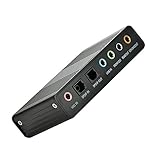
Optimal Shop 6 Channel External Sound Card USB 2.0 (Black)
This external sound card is designed for home theater enthusiasts and gamers wanting to output 5.1 channel surround sound via optical S/PDIF. It serves as a bridge between your laptop and older receivers, supporting digital recording and playback capabilities over a stable USB 2.0 interface.
- Affordable way to get optical S/PDIF connection.
- Supports true 5.1 multi-channel analog output.
- Requires specific driver installation for full surround features on newer operating systems.
Skip this if you want a seamless, zero-driver setup, as configuring the multi-channel output on modern platforms requires manual driver troubleshooting.
Optimal Shop USB 2.0 External Sound Card 6 Channel (Blue)
This striking blue adapter is designed for gamers who want to add a pop of color to their desktop setup while gaining 5.1 surround-sound capabilities. It matches the features of its black sibling, offering analog and optical S/PDIF connections for multi-channel speaker arrays.
- Unique blue chassis stands out on your desk.
- Provides full 5.1 surround-sound connectivity.
- The bright blue plastic casing may clash with minimalist setups.
Skip this if you prefer a clean, stealthy aesthetic for your gaming desk, as the bright blue finish is highly visible.
USB Sound Card, 7.1 Channel External Adapter
This barebones adapter is designed for budget-conscious gamers needing a quick, simple audio output. It features a driverless plug-and-play design with separate green and yellow 3.5mm jacks for audio out and microphone input, delivering clear virtual 7.1 stereo sound.
- Highly affordable entry-level pricing.
- Simple, lightweight, and plug-and-play design.
- Lacks premium shielding, leaving it slightly vulnerable to minor background hiss.
Skip this if you use high-impedance studio headphones, as this budget adapter lacks the power to drive demanding audiophile gear.
Buying Guide
Understanding Audio Channels and Surround Sound
When shopping for a budget external sound card, you must distinguish between physical and virtual surround sound. Physical multi-channel adapters, like the StarTech or Optimal Shop models, feature multiple 3.5mm jacks to connect discrete front, rear, and center speakers. If you are gaming solely on a stereo headset, a simple two-channel adapter with virtual 7.1 software support is more than enough to provide accurate directional audio cues without the clutter of extra cords.
Form Factor, Portability, and Build Materials
Consider where your gaming laptop sits. If you use a laptop stand, a dongle-style sound card with a flexible cable (like the biaze model) prevents strain on your USB port. For clean, desk-bound setups, a control deck with a physical volume wheel (such as the VENTION) keeps controls within arm’s reach. Aluminum housings offer superior durability and heat dissipation, whereas plastic models are lighter and better suited for travel bags.
Sample Rates, Bit Depth, and Input Options
For gaming and voice chat, standard CD-quality audio (16-bit/48KHz) is perfectly adequate. However, if you also use your laptop for content creation, music production, or streaming, look for cards supporting higher resolutions. The Cubilux card, for example, processes up to 384KHz, ensuring your microphone input remains crystal clear and free of digital compression artifacts during live streams.
Our Verdict
As we look toward the streamlined gaming setups of 2026, keeping clutter to a minimum while preserving clean audio is more important than ever. For gamers with complex multi-channel speaker setups, the StarTech 7.1 USB Audio Adapter ($38) remains the top choice due to its extensive analog and digital output array. If you prioritize pristine audio fidelity and premium build quality for a high-end headset, the Cubilux 7.1 USB Surround Sound Card ($31.59) offers unmatched high-resolution performance in a compact aluminum shell. For those simply seeking a reliable, desktop-friendly control hub on a budget, the VENTION USB Sound Card ($13.99) delivers excellent value with its intuitive volume wheel and triple-jack design.
FAQ
Do budget external sound cards actually reduce static noise?
Yes. Because they sit outside your laptop’s chassis, external sound cards are physically isolated from the electromagnetic interference generated by your laptop’s CPU, GPU, and motherboard power phases. This isolation significantly lowers the noise floor, eliminating the background hiss and crackle common to onboard audio jacks.
Do I need to install drivers for these USB sound adapters?
Most basic stereo and virtual surround adapters are completely plug-and-play, using standard USB audio class drivers built into Windows, macOS, and ChromeOS. However, older multi-channel sound cards (like the 5.1/7.1 channel boxes) may require dedicated driver downloads to enable full multi-channel routing or digital optical features.
Can I use these sound cards on game consoles like the PS5 or Switch?
Many of these USB sound cards are compatible with the PS5, PS4, and Nintendo Switch (in docked mode) because these consoles support standard USB audio devices. Always check for explicit system compatibility if you plan to share your external sound card between your gaming laptop and your console.
What is the difference between 5.1 and 7.1 channel support on a budget card?
A 5.1 channel card supports five speaker channels (front left/right, surround left/right, center) and one subwoofer. A 7.1 channel system adds two additional side-surround speakers. Ensure your external sound card has the correct physical outputs (usually color-coded 3.5mm jacks) to match the speaker system you own.