
When you are mapping out a budget PC build, it is easy to get swept up in the glamour of graphics cards, high-speed storage, and processors. The power supply unit (PSU) is often treated as an afterthought—a black box tucked away in the basement of your chassis, selected solely because it was the cheapest option that fit the remaining budget.
This is the single most dangerous mistake a builder can make. While a cheap graphics card will simply deliver lower frame rates, a poorly chosen, low-quality power supply can physically destroy every component connected to it, turning your hard-earned investment into an expensive paperweight.
As an Amazon Associate we earn from qualifying purchases at no extra cost to you. Product prices and availability are accurate as of the date shown and are subject to change.

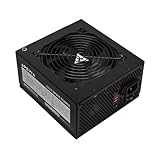


Another common pitfall for beginners is buying the wrong category of hardware entirely. When searching for budget power options, search engines often bundle internal PC power supplies with variable DC bench power supplies (such as adjustable 30V 10A units used for electronics testing and electroplating). Understanding exactly what you need, how much power your components actually draw, and which safety standards are non-negotiable will save you time, money, and frustration.
Top 3 picks at a glance
Decide These 3 Things First
Before you begin comparing brands or clicking “add to cart,” you must establish three baseline parameters for your build to narrow down your options instantly.
- Your Core Application (PC PSU vs. Bench Supply): Determine if you are building an internal computer or setting up a hardware testing workspace. If you are building a desktop PC, you need an internal ATX power supply with fixed cables (like the Thermaltake Smart 500W). If you are doing DIY circuit testing, appliance repair, or electroplating, you need a variable DC bench power supply with encoder knobs and digital voltage displays (like the NICE-POWER 30V 10A variable supply).
- Your True Wattage Overhead: Calculate your system’s actual power draw. A budget office PC rarely draws more than 200W, while a budget gaming PC with a dedicated graphics card typically pulls between 300W and 450W. Your target PSU capacity should be your estimated maximum draw plus a 100W to 150W safety buffer.
- Your Case Clearance: Measure your computer case’s power supply shroud. Most budget builds use standard ATX cases, but compact or Small Form Factor (SFF) builds require specialized SFX power supplies, which carry a price premium.
Physical Size and Case Compatibility
The physical footprint of your power supply determines whether it will physically slide into your chassis and leave room for cable routing. The standard ATX power supply form factor measures 150mm wide, 86mm tall, and typically between 140mm and 160mm deep.
For budget cases, depth is the critical dimension. A 140mm deep unit, such as the Thermaltake Smart 500W, leaves precious extra inches of clearance in front of the hard drive cage to stuff excess cables. If you select a unit deeper than 160mm, you may be forced to remove your drive cages entirely to make room for the wiring harness. Always check your PC case manual for the maximum supported PSU depth before purchasing.
Internal Construction and Component Quality
In the budget sector, manufacturers cut corners to hit low price points. What matters is *where* they cut those corners. High-quality power supplies use heavy-duty copper wiring, robust aluminum heatsinks, and Japanese-manufactured main capacitors rated for 105 degrees Celsius.
Budget units, like the Apevia Spirit 600W, often utilize Chinese or Taiwanese capacitors rated for 85 degrees Celsius. While acceptable for light office work, these capacitors degrade faster under the sustained heat of gaming. Furthermore, a telling indicator of internal quality is the physical weight of the unit. A high-quality PSU with substantial aluminum heatsinks and a heavy copper transformer typically weighs between 3.5 and 5 pounds. If an ATX power supply feels feather-light (under 2.5 pounds), it is a clear sign that the manufacturer has skimped on essential cooling and filtering components inside.
Efficiency Ratings: The 80 Plus Spectrum
The 80 Plus certification program rates how efficiently a power supply converts alternating current (AC) from your wall outlet into direct current (DC) for your computer. For budget builds, you will primarily look at “80 Plus White” (the baseline certification) and “80 Plus Bronze” ratings.
An 80 Plus White certified unit guarantees at least 80% efficiency at 20%, 50%, and 100% system loads. Moving up to 80 Plus Bronze bumps that efficiency requirement to 82% to 85%. While a 2% to 5% difference may seem negligible on your monthly electric bill, higher efficiency means less power is wasted as heat. In a budget build with limited case airflow, a cooler-running PSU extends the lifespan of the entire system.
Thermal Performance and Noise Levels
A power supply requires active cooling to keep its internal transformers and capacitors from overheating. Budget power supplies generally feature a 120mm or 140mm bottom-mounted fan.
Look for units equipped with a 120mm ultra-quiet fan utilizing intelligent RPM control. This feature ensures the fan spins slowly (and quietly) when you are simply browsing the web or writing documents, only ramping up to its full, louder acoustic profile when you launch a demanding application or game. A quality budget fan should operate under 25 decibels (dB) under light loads, which is quieter than a whisper, and should not exceed 40 dB under full system load.
Cable Management: Modular vs. Non-Modular
Power supplies come in three cable configurations: non-modular, semi-modular, and fully modular. In the budget tier (under $50), almost every option is non-modular. This means every single cable is permanently soldered to the internal circuit board and spills out of the back of the unit in a thick bundle.
With non-modular units, you will have to find a place inside your case to hide the cables you do not use, such as extra SATA power lines or secondary PCIe connectors. To make this process easier, look for budget units that feature flat, black ribbon cables rather than old-fashioned “ketchup and mustard” colored individual wires wrapped in loose nylon mesh. Flat cables are significantly easier to bend, route, and tuck away behind the motherboard tray.
Price Tiers and Realistic Budgets
When shopping for power delivery, setting a realistic budget prevents you from buying dangerous, uncertified hardware. Power supply pricing generally divides into three distinct budget brackets:
- The Ultra-Budget Tier ($30 to $45): This is the home of reliable 80 Plus White or basic 80 Plus Bronze units ranging from 450W to 600W, such as the Thermaltake Smart 500W or basic Apevia offerings. These are perfect for entry-level office PCs or budget gaming builds utilizing low-power graphics cards. This is also the price tier for entry-level variable DC bench power supplies (around $35 to $50) used for hobbyist electronics work.
- The Mid-Range Budget Tier ($45 to $75): Here, you will find highly reliable 80 Plus Bronze and entry-level 80 Plus Gold units from major manufacturers, often featuring semi-modular cabling and longer warranties. These are recommended for mainstream gaming builds.
- The Premium Tier ($75 and above): This bracket includes fully modular, 80 Plus Gold or Platinum certified units with 10-year warranties, designed for high-end systems.
Warranty Coverage and Safety Protections
A manufacturer’s warranty is the ultimate reflection of their confidence in the product. For budget power supplies, never buy a unit that offers less than a 2-year or 3-year warranty.
Additionally, you must ensure the power supply features a full suite of industrial-grade protections. Look for these four acronyms on the spec sheet:
- OVP (Over Voltage Protection): Shuts down the unit if output voltage exceeds safe limits.
- OPP (Over Power Protection): Prevents the unit from being pushed past its maximum rated wattage capacity.
- SCP (Short Circuit Protection): Instantly cuts power if an electrical short is detected, preventing fires.
- UVP (Under Voltage Protection): Safeguards system stability if incoming power drops too low.
Spec Checklist
Use this quick-reference matrix to see how budget power supplies stack up against mid-range and premium options across key specifications.
| Specification | Budget Tier ($30 – $45) | Mid-Range Tier ($45 – $75) | Premium Tier ($75+) |
|---|---|---|---|
| Typical Wattage | 450W to 600W | 550W to 750W | 650W to 1000W+ |
| 80 Plus Efficiency | 80 Plus White or Bronze | 80 Plus Bronze or Gold | 80 Plus Gold, Platinum, or Titanium |
| Cable Style | Non-modular (Fixed) | Semi-modular or Fully modular | Fully modular (often individually sleeved) |
| Warranty Length | 2 to 3 Years | 5 to 7 Years | 10 Years |
| Capacitor Origin | Chinese / Taiwanese (85°C rated) | Mixed / Japanese (105°C rated) | All-Japanese (105°C rated) |
| Typical Fan Size | 120mm (Sleeve bearing) | 120mm or 140mm (Hydraulic bearing) | 135mm or 140mm (Fluid Dynamic bearing) |
Red Flags to Avoid When Shopping
When shopping for budget PC hardware, avoid units that display any of the following warning signs:
- The “No-Name” Brand Trap: If the brand name looks like a random scramble of letters and has no official website or direct customer support portal, avoid it entirely.
- Missing Safety Certifications: Look for official safety marks on the PSU label, such as UL, CE, FCC, and RoHS. If a power supply lacks these stamps, it has not been independently tested for basic electrical safety.
- “Peak Power” Advertised as Continuous Power: Some deceptive budget brands will label a power supply as a “600W” unit, but the fine print reveals that 600W is its “peak” capacity (which it can only sustain for a fraction of a second before shutting down), while its actual continuous safe operating limit is only 400W. Always buy based on guaranteed continuous power.
- Unbelievably Low Prices: If you see an advertised 750W power supply for $20, it is a fire hazard. High-quality electrical components have base manufacturing costs that make such pricing impossible without dangerous compromises.
FAQ
Can I use a variable bench power supply for my PC build?
No. A variable DC bench power supply, such as a 30V 10A adjustable unit with encoder knobs, is designed for testing loose components, electroplating, and circuit board repair on a workbench. They output raw, adjustable DC power through red and black banana jacks. A desktop computer requires an internal ATX power supply with specialized, multi-pin connectors (like the 24-pin motherboard connector and 8-pin CPU connector) that deliver specific, regulated voltages (+3.3V, +5V, and +12V) simultaneously.
Is a 500W power supply enough for a budget gaming PC?
Yes, in most cases. A modern entry-level gaming PC featuring a 65W processor and a budget graphics card (drawing around 120W to 150W under load) will have a total system draw of approximately 250W to 300W. A high-quality 500W unit provides more than enough headroom for safe operation and light component overclocking.
What is the difference between modular and non-modular power supplies?
Non-modular power supplies have all their cables permanently attached to the housing. Unused cables must be bundled up and stowed away inside the computer case. Modular power supplies allow you to plug in only the cables your specific build requires, eliminating clutter, improving internal system airflow, and making the physical assembly process significantly easier.
How long should a budget power supply last?
A reliable budget power supply from an established manufacturer should easily last between 3 to 5 years under normal daily use. As we look toward hardware standards in 2026, even entry-level systems are becoming highly energy-efficient, meaning a quality budget unit purchased today will likely outlast your initial set of core components before requiring an upgrade.


