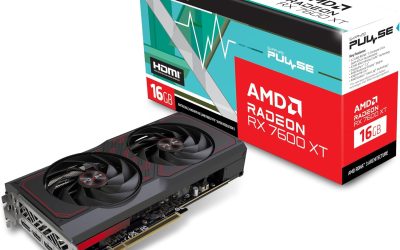
Bayonetta on PC needs a Core i3 3220, 4 GB of RAM and a Radeon HD 6950 or GeForce GTX 570 with 768 MB of video memory at minimum, and the publisher’s recommended tier steps up to a Core i5 4460, 8 GB of RAM and a Radeon HD 7870 or GeForce GTX 760 with 2 GB or more. If your PC is from the last eight years or so, you will almost certainly clear both.
Minimum vs recommended, as published on Steam
| Component | Minimum | Recommended |
|---|---|---|
| Operating system | Windows 7, 8 (8.1) or 10 | Windows 7, 8 (8.1) or 10 |
| Processor | Core i3 3220 | Core i5 4460 |
| Memory | 4 GB RAM | 8 GB RAM |
| Graphics | Radeon HD 6950 or GeForce GTX 570 (768 MB VRAM) | Radeon HD 7870 or GeForce GTX 760 or better (2 GB or more VRAM) |
| DirectX | Version 9.0c | Version 9.0c |
| Storage | 20 GB available | 20 GB available |
The Steam page gives the PC release as April 11, 2017. It also states that the publisher recommends a controller for the best experience, which is worth planning for if you only own a keyboard and mouse. The page notes that Steam supports only Windows 10 and later since January 1, 2024, so Windows 10 or 11 is the practical choice even though older versions are named.
What these parts mean today
Every named processor and graphics card dates from 2012 to 2014. That makes translation simple: any current desktop graphics card sold new, including entry-level models from the RTX 50-series, Radeon RX 9000-series or Intel Arc B-series lineups, is a generation or more beyond the recommended tier. The same holds for processors. A modern quad-core or better will outpace a Core i5 4460 by a wide margin.
| Tier | Hardware class | Meaning |
|---|---|---|
| Minimum | Core i3 3220, GTX 570-class GPU, 4 GB RAM | The publisher’s lowest supported setup |
| Recommended | Core i5 4460, GTX 760-class GPU, 8 GB RAM | The publisher’s target for smooth play |
| Modern PC | Any recent mid-range CPU, entry-level current GPU, 16 GB RAM | Far above both tiers |
| Modern integrated graphics | Recent laptop or APU graphics | Likely above minimum on paper; official data is not published |
No official frame-rate figures or benchmark results were found for this PC release, so none appear here. The listing speaks in terms of tiers, and that is the honest way to read it.
Video memory and storage
The minimum graphics card carries 768 MB and the recommended tier asks for 2 GB or more. That is small compared with the 8 GB found on today’s cheapest discrete cards, so video memory is not a concern here. Storage is the same across tiers at 20 GB. The listing does not state an SSD requirement, but a solid-state drive is a reasonable place for a modern game install if you have the space.
Why the controller note matters
This is an action game built around dodging and combo chains. The publisher recommends a controller, and the Steam listing treats that as a notable point. If you are deciding between peripherals, a standard gamepad that Windows recognises is the safest bet. Whether specific controllers get full button prompts is not detailed in the listing summary, so read the store page’s controller section for your model.
Laptops, Steam Deck and older PCs
The listing summary shows no Steam Deck verdict, so no official statement can be quoted. Laptops with recent integrated graphics exceed the stated minimum on paper, but older DirectX 9.0c titles sometimes need a graphics driver update to behave properly on new hardware. If your PC is from the Windows 7 era, the game’s hardware demands are probably fine, but the Steam client itself will not run on those older Windows versions.
Common mistakes
- Upgrading the GPU unnecessarily. A 2012 to 2014 class card is the recommended tier.
- Skipping the operating system check. Steam requires Windows 10 or later today, regardless of the older versions named on the listing.
- Ignoring the 20 GB. The game needs that free space before installation, plus room for updates.
- Assuming a mouse and keyboard is ideal. The publisher recommends a controller.
- Mixing up the series. This guide covers the Steam listing for the original Bayonetta; sequels have their own requirement pages.
Which setup fits which player
| If you have… | Likely outcome |
|---|---|
| Any gaming PC from the past several years | Well above the recommended tier |
| A budget laptop with recent integrated graphics | Above the minimum on paper; update drivers |
| A decade-old desktop with a GTX 760 or similar | Matches the recommended tier |
| A system with a GTX 570-class card and 4 GB RAM | Matches the minimum; expect to keep settings modest |
| Under 4 GB RAM or under 20 GB free space | Below the published requirement |
Practical setup tips
Install the latest graphics driver from your card maker before the first launch. Make sure DirectX 9.0c components are present; the Steam client normally installs required redistributables on its own. Close background applications that use heavy graphics resources, and plug in the controller before starting the game so it is detected at launch. If you encounter crashes, check the Steam community and the publisher’s support pages for patch notes, since specific fixes are not covered in the requirements listing.
Frequently Asked Questions
What are the minimum requirements for Bayonetta on PC?
The Steam listing names Windows 7, 8 (8.1) or 10, a Core i3 3220, 4 GB of RAM, a Radeon HD 6950 or GeForce GTX 570 with 768 MB, DirectX 9.0c and 20 GB of storage.
What are the recommended requirements?
The recommended tier lists a Core i5 4460, 8 GB of RAM and a Radeon HD 7870 or GeForce GTX 760 or better with 2 GB or more of VRAM, plus the same DirectX version and 20 GB of space.
Can a modern budget PC run Bayonetta?
The named parts are all from 2012 to 2014, so a current budget desktop is a generation or more beyond the recommended tier. No official frame-rate figures exist, so exact performance is not promised.
Do I need a controller?
Not strictly, but the publisher recommends one on the Steam page. Because the game is built around fast dodging and combos, a gamepad is the better fit for most players.
Is Bayonetta playable on Steam Deck or a laptop?
No Steam Deck rating appeared in the listing summary, so handheld support is unconfirmed. Laptops with modern graphics exceed the stated minimum on paper; keep drivers updated.
Does it need an SSD?
The listing asks for 20 GB of free space and does not state a drive type. An SSD is optional and mainly helps with load times.
Related guides
- Intel Core i5-12600 Specs: Cores, Clocks, Memory and Gaming Fit (2026)
- RTX 3090 Ti Specs: Cores, Clocks, Memory and Gaming Fit (2026)
- Intel Core i7-13700K vs Intel Core i7-14700: Gaming Performance Class, Specs and Which to Buy
- Intel Core i5-12600 vs Intel Core i5-13400f: Gaming Performance Class, Specs and Which to Buy
More from Amazon
Programs that pair well with the guide above. Offers and eligibility are set by Amazon and may change.
Free shipping on eligible items, Prime Video and more. Eligible new members can start with a free trial.
Start a Prime free trialAd-free music streaming. Eligible new subscribers can start with a free trial.
Try Music Unlimited freeA Prime membership for ages 18-24 with a trial period. Eligibility is set by Amazon.
See Prime for Young AdultsAudiobooks and podcasts to listen to on the go. Eligible new members can start with a free trial.
Try Audible freeAs an Amazon Associate we earn from qualifying purchases.