Tablet listings have a habit of burying the specs that matter under a pile of impressive-looking numbers. “36GB RAM” sounds enormous until you read the fine print and see that six gigabytes is physical memory and the rest is borrowed from storage. A 2.5K screen with a 90Hz refresh rate sounds like a luxury until you notice that it is the only listing here that gives those numbers at all. Picking an Android tablet is largely an exercise in separating real hardware from marketing.
This guide is for families, students, and anyone who wants a media and reading tablet in 2026 without paying laptop-level prices. It spans name-brand Samsung and Lenovo models, a Fire HD 10, and several generic 10-inch and 7-inch Android tablets that bundle cases, styluses, and even keyboards. Specs come from the titles, so use the table to pick candidates and the buying section to decide which numbers deserve your trust.
Our Top Picks
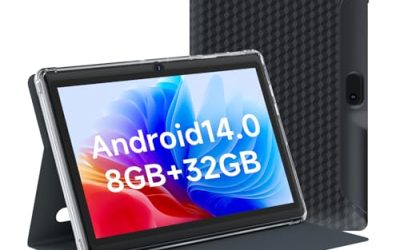
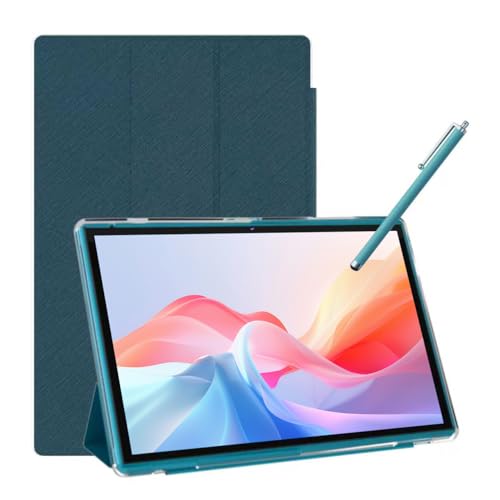 Android Tablet 10 Inch Tablet With Case Stylus8GB+32GB With Case9.6 x 6.7 x 0.3 inchesCheck on Amazon


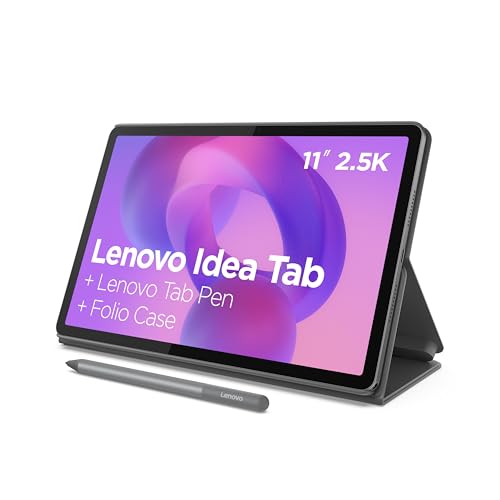


Top 3 picks at a glance
Quick Picks
As an Amazon Associate we earn from qualifying purchases at no extra cost to you.




| Product | Best for | Key spec from the title |
|---|---|---|
| Samsung Galaxy Tab A11+ | All-round family tablet | 6GB RAM, 128GB, expandable storage |
| Fire HD 10 | Streaming and reading | 10.1″ Full HD, 4GB RAM, 32GB |
| URAO 10.1″ Tablet | Generic big-screen value | Android 16, 6000mAh, Wi-Fi 6 |
| Generic 10″ with Case and Stylus | Kids and note-taking | 8GB RAM, 32GB ROM, 1TB expansion |
| Lenovo Idea Tab 11″ | College and media | 2.5K IPS, 90Hz, 8GB, 256GB |
| Samsung Galaxy Tab A11 (8.7″) | Compact reader | 8.7 inch, 64GB, 4GB RAM |
| IWEGGO 7″ Tablet | Small, simple kid tablet | 7 inch, 32GB, 3000mAh |
| Android 16 10″ Bundle | Keyboard-and-mouse bundle | Wi-Fi 6, keyboard case, mouse, stylus |
How to Choose
Look for real RAM and real storage
Physical memory of 4GB is a floor, 6GB or 8GB is comfortable. Some listings add “extended” memory carved out of storage, and that is not the same thing, as the 36GB(6+30) wording shows. For storage, 32GB fills fast with apps and downloads. Look for 64GB at minimum, 128GB as a better target, and a microSD slot if you want cheap expansion.
Judge the screen by resolution and refresh rate
A 1280×800 panel is the entry standard at ten inches and looks soft for reading small text. Full HD and above is noticeably sharper, and a 90Hz refresh rate makes scrolling smoother. For young kids and casual video, a basic IPS screen is fine. For reading, drawing, and long video sessions, spend more here than on other specs.
Check the operating system and app store
Standard Android tablets use Google Play and receive regular security patches only if the maker commits to them. Fire tablets run a customized Android system with a different app store, which can limit apps. Older Android versions such as Android 14 can be fine for kids, but an unpatched device is a poor choice for banking or sensitive accounts.
Weigh battery, build, and bundled extras
A 6000mAh battery is typical for a ten-inch tablet and usually covers a day of mixed use. A 3000mAh battery on a seven-inch model is much shorter-lived. Bundled cases, stylus pens, and keyboards sound generous but are often basic. Budget tablets usually cut corners on processor speed, cameras, and brightness.
The 8 Best Options
Samsung Galaxy Tab A11+
This name-brand tablet lists 6GB of RAM, 128GB of storage with expandable storage support, a large display, a long-lasting battery, and Dolby Atmos speakers. It suits families who want one tablet for streaming, video calls, homework, and games, backed by a brand whose software and service are easy to find.
- Strength: 6GB of RAM and 128GB of storage, expandable.
- Strength: Dolby Atmos speakers and a large display.
- Trade-off: Costs more than the generic 10-inch listings here.
Skip it if you only need a basic tablet for a young child and are worried about drops. A cheaper model with a rugged case may be a better fit for small hands. The expandable storage mentioned in the title also helps families who download shows for long trips, since a memory card is cheaper than buying a larger tablet outright.
Fire HD 10
A 10.1 inch Full HD tablet with an octa-core processor, 4GB of RAM, and 32GB of storage, marketed for relaxation. It suits households that mostly stream video, read, and browse, and that do not mind a customized Android system with its own app store instead of Google Play.
- Strength: Full HD screen and 4GB of RAM.
- Strength: A simple, media-focused experience.
- Trade-off: Only 32GB of storage, and app choice is more limited.
Skip it if you need Google apps, a stylus workflow, or heavy multitasking. Treat it as a screen for the couch rather than a laptop replacement. Check which of your favorite apps are available before you buy, because the store differences are the most common source of regret with this style of tablet, even when the hardware itself is perfectly adequate.
URAO 10.1″ Tablet
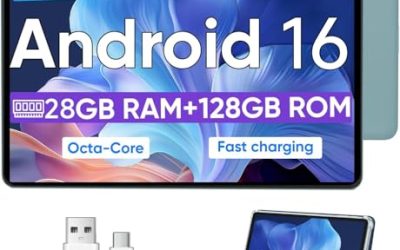
The listing claims Android 16, an octa-core processor, 128GB of storage, dual cameras, a 1280×800 IPS touchscreen, a 6000mAh battery, Wi-Fi 6, and Bluetooth 5.4. The headline 36GB RAM figure is 6GB plus 30GB of extended memory, so judge it as a 6GB tablet. It suits value hunters who want a big, modern-looking screen.
- Strength: 128GB of storage and a 6000mAh battery.
- Strength: Wi-Fi 6 and Bluetooth 5.4 on a generic budget tablet.
- Trade-off: A 1280×800 screen is only entry-level for reading.
Skip it if you want a name-brand warranty or a sharp display. Read return terms before buying from lesser-known brands, and keep expectations realistic: it should handle video, reading, and light games, but a tablet like this is not the one to choose for demanding apps or years of heavy daily use.
Generic 10″ Tablet with Case and Stylus
This 10.1 inch tablet lists Android 15, 8GB of RAM, 32GB of storage, support for 1TB of expansion, a 6000mAh battery, an IPS HD screen, and a bundled case and stylus. It suits parents and students who want a stylus for notes and a case from day one at a low tier.
- Strength: Case and stylus included in the bundle.
- Strength: Expandable storage up to 1TB, per the title.
- Trade-off: Only 32GB of built-in storage and an HD screen.
Skip it if you need a bright, sharp display or reliable long-term software updates. Plan to add a memory card right away, and try the stylus in your own notes app before deciding whether it is a convenience or a gimmick for your handwriting, because bundled pens vary widely in feel.
Lenovo Idea Tab 11″
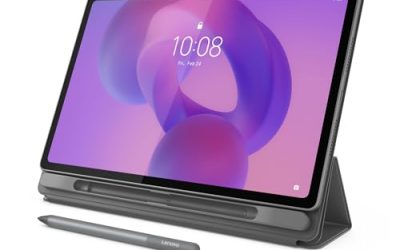
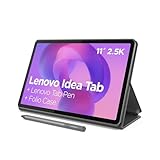
The Lenovo listing stands out: an 11 inch 2.5K IPS touchscreen with a 90Hz refresh rate, a MediaTek Dimensity 6300 processor, 8GB of memory, and 256GB of storage. It suits college students and media fans who want a sharper, smoother display than the generic tablets here, and enough room for lots of apps.
- Strength: 2.5K screen at 90Hz for crisp reading and video.
- Strength: 8GB of memory and 256GB of storage.
- Trade-off: Likely a higher cost tier than the generic models.
Skip it if you only need a simple tablet for a young child. The display and storage will be wasted on basic use. Where it pays off is long reading sessions, split-screen note-taking, and watching video on a panel that looks noticeably sharper than the 1280×800 screens common on generic listings.
Samsung Galaxy Tab A11 (8.7″)
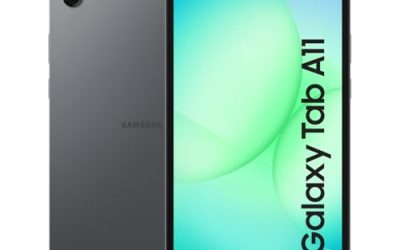
This international Wi-Fi model has an 8.7 inch screen, 64GB of storage, 4GB of RAM, and a gray finish. It suits readers, commuters, and kids who want a smaller tablet that is easy to hold in one hand and slip into a bag, from a recognizable brand.
- Strength: Compact 8.7 inch size that is easy to carry.
- Strength: 64GB of storage with 4GB of RAM.
- Trade-off: International version, so warranty and support may vary.
Skip it if you want a bigger screen or cellular connectivity. Check warranty terms for the international version before you buy. If you mostly read, browse, and watch short videos in bed or on the train, the smaller body is a real advantage over ten-inch slabs that tire your wrist.
IWEGGO 7″ Tablet
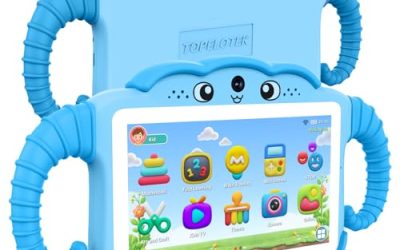
A 7 inch Android 14 tablet with a protective case, 8GB of RAM including extended memory, 32GB of storage with support for a 1TB card, a 5MP camera, a 1.6GHz quad-core processor, and a 3000mAh battery. It suits young children and basic reading, where small size and a built-in case matter more than speed.
- Strength: Compact size and a protective case included.
- Strength: Expandable storage via memory card.
- Trade-off: A 3000mAh battery and quad-core processor limit speed and runtime.
Skip it if you want smooth multitasking or long battery life. It is a basic device for light use only. Parents sometimes prefer this size for early readers because it fits small hands, but it is worth checking that the screen brightness and touch response are acceptable once it arrives.
Android 16 10″ Bundle
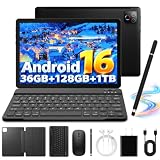
This ten-inch tablet bundles a keyboard case, mouse, and stylus, with an octa-core processor, Wi-Fi 6, Bluetooth 5.4, an HD IPS screen, and a 6000mAh battery. The 36GB RAM claim is mostly extended memory. It suits a student who wants a cheap typing setup for light schoolwork.
- Strength: Keyboard case, mouse, and stylus in one box.
- Strength: Wi-Fi 6 and a 6000mAh battery.
- Trade-off: Bundled accessories are usually basic quality.
Skip it if you plan to use it as a real laptop replacement. A proper laptop handles multitasking far better. As a low-cost way to type a few essays, read PDFs, and watch lectures, it can work, provided you accept that the keyboard feel and the mouse are typical of bundled accessories at this tier.
Which One Fits Your Situation
Family tablet for streaming and homework
The Samsung Galaxy Tab A11+ combines 6GB of RAM, 128GB of storage, and Dolby Atmos speakers for shared use.
College note-taking and video
The Lenovo Idea Tab 11″ lists a 2.5K, 90Hz display and 256GB of storage, which suits reading and media.
Young child with rough hands
The IWEGGO 7″ Tablet includes a protective case and a small, light body.
Couch streaming only
The Fire HD 10 offers a Full HD screen for video and reading, with the limits of its own app store.
Common Mistakes
- Treating extended or virtual RAM as real memory.
- Buying 32GB of storage without planning for a memory card.
- Choosing a low-resolution screen for a reading tablet.
- Expecting Google apps on a Fire tablet.
- Trusting bundled accessories to be high quality.
Related guides
- Warranty Considerations When Buying On Sale
- How To Use Camelcamelcamel For Amazon Deals
- Browser Extensions For Finding Deals
Frequently Asked Questions
Is extended RAM real?
It borrows storage space to act as extra memory, and it is slower than physical RAM. Judge a tablet by its physical memory.
Do I need a name-brand tablet?
For kids and light use, a generic model can work. For reliable updates and support, name brands are safer.
How much storage is enough?
64GB is a practical minimum, and a memory card slot helps. Choose 128GB or more if you download lots of media.
Can a tablet replace a laptop?
For reading, video, and light writing, yes. Heavy multitasking and complex software still suit a laptop better.
Related guides
More from Amazon
Programs that pair well with the guide above. Offers and eligibility are set by Amazon and may change.
Free shipping on eligible items, Prime Video and more. Eligible new members can start with a free trial.
Start a Prime free trialAd-free music streaming. Eligible new subscribers can start with a free trial.
Try Music Unlimited freeA Prime membership for ages 18-24 with a trial period. Eligibility is set by Amazon.
See Prime for Young AdultsAudiobooks and podcasts to listen to on the go. Eligible new members can start with a free trial.
Try Audible freeAs an Amazon Associate we earn from qualifying purchases.