
Setting up a streamlined workstation or gaming setup in a modern home often comes down to managing spatial efficiency and heat. Compact desks, especially those under 48 inches wide, quickly become overwhelmed by bulky tower PCs that pump ambient heat directly into your legroom or work surface. Finding the best budget micro atx case for airflow solves both aesthetic and functional challenges by keeping your PC’s desktop footprint small while maintaining cool, quiet air circulation.
As remote work environments and home gaming setups evolve in 2026, air circulation inside compact chassis design has improved dramatically. You no longer need to spend over a hundred dollars to secure direct intake paths, tempered glass side panels, and adequate radiator support. Below, we evaluate eight top-tier budget cases ranging from $39.99 to $74.99 to help you optimize your desk setup without thermal throttling or breaking the bank.
As an Amazon Associate we earn from qualifying purchases at no extra cost to you. Product prices and availability are accurate as of the date shown and are subject to change.


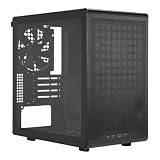


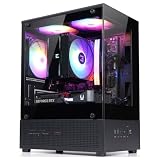
Top 3 picks at a glance
Quick Picks
| Product | Best For | Price |
|---|---|---|
| Cooler Master Q300L V1 Micro-ATX PC Case | Ultra-Budget Builders | $39.99 |
| DARKROCK EC2 ATX Mid Tower PC Case | Modern I/O & Type-C Ready Setups | $54.99 |
| NZXT H5 Flow Compact ATX Mid-Tower PC Case | Minimalist Home Office Aesthetics | $69.99 |
| Thermaltake View 170 TG ARGB Micro-ATX Case | Panoramic Display & Out-of-Box ARGB Airflow | $59.99 |
| Cooler Master Q300L V3 Micro-ATX PC Case | Upgraded Glass Micro-ATX Footprint | $50.94 |
| Lian Li V100-ATX Mid-Tower PC Case | Premium Structural Quality Under $75 | $74.99 |
| MONTECH TG3 Panoramic ATX PC Case | Clean Back-Connect Cable Routing | $66.90 |
| Zalman CUBIX-G Micro-ATX Mini Tower PC Case | Compact Space-Saving Workstations | $44.98 |
How We Picked
Selecting the right enclosure for a home workstation requires balancing thermal performance, physical dimensions, and cost. When evaluating candidates for the best budget micro atx case for airflow, we prioritized five core design criteria:
- Intake Permeability: We looked for chassis featuring high-density front/top mesh panels, magnetic dust filters, and open geometric perforations that allow unobstructed ambient intake without restriction.
- Component Clearance & Cooling Support: Each case had to support standard micro-ATX or compact ATX motherboards, graphics cards measuring at least 300mm in length, air coolers up to 155mm tall, and liquid cooling radiators up to 240mm or 280mm.
- Desk Footprint: Desk space is real estate. We prioritized compact enclosures that keep physical width under 9 inches and length under 16 inches where possible.
- Cable Management: Proper internal air circulation relies on clean cable routing behind the motherboard tray, ideally offering 15mm to 25mm of clearance space.
- Price-to-Performance Value: Every selected enclosure fits firmly within the budget segment, strictly capped under $75.
The 8 Best Picks
Cooler Master Q300L V1 Micro-ATX PC Case
Targeting micro-ATX builders working with a strict budget, the Cooler Master Q300L V1 focuses entirely on flexible airflow placement. Its fully perforated outer steel frame is covered by patterned magnetic dust filters, allowing maximum intake permeability across the front, top, and bottom. The movable I/O panel can be adjusted to six different orientations, making it uniquely adaptable to tight desk corners or vertical shelving.
- Unbeatable $39.99 price point with fully perforated high-airflow exterior
- Modular I/O panel shifts across 6 positions for custom desk setups
- Acrylic side panel scratches more easily than tempered glass
Skip this model if you demand scratch-resistant tempered glass or pre-installed ARGB intake fans out of the box.
DARKROCK EC2 ATX Mid Tower PC Case
For home office workers who transfer large media files daily, the DARKROCK EC2 provides modern front panel connectivity including Type-C readiness. While structurally a mid-tower, its compact vertical profile takes up minimal horizontal desk space while offering direct vertical ventilation channels. The open front mesh grill ensures steady air draw across graphics cards and CPU air coolers up to 160mm in height.
- Type-C ready front panel I/O for rapid external data drives
- Generous interior space for longer mid-range GPUs up to 330mm
- Includes basic fan configuration that benefits from added intake fans
Skip this choice if you strictly require a mini-tower dedicated exclusively to small micro-ATX motherboard trays.
NZXT H5 Flow Compact ATX Mid-Tower PC Case
Ideal for style-conscious home workspaces, the NZXT H5 Flow combines architectural minimalism with targeted component cooling. The front perforated mesh panel feeds fresh air directly into the main chamber, while a unique angled bottom intake fan focuses dedicated air velocity straight toward the graphics card. Its clean matte finish fits naturally into contemporary interior designs.
- Refined architectural styling integrates seamlessly into modern office spaces
- Dedicated angled floor fan delivers direct cooling to GPU power delivery zones
- Priced at $69.99, pushing closer to the upper limit of budget builds
Skip this option if you are aiming for a sub-$50 build or prefer ultra-compact cubic case proportions.
Thermaltake View 170 TG ARGB Micro-ATX Case
Designed for builders who want a visual showcase without sacrificing internal temperatures, the Thermaltake View 170 TG ARGB features dual front and side tempered glass panels. Despite the glass front, its side mesh ventilation and three pre-installed 120mm ARGB fans supply immediate positive pressure airflow. It also supports radiators up to 280mm along the top and comes backed by a 3-year warranty (CA-1Z4-00M1WN-00).
- Includes 3 pre-installed 120mm ARGB fans and robust 280mm radiator clearance
- Dual tempered glass panels create an unobstructed panoramic view
- Glass front panel reduces direct front-to-back straight mesh intake
Skip this case if your home environment demands maximum full-mesh front intake speed over visual glass presentation.
Cooler Master Q300L V3 Micro-ATX PC Case
Building on the popular Q300L architecture, the Cooler Master Q300L V3 retains the high-airflow mesh chassis while upgrading the side panel to scratch-resistant edge-to-edge tempered glass. At $50.94, it provides a refined, durable housing for compact micro-ATX motherboards and fits comfortably on shallow 20-inch deep home office desks.
- Upgraded tempered glass side panel provides clarity and scratch resistance
- High-airflow mesh body maintains low internal thermal retention
- Tight clearance behind motherboard tray requires careful PSU cable routing
Skip this model if you intend to install bulky non-modular power supplies with extensive thick cable bundles.
Lian Li V100-ATX Mid-Tower PC Case
Engineered for users who prioritize rigid construction quality and whisper-quiet structural stability, the Lian Li V100-ATX (V100RX) delivers impressive steel craftsmanship under $75. Its optimized interior geometry features spacious cable routing channels and direct airflow paths that keep power supply heat separated from the CPU and GPU chambers.
- Premium gauge steel construction minimizes fan resonance and vibration noise
- Spacious internal footprint easily accommodates full-size ATX and micro-ATX boards
- Slightly larger physical footprint occupies more desk surface area
Skip this unit if you have severe desk space limitations that demand a strictly mini-tower enclosure.
MONTECH TG3 Panoramic ATX PC Case
Tailored for ultra-clean home office builds, the MONTECH TG3 Panoramic ATX case comes pre-equipped with four ARGB fans and native support for back-connect motherboards. This back-connect readiness hides power cables behind the tray, eliminating airflow obstructions inside the main glass viewing chamber for maximum thermal clearance and visual neatness.
- Exceptional out-of-box value with 4 pre-installed ARGB fans included at $66.90
- Back-connect motherboard readiness for zero visible internal cables
- Panoramic dual glass panels rely heavily on top and side exhaust efficiency
Skip this option if you are using a traditional motherboard and prefer classic front mesh intake paths.
Zalman CUBIX-G Micro-ATX Mini Tower PC Case
Engineered as an affordable, space-saving workstation housing, the Zalman CUBIX-G mini tower delivers a compact footprint for small apartment desks or tight office nooks. At $44.98, it offers clean, basic air ventilation, magnetic dust filtering, and straightforward component mounting for budget-conscious home builders.
- Budget-friendly $44.98 price tag with a small footprint that saves desk space
- Clean black exterior blends into basic workstation environments
- Basic interior drive mounting options and standard front-panel port selection
Skip this build if you need advanced liquid radiator mounting support or high-end front panel USB Type-C ports.
Buying Guide
1. Airflow Dynamics: Mesh vs. Glass Panels
When selecting a compact chassis, front panel material directly impacts internal thermal performance. Fully perforated mesh panels (like those on the Cooler Master Q300L series) allow case fans to pull ambient air inward with minimal static pressure resistance. Panoramic dual-glass cases (such as the Thermaltake View 170 TG or MONTECH TG3) rely on bottom and side intake vents. If your home office runs warm or you run heavy, prolonged CPU loads, direct mesh front panels provide higher overall velocity.
2. Workspace Footprint & Component Clearance
Micro-ATX enclosures generally measure around 14 to 16 inches tall and 8 to 9 inches wide, saving significant surface area on 48-inch or 60-inch home desks. Before purchasing, check clearance dimensions for key components:
- GPU Length: Ensure the chassis accommodates your graphics card length, typically ranging between 300mm and 330mm for mid-tier GPUs.
- CPU Cooler Height: Tower air coolers usually require 155mm to 165mm of clearance between the CPU socket and side glass.
- Power Supply Length: Standard ATX PSUs (450W to 750W) measure 140mm to 150mm long; leave at least 30mm behind the PSU shroud for excess cabling.
3. Front I/O Connectivity & Ergonomics
Placement of front panel ports influences daily usability. If your PC sits on the floor beside your desk, top-mounted I/O panels with USB Type-C readiness (like the DARKROCK EC2) offer easy access. If your PC resides directly on top of your desk, side-mounted or modular I/O panels allow easier access without reaching over monitor setups.
Our Verdict
For builders seeking the absolute lowest price-to-performance entry point, the Cooler Master Q300L V1 ($39.99) remains an unbeatable value with its modular I/O and fully perforated frame. If you want upgraded scratch-resistant tempered glass, the updated Cooler Master Q300L V3 ($50.94) hits the ideal sweet spot for compact micro-ATX builds.
For those who want impressive out-of-box illumination and glass aesthetics without thermal sacrifices, the Thermaltake View 170 TG ARGB ($59.99) includes three pre-installed ARGB fans and a 3-year warranty. Finally, home office users looking for sophisticated minimalism and clean cable management should opt for the NZXT H5 Flow ($69.99) or the back-connect ready MONTECH TG3 ($66.90).
FAQ
Does a micro-ATX case run hotter than a full ATX case?
Not necessarily. While a micro-ATX case has less total internal air volume, high-airflow mesh designs continuously move fresh air past components. As long as intake and exhaust fan paths remain unobstructed, a compact micro-ATX case will maintain temperatures comparable to larger mid-tower cases.
How many fans do I need for adequate airflow in a budget case?
A minimum of two fans—one front intake fan bringing ambient air in and one rear exhaust fan pushing hot air out—creates effective directional airflow. For higher-wattage gaming builds, three fans (two intake, one exhaust) provide optimal positive pressure inside the chassis.
Can I install a liquid cooling radiator in a micro-ATX case?
Yes. Many modern budget micro-ATX cases, such as the Thermaltake View 170 TG, support 240mm or 280mm liquid cooling radiators along the top or front panels. Always verify top motherboard clearance to ensure radiator fans clear RAM modules.
Is a tempered glass panel better than acrylic for daily home office use?
Tempered glass is superior in durability and optical clarity. It resists scratches from cleaning cloths and daily wear much better than acrylic. Acrylic panels (found on extreme budget models like the Q300L V1) keep costs low and lower overall case weight, but require careful handling to prevent surface scuffs.


