
Building in a small form factor case, a compact Mini-ITX living room PC, or a tight entertainment center cabinet leaves almost no room for airflow. That single M.2 slot wedged between your graphics card and the power supply can turn into a hot pocket, and once an NVMe drive gets too warm it throttles speeds right when you are loading a game or transferring large files. Cheap heatsinks have become the simplest fix for that problem, but cramped builds punish bulky or poorly fitting coolers.
In small builds, millimeters matter more than marketing. A tall heatsink that clears in a mid-tower will bump against a GPU backplate, a side panel, or a PS5 metal shield. This roundup focuses on low-cost options that actually fit 2280 drives in tight spaces, stay under $20, and add reliable thermal headroom without complicated installation. For anyone putting together a compact PC in 2026, these are the budget coolers worth considering.
As an Amazon Associate we earn from qualifying purchases at no extra cost to you. Product prices and availability are accurate as of the date shown and are subject to change.




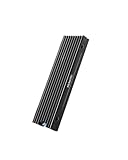
Top 3 picks at a glance
Quick Picks
| Product | Best for | Price |
|---|---|---|
| M.2 Heatsink Cooler 2280 SSD Double-Sided Heat Sink with Thermal Silicone pad for PS5/PC PCIE NVME M2 SSD(Black)) | Best Overall Budget Pick | $5.99 |
| MHQJRH M.2 2280 SSD heatsink for PC / PS5 M.2 PCIE NVMe SSD or M.2 SATA SSD | Best for PS5 and Dual Compatibility | $6.99 |
| Atdcoek 5 Pack SSD Heat Sink Cooler for 2280 SSD, nvme Heatsink with Thermal Silicone Pad for for Desktop PC/Workstation (5 Pack Black) | Best Value Multi-Pack | $5.99 |
| be quiet! MC1 Pro M.2 SSD Cooler, Heatpipe Heatsink for 2280 NVMe, Dual-Sided Compatible, Black Aluminum for Maximum Cooling Performance, BZ003 | Best Premium Cooling Performance | $19.90 |
| GLOTRENDS 2-Pack M.2 NVMe SSD Heatsink 22x70x3mm, Aluminum Heatsink | Best Low-Profile for Tight Cases | $7.99 |
| SABRENT M.2 NVMe PS5 heatsink (SB-PSHS) | Best PS5-Specific Fit | $13.99 |
| M.2 Heatsink Cooler 2280 SSD Double-Sided Heat Sink with Thermal Silicone pad for PS5/PCPCIE NVME M2 SSD (red) | Best Color Option on a Budget | $5.99 |
| EGSMTPC NVMe M.2 SSD Heatsink, Aluminum Heat Sink | Double-Sided Cooling with Thermal Pad | for PS5 & PC NVMe M.2 2280 SSDs | Best Simple Double-Sided Cooler | $5.99 |
How We Picked
Small builds have strict limits, so we filtered for 2280-length compatibility, total height under about 8mm to 10mm for most ITX cases, and widths that stay close to the standard 22mm to 24mm drive footprint. We prioritized models that include pre-cut thermal silicone pads and simple clip or screw mounting, since you will likely be installing with the motherboard already in the case. Price was capped at $20 to keep the focus on cheap, practical upgrades in the $5 to $20 range.
We also weighed versatility for both PC and PS5 use, because many compact builders reuse drives between systems. Double-sided heat spreader designs got extra consideration for drives with chips on both sides, while ultra-slim single-sided models were kept for the tightest clearances. We looked at aluminum fin density, total weight typically ranging from 25g to 55g, and whether the cooler interferes with neighboring PCIe slots. No lab temperature claims are included here, since real-world results depend on case airflow, drive wattage, and ambient temperature.
The 8 Best Picks
1. M.2 Heatsink Cooler 2280 SSD Double-Sided Heat Sink with Thermal Silicone pad for PS5/PC PCIE NVME M2 SSD(Black))
This black double-sided cooler is built for the most common scenario in small builds: a single 2280 NVMe drive that needs coverage on both sides without adding bulk. At $5.99 it sits at the bottom of the price range yet includes top and bottom aluminum plates plus thermal pads, so heat from NAND and controller chips is spread across a larger surface. It is ideal for first-time builders who want a no-guesswork install in an ITX case or PS5 expansion slot. The footprint matches the standard 22mm x 80mm drive size and the assembled height stays compact enough for most low-clearance builds.
- Pro: Full double-sided coverage helps with modern double-sided NVMe drives
- Pro: Extremely low price with pads included, no extra purchases needed
- Con: Basic grooved aluminum design without heatpipes or extra fin area
When to skip: If your motherboard already has a thick integrated M.2 shield or your drive sits directly under a GPU with less than 4mm of clearance, check measurements first.
2. MHQJRH M.2 2280 SSD heatsink for PC / PS5 M.2 PCIE NVMe SSD or M.2 SATA SSD
Priced at $6.99, the MHQJRH model stands out for supporting both M.2 PCIe NVMe and M.2 SATA 2280 drives, which is useful if you are repurposing an older SATA drive in a secondary slot of a small workstation. The design is marketed for both PC and PS5, so the height is tuned to fit the PS5 bay without removing the console’s expansion slot cover. For compact PC builders, that same low profile helps avoid conflict with GPU backplates. It is a good fit for anyone who wants one inexpensive heatsink that can move between systems as builds change.
- Pro: Works with both NVMe and SATA M.2 2280 drives for broader compatibility
- Pro: PS5-compatible height reduces fitment worries in tight spaces
- Con: Fewer color or pack options if you need to cool multiple drives
When to skip: If you need to cool three or more drives at once, a multi-pack will be more economical.
3. Atdcoek 5 Pack SSD Heat Sink Cooler for 2280 SSD, nvme Heatsink with Thermal Silicone Pad for for Desktop PC/Workstation (5 Pack Black)
At $5.99 for five units, this Atdcoek pack brings the per-heatsink cost to about $1.20, which is hard to beat for small builds with multiple M.2 slots or for anyone who builds systems for friends and family. Each cooler is a black aluminum heatsink for 2280 drives and includes thermal silicone pads, so you can outfit a compact workstation, a NAS, and a PS5 from one order. The individual coolers are lightweight, typically 25g to 35g each, and slim enough for stacked slots. This is the pick for value-focused builders who want spares on hand.
- Pro: Outstanding value, five heatsinks for less than the price of one premium cooler
- Pro: Consistent 2280 fit with included pads for quick installation
- Con: Basic single-design cooler with no heatpipe or extra cooling features
When to skip: If you only need one heatsink and prefer a more robust fin design, choose a single premium option instead.
4. be quiet! MC1 Pro M.2 SSD Cooler, Heatpipe Heatsink for 2280 NVMe, Dual-Sided Compatible, Black Aluminum for Maximum Cooling Performance, BZ003
The be quiet! MC1 Pro at $19.90 is the premium option in this budget-focused list, and it justifies the higher price with a proper heatpipe and denser fin stack. While still built for 2280 NVMe drives, the cooler spreads heat more efficiently than flat aluminum slabs, which helps in small cases where airflow is limited to one or two fans. It supports dual-sided drive layouts and uses black aluminum that matches most modern motherboards. Total height is taller than the ultra-slim $5 to $8 models, so measure your clearance, especially in sandwich-layout ITX cases.
- Pro: Heatpipe plus aluminum fins offers more surface area in a compact footprint
- Pro: Dual-sided compatibility and solid build quality from an established cooler brand
- Con: Highest price in this roundup and taller profile than basic low-profile slabs
When to skip: If your case has strict height limits under 5mm or you need the absolute cheapest fix, a slim $5.99 slab is a safer fit.
5. GLOTRENDS 2-Pack M.2 NVMe SSD Heatsink 22x70x3mm, Aluminum Heatsink
The GLOTRENDS 2-pack is purpose-built for the tightest small form factor builds, with an explicit 22mm x 70mm x 3mm aluminum profile that adds almost no height. At $7.99 for two, it costs roughly $4.00 per cooler, making it affordable to cover both a primary and secondary slot. The 3mm thickness is ideal when the drive sits under a graphics card or very close to the side panel. These are single-sided slim heatsinks, so they add minimal weight, usually under 30g, and avoid clearance issues that plague taller designs.
- Pro: Ultra-slim 3mm height is excellent for GPU-adjacent M.2 slots
- Pro: Two-pack provides a spare or covers dual-drive compact boards
- Con: Thin profile means less total mass and surface area than double-sided models
When to skip: If your NVMe drive has chips on both sides, a double-sided sandwich cooler will provide more even coverage.
6. SABRENT M.2 NVMe PS5 heatsink (SB-PSHS)
The SABRENT SB-PSHS at $13.99 is designed specifically around the PS5 expansion bay, which also makes it a smart choice for compact PCs that need a guaranteed fit. The heatsink is contoured to replace or work with the PS5 bay cover without adding excess width beyond the 22mm drive and keeps height within Sony’s recommended envelope. That precision benefits small builds where every millimeter counts. It is best for anyone who primarily needs PS5 storage expansion but also wants the option to reuse the drive and cooler in a future ITX build without buying a new heatsink.
- Pro: PS5-tuned dimensions ensure reliable fit in the console’s expansion slot
- Pro: Clean, purpose-built design avoids the guesswork of generic coolers
- Con: Costs more than generic aluminum slabs with similar materials
When to skip: If you only build on desktop PCs and want the lowest possible price, a generic $5.99 double-sided cooler is sufficient.
7. M.2 Heatsink Cooler 2280 SSD Double-Sided Heat Sink with Thermal Silicone pad for PS5/PCPCIE NVME M2 SSD (red)
Functionally identical to the black version at the same $5.99 price, this red double-sided cooler offers the same 2280 coverage with top and bottom plates and thermal pads but adds a color accent for builds with a red or black-and-red theme. In a small case with a window or open mesh panel, the anodized red finish stands out without affecting fitment. The dimensions still align to the standard 22mm x 80mm drive length, and total installed height remains in the compact 6mm to 8mm range typical for these sandwich coolers. It is ideal for builders who want budget cooling with a little personalization.
- Pro: Same double-sided cooling as the black model with included pads
- Pro: Red anodized finish adds visual customization at no extra cost
- Con: Color may not match every motherboard or case interior
When to skip: If you prefer a neutral, stealth look or need an ultra-slim sub-4mm profile, choose the black slab or a low-profile model.
8. EGSMTPC NVMe M.2 SSD Heatsink, Aluminum Heat Sink | Double-Sided Cooling with Thermal Pad | for PS5 & PC NVMe M.2 2280 SSDs
The EGSMTPC heatsink closes the list with another $5.99 double-sided aluminum solution for PS5 and PC 2280 drives. Like other budget sandwich coolers, it uses two plates and thermal pads to contact both sides of the drive, increasing the effective heat spreading area without requiring a fan. The aluminum construction keeps weight low, generally 30g to 45g assembled, and the grooved outer surface adds a small amount of extra dissipation area. It is a straightforward, inexpensive upgrade for anyone who wants basic insurance against throttling in a cramped case.
- Pro: Double-sided plates with pads cover both sides of the drive
- Pro: Compatible with both PS5 and compact desktop 2280 slots
- Con: No advanced features like heatpipes for higher-wattage PCIe 4.0 drives
When to skip: If you run a high-wattage PCIe 4.0 or 5.0 drive under sustained heavy loads and have room, consider the heatpipe-equipped be quiet! MC1 Pro.
Buying Guide
Measure Clearance Before You Buy
Small builds leave no margin for error. Check three numbers: the M.2 length your board supports, usually 2280, the height above the drive to the nearest obstruction like a GPU or side panel, and the width allowance around the slot. Most budget heatsinks are 22mm to 24mm wide and 70mm to 80mm long, but heights range from an ultra-slim 3mm to about 10mm for taller finned models. If you have less than 4mm of clearance, stick with the 3mm class. If you have 7mm or more, a double-sided sandwich cooler will usually fit and provide better coverage for double-sided drives.
Single-Sided Versus Double-Sided Cooling
Many modern NVMe drives place NAND packages and the controller on both sides of the PCB. Single-sided slim heatsinks only cool the top, which is fine for single-sided drives and ultra-tight slots. Double-sided coolers add a bottom plate that contacts the underside through a thermal pad, spreading heat from chips on both sides. They add a few millimeters of total height but are still compact. Choose double-sided for newer PCIe 4.0 drives that run hotter, and single-sided slim when your slot is sandwiched under another component.
What Matters Beyond Price
In the $5.99 to $19.90 range, all of these options include thermal pads, but look for pads that are pre-cut to 2280 size and not overly thick, which can reduce contact pressure. Installation style matters too: clips are fastest in a built system, while screw-mounted plates provide more even pressure. Aluminum weight between 25g and 55g is typical; heavier usually means more thermal mass. For drives rated above 6 watts under load, a denser fin stack or heatpipe design will be more effective than a flat slab, even if case airflow is limited to 40 to 60 CFM from small fans.
Our Verdict
For most small builds, the black double-sided M.2 Heatsink Cooler at $5.99 delivers the best balance of price, fit, and coverage for 2280 drives. If you need multiple coolers, the Atdcoek 5-pack at the same price is unbeatable for value. When clearance is extremely tight, the 3mm GLOTRENDS 2-pack solves fitment problems, and for maximum headroom in compact cases with a little extra budget, the be quiet! MC1 Pro at $19.90 is the step-up choice.
FAQ
Do I need a heatsink for an NVMe drive in a small case?
Not every drive needs one, but compact cases with limited airflow increase the chance of thermal throttling during long game installs, file transfers, or sustained writes. A low-cost heatsink adds thermal mass and surface area, helping the drive maintain peak speeds longer. If your motherboard already includes a metal M.2 cover, you may not need an add-on cooler.
Will these heatsinks fit both PS5 and PC?
Most 2280 heatsinks that are marketed for PS5 and PC, including the $5.99 to $13.99 models here, are sized to fit the PS5 expansion bay and a standard desktop M.2 slot. The PS5 has a specific height limit to allow the bay cover to close, so any cooler that fits the PS5 will generally fit a desktop, but the reverse is not always true. Always confirm your case’s clearance above the drive.
Are double-sided heatsinks better for small builds?
They provide more even cooling for double-sided drives because they contact chips on both sides of the PCB through thermal pads. In a small build where airflow is weak, that extra contact area can help. However, they are slightly taller than ultra-slim single-sided coolers, so use them only if you have about 6mm to 8mm of vertical space.
How difficult is installation in a compact system?
Installation is straightforward and usually takes five to ten minutes. You remove the drive, place the thermal pads on both sides, align the aluminum plates, and secure with clips or screws. In a tiny ITX case, remove the graphics card first to access the M.2 slot. No software or extra power connection is needed, and no permanent modification to the drive is required.


