The Razer DeathAdder is a large ergonomic mouse with a tall hump and a wide body, and it rewards a pad with room to move. Pick too small a surface and the mouse runs off the edge during wide turns; pick the wrong texture and its glide feels either scratchy or hard to stop. The real decision is how much desk you want covered and how much friction you want under that big shell.

This guide compares five pads whose listings state the dimensions, surface type and thickness a DeathAdder owner needs to check: full-desk cloth mats for low-sensitivity players, a spill-resistant cloth mat for desks that also hold drinks, and one tempered glass pad for players who want the quickest glide. Every pick below is a mouse pad only, sized from its Amazon listing, with the exact size tied to each ASIN.
Our Top Picks
Top 3 picks at a glance

Quick Picks
As an Amazon Associate we earn from qualifying purchases
The five pads at a glance, with the listing detail that separates each one:
| Product | Best for | Key spec from title |
|---|---|---|
| Razer Gigantus V2 XXL | Full-desk coverage for keyboard and mouse | 940 x 410 mm micro-weave cloth |
| SteelSeries QcK XXL | Low-sensitivity players who like a thin pad | 900 x 400 mm cloth, 2 mm profile |
| Corsair MM350 PRO XL | Desks where drinks sit close to the pad | Spill-proof cloth, 930 x 400 mm |
| Logitech G840 XL | A slim pad tuned for optical sensors | 900 x 400 mm, 0.12 in thin |
| Razer Atlas | The fastest glide on a fixed mouse area | Tempered glass, 450 x 400 mm |
How to Choose
Surface material sets glide and stopping power
Cloth, hybrid and glass surfaces behave very differently under a DeathAdder. A micro-weave cloth pad gives a controlled glide with natural stopping power, which suits players who flick and then brake on a target. A tempered glass surface removes most of that friction, so the mouse keeps travelling with very little effort and stops only when you plant it. Hybrid mats sit between the two, pairing a firm top with a soft base. Match the surface to your games: tactical shooters reward control, while fast arena titles and desktop work reward an easy, low-effort glide.
Size and coverage for a large mouse
The DeathAdder’s long body and the low sensitivities many owners use mean travel distance matters more than it does for small mice. Mouse-only pads around 450 x 400 mm give a generous single area, while extended mats from 900 mm wide upward put the keyboard and mouse on one level surface, which keeps the mouse from catching a pad edge mid-turn. Check the stated width and depth against your desk before ordering, and remember that each size of the same pad line usually carries its own ASIN, so the size in the listing title is the one to confirm.
Thickness and base grip
Thickness changes how the pad feels under your wrist and how planted the mouse feels. Thin pads around 2 to 3 mm sit almost flush with the desk and give a firm, direct feel, while 4 mm foam adds cushioning that many players like during long sessions. Just as important is the base: a textured rubber underside keeps an extended mat from creeping when a large mouse is dragged across it. If your desk surface is slick or your pad will hang near the desk edge, base grip matters as much as the top cloth.
Edges, coatings and everyday upkeep
Edge finishing decides how long a cloth pad stays tidy. Stitched edges resist the fraying that starts where your wrist and forearm cross the pad border, while unstitched cloth can peel or curl after months of use. Coatings change upkeep too: a spill-resistant surface lets you wipe away coffee or water before it soaks in, and plain cloth usually needs a hand wash and a flat dry. Glass needs only a wipe with a damp cloth, but it cannot roll up for storage, so think about where it will live before choosing it.
The 5 Best Options
Razer Gigantus V2 XXL
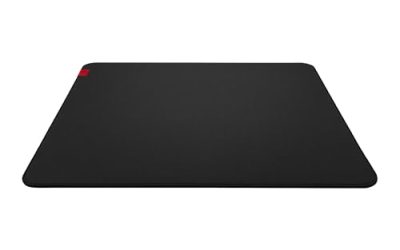
Razer’s own desk mat is the natural first look for a DeathAdder owner who wants the keyboard and mouse on one surface. Its textured micro-weave cloth gives the big ergonomic shell a controlled glide, and the 940 x 410 mm footprint leaves room for wide, low-sensitivity sweeps without the mouse dropping off an edge. The 4 mm high-density foam adds wrist cushioning that thinner mats skip. It is a plain, all-black mat with no lighting and no stitched edges, so it suits players who want coverage and consistency rather than extras.
Specs
- Surface: Textured micro-weave cloth
- Size: XXL, 940 x 410 mm
- Thickness: 4 mm high-density rubber foam
- Base: Anti-slip rubber
- Color: Classic Black
- Model: RZ02-03330400-R3U1
Best for: Full-desk setups that put keyboard and mouse on one mat
Watch out for: The edges are not stitched, and this pad line sells several sizes under separate ASINs, so confirm the XXL size in the listing title before ordering.
ASIN: B0885FJ8CB
SteelSeries QcK XXL
The QcK line is the long-running cloth standard in competitive play, and the XXL version stretches that surface across the desk at 900 x 400 mm. Its micro-woven cloth is tuned for tracking consistency, which flatters the DeathAdder’s optical sensor during slow, deliberate aim adjustments. At 2 mm it is the thinnest pad in this guide, so the mouse feels close to the desk and the mat packs flat for travel or LAN events. The trade-off is minimal cushioning under the wrist and edges that are not stitched.
Specs
- Surface: Micro-woven cloth
- Size: XXL, 900 x 400 mm
- Thickness: 2 mm
- Base: Non-slip rubber
- Color: Black
Best for: Low-sensitivity players who prefer a thin, firm pad feel
Watch out for: The slim 2 mm profile gives little wrist padding, and the listing covers several QcK sizes, so check the XXL selection matches the ASIN.
ASIN: B0D1T1HZCC
Corsair MM350 PRO XL
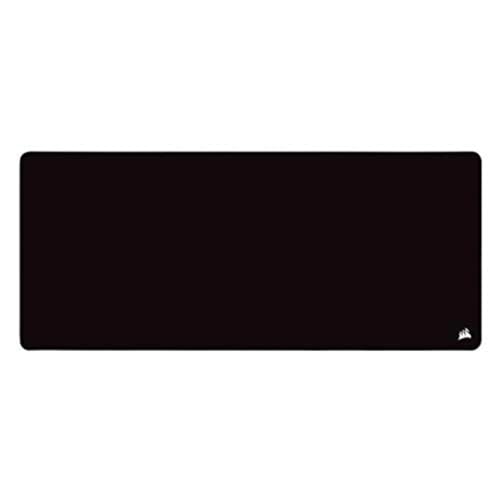
Corsair’s extended mat is built for desks that see daily wear. The micro-weave cloth carries a spill-proof, stain-resistant coating, so a knocked drink beads on the surface instead of soaking through while you keep playing. At 930 x 400 mm it covers keyboard and mouse together, and the 4 mm plush build cushions the wrist under a DeathAdder’s tall grip. Stitched anti-fray edges finish the border, a detail the plainer cloth mats here leave out. It only comes in black, and its width demands a genuinely wide desk.
Specs
- Surface: Micro-weave cloth with spill-proof, stain-resistant coating
- Size: Extended XL, 930 x 400 mm (36.6 x 15.7 in)
- Thickness: 4 mm
- Edges: Anti-fray stitched edges
- Color: Black
- Model: CH-9413771-WW
Best for: Busy desks where drinks and long sessions meet one big pad
Watch out for: Measure your desk first, because 930 mm of width overhangs smaller desks, and the coating still needs a quick wipe when a spill happens.
ASIN: B08JH8C5T5
Logitech G840 XL
Logitech’s desk mat keeps things simple: a performance-tuned cloth surface with moderate friction, stretched over 900 x 400 mm so the keyboard and a DeathAdder share one level plane. The 3 mm profile, listed as 0.12 in thin, sits low enough that the wrist barely notices the step from desk to pad, and the stable rubber base holds the mat in place during fast turns. Logitech tunes this surface for gaming sensors, which suits the precise tracking DeathAdder owners rely on. The edges are left unstitched, so heavy forearm traffic will show over time.
Specs
- Surface: Cloth, performance-tuned with moderate friction
- Size: XL, 900 x 400 mm
- Thickness: 3 mm (0.12 in)
- Base: Stable rubber base
- Color: Black
Best for: Players who want a slim, sensor-tuned mat under mouse and keyboard
Watch out for: The unstitched edges can fray with heavy use, and graphic editions of this pad carry different ASINs from the plain black version listed here.
ASIN: B0BHMN52LY
Razer Atlas
The Atlas is the different animal in this guide: a pane of tempered glass with a micro-etched surface, sized at 450 x 400 mm for the mouse area alone. Glass gives the DeathAdder the quickest, most consistent glide here, with almost no break-in period and no cloth to wear down, and Razer states the etched texture is tuned so optical sensors track without spin-outs. It also runs quieter than hard plastic pads. The trade-offs are real: it cannot roll up, it is heavy, and your keyboard stays on the bare desk beside it.
Specs
- Surface: Tempered glass with micro-etched texture
- Size: 450 x 400 mm
- Base: Anti-slip rubber base
- Finish: Dirt and scratch-resistant, per the listing title
- Color: Black
- Model: RZ02-04890100-R3U1
Best for: Speed-focused players who keep a fixed, mouse-only pad area
Watch out for: Glass needs a flat, level desk and PTFE mouse feet in good condition; Razer’s listing guidance recommends the original feet or PTFE replacements.
ASIN: B0BT1ZNDSQ
Which One Fits Your Situation
You play tactical shooters at low sensitivity
Pick the SteelSeries QcK XXL or the Razer Gigantus V2 XXL. Both give a large DeathAdder the long travel distance low-sensitivity aim needs, with cloth friction that helps the mouse stop where you intend. Choose the QcK if you like a thin, firm feel under the mouse, and the Gigantus if you want the extra 4 mm cushioning and a slightly wider surface.
Your keyboard and mouse share one surface
Any of the three extended cloth mats works, and the choice comes down to details. The Gigantus V2 XXL is the widest at 940 mm, the MM350 PRO XL adds a spill-proof coating and stitched edges at 930 mm, and the G840 XL keeps the slimmest profile at 3 mm. All three keep the DeathAdder and your keyboard on one level plane.
Drinks live next to your mouse
Choose the Corsair MM350 PRO XL. Its coating is made for exactly this desk: coffee, water and energy drinks bead on the cloth instead of soaking into it, so a quick wipe keeps the surface tracking evenly. The stitched edges also shrug off the forearm wear that a busy, drink-heavy desk tends to produce over months of daily use.
You want the fastest glide and never move your pad
Choose the Razer Atlas. Tempered glass gives the DeathAdder its quickest glide in this guide and never develops the worn centre patch that cloth pads get. Because it is rigid and heavy, it suits a permanent desk setup where the mouse area never changes. Keep the surface wiped clean, since dust shows up in the glide faster on glass than on cloth.
Common Mistakes
- Buying a medium pad for a large mouse, then running out of surface during wide turns and lifting the DeathAdder mid-fight.
- Ordering an XXL mat without measuring the desk, leaving the pad hanging over the edge where it curls and slides.
- Assuming every cloth pad has stitched edges, when several extended mats leave the border unfinished and prone to fraying.
- Placing a glass pad on an uneven or cluttered desk, where a rigid pane can rock, chip at the corners, or trap grit underneath.
- Selecting a different size or colour at checkout without noticing the ASIN changes, then receiving a smaller pad than the one described here.
Frequently Asked Questions
Does the DeathAdder need a pad made by Razer?
No. A mouse pad only has to give the sensor a consistent surface and give the mouse room to travel. The two Razer pads in this guide suit owners who want a matched setup, but the SteelSeries, Corsair and Logitech mats track the DeathAdder’s optical sensor just as well, because compatibility comes from surface texture and size, not from matching brand names.
What pad size suits a large ergonomic mouse?
For mouse-only use, look at pads around 450 x 400 mm, which leave room around the DeathAdder on every side. If you play at low sensitivity or want the keyboard on the same surface, step up to an extended mat of 900 mm wide or more. The listings in this guide state each size, and each size carries its own ASIN.
Is cloth or glass better for the DeathAdder?
Cloth gives more friction and stopping control, which most DeathAdder owners prefer for shooters and everyday work. Glass gives a faster, almost frictionless glide and a surface that does not wear down, but it demands clean PTFE feet and a tidy desk. Neither is universally better; the choice follows how much stopping help you want from the surface itself.
How should I clean an extended cloth pad?
Most cloth pads in this guide can be hand washed with mild soap and cool water, then dried flat away from direct heat so the rubber base does not warp. Pads with a spill-resistant coating, like the Corsair here, usually need only a wipe for everyday spills. Always follow the care notes on the listing for your exact pad before washing it.
Related guides
More from Amazon
Programs that pair well with the guide above. Offers and eligibility are set by Amazon and may change.
Free shipping on eligible items, Prime Video and more. Eligible new members can start with a free trial.
Start a Prime free trialAd-free music streaming. Eligible new subscribers can start with a free trial.
Try Music Unlimited freeA Prime membership for ages 18-24 with a trial period. Eligibility is set by Amazon.
See Prime for Young AdultsAudiobooks and podcasts to listen to on the go. Eligible new members can start with a free trial.
Try Audible freeAs an Amazon Associate we earn from qualifying purchases.