
Most gaming mouse buying guides get lost in marketing numbers that don’t matter — and skip the two numbers that actually do: DPI and polling rate. Shoppers routinely overpay for sensors rated at 26,000 DPI they’ll never use, then ignore whether the mouse actually fits their hand. Others assume a higher polling rate automatically means better aim, then wonder why their wireless mouse dies mid-session. This guide breaks down what DPI and polling rate really do, how much of each you need, and how to match specs to a budget — whether you’re spending $30 or $150.
Here’s the short version before we dig in: for most players, 3,200–6,400 usable DPI and a 1,000 Hz polling rate cover everything short of competitive esports. If you play fast-paced shooters on a high-refresh monitor, 4,000–8,000 Hz polling and a lightweight shell (under 60g) are worth the premium. Everything else — RGB zones, software ecosystems, marketing DPI ceilings — should be treated as tiebreakers, not decision drivers.
As an Amazon Associate we earn from qualifying purchases at no extra cost to you. Product prices and availability are accurate as of the date shown and are subject to change.



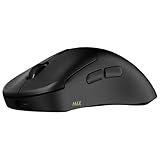
Top 3 picks at a glance
Decide These 3 Things First
Before you compare a single spec sheet, answer these questions. They eliminate half the market instantly.
1. What’s your grip style? Palm grippers (whole hand resting on the shell) need taller bodies, roughly 40–48mm in height. Claw grippers (palm touches the back, fingers arched) do best with mid-height bodies around 38–42mm. Fingertip grippers want short, light shells — 36–38mm tall and ideally under 60g. A great mouse in the wrong grip shape will hurt your aim more than any sensor ever will.
2. Wired or wireless? Modern wireless latency has essentially caught up with wired — flagship 8K wireless models like the Rapoo VT3 MAX Gen-2 transmit at true 8,000 Hz over the air, matching what used to be a wired-only feature. Wireless costs $10–30 more at equivalent quality, but you lose cable drag entirely. If your budget is under $30 and you don’t want to think about charging, a solid wired option like the Logitech G502 Hero remains a perfectly valid choice.
3. How big are your hands? Measure from the crease of your wrist to the tip of your middle finger. Under 17cm is a small hand (look for mice under 120mm long), 17–19cm is medium (120–125mm), and over 19cm is large (126mm+). Grip style and hand size together determine shape — and shape is the single biggest predictor of long-term satisfaction.
DPI: How High Do You Actually Need?
DPI (dots per inch) measures how far your cursor moves per inch of physical mouse movement. Higher isn’t better — it’s just higher. Most competitive FPS players actually use effective sensitivities between 400 and 1,600 DPI. The practical value of a high DPI ceiling is headroom: with an 18,000–26,000 DPI sensor, you can run high-resolution multi-monitor setups or crank sensitivity without the sensor interpolating (guessing) between real tracking points.
What matters more than the ceiling is flawless tracking at the DPI you use. Budget sensors historically struggled below 400 DPI or above 6,400 DPI, producing jitter or acceleration. Modern sensors — even in sub-$30 mice like the Logitech G305 with its HERO sensor — track cleanly across the entire range most players touch. Practical guidance:
- Casual and MOBA/MMO players: 800–3,200 DPI is plenty. Any current-gen sensor handles this.
- FPS players: 400–1,600 DPI in-game, so sensor quality at low DPI matters more than ceiling.
- 4K multi-monitor or ultrawide users: 6,400–16,000 DPI saves you physically flinging the mouse across the pad.
Ignore anything above roughly 26,000 DPI as a spec-sheet arms race. No game, monitor, or wrist benefits.
Polling Rate: The 1,000 Hz Baseline and the 8K Question
Polling rate is how many times per second your mouse reports its position to the PC, measured in Hz. At 1,000 Hz, your mouse updates every 1 millisecond. At 8,000 Hz, every 0.125ms. That difference is real, but it’s measured in fractions of a millisecond — meaningful only if your whole chain can keep up.
The baseline: 1,000 Hz is standard on virtually every gaming mouse sold today, wired or wireless, from a $20 Logitech G305 to a $150 flagship. If a mouse offers only 500 Hz, skip it; the difference is noticeable in fast flicks.
When 4,000–8,000 Hz is worth it: If you play competitive shooters on a 240Hz+ monitor with a CPU that can feed high frame rates, 8K polling reduces click-to-photon latency by a small but repeatable margin. Mice like the Rapoo VT7 and VT3 MAX Gen-2 now deliver true 8K wireless polling — a feature that cost $150+ just a few years ago but has dropped to the $30–45 range heading into 2026. That collapse in price is the biggest shift in this category.
The catch: 8K polling consumes more CPU cycles and more battery. Expect wireless battery life to drop from 400–750 hours at 1,000 Hz to a fraction of that at 8,000 Hz unless the mouse offers per-profile polling switching (set 8K for matches, 1,000 Hz for everything else). If your monitor is 144Hz or your CPU is several generations old, 8K buys you nothing you’ll feel.
Weight and Shape: The Specs That Outrank DPI
Weight splits the market into three camps. Ultralight mice (under 55g) reduce fatigue in long sessions and allow faster repositioning — the 53g Rapoo VT7 and VT3 MAX Gen-2 sit squarely in this class. Midweight mice (60–90g) offer more stability for low-sensitivity arm aiming; the classic example is the G502 Hero at 121g with weights included, which is deliberately heavy by modern standards but beloved by palm-grip arm aimers. Above 100g, you’re trading speed for a planted feel — fine for MOBAs and MMOs, suboptimal for shooters.
Shape checklist: width between 60–68mm for most hands, a hump that peaks toward the back for palm grip, side buttons placed where your thumb naturally rests (roughly 15–20mm above the desk line). If possible, test shape in a store before buying online — no spec sheet replaces 10 minutes of holding it.
Switches, Build Quality, and Battery Life
Switches are rated in millions of clicks — 60 million is a decent baseline, 80–100 million is good, and optical switches (which debounce electronically rather than mechanically) now reach 100–120 million ratings, as in the VT3 MAX Gen-2’s 120-million optical switches. Optical switches also eliminate double-click errors caused by mechanical contact bounce. If you’ve ever had a mouse register phantom double-clicks after a year, upgrading to optical is the fix.
Wireless battery life claims need context: manufacturers quote hours at 1,000 Hz with RGB off. The 750-hour figures on the Rapoo VT7 and VT3 MAX line are legitimate at low polling rates — that’s months of average use — but expect dramatically less at 8K. Look for fast-charge support (5–10 minutes for several hours of use) and USB-C, not Micro-USB.
Price Tiers: What Each Dollar Buys in 2026
The tier boundaries have shifted dramatically. Here’s what to expect at each level:
- Budget ($25–40): 1,000 Hz polling, 12,000–26,000 DPI sensors, 80–100g weight, reliable mechanical switches. Examples: Logitech G305 ($29.99) and G502 Hero ($37.99), Rapoo VT7 ($30.77) which punches above the tier with 8K wireless and a 53g build.
- Mid-range ($40–80): True 8K wireless polling, sub-55g shells, optical switches rated 100–120 million clicks, 400+ hour batteries at 1K polling. The Rapoo VT3 MAX Gen-2 ($43.85) defines this tier.
- Premium ($80–170): You’re paying for brand ecosystems, refined shapes, carbon-fiber or magnesium shells dropping to 35–45g, and on-board profiles. Performance gains over good mid-range mice are marginal.
The honest takeaway: the spec gap between a $44 mid-range mouse and a $150 flagship has never been smaller. Unless you need a specific shape only a flagship offers, mid-range is the sweet spot.
Spec Checklist
| Spec | Budget ($25–40) | Mid ($40–80) | Premium ($80–170) |
|---|---|---|---|
| Polling rate | 1,000 Hz | 1,000–8,000 Hz wireless | 4,000–8,000 Hz |
| DPI (usable) | 12,000–26,000 | 26,000–30,000 | 26,000–32,000+ |
| Weight | 75–125g | 53–65g | 35–60g |
| Switch rating | 60–100M mechanical | 100–120M optical | 100M+ optical/magnetic |
| Connection | Wired or 2.4GHz wireless | 2.4GHz 8K wireless + USB-C | 8K wireless + Bluetooth |
| Battery (at 1K Hz) | N/A or 200–250 hr | 400–750 hr | 90–150 hr (lighter shells = smaller batteries) |
Red Flags
- DPI inflated past 26,000 with a no-name sensor: big numbers on obscure brands usually mean interpolation, not real tracking.
- 500 Hz polling max: obsolete; even budget mice hit 1,000 Hz.
- Micro-USB charging or proprietary cables: a nuisance for the life of the mouse.
- Battery claims with no polling-rate context: 800 hours at 250 Hz is not 800 hours of real use.
- Honeycomb shells with no dust protection: open shells feel light but collect grime; check for sealed internals.
- Software required for basic functions: you should be able to change DPI without installing anything.
- “Gaming” branding on a 90g+ mouse with no weight-adjustment system: that’s just a heavy office mouse with LEDs.
FAQ
Does 8,000 Hz polling rate actually improve aim?
Marginally, and only in the right setup. 8K polling shaves fractions of a millisecond off input latency, which matters most on 240Hz+ monitors in twitch shooters. On a 144Hz monitor you will not feel a difference over 1,000 Hz. Buy 8K when it comes free in your price tier — as it now does in $30–45 wireless mice — but don’t pay a premium for it alone.
Is a higher DPI setting better for gaming?
No. Most competitive players use 400–1,600 DPI. A high DPI ceiling matters only as headroom for high-resolution setups. What counts is smooth, jitter-free tracking at the sensitivity you actually play at, which any current-gen sensor from a reputable brand delivers.
Are wireless gaming mice still slower than wired?
Effectively no, not anymore. Modern 2.4GHz wireless with 8K polling matches or beats many wired connections in end-to-end latency. The real tradeoffs are price (typically $10–30 more) and charging, not performance.
What weight should a gaming mouse be?
Under 60g if you play shooters with wrist or fingertip aim, 60–90g if you aim from the arm at low sensitivity, and weight is mostly irrelevant for MOBAs and MMOs. Shape and grip compatibility matter more than hitting any exact number — a comfortable 75g mouse beats an awkward 50g one every time.


