
For gamers, the great SSD debate usually comes down to speed vs. capacity: should you buy the fastest drive you can afford, or the biggest? The mistake most people make is treating it as an either/or choice. They overspend on a 7,300 MB/s flagship drive but only get 1TB, which fills up after four or five modern AAA titles, then end up shuffling games on and off the drive. Or they go the other way, buying a massive low-end QLC drive that slows to a crawl when it gets 75% full and lacks a DRAM cache.
In real-world gaming, capacity affects your daily experience more than peak sequential speed, but the right speed threshold still matters for load times, DirectStorage, and keeping your system responsive under pressure. This guide cuts through the marketing to show you what actually matters and how to balance both without wasting money as we head into 2026.
As an Amazon Associate we earn from qualifying purchases at no extra cost to you. Product prices and availability are accurate as of the date shown and are subject to change.


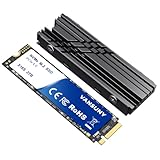

Top 3 picks at a glance
Decide These 3 Things First
Before you compare specs, lock in these three answers. They determine the entire shape of your purchase.
1. Where is it going? A PS5 requires an M.2 2280 PCIe 4.0 NVMe drive that delivers at least 5,500 MB/s sequential read and needs a heatsink that fits within the PS5’s 11.25mm height clearance. A desktop PC is more flexible but you still need to check your motherboard: does it have an M.2 PCIe 4.0 x4 or PCIe 5.0 x4 slot, and does it provide a built-in heatsink? A laptop may only have one slot, which makes capacity even more critical.
2. How many games do you actually keep installed? Count your current library plus what you will add in the next 12 months. Call of Duty titles can run 150GB to 200GB+, Baldur’s Gate 3 is about 150GB, Ark: Survival Evolved pushes 170GB. If you rotate between 5 and 7 large games plus your OS, you need 2TB minimum. If you play 2 to 3 games at a time and don’t mind re-downloading, 1TB is workable.
3. What is your real budget ceiling? Set a hard range now, including the heatsink if needed. A drive without a heatsink is typically $10 to $25 cheaper, but a standalone low-profile heatsink costs $12 to $30 and adds 3 to 5mm in height. Decide if you prefer to buy one complete unit or add cooling yourself.
Form Factor and Interface: Will It Physically Fit and Work?
For gaming, there is really only one form factor to consider: M.2 2280. That means 22mm wide and 80mm long, weighing about 5 to 9 grams bare and 22 to 35 grams with a factory heatsink. It slots directly onto your motherboard or PS5. 2.5-inch SATA SSDs are still sold but cap out around 560 MB/s, which is a clear bottleneck for modern games using DirectStorage.
Interface is where speed starts. PCIe 3.0 drives top out near 3,500 MB/s. PCIe 4.0 x4 drives range from 5,000 MB/s to 7,400 MB/s read. PCIe 5.0 drives can push 10,000 MB/s to 14,000 MB/s but run hotter and cost far more. For gaming today, PCIe 4.0 is the sweet spot. The jump from 3,500 MB/s to 7,000 MB/s shaves only a few seconds off most game loads compared to the jump from SATA to NVMe, which is dramatic. PS5 users should treat 5,500 MB/s as the floor, and PC gamers should target 5,000 MB/s or higher for a DirectStorage-ready system.
Also check lane count. You want PCIe Gen4 x4. A Gen4 x2 drive will halve your bandwidth even if the sequential number on the box looks high.
NAND Type and Controller: The Materials That Determine Longevity
Think of NAND flash as the building material and the controller as the foreman managing it. Both affect sustained performance, not just the headline speed.
NAND Type: TLC (Triple-Level Cell) is the gaming standard. It balances cost, endurance, and sustained write speed. QLC (Quad-Level Cell) offers higher capacity for less money but has lower endurance and relies more heavily on SLC cache. When that cache fills during a large 100GB game install, QLC write speeds can drop from 5,000 MB/s to as low as 300 to 600 MB/s until the cache recovers. For a gaming drive that will be written to often, TLC is worth the premium.
DRAM Cache vs. DRAM-less: A dedicated DRAM cache (typically 1GB of DRAM per 1TB of storage) helps with random access and keeps performance consistent when the drive is 50% to 70% full. Many modern DRAM-less designs use Host Memory Buffer (HMB) and are perfectly fine for gaming loads, but high-end DRAM drives still hold their speed better under sustained transfers. If you install and move large games frequently, prioritize a DRAM-equipped model like the WD_BLACK SN850X or Lexar NM790.
Controller Efficiency: Power draw matters. NVMe drives typically pull 4.5W to 6.5W under load and 30mW to 80mW at idle. Inefficient controllers run hotter, which triggers thermal throttling sooner. Look for controllers with at least 1,000 to 1,500 TBW endurance rating at 2TB for long-term use.
Thermal Construction: Why a Heatsink Is Not Optional
Speed is useless if the drive throttles after 90 seconds. NVMe controllers begin to throttle at 72 to 80 degrees Celsius. Without cooling, sustained reads of 7,000 MB/s can push a bare drive past 75 degrees in a poorly ventilated case.
A factory-installed heatsink adds 8 to 12mm of total height and helps keep temperatures 12 to 20 degrees lower than a bare drive. For PS5 installation, you must use a heatsink that keeps total height under 11.25mm, including the drive itself. Many PS5-ready drives like the fanxiang S660 with its integrated heatsink or the Vansuny 2TB with included heatsink are designed specifically to meet that spec, measuring around 9 to 10.5mm tall.
For PC desktops, if your motherboard has a thick integrated M.2 shield with a thermal pad, you can buy a bare drive and use the board’s cooling. If it does not, buy the heatsink version. The screwdrivers and thermal pads included with some retail kits save you a separate $8 to $15 purchase. Do not stack a motherboard heatsink on top of a factory heatsink; use one or the other with proper contact through the thermal pad.
Real-World Gaming Performance: Where Speed Helps and Where It Does Not
Manufacturers advertise sequential read/write speeds, but gaming depends more on random read performance and low latency. That is how quickly the drive can fetch thousands of tiny 4K files when loading a world.
Here is what speed actually changes:
- Game Load Times: Moving from SATA (550 MB/s) to PCIe 4.0 NVMe (5,000+ MB/s) can cut load times by 40% to 60% in large open-world games. Moving from 5,000 MB/s to 7,300 MB/s typically only saves 1 to 4 seconds more, often within margin of error for the same game.
- DirectStorage and RTX I/O: Newer titles using DirectStorage can load assets directly to the GPU, bypassing the CPU. These games benefit from 5,000 MB/s or higher and high IOPS (800K to 1,100K random read IOPS). If you plan to keep the drive for 3+ years, do not buy below that threshold.
- Installs, Updates, and File Transfers: This is where premium speed feels tangible. Installing a 120GB game at 6,500 MB/s sustained write finishes noticeably faster than at 3,000 MB/s, and it reduces the time your drive sits at 100% utilization.
- Capacity Impact on Speed: A drive that is over 80% to 85% full loses SLC cache space and slows down. A 1TB drive with 850GB used will feel slower than a 2TB drive with the same 850GB used because the larger drive has more free blocks to maintain performance. For gaming, headroom is performance.
Bottom line: Target at least 5,000 MB/s read and 4,400 MB/s write, then put your next dollars toward doubling capacity to 2TB before chasing 7,400 MB/s.
Price Tiers: What You Should Expect to Pay
Pricing fluctuates weekly, but these ranges reflect the current market for PCIe 4.0 TLC drives with heatsink options:
Budget Tier: $75 to $130 for 1TB, $135 to $180 for 2TB. Typically DRAM-less, QLC or entry TLC, 5,000 to 6,000 MB/s read. Fine for secondary game libraries or if you are on a tight budget. Example profile: fanxiang S660 1TB units often sit around $85 to $170 depending on sales and heatsink inclusion.
Mid Tier: $120 to $180 for 1TB, $165 to $270 for 2TB. The best value for most gamers. TLC with HMB or DRAM, 6,500 to 7,300 MB/s read, 5,000 to 6,500 MB/s write. Includes solid thermal designs and screwdrivers for easy install. The Vansuny 2TB at around $248 and similar 2TB PCIe 4.0 drives in that band hit the ideal capacity/speed balance for PS5 and PC.
Premium Tier: $180 to $260 for 1TB, $270 to $450+ for 2TB. Top controllers, DRAM cache, 7,300 MB/s read and 6,300 MB/s write, high IOPS and high endurance (1,200 TBW for 2TB). Products like the WD_BLACK SN850X with Heatsink 2TB or Lexar NM790 with Heatsink 2TB sit here, aimed at enthusiasts who want sustained peak performance and longer warranties. The extra cost buys consistency under heavy use, not dramatically faster loads in today’s games.
Warranty, Endurance, and Reliability
Warranty and endurance are your safety net. Most reputable NVMe drives offer a 5-year limited warranty, but the fine print matters.
TBW (Terabytes Written): This is the total data you can write before the warranty expires. Expect 600 TBW for 1TB TLC drives and 1,000 to 1,500 TBW for 2TB TLC models. QLC drives often list half that. A gamer who installs 500GB per month will write 6TB per year, so even a 600 TBW drive would last decades in theory, but higher TBW correlates with better NAND quality and longer sustained performance.
MTBF: Most brands quote 1.5 million to 2 million hours mean time between failures. Use it as a general reliability indicator rather than a precise prediction.
What voids a warranty: Removing factory labels, physical damage from incorrect screw tension (M.2 screws need only 0.3 to 0.5 Nm torque, just snug), or using an incompatible heatsink that shorts components. Keep your receipt and register the drive if the brand offers it.
Delivery, Compatibility, and Assembly
Installation is straightforward but small details cause big headaches. Most M.2 SSDs ship in a compact box weighing under 4 ounces, with the drive, manual, and occasionally a heatsink and mini screwdriver. If ordered without a heatsink, you will need to supply your own thermal pad (0.5mm to 1.0mm thick) and ensure good case airflow.
Assembly takes 5 to 15 minutes: power down, unplug, insert at a 30-degree angle into the M.2 slot, press down, secure with the M.2 standoff screw (M2x3), and add the thermal pad and heatsink. For PS5, remove the expansion slot cover, insert the drive, fasten, and reattach the bay cover. On PC, initialize the drive in Disk Management and format as GPT/NTFS before use.
Check delivery details: ensure your motherboard BIOS is updated to support drives over 2TB, and confirm your PS5 system software is current to recognize newer controllers. If your PC case has no airflow over the M.2 area, add at least one intake fan moving 30 to 50 CFM to keep drive temps under 65 degrees under load.
Spec Checklist
| Spec | Budget | Mid | Premium |
|---|---|---|---|
| Capacity | 1TB (2TB if QLC on sale) | 2TB TLC | 2TB TLC with DRAM |
| Interface | PCIe 4.0 x4 | PCIe 4.0 x4 | PCIe 4.0 x4 (or PCIe 5.0 x4 for future-proofing) |
| Sequential Read | 5,000 to 6,000 MB/s | 6,500 to 7,300 MB/s | 7,300 MB/s |
| Sequential Write | 4,200 to 5,000 MB/s | 5,500 to 6,500 MB/s | 6,300 to 6,800 MB/s |
| NAND / Cache | TLC or QLC, HMB | TLC, HMB or DRAM | TLC, DRAM Cache (1GB per 1TB) |
| Heatsink Height | 9 to 11.25mm for PS5 | 9 to 11.25mm for PS5, motherboard shield OK for PC | Integrated high-fin heatsink, under 11.25mm for PS5 |
| Endurance (2TB) | 600 to 800 TBW | 1,000 to 1,200 TBW | 1,200 to 1,500 TBW |
| Warranty | 3 to 5 years | 5 years | 5 years |
| Street Price (2TB w/ Heatsink) | $135 to $180 | $165 to $270 | $270 to $450 |
Red Flags
- No TBW or warranty listed. Reputable sellers always publish both. If a listing hides endurance, assume low-grade NAND.
- Suspiciously cheap 2TB at PCIe 3.0 speeds marketed as PS5-ready. PS5 requires 5,500 MB/s or higher; PCIe 3.0 drives near 3,500 MB/s will be rejected or perform poorly.
- Heatsink over 11.25mm tall for PS5. Tall double-sided or RGB heatsinks will prevent the expansion bay cover from closing and trap heat.
- Only sequential speed advertised, no IOPS or controller named. You need at least brand, controller, and NAND type to judge real performance and reliability.
- QLC drive with tiny SLC cache and no DRAM at premium pricing. If you are paying over $220 for a 2TB drive, it should be TLC with DRAM or a high-quality HMB design.
- Requires no screw or thermal pad. A drive held down by case pressure alone will vibrate, lose contact, and overheat quickly.
FAQ
Should I prioritize speed or capacity for gaming?
Prioritize capacity once you hit the 5,000 MB/s threshold. A 2TB drive at 6,500 MB/s will give you a better day-to-day experience than a 1TB drive at 7,400 MB/s because you avoid constant uninstalls and keep 20% to 30% free space so the drive maintains its speed. Only chase the fastest sequential numbers after you have secured 2TB.
Do I actually need 7,300 MB/s for PS5 or PC gaming?
For PS5, Sony specifies 5,500 MB/s minimum, so 5,000 MB/s PC drives are not sufficient. On PC, 7,300 MB/s is not required for most current games, but it guarantees headroom for DirectStorage titles and large updates. If the price gap between a 5,000 MB/s and 7,300 MB/s TLC drive is $30 or less at the same capacity, take the faster one. If the gap is $80 or more, put that money toward capacity.
Is 1TB enough if I only play a few games?
1TB is workable only if you play two to three large games at a time and have fast internet (200 Mbps or higher) for re-downloading. Remember the OS and apps reserve 50GB to 100GB, and many drives list 1TB as 1,000GB but format to about 931GB usable. If you keep more than four AAA games installed, or you use the same drive as your boot drive, move to 2TB.
Can I add a heatsink later if I buy a bare drive?
Yes, but measure first. A bare drive weighs 7 to 9 grams and sits at 2.3mm tall. Aftermarket heatsinks add 8 to 10mm and must make full contact via a thermal pad. For PS5, confirm the total assembled height stays at or below 11.25mm. For PC, you can use the motherboard’s M.2 heatsink instead. Do not use both at once, and do not cover the drive’s label if the manufacturer says removal voids warranty; place the pad over the label if instructed.


