
As an Amazon Associate we earn from qualifying purchases at no extra cost to you. Product prices and availability are accurate as of the date shown and are subject to change.

The Short Answer
For most casual gamers, a 360Hz monitor is not worth the premium — with one clear exception: if you play fast, competitive shooters regularly (think Valorant, CS2, Apex Legends) and your PC can actually push 200+ frames per second, the difference is real and you’ll feel it. Everyone else should put that money toward a better panel, a bigger screen, or a stronger GPU.
Here’s the honest breakdown of what you’re buying, what it costs, and whether it makes sense for how you actually play.
What You Actually Get
Refresh rate is how many times per second your monitor redraws the image. A 360Hz display refreshes every 2.8 milliseconds, compared to 6.9ms on a 144Hz panel or 4.2ms on 240Hz. Paired with a responsive GPU, that translates to:
– Lower perceived latency. Click-to-photon delay drops meaningfully when you go from 60Hz to 144Hz, and still improves — though with diminishing returns — from 144Hz to 240Hz and beyond.
– Smoother motion clarity. Fast pans and flicks look less smeary, especially on fast IPS panels with good response times.
– A genuine edge in tracking and flick shots. Test after test from competitive players confirms the difference is perceivable between 240Hz and 360Hz, but it’s subtle — worth a few percentage points of aim consistency, not a transformation.
What you don’t get: better colors, better contrast, or a better single-player experience. Any half-decent 144Hz monitor looks just as good in Elden Ring or Baldur’s Gate 3. And critically, casual gaming rarely produces frame rates that benefit from 360Hz. If your GPU delivers 90 fps in your favorite game, a 360Hz monitor renders many of those frames twice. You’d see the exact same experience on a 144Hz screen.
The good news for buyers in 2026 is that 360Hz no longer commands flagship money. Fast IPS panels at 27 inches and QHD resolution have dropped into the low $200s, so the “is it worth it” question is less about cost and more about whether your setup can use the speed.
Pros
- Exceptionally low motion blur and input lag — the fastest consumer refresh rate widely available, with 0.5ms-class response times on modern Fast IPS and QD-OLED panels.
- Real competitive benefit in shooters and fighting games, particularly if you already play at high frame rates.
- Prices have fallen hard: capable 360Hz Fast IPS models now start around $200–$250, a fraction of what this tier cost a couple of years ago.
- Modern 360Hz panels are no longer compromised — you get QHD resolution, HDR400-class brightness, and adaptive sync (FreeSync and G-SYNC Compatible) rather than a bare-bones esports screen.
- Future-proofing. If you upgrade your GPU down the road, the headroom is already there.
Cons
- Casual games rarely run fast enough to use it. Story-driven and open-world titles commonly land between 40–100 fps on midrange hardware, making the high refresh rate mostly idle.
- Diminishing returns. The jump from 60Hz to 144Hz is dramatic; 240Hz to 360Hz is a refinement most players struggle to notice outside competitive play.
- To feed 360 frames per second at QHD resolution in demanding games, you need a high-end GPU — often $500+ on its own — which defeats the “budget casual” premise.
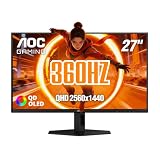
- QD-OLED options at this refresh rate, like the AOC Q27G40SDE at around $450, still cost two to three times a good 144–180Hz IPS monitor.
- Bigger screens and better image quality (4K, mini-LED, OLED) often deliver more visible enjoyment for the same money in non-competitive genres.
Who Should Buy It
You’re a good candidate if most of these describe you:
– You play competitive shooters, battle royales, or fighting games several times a week and care about your rank.
– Your PC sustains 200+ fps at your target resolution, or you’re planning a GPU upgrade that will.
– You already own a 144Hz or 240Hz monitor and want the last increment of responsiveness.
– The monitor doubles as your main display and you want one fast panel instead of a second screen.
If you spend most of your gaming hours in RPGs, sims, strategy, or single-player adventures, a 360Hz panel is speed you’ll pay for and never use.
Who Should Skip It
Skip it if:
– Your GPU pushes under 120 fps in the games you actually play.
– You’d rather have a bigger screen (32″), higher resolution (4K), or OLED image quality for immersive titles.
– You play casually a few hours a week and can’t perceive — or don’t care about — frame-time differences.
– The budget would be better spent on a GPU upgrade, which improves every game, not just frame pacing.
Cheaper Alternatives
| Option | Cost | Trade-off |
|---|---|---|
| 27″ QHD 180Hz Fast IPS monitor | $130–$180 | Loses ~40% of the refresh ceiling; visually near-identical for casual play, and most GPUs can’t exceed it anyway. |
| 27″ QHD 240Hz Fast IPS monitor | $170–$230 | Handles competitive play comfortably; the 360Hz step up is a subtle gain most casual players won’t notice. |
| 32″ QHD 165Hz monitor | $180–$250 | Trades refresh rate for screen size — better for immersive and single-player gaming. |
| 28″ 4K 144Hz monitor | $250–$350 | Sharper image and more detail; esports latency slightly higher than a 360Hz panel. |
| 27″ QHD 360Hz QD-OLED (e.g., AOC Q27G40SDE) | ~$450 | Not cheaper, but if you want both OLED contrast and elite speed, this is the premium path — infinite contrast, ~0.03ms pixel response, G-SYNC Compatible. |
A sensible middle path: the 27″ QHD 360Hz Fast IPS tier (around $200–$250, like the HDR400 FreeSync/G-SYNC Compatible models now common at that price) gets you the full 360Hz capability without OLED money — worth it if you’re competitive-curious, easy to justify if you already have the GPU.
FAQ
Can you see the difference between 240Hz and 360Hz?
Yes, but it’s subtle. Most people can perceive smoother motion and slightly lower input lag in fast-paced games, especially on 27-inch QHD panels with fast response times. In slower games, nearly no one can tell. It’s a meaningful upgrade for ranked shooters, a marginal one for everything else.
Do you need a powerful PC for a 360Hz monitor?
To get the full benefit, yes. You’ll want frame rates in the 200–360 fps range, which at QHD resolution generally means a mid-to-high-end GPU. That said, the monitor still runs fine at lower frame rates with adaptive sync enabled — you just won’t be using what you paid for. Many competitive players also run lower in-game settings to hit high frame counts, which is easier at QHD than 4K.
Is 360Hz overkill for single-player games?
Essentially, yes. Cinematic and story-driven titles look identical at 144Hz and 360Hz because they rarely run faster than 60–120 fps. For those games, your money goes further toward resolution, panel quality (OLED or mini-LED), or screen size.
How much should I spend on a 360Hz monitor?
For most buyers, $200–$250 for a 27-inch QHD Fast IPS model with HDR400 and adaptive sync is the sweet spot. Step up to roughly $400–$500 if you want QD-OLED contrast and near-instant pixel response — worthwhile for enthusiasts, hard to justify purely for casual gaming. Above that price, you’re paying for features that don’t improve casual play.


