
Buying a prebuilt gaming PC means handing your money to someone else’s component choices. The spec sheet is your only defense, and on a stormcraft gaming pc, that means knowing whether you are getting a processor that can actually feed a high-end GPU or a bottleneck that will throttle the entire system. Prices in this lineup range from roughly $1100 to $3100, and that spread covers everything from a modest 1080p machine to a 4K-capable rig.
A good prebuilt balances GPU class, memory type, and storage capacity at its price tier. A bad one pairs a premium processor with older DDR4, or cuts the SSD to a capacity that forces a second drive purchase within months. Owner feedback on these machines consistently highlights the same tradeoffs: thermal headroom under sustained loads, whether the included cooler matches the processor’s boost behavior, and how upgradable the case and PSU remain. This roundup compares the eight current stormcraft gaming pc listings across published specs, pricing, and reported owner experience.
As an Amazon Associate we earn from qualifying purchases at no extra cost to you. Product prices and availability are accurate as of the date shown and are subject to change.


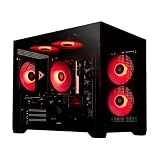
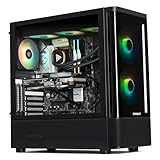



Top 3 picks at a glance
Quick Picks
| Product | Best For | Price |
|---|---|---|
| Phantom RTX 5080 | 4K gaming without compromise | $3099.99 |
| Falcon AI (RX 9070 XT) | High-refresh 1440p play | $2049.99 |
| Valkyrie RTX 5080 | Flagship specs with alternate case design | $3099.99 |
| Sirius | Entering prebuilt gaming under $1200 | $1099.99 |
| Skyhawk PRO | Best balanced build at mid-range pricing | $2349.99 |
| Falcon Prebuilt RTX 5070 | NVIDIA features at the lowest 50-series cost | $2149.99 |
| Falcon Prebuilt (RX 9060 XT) | Strong 1080p-to-1440p value | $1799.99 |
| Falcon AI Computer (RX 9070 XT) | Same as Falcon AI; pick based on reviews | $2049.99 |
How We Picked
We evaluated each stormcraft gaming pc on four criteria: GPU-to-processor balance (does the CPU meaningfully limit the GPU at target resolution?), memory and storage adequacy for the price tier, upgrade pathway (case size, PSU headroom, whether RAM is current-generation), and build quality feedback from owners who have run the machine long enough to report on thermals and reliability.
The 8 Best Stormcraft Gaming Pc in 2026
STORMCRAFT Phantom RTX 5080 Gaming PC
The top-tier play in the lineup pairs the Ryzen 7 9800X3D with an RTX 5080 and 2TB of storage. Built for running 4K at high settings in current AAA titles without drive-space anxiety. The 9800X3D’s 3D V-Cache gives it an edge in CPU-bound scenarios, and the RTX 5080 handles that resolution well. The 32GB DDR5 matches the platform and won’t limit you for years.
- Best-in-class gaming processor in this lineup
- 2TB SSD eliminates the need for a secondary drive
- Premium pricing puts it out of reach for many buyers
Skip this if your target resolution is 1440p or lower, or if the gap over the Skyhawk PRO is more than you want to pay for a single GPU tier jump.
STORMCRAFT Falcon AI Gaming PC (RX 9070 XT)
The 7800X3D and RX 9070 XT pairing is a smart mid-to-high tier combination. The 7800X3D handles gaming loads effectively at lower cost, while the RX 9070 XT’s 16GB VRAM provides staying power for texture-heavy titles. Targets players wanting excellent 1440p performance and viable 4K with upscaling enabled, without flagship prices.
- Strong 1440p performance with high-refresh monitors
- 16GB VRAM buffers well against future texture demands
- Only 1TB SSD, which fills quickly with modern installs
Skip this if you prefer NVIDIA software features like DLSS or ray tracing paths that favor RTX cards.
STORMCRAFT Valkyrie RTX 5080 Gaming PC
Spec-for-spec, the Valkyrie mirrors the Phantom: same 9800X3D, same RTX 5080, same 32GB DDR5 and 2TB SSD, same price. The difference likely sits in case design, cooling layout, or aesthetic choices not detailed in the listing. Owner photos and reviews are the only way to distinguish the two.
- Identical core performance to the Phantom at the same price
- Alternative case or cooling may suit some buyers’ preferences
- Ambiguity about physical differences creates unnecessary decision friction
Skip this if you want certainty about component-level differences, or if case aesthetics are not a priority.
STORMCRAFT Sirius Gaming PC
The entry point at just over $1100. The Intel i5 14400F and RTX 5060 pairing handles 1080p gaming comfortably, but 16GB of DDR4 is a notable compromise. DDR4 limits bandwidth compared to the DDR5 in every other model here, and 16GB is the bare minimum for current titles with background processes running. A budget-conscious choice that prioritizes low upfront cost over platform longevity.
- Lowest entry price in the lineup
- RTX 5060 handles 1080p well with DLSS enabled
- DDR4 and 16GB RAM limit upgrade value and future headroom
Skip this if you plan to keep the machine beyond two years or play at 1440p, where this configuration will feel thin.
STORMCRAFT Skyhawk PRO Desktop PC
At $2349.99, the Skyhawk PRO sits between the RX 9070 XT Falcon and the RTX 5080 tier. The 9800X3D is the strongest gaming processor here, and pairing it with the RX 9070 XT and 2TB of storage creates a well-rounded package. The 32GB DDR5 and generous SSD mean no drive or RAM upgrade is needed for years.
- Top gaming CPU with ample VRAM and storage in one build
- Strong value for the 9800X3D plus 16GB VRAM plus 2TB combination
- AMD GPU means no DLSS; you rely on FSR or native rasterization
Skip this if NVIDIA-exclusive features matter, or if the extra cost to step into the RTX 5080 tier fits your budget.
STORMCRAFT Falcon Prebuilt RTX 5070 Gaming PC
The 5070 variant targets the $2150 tier with an NVIDIA GPU option the RX 9070 XT version does not offer. For buyers who want DLSS frame generation, better ray tracing performance, or NVIDIA encoding for streaming, this is the most cost-effective path into an RTX 50-series card here. The 7800X3D and 32GB DDR5 provide a solid gaming foundation.
- DLSS and NVIDIA software features unavailable on AMD variants
- Competitive price for an RTX 5070 in a prebuilt configuration
- 1TB SSD forces a secondary drive for anyone with a large library
Skip this if you do not use NVIDIA-specific features and would rather save roughly $100 for the RX 9070 XT version.
STORMCRAFT Falcon Prebuilt Gaming PC (RX 9060 XT)
At $1799.99, this is the value entry for buyers wanting a current-gen prebuilt without crossing $2000. The RX 9060 XT 16GB handles 1080p at high settings and reaches 1440p with upscaling. The 7800X3D ensures no processor bottleneck, and 32GB RAM is generous at this price. A sensible choice for competitive and mid-range AAA players.
- Best price-to-performance in the lineup for 1080p-to-1440p play
- 7800X3D plus 32GB RAM provides a strong CPU-side foundation
- Only 1TB storage; a large game library fills it quickly
Skip this if you want 4K output, heavy ray tracing at playable framerates, or an NVIDIA card for streaming.
STORMCRAFT Falcon AI Gaming Computer (RX 9070 XT)
This listing is a near-duplicate of the Falcon AI covered earlier: same processor, same GPU, same RAM and storage, same price. No published spec differences separate them. Owner reviews may reveal variations in included peripherals, case quality, or PSU brand, but without a component-by-component breakdown, the safest approach is choosing the one with more favorable recent feedback.
- Identical core hardware to the other Falcon AI listing
- 16GB VRAM and 7800X3D form a strong 1440p combination
- Duplicate listing creates confusion and makes cross-shopping harder
Skip this if the other Falcon AI variant is in stock with readable reviews; there is no spec-based reason to prefer this one.
Buying Guide
CPU-GPU Balance
The most expensive mistake in a prebuilt is paying for a processor your GPU cannot utilize, or vice versa. At 1080p, the CPU matters more because the GPU is not saturated; at 4K, the GPU dominates and a mid-tier processor suffices. The 9800X3D earns its premium at high refresh rates and in CPU-heavy titles. The 7800X3D remains excellent for most gaming workloads and saves money without meaningful loss. The i5 14400F is adequate only where the GPU is the limiting factor.
Memory Type and Capacity
DDR5 is the standard across this lineup except the Sirius, and it matters because it affects upgrade cost later: DDR4 boards cannot accept DDR5, so a DDR4 machine locks you into a dying platform. Capacity-wise, 32GB is the practical ceiling for gaming in 2026, while 16GB is already showing strain in titles with large open worlds and heavy multitasking.
Storage and Upgrade Path
Modern AAA games routinely exceed 100GB per install. A 1TB SSD fills with four or five titles, leaving room for the OS and little else. 2TB is the comfortable minimum unless you are willing to manage deletions constantly. Beyond capacity, check whether the case has spare M.2 slots and drive bays, and whether the PSU wattage leaves headroom for a future GPU swap.
Our Verdict
The Skyhawk PRO is the top pick: it pairs the strongest gaming CPU in the lineup with a capable 16GB VRAM GPU and 2TB storage at a mid-range price, making it the most balanced stormcraft gaming pc for buyers who want no immediate upgrades. The budget pick is the Falcon Prebuilt with the RX 9060 XT at $1799.99, which delivers 32GB DDR5 and a 7800X3D at a price that undercuts most competitors. If you specifically need NVIDIA features like DLSS frame generation or NVENC for streaming, the Falcon Prebuilt RTX 5070 is the better choice at $2149.99, since no amount of AMD rasterization performance replaces that software ecosystem.
FAQ
Is a prebuilt stormcraft gaming pc worth it over building my own?
Prebuilts save time and carry a single warranty for the whole system. Whether they are worth the price premium depends on whether you can source the same components for less and tolerate the assembly effort yourself. Stormcraft’s pricing is competitive at the upper tiers but less so at the budget end.
Can I upgrade the GPU in a Stormcraft prebuilt later?
Yes, provided the case has physical space and the included PSU has sufficient wattage for the new card. Higher-tier models like the Phantom and Skyhawk PRO typically ship with more headroom than the Sirius. Check the PSU rating in the spec listing before planning an upgrade.
Why are there two identical Falcon AI listings at the same price?
This appears to be a cataloging duplication rather than a spec difference. Without published breakdowns of case, PSU, or peripheral variations, pick the listing with more owner reviews to make an informed decision between them.
Is 16GB of RAM enough in a gaming PC today?
It meets the stated minimum for most titles but leaves little headroom for background applications, browser tabs, or the next generation of memory-heavy releases. If the budget allows, 32GB is the practical choice, and every model here except the Sirius already provides it.


