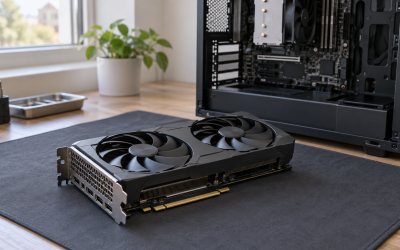
Thinking about playing The Crew 2 on PC and wondering what hardware you actually need? The Crew 2 is an open-world racing title set across a scaled-down recreation of the United States. Because it launched in the late 2010s, its PC hardware requirements are very accessible compared to contemporary AAA releases. This guide breaks down the official PC requirements for The Crew 2, the best GPU options for each resolution, and balanced build suggestions to ensure you get smooth, locked performance on your system.
As an Amazon Associate we earn from qualifying purchases at no extra cost to you.


Our Top Picks
 ASUS ROG Strix GeForce RTX® 4080 OC EditionRTX4080|OC|Black14.07 x 5.87 x 0.1 inches5.5 poundsCheck on Amazon
 ASUS TUF Gaming NVIDIA GeForce RTX 4080 SuperRTX4080 Super|OC13.7 x 5.9 x 2.9 inches6.6 poundsCheck on Amazon


Top 3 picks at a glance
How Demanding Is The Crew 2?
The Crew 2 is relatively light on modern PC hardware. Developed to run smoothly across last-generation consoles and modest PC setups, its engine handles vast open-world asset streaming efficiently. An entry-level modern graphics card can easily run the game at 1080p with high graphical fidelity, while mid-range hardware provides ample power for 1440p and native 4K resolutions. The PC version features a built-in frame rate limiter capped at 60 FPS, meaning you do not need ultra-enthusiast hardware to achieve the maximum intended performance experience.
The Crew 2 Official PC System Requirements
| Component | Minimum (official) | Recommended (official) |
|---|---|---|
| OS | Windows 7 SP1, Windows 8.1, Windows 10 (64-bit versions only) | Windows 7 SP1, Windows 8.1, Windows 10 (64-bit versions only) |
| Processor | Intel Core i5-2400s @ 2.5 GHz or AMD FX-6100 @ 3.3 GHz or equivalent | Intel Core i5-4690k @ 3.5 GHz or AMD Ryzen 5 1600 @ 3.2 GHz or equivalent |
| Memory | 8 GB RAM | 8 GB RAM |
| Graphics | NVIDIA GeForce GTX 660 or AMD HD 7870 (2GB VRAM with Shader Model 5.0 or better) | NVIDIA GeForce GTX 1060 (6GB) or GTX 970 (4GB) or AMD RX 470 (8GB) or better |
Source: the official The Crew 2 Demo Steam store listing (app 1075340), checked October 2026. Publishers can update these specs after patches.
Best GPU for The Crew 2 by Resolution
1080p
At 1080p, The Crew 2 has very modest demands. The official recommended specifications call for cards like the GTX 1060 (6GB) or RX 470 (8GB). Modern budget offerings such as the AMD Radeon RX 7600 will deliver a completely locked 60 FPS at maxed-out settings without breaking a sweat, providing plenty of performance overhead.
1440p
For 1440p gaming, older mid-range cards like the GTX 1070 or RTX 2060 handle the title well, but modern options like the NVIDIA GeForce RTX 4070 SUPER offer massive headroom. A card in this class ensures ultra settings stay pinned to the engine’s 60 FPS cap with pristine anti-aliasing and maximum draw distance.
4K
Running The Crew 2 at native 4K pushes pixel density across wide scenic vistas, dynamic weather, and dense foliage. A card like the NVIDIA GeForce RTX 4070 Ti SUPER easily handles native 4K at ultra settings, delivering rock-solid 60 FPS gameplay without requiring aggressive upscaling.
CPU, RAM and Storage for The Crew 2
The Crew 2 requires a capable quad-core CPU to stream terrain, traffic, and multiplayer racers smoothly. The official requirements list older processors like the Core i5-2400s or FX-6100 as the minimum, and the Core i5-4690K or Ryzen 5 1600 as recommended. Modern gaming chips like the AMD Ryzen 5 7600 and Intel Core i5-14600K drastically outperform these older requirements, preventing any CPU bottlenecks. For enthusiasts seeking top-tier gaming efficiency, the AMD Ryzen 7 7800X3D delivers exceptional power. Both the minimum and recommended specs require 8 GB of RAM, though standard modern setups with 16 GB or 32 GB, like Corsair Vengeance DDR5 32GB, ensure completely stutter-free multitasking. Installing the game on a high-speed NVMe drive like the Samsung 990 Pro 2TB NVMe SSD helps minimize loading times and prevents texture streaming delays when fast-traveling across the map. Note that the game incorporates BattlEye anti-cheat and VMProtect anti-piracy technologies.
Recommended PC Builds for The Crew 2
1080p budget build: AMD Radeon RX 7600 + AMD Ryzen 5 7600 + 16 GB DDR5 — comfortably exceeds the game’s recommended requirements and delivers an effortless 60 FPS at 1080p Ultra.
1440p sweet-spot build: NVIDIA GeForce RTX 4070 SUPER + AMD Ryzen 7 7800X3D + 32 GB DDR5 + 2TB NVMe SSD — an outstanding high-end configuration that runs The Crew 2 with immense headroom at 1440p and native 4K.
4K high-end build: NVIDIA GeForce RTX 4070 Ti SUPER + AMD Ryzen 7 7800X3D + 32 GB DDR5 + fast NVMe SSD — ideal for driving 4K monitors or ultra-wide setups at maximum visual settings without frame drops.
Is It Worth Upgrading Your PC for The Crew 2?
Because The Crew 2 was released in 2018, most gaming PCs built within the last five to six years will already run the game smoothly. An upgrade is generally unnecessary unless your system is powered by older integrated graphics or hardware below the minimum GeForce GTX 660 baseline. If you do notice performance dips on an older machine, upgrading the graphics card delivers the most noticeable boost. Ensuring you have at least 8 GB to 16 GB of system RAM and moving the game to an SSD will also resolve hitching and streamline asset loading across open highways.
Can You Play The Crew 2 on a Laptop or Handheld?
The Crew 2 performs very well on modern gaming laptops, with entry-level mobile GPUs like the RTX 4050 or RTX 4060 easily reaching the game’s 60 FPS cap at 1080p. On handheld gaming PCs such as the Steam Deck or ROG Ally, the hardware possesses sufficient graphical power to run the game at native resolutions with medium to high presets. However, because The Crew 2 utilizes BattlEye anti-cheat, handheld users should verify anti-cheat compatibility on Linux or run the title on Windows-based handheld devices for the most seamless experience.
How to Boost FPS in The Crew 2
If you need to optimize performance on older hardware, The Crew 2 provides several in-game graphical adjustments. Start by checking your display settings, where the title lets you toggle between a 30 FPS and 60 FPS lock. To gain extra performance on modest GPUs, dial back resource-intensive options such as shadow quality, screen space reflections, volumetric fog, and ambient occlusion. Lowering geometry detail slightly can also reduce strain on graphics cards with lower VRAM. Finally, keep your display drivers up to date, close background applications, and ensure the game is stored on solid-state media for fluid texture streaming.
Frequently Asked Questions
Can my PC run The Crew 2?
If your system meets the minimum specifications—an Intel Core i5-2400s or AMD FX-6100, 8 GB of RAM, and a GeForce GTX 660 or Radeon HD 7870 (2GB VRAM)—it can run The Crew 2. For the recommended experience at 1080p, Ubisoft recommends an Intel Core i5-4690K or AMD Ryzen 5 1600 with a GTX 1060 (6GB), GTX 970 (4GB), or RX 470 (8GB).
Is The Crew 2 demanding on PC?
No, The Crew 2 is not demanding by modern standards. It runs well on older and entry-level hardware, and modern mid-range PCs can easily max out visual settings at 1080p and 1440p.
What GPU do I need for The Crew 2 at 1440p 60fps?
Older cards like the GTX 1070 or modern mid-range graphics cards such as the NVIDIA GeForce RTX 4070 SUPER will effortlessly maintain 60 FPS at 1440p on ultra settings, providing more than enough power for smooth racing.
How much RAM does The Crew 2 need?
The official minimum and recommended memory requirement for The Crew 2 is 8 GB of RAM. While 8 GB is sufficient to play, having 16 GB in a modern PC ensures plenty of overhead for the operating system and background applications.
Do I need an SSD for The Crew 2?
An SSD is not strictly required, but running the game from an NVMe drive like the Samsung 990 Pro is highly recommended to eliminate hitching and speed up loading when traversing the sprawling open-world map.
Related guides
More from Amazon
Programs that pair well with the guide above. Offers and eligibility are set by Amazon and may change.
Free shipping on eligible items, Prime Video and more. Eligible new members can start with a free trial.
Start a Prime free trialAd-free music streaming. Eligible new subscribers can start with a free trial.
Try Music Unlimited freeA Prime membership for ages 18-24 with a trial period. Eligibility is set by Amazon.
See Prime for Young AdultsAudiobooks and podcasts to listen to on the go. Eligible new members can start with a free trial.
Try Audible freeAs an Amazon Associate we earn from qualifying purchases.