
Top 3 picks at a glance
The Short Answer
For a dual-monitor setup plus a desktop PC on or under the desk, the sweet spot is a desk that is 55 to 63 inches wide (140–160 cm), at least 24 inches deep (60 cm), and 29 to 30 inches tall (74–76 cm). If you want monitors mounted on arms and a PC tower under the desk, you can drop to 48 inches wide (120 cm) and still work comfortably. If you want both monitors, a tower on the desktop, a printer, and paperwork spread out, aim for 63 to 71 inches (160–180 cm).
Why these numbers? A typical 24- to 27-inch monitor body is roughly 21 to 24 inches wide (53–61 cm). Two side by side need 44 to 50 inches (112–127 cm) before you add any clearance. A mid-tower PC case adds 8 to 9 inches (20–23 cm) of width if it sits on top, or 8 to 10 inches of depth clearance under the desk. Keyboard, mouse, and elbow room account for the rest.
As an Amazon Associate we earn from qualifying purchases at no extra cost to you. Product prices and availability are accurate as of the date shown and are subject to change.



Standard Sizes
Most desks sold in the United States fall into a handful of standard footprints. Here is how each handles two monitors and a PC:
| Desk Size (W × D) | Metric (W × D) | Monitors + PC Fit |
|---|---|---|
| 47 × 24 in | 120 × 60 cm | Tight. Two 24-inch monitors edge to edge, PC tower must go on the floor. No room for extras. |
| 55 × 24 in | 140 × 60 cm | Comfortable. Two 24–27 inch monitors, tower on the floor, small speaker or lamp. |
| 63 × 28 in | 160 × 70 cm | Very comfortable. Two 27–32 inch monitors, tower on the desktop if desired, room for a printer. |
| 71 × 30 in | 180 × 76 cm | Luxury. Full dual 32-inch setup, PC tower, paperwork, and secondary devices with space to spare. |
| L-shaped (59–66 in per side) | 150–168 cm | Monitors on one wing, PC tower and peripherals on the other. Ideal for corner offices. |
Depth matters as much as width. At 20 inches (51 cm) deep, a monitor sits too close for a 27-inch screen and the keyboard crowds the monitor stand base. At 24 inches (60 cm) you get roughly arm’s-length viewing for a 27-inch display. At 30 inches (76 cm) you can run two 32-inch monitors on stands with the screens pushed back.
Height matters too. Standard desk height is 28.5 to 30 inches (72–76 cm). If you are taller than about 6 feet (183 cm), look for a desk with adjustable height, or pair the desk with a monitor arm that raises the screens 4 to 6 inches above the desktop. Standing desks typically adjust from 27.5 to 46.5 inches (70–118 cm).
How to Measure Your Space
- Measure wall width. Record the total length of the wall where the desk will sit. Subtract at least 6 inches (15 cm) on each side so you can reach behind the desk for cables and cleaning.
- Measure depth clearance. Sit in your chair where the desk will go and extend your arm. You need at least 40 inches (102 cm) between the wall and any obstruction behind your chair so you can push back and stand.
- Measure the PC tower. Note its height, width, and depth. A typical mid-tower measures about 18–20 inches tall (46–51 cm), 8–9 inches wide (20–23 cm), and 16–18 inches deep (41–46 cm). Under-desk clearance is usually 22–24 inches (56–61 cm) on standard desks, so confirm your tower plus ventilation fits.
- Measure your monitors. Screen size is measured diagonally, but width is what matters. A 27-inch monitor is typically 24 inches wide (61 cm); a 32-inch is roughly 28 inches (71 cm). Multiply by two, add 2 inches for bezels and spacing.
- Plan power access. Count your devices: two monitors (typically 20–40 watts each), the PC (300–600 watts under load), speakers, chargers. Place the desk near an outlet or plan a surge protector rated for at least 1,500 joules.
- Door and stairway check. Measure doorways and hallways on the delivery path. Desks over 60 inches wide may not fit through a standard 30-inch (76 cm) door unless they assemble in pieces.
By Room or Use Case
Home Office
A dedicated home office can handle a 63 × 28 inch (160 × 70 cm) desk, which is the most versatile footprint for dual monitors and a tower. If the office doubles as a guest room, an L-shaped desk in a corner uses dead space and leaves the center open for a sleeper chair or futon. Budget roughly $120–$350 for a quality fixed desk in this size range.
Small Apartment or Bedroom
In tight quarters, a 47 × 24 inch (120 × 60 cm) desk is realistic. Mount both monitors on arms to reclaim the footprint the stands would eat — a dual-arm mount with a clamp base frees the entire desktop below the screens. Slide the PC tower onto a floor stand or a mobile cart with a CPU holder. Wall-mounted monitor arms with VESA 75×75 or 100×100 patterns fit virtually all 13- to 32-inch screens, and decent dual mounts run $28–$60.
Gaming Setup
Gamers often run two 27-inch, 1440p displays. That pairing wants at least 55 inches of width and 26 to 30 inches of depth so the screens sit far enough back for immersion. If the tower has tempered glass and RGB you want to show off, budget 9 inches of desktop width next to the monitors. A 63-inch desk covers both habits and leaves room for a headset stand.
Work From Home Plus Paperwork
If your job involves documents, a drawing tablet, or a second laptop alongside two monitors, go 71 × 30 inches (180 × 76 cm) or choose an L-shaped configuration. Putting the PC tower under the desk on a holder frees the full surface. Height-adjustable desks in this size cost $250–$600 and let you alternate sitting and standing through a long workday.
Mobile or Multi-Room Use
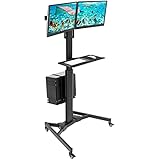
Nurses, warehouse staff, and people who move between rooms may prefer a mobile workstation cart instead of a fixed desk. Rolling dual-monitor carts with a keyboard tray and CPU holder typically support two screens up to 32 inches, adjust for sitting or standing, and fit through standard doorways — useful in a 2026 workspace where the desk might serve the office one day and the garage the next. Expect $200–$400 for a sturdy model.
Common Sizing Mistakes
Buying width but skimping on depth. A 63-inch-wide desk that is only 20 inches deep puts a 27-inch monitor 18 inches from your eyes — most ergonomists recommend 20 to 40 inches depending on screen size. Prioritize at least 24 inches of depth.
Forgetting the monitor stands. Two stock monitor feet can consume 18 to 24 inches of depth and create a cable jungle. Clamp-mounted dual arms collapse that footprint to a single 3- to 4-inch clamp and raise the screens to eye level, which also frees the center of the desk.
Ignoring under-desk clearance. Standing desk frames, crossbars, and drawer units all steal legroom. Check the published clearance height; you generally want at least 22 inches (56 cm) clear above the floor where your knees go, and 8–10 inches of side clearance if the tower lives under the desk.
Exceeding the weight rating. A typical dual monitor mount holds 17.6 to 19.8 lbs (8–9 kg) per arm — plenty for a 27-inch display, but heavy ultrawides or older LCDs can exceed it. A desktop loaded with two monitors, a tower, and speakers can easily top 60 lbs (27 kg); check the desk’s load rating, especially for sit-stand frames.
Blocking the outlet. A desk pushed flat against a wall covers receptacles. Leave 2 to 3 inches (5–8 cm) behind the desk for plugs, or choose a desk with a cable management grommet and a routed power strip.
FAQ
Is a 48-inch desk big enough for two monitors and a PC?
It can work, but only with monitor arms and a floor-standing PC tower. Two 24-inch monitors on a dual clamp mount occupy about 12 inches of desktop depth and minimal width, leaving roughly 45 inches of usable surface. Two monitors on their stock stands will not fit side by side at 48 inches.
What size desk do I need for two 27-inch monitors?
At minimum, 55 × 24 inches (140 × 60 cm) with the monitors on arms or slim stands. If you keep the PC tower on the desktop, choose 63 inches (160 cm) of width so the tower and both screens sit without crowding.
Can I put my PC tower on the desk or should it go on the floor?
Both are fine, but each has trade-offs. On the desk, the tower consumes 8–9 inches of width and about 35–45 lbs (16–20 kg) of load capacity; check the desk’s rating. On the floor, keep it on a stand or holder to lift it 3–4 inches off carpet for airflow, and confirm under-desk clearance of 20+ inches.
Are monitor arms worth it for a dual setup?
Yes, especially on desks under 55 inches. A dual monitor arm costing $28–$60 frees 18–24 inches of desk depth, positions both screens at eye level (the top bezel should sit at or just below your gaze), and works with the standard VESA 75×75 and 100×100 mounting holes found on nearly every 13- to 32-inch monitor made today.


