
Getting notified automatically beats manually checking a listing every day. Set up a price drop alert by picking a tracking tool that covers your target retailer — CamelCamelCamel or Keepa for Amazon, PCPartPicker for cross-retailer tracking, or a retailer’s own native notify-me feature where available — checking the item’s price history to pick a realistic target, and entering your target price along with your email or account notification preference. The whole setup takes just a couple of minutes per item once you know where to look.
The alert only works as well as the target price you choose. A target set below the item’s actual historical low may simply never trigger, leaving you waiting indefinitely for a price the item has never actually reached. Check your history before committing to a number.
As an Amazon Associate we earn from qualifying purchases at no extra cost to you. Product prices and availability are accurate as of the date shown and are subject to change.





Top 3 picks at a glance
Quick answer
Check the item’s price history first, pick a target at or near its historical low (not an arbitrary guess), and set the alert through CamelCamelCamel, Keepa, or PCPartPicker depending on the retailer. Confirm your notification email is correct and check your spam folder after setting a new alert, since first-time notifications from a new sender sometimes land there.
| Retailer | Recommended tool | Notification method |
|---|---|---|
| Amazon | CamelCamelCamel or Keepa | |
| Multiple retailers | PCPartPicker | Account-based tracking |
| Specific retailer with native alerts | Retailer’s own site | Varies, often email |
Picking a realistic target price
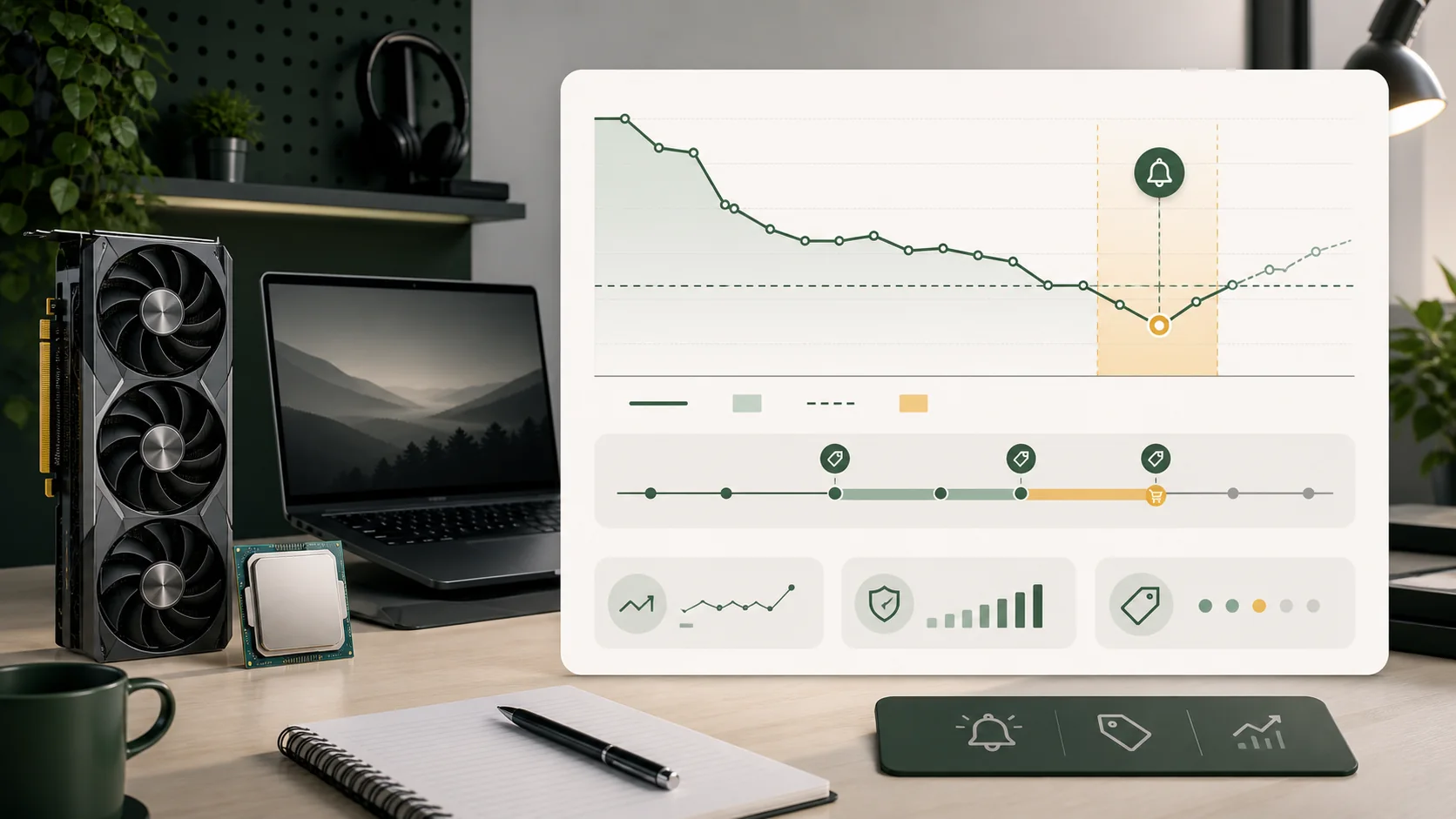
Before setting any alert, check the item’s price history to understand its actual range rather than guessing at a number that sounds reasonable. A tool like CamelCamelCamel or Keepa shows the highest and lowest points the price has hit over its tracked history, giving you a concrete reference instead of a hopeful guess.
Set your target at or slightly above the historical low, not below it — an alert requiring a price the item has never actually reached may simply never trigger, and you’d have no way to know whether that’s because the price genuinely hasn’t dropped or because your target was unrealistic from the start.
For newer products without much price history yet, consider checking similar products in the same category and price tier for a rough sense of realistic discount ranges, since a brand-new listing won’t have enough of its own history to set a confident target.
The realistic size of a discount worth targeting also varies meaningfully by component category, which is worth factoring into how aggressive a target you set. Storage tends to see deeper, more frequent discounting, so a target aiming for a noticeably larger percentage off list price on an SSD is often achievable within a reasonable waiting window. A current-generation, in-demand GPU, by contrast, may realistically only see shallow, infrequent discounts, so setting an overly ambitious target on a hot new GPU release risks the alert never triggering within any practical timeframe — a more modest target closer to the item’s actual historical range is the more useful choice for that category specifically.
Setting an alert on CamelCamelCamel or Keepa
Search for or paste the Amazon product link into CamelCamelCamel or Keepa, review the price history chart, and look for the option to set a price watch or alert. Enter your target price and, if using the website directly rather than the browser extension, your email address for notification.
Confirm the alert was successfully created by checking your account’s watch list on the tool’s site, since a failed submission (an incorrect price format, for example) may not always show an obvious error message. Revisit the listing periodically to confirm your alert is still active, particularly for long-term watches you’ve set months in advance of an anticipated purchase.
Setting up tracking on PCPartPicker
PCPartPicker’s price tracking works somewhat differently, focusing on comparing current prices across multiple retailers for the same part rather than a single-retailer historical alert. Add the part to your account’s price watch or your build list, and check back periodically, or use any notification feature the platform offers for price changes across its tracked retailers.
This is particularly useful when you’re not committed to buying from a specific retailer and want to be alerted to whichever retailer currently has the best price, rather than tracking one specific listing in isolation.
One workflow worth adopting for expensive components specifically: set a PCPartPicker watch as your primary cross-retailer alert, then set a secondary CamelCamelCamel or Keepa alert on the Amazon listing for the same part as a backup, at a slightly less aggressive target price. This two-layer approach means you’re notified the moment any tracked retailer hits a genuinely good price through PCPartPicker’s broader coverage, while the Amazon-specific alert catches a deep, Amazon-specific price drop that a cross-retailer comparison tool checking on its own schedule might report with a short delay.
Using retailer-native alert features
Many individual retailers offer their own notify-me or price-alert feature directly on their product pages, particularly useful for retailers not well covered by third-party tracking tools. These typically require creating an account on that specific retailer’s site and opting into email or account notifications for the item.
Native retailer alerts have the advantage of being directly tied to that retailer’s actual real-time pricing and stock system, sometimes catching drops faster than a third-party tool that checks on its own separate schedule. The tradeoff is that you need a separate account and alert setup for every retailer you want to track this way, rather than one central tool covering everything.
Managing multiple alerts without losing track
If you’re tracking several parts for a planned build, keep a simple list — even just a spreadsheet or notes file — of what you’ve set alerts for, the target price, and which tool you used, since managing many scattered alerts across different tools and retailer accounts gets difficult to track mentally after more than a handful of items.
Revisit your active alerts periodically, especially ones set months earlier, since your priorities or the market may have shifted (a part getting discontinued or replaced by a newer model, for instance) in ways that make an old alert no longer worth keeping active.
A simple spreadsheet layout that works well for this purpose lists each component in one column, the target price and the date the alert was set in adjacent columns, and a note on which tool is handling that specific alert. Reviewing this list once every few weeks, rather than relying purely on incoming email notifications, catches the case where an alert quietly stopped working (an expired account session, a browser extension that got disabled) without you noticing, since a missing notification looks identical to “the price simply hasn’t dropped yet” unless you’re actively checking.
Timing alerts around known sale events
Rather than relying purely on a static target price, it’s worth layering your alert strategy with awareness of known recurring sale periods for PC hardware — major annual shopping events tend to produce the deepest and most reliable discounts of the year for most component categories, more so than the average random Tuesday markdown. If your target price hasn’t triggered yet and a major sale event is approaching within a few weeks, it’s often worth holding off on lowering your target further and instead waiting to see what that specific event produces.
This doesn’t mean every component gets its best price during major sale events specifically — some categories, particularly high-demand current-generation GPUs, sometimes see shallower discounts during broad sales than a component like storage or an older-generation part does. Cross-referencing your alert strategy against a broader sale calendar for the specific category you’re tracking is a more informed approach than assuming every part follows the same seasonal pattern.
Setting up a price drop alert
- Identify which retailer sells the item you want to track.
- Choose the appropriate tool: CamelCamelCamel or Keepa for Amazon, PCPartPicker for cross-retailer, or the retailer’s own native alert feature.
- Check the item’s price history to establish a realistic target price.
- Enter your target price and notification email or account details.
- Confirm the alert was created successfully by checking your account’s active watch list.
- Check your spam folder for the first notification from a new alert source, since it can sometimes be misfiled initially.
- Revisit long-standing alerts periodically to confirm they’re still relevant and active.
When alerts don’t work as expected
Tracking tools generally check prices on a scheduled interval rather than continuously in real time, so an extremely brief price drop — lasting only minutes to a couple of hours — can come and go between scheduled checks without ever triggering an alert, even though the drop genuinely happened.
Alerts tied to a specific product variant (a particular color, bundle, or seller) won’t trigger if the price drop applies to a different variant of the same base product, which is a common source of confusion when a shopper sees a lower price on the product page but their alert, set on a slightly different listing, never fires.
Retailers without any tracking coverage at all — smaller or newer stores not yet added to any major tracking tool — require manual checking, since no alert system currently covers every possible retailer on the market.
Alerts also don’t account for regional stock and pricing differences if you’re comparing a listing across international marketplaces. A price drop confirmed and alerted on one country’s Amazon marketplace doesn’t necessarily reflect availability or pricing on a different regional storefront, so an alert configured against the wrong regional listing can trigger correctly while still pointing you toward a purchase you can’t actually complete from your own location, or one that would incur unexpected import costs once shipping and customs are factored in.
Adjusting a target as time passes
An alert set months ago with a target based on price history from that time can become outdated as new information accumulates — a component that gets replaced by a newer generation typically sees its own price drop further as retailers clear remaining stock, while a component still in high demand might never realistically reach an aggressive early target at all. Revisiting your target price every month or so, rather than setting it once and forgetting about it entirely, lets you adjust for genuinely new information rather than waiting indefinitely on a target set before that information existed.
This is particularly worth doing if you notice a component’s category has seen a broader shift — a new GPU generation announced, a general storage price movement reported in tech news — since these broader market shifts often move faster and more predictably than any single component’s own individual price history chart alone would suggest, and adjusting your target proactively based on that context can get you to a purchase decision faster than waiting for the alert to trigger on an outdated number.
Troubleshooting
Symptom: Alert set weeks ago never triggered despite the price clearly dropping. Cause: the alert may be tied to a different listing variant, or the tool’s update cycle missed a brief drop. Fix: double-check the exact listing your alert is set on matches the one currently showing the lower price, and consider setting a backup alert on a second tool.
Symptom: Notification email never arrives even though the watch list shows the alert as active. Cause: the email may have gone to spam, or the alert’s notification setting wasn’t fully confirmed during setup. Fix: check spam/junk folders, and revisit the tool’s account settings to confirm the alert and email address are correctly configured.
Symptom: Target price set too optimistically and the alert has been pending for months. Cause: the target may be below the item’s actual historical low. Fix: recheck the current price history and adjust the target to a more realistic value based on the item’s actual price range.
Symptom: An alert you thought was still active turns out to have been silently disabled for weeks. Cause: a browser extension update, a logged-out account session, or an expired notification setting can quietly stop an alert from functioning without any visible error. Fix: periodically log back into your tracking tool’s account and manually verify each alert’s status, rather than assuming silence means the price simply hasn’t dropped.
Deciding when to stop waiting
At some point, particularly for a component you actually need soon rather than one you’re tracking opportunistically, it’s worth setting a personal deadline for yourself independent of the alert — if a reasonable target hasn’t triggered within a set number of weeks, buying at the current best available price rather than continuing to wait indefinitely is often the more practical choice than holding out for a theoretical future low that may not arrive before you actually need the part.
Frequently asked questions
Which tool should I use to set price drop alerts for Amazon items?
CamelCamelCamel or Keepa are the standard choices for Amazon-specific price-drop alerts, both free at the core level, with Keepa offering more detail behind an optional paid tier.
Can I get price drop alerts for non-Amazon retailers?
Coverage varies by retailer. Some retailers have their own native “notify me” or wishlist alert features on their own sites, and PCPartPicker offers price tracking across multiple retailers as an alternative for cross-retailer alerts.
How do I pick a realistic target price for an alert?
Base it on the item’s actual price history rather than an arbitrary number — check the historical low on a tool like CamelCamelCamel or Keepa and set your target at or slightly above that low, since setting it below any point the price has ever reached may mean the alert never triggers.
Why do price drop alerts sometimes arrive late or not at all?
Tracking tools typically check prices on a scheduled interval rather than in real time, so very brief price drops can come and go between checks. The alert may also fail to trigger if it’s tied to a different product variant or seller than the one that actually dropped.
Should I set alerts on multiple tools for the same product?
It can help as a backup in case one tool misses a brief drop or has a delayed update cycle, though for most casual shoppers a single reliable tool with a well-chosen target price is sufficient.
Rachel Osei tested alert reliability across these tools against her own price-history database covering multiple retailers and years of sale cycles to confirm realistic target-setting guidance. For more on reading price data before setting a target, see how to price track gaming hardware and how GPU pricing works. If you’re timing a bigger purchase around a known sale event, check seasonal sale calendar for PC gamers before setting a long-term alert.


