B650 is the chipset most AM5 builders end up on, because it delivers DDR5, modern M.2 storage and long processor support without the extra cost of the X-series tier. The catch is that “B650” covers a very wide spread of boards. Some are trimmed micro-ATX models with two M.2 slots, while others carry beefy power stages, three drive slots and fast networking. Choosing well means knowing which of those differences you will use and which are decoration.
The nine boards below mostly claim support for Ryzen 9000, 8000 and 7000 processors where the title says so, and every one is DDR5. They are ordered the way the listings arrived, then compared on storage layout, power delivery, networking, form factor and white-versus-black styling. If you are trying to decide between a bargain board and a statement board, the sections after the reviews explain where the money actually goes.
Our Top Picks
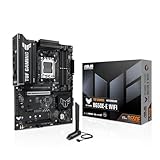
 ASUS ROG Strix B650-A Gaming WiFi AMD B650ATX 3x M.2 WiFi6E (Pack of 1)13.4 x 10.8 x 2.9 inches4.25 poundsCheck on Amazon


Top 3 picks at a glance
Quick Picks
As an Amazon Associate we earn from qualifying purchases at no extra cost to you.


| Product | Best for | Key spec from the title |
|---|---|---|
| GIGABYTE B650 AORUS Elite AX | All-round ATX gaming build | 14+2+1 power phase, PCIe 5.0 M.2, USB-C 3.2 Gen 2 |
| GIGABYTE B650 Eagle AX | Storage plus fast Type-C on a mid-range budget | Triple M.2 (1x PCIe 5.0, 2x PCIe 4.0), WiFi 6E |
| MSI MAG B650 Tomahawk WiFi | Dependable mainstream ATX | DDR5, PCIe 4.0, USB 3.2 Gen 2, HDMI/DP |
| ASUS ROG Strix B650-A Gaming WiFi | Style-focused premium build | 12+2 power stages, 3x M.2 slots |
| MSI B650 Gaming Plus WiFi | Simple, lower-cost ATX build | DDR5, PCIe 4.0, M.2, SATA 6Gb/s |
| ASUS B650E MAX Gaming WiFi (white) | White build with PCIe 5.0 | White PCB, PCIe 5.0, 3X M.2, 2.5Gb LAN |
| ASRock B650M-HDV M.2 (white) | Compact, low-cost micro-ATX | PCIe 5.0 x16, Dual M.2 (Gen5/Gen4) |
| ASUS TUF Gaming B650E-E WiFi | Durable build with strong storage | 8+2+1 80A DrMOS, PCIe 5.0 Ready, 3x M.2 |
| ASRock B650 Steel Legend WiFi 6E | Memory-heavy or SATA-heavy builds | DDR5 7200+(OC), up to 256GB, SATA3 |
The 9 Best Options
GIGABYTE B650 AORUS Elite AX
The AORUS Elite is the board many buyers land on when they want a full-size ATX layout with a proper feature list. The title states AM5, ATX, DDR5, a 14+2+1 power phase, a PCIe 5.0 M.2 slot, USB-C 3.2 Gen 2 and support for Ryzen 9000, 8000 and 7000 processors. That mix covers storage, ports and CPU flexibility in one product.
- A 14+2+1 power phase is among the more generous figures in this list.
- A PCIe 5.0 M.2 slot is named, which helps with a fast boot drive.
- Broad Ryzen 9000, 8000 and 7000 support protects a later processor upgrade.
- The title is cut off at the Wi-Fi mention, so wireless details need checking.
- Full ATX size will not fit compact cases.
Skip it if you only want a basic board for an entry-level processor, since you would pay for headroom you never use. Compared with the Eagle AX next, it leads on stated power delivery while the Eagle puts more emphasis on its M.2 layout and Type-C speed.
A practical way to think about this board is as the default choice for a mainstream Ryzen 7 or Ryzen 9 build. The stated power phase, the Gen5 boot slot and the three-generation processor list answer the three questions buyers ask most: will it run my chip, will it stay cool under load, and can it host a quick drive. Because the Wi-Fi portion of the title is truncated, confirm the wireless standard before assuming it matches the 6E boards.
GIGABYTE B650 Eagle AX
The Eagle AX is the board in this list that spells out its storage layout most clearly: triple M.2 slots with one at PCIe 5.0 and two at PCIe 4.0. It also lists a USB 3.2 Gen2x2 Type-C port, WiFi 6E and Realtek gigabit Ethernet. For many gamers, that combination is exactly right, with one fast boot drive and two game drives.
- One PCIe 5.0 and two PCIe 4.0 M.2 slots are stated explicitly.
- USB 3.2 Gen2x2 Type-C is a faster port than the typical 10Gbps variety.
- WiFi 6E covers modern wireless networks.
- Ethernet is a Realtek gigabit-class port rather than the 2.5Gb connection some rivals list.
- The power phase count is not stated in the listing, so it is harder to compare with the AORUS Elite.
Skip it if wired speed above gigabit matters or if you want visible power-stage specs. Against the MSI Tomahawk next, it gives you a clearer view of storage but less insight into cooling and power design.
Buyers who read titles closely will notice that this is one of the few listings to say which M.2 slot runs at which speed. That clarity is useful when planning drives: the Gen5 slot suits a premium boot SSD, while the two Gen4 slots are plenty for game libraries. If you are not sure Gen5 is worth the premium, treat the Eagle as a way to buy the option without overspending on the rest of the board.
MSI MAG B650 Tomahawk WiFi
The Tomahawk has a reputation as a dependable mid-range ATX board, and the title supports a no-nonsense feature list: Ryzen 9000, 8000 and 7000 compatibility, DDR5, PCIe 4.0, M.2, SATA 6Gb/s, USB 3.2 Gen 2 and HDMI plus DisplayPort outputs. The video outputs matter for anyone using an AMD processor with integrated graphics before a graphics card arrives.
- HDMI and DisplayPort outputs help when running integrated graphics.
- Wi-Fi is part of the name, so a separate card is unnecessary.
- SATA 6Gb/s is listed for older drives and storage expansion.
- PCIe 4.0 is named for the M.2 interface, so it lacks the Gen5 storage lane some others offer.
- The title does not give a power-stage count to judge headroom.
Skip it if a PCIe 5.0 SSD is part of your plan. It is a close cousin of the MSI Gaming Plus further down, with a more established mid-range identity.
The Tomahawk is easy to suggest to someone who values predictability over bragging rights. Everything in the title is mainstream and useful, from the HDMI and DisplayPort outputs to the SATA ports, and nothing is there for show. Buyers who later regret a board usually regret features they paid for and never used, which this model largely avoids.
Reading the title closely, there is no mention of a stage count, but the mainstream Ryzen processors in this class do not strain a board like this. It is most at home with a Ryzen 5 or Ryzen 7 chip at stock settings.
ASUS ROG Strix B650-A Gaming WiFi
Here the draw is a premium presentation on a B650 budget ceiling. The listing gives a 12+2 power-stage layout, DDR5, three M.2 slots, PCIe 4.0, 2.5Gb networking and support for Ryzen 9000, 8000 and 7000 processors. The ROG Strix styling targets buyers whose case has a glass panel and who want the board to look the part.
- Three M.2 slots offer room for several drives.
- 12+2 power stages is a stated, solid figure for mainstream processors.
- 2.5Gb networking is listed, a modest step above gigabit.
- PCIe 4.0 is named rather than PCIe 5.0, so it trails the E-series board from the same brand.
- Styling and branding raise the cost without raising gaming speed.
Skip it if the board will sit in a plain, windowless case. Compared with the plainer MSI Gaming Plus, it adds slots and branding, and compared with the TUF board later, it leans more on looks than durability messaging.
A 12+2 layout is not the biggest number in the group, yet the combination of three M.2 slots and 2.5Gb networking makes the board feel complete for daily use. Think of it as a premium wrapper around a B650 core. If you value the look under glass, it is a defensible spend, but if you only care about frame rates, the money is better placed in the graphics card.
MSI B650 Gaming Plus WiFi
This is the sensible entry to full-size AM5 for buyers who need a working platform rather than a showpiece. The title lists DDR5, PCIe 4.0, M.2, SATA 6Gb/s, USB 3.2 Gen 2 and HDMI/DisplayPort alongside Ryzen 9000, 8000 and 7000 support. There is nothing exotic, which is the point.
- Wi-Fi is built into the product name.
- HDMI and DisplayPort outputs give video flexibility.
- Broad processor support covers three generations of Ryzen listings.
- PCIe 4.0 M.2 means no Gen5 storage lane.
- Entry-tier boards usually carry lighter heatsinks and fewer extras than the Tomahawk.
Skip it if you plan a high-core-count processor with heavy sustained loads. It sits below the Tomahawk on prestige and above the micro-ATX ASRock on size, making it the straightforward baseline of the group.
Because the title is close to the Tomahawk’s in wording, the main difference comes down to positioning. The Gaming Plus is the budget-minded sibling, aimed at people who want Wi-Fi, DDR5 and three processor generations without upmarket cooling or styling. For a Ryzen 5 or Ryzen 7 build that stays at stock settings, that is usually a sound trade.
A last consideration is longevity: boards at this tier tend to be sold on value, so check how many M.2 slots and USB ports appear on the full page, and confirm the number of fan headers before building a system with several case fans.
ASUS B650E MAX Gaming WiFi W
The W signals a white edition, and the title backs it with a white PCB, DDR5, PCIe 5.0, three M.2 slots, Wi-Fi 6E, 2.5Gb LAN and a USB 10Gbps Type-C port. For a white-themed build, it checks almost every box without leaving the B650 price class, and the E label implies the fuller PCIe 5.0 implementation.
- White PCB matches light-colored cases and components.
- PCIe 5.0 and three M.2 slots give strong storage flexibility.
- Wi-Fi 6E and 2.5Gb LAN cover modern networking.
- The white finish is cosmetic and adds nothing to performance.
- The title is truncated at the video outputs, so port counts should be verified.
Skip it if your build is black, since the color is its main selling point. It is a more storage-focused alternative to the Strix and sits close in specification to the TUF B650E-E, which follows after the ASRock micro-ATX board.
What sets this board apart is the combination of the E-class PCIe 5.0 story with a white look that is hard to find on many rivals. The 2.5Gb LAN and USB 10Gbps Type-C port are the sort of everyday features that matter more than headline numbers. Builders who want matching colors without giving up storage depth will find it hard to beat among these nine.
ASRock B650M-HDV M.2
The smallest and simplest board here is also one of the most interesting. It is a micro-ATX model with a white finish, listing Ryzen 9000, 8000 and 7000 support, a PCIe 5.0 x16 slot, DDR5 rated 8200+ with overclocking, dual M.2 slots (Gen5 and Gen4) and a USB 3.2 Type-C port. It targets compact builds that still want a modern base.
- A PCIe 5.0 x16 graphics slot is named, which is uncommon at this size.
- Dual M.2 supports a Gen5 and a Gen4 drive.
- Micro-ATX size suits small cases.
- Only two M.2 slots, so storage expansion is limited.
- The HDV class usually means fewer extras and lighter power delivery than ATX models.
Skip it if you plan a multi-drive build or a very powerful processor. Next to the ATX Steel Legend at the end, it trades slots and networking depth for size and cost.
The HDV board is the least expensive-feeling choice by design, and that is a feature. It is aimed at people building a tidy small system around a modest processor, where the headline PCIe 5.0 x16 slot is a bonus rather than a necessity. Buyers should check the manual for how the two M.2 slots share bandwidth and what rear ports are provided before they commit.
ASUS TUF Gaming B650E-E WiFi
The TUF line emphasizes durability, and the title gives concrete reasons: 8+2+1 power stages with 80A DrMOS, PCIe 5.0 Ready, three M.2 slots, Wi-Fi 6E, 2.5Gb LAN and video outputs. The 80A rating per stage is a checkable number that helps compare it with boards that list only a stage count.
- 80A DrMOS stages offer a clear power-delivery spec.
- Three M.2 slots and PCIe 5.0 support provide room to grow.
- Wi-Fi 6E and 2.5Gb LAN are both stated.
- 8+2+1 is a lower stage count than the 14+2+1 on the AORUS Elite, though the per-stage rating differs.
- The title is cut off near the end, so USB specifics need confirmation.
Skip it if you want a white board or an ultra-compact one. It lines up closely with the white B650E MAX for features, and it pairs naturally with the final ASRock pick for buyers who put reliability first.
The honest appeal here is transparency. Few titles in the group give an amp rating per power stage, and fewer still pair it with three M.2 slots, Wi-Fi 6E and 2.5Gb LAN. That makes the TUF B650E-E easy to compare against competing ATX boards, and it fits builders who want a long-lived platform rather than a style statement.
ASRock B650 Steel Legend WiFi 6E
The Steel Legend title reads like a spec sheet for memory and storage ports. It names AM5, Ryzen 9000, 8000 and 7000 support, SATA3 and M.2, DDR5 7200+ with overclocking, a 256GB maximum memory ceiling and an ATX form factor. That makes it appealing to builders with large SATA drive collections or heavy memory plans.
- Support for up to 256GB of DDR5 is stated.
- SATA3 6.0 Gb/s ports help with older storage.
- WiFi 6E is included in the name.
- The title does not state the M.2 count or the generation of the drive slots.
- No power-stage detail is given, making it hard to compare with the ASUS TUF.
Skip it if you want to confirm storage and power layouts from the title alone. It is the most memory-focused listing in the group, and it contrasts with the micro-ATX HDV model just before it.
The Steel Legend reads as a board for people who use their computer for more than games: large memory ceilings and SATA ports suggest a workstation or media-server side to the build. If that is you, the listing is a good first look, but you will need to open the specification page to learn the slot count and power layout, since the title is silent on both.
Who Needs a B650 Board
B650 sits at a point where a fast platform and a sensible cost meet, which is why so many listings cluster around it. The boards here fit buyers in a few distinct situations, and it helps to know which one describes you before comparing models.
You want AM5 without paying for X-series extras
B650 gives you DDR5, modern storage lanes and wide processor support. Higher-tier chipsets add lane counts and connectivity that many players never use. If your build is one graphics card and one or two drives, the extra tier is wasted money. The savings can move into a better graphics card, a larger SSD or a quieter cooler, all of which you will notice every day.
You want a processor upgrade path
Several titles list support for Ryzen 9000, 8000 and 7000 series chips. A board that covers all three means you can begin with an affordable processor and move up later without changing the motherboard or memory. That staged approach suits anyone who wants to spread spending over a year or two instead of paying for a top-end chip on day one.
You care about looks as well as specs
White boards, premium styling and RGB-friendly designs show up across this list. If you have a glass-sided case, matching colors is a valid reason to prefer one model over another, as long as the features line up too. Do not let color override the basics, though: a lovely board with the wrong slot count is still the wrong board.
How to Choose
Form factor
ATX gives the most slots and the best cooling room, but needs a mid-tower. Micro-ATX like the ASRock HDV saves space and cost, and typically provides one fewer expansion slot and a lighter heatsink. Match the board size to the case before comparing any other spec, since it removes half the field immediately. If you are unsure, ATX is the safer default for a mid-tower and micro-ATX is the better pick for anything smaller. Check the case’s own specification page for supported board sizes, because some compact cases accept micro-ATX but not full ATX.
Power delivery
Power stages feed the processor, and more capable stages run cooler under sustained load. For mid-range Ryzen 5 and Ryzen 7 chips, an 8+2+1 design with 80A stages is adequate. For Ryzen 9 chips under heavy load, prefer 12 or more stages or a design with strong heatsinks. Ignore stage counts without amp ratings, because 8 stages at 80A can be better than 12 at lower ratings. Heatsink size matters too: a board with covered, finned power-stage metal runs more calmly during long gaming or rendering sessions than a bare design.
Storage layout
Count M.2 slots and note the speed of each. Three slots is comfortable; two is workable for most. A practical floor is two M.2 slots, with 1TB for the boot drive and room for a second drive. At least one PCIe 5.0 slot future-proofs the build, though many gamers see no daily difference between Gen4 and Gen5 yet. Cheap boards sometimes share lanes between M.2 and SATA, so verify before filling every port. What to ignore here: the bandwidth number printed on the box, which only matters if you move very large files often. Also look for a metal heatsink on at least the top M.2 slot, since fast drives throttle when they run hot.
Memory support
All nine boards are DDR5. For gaming, 32GB in two sticks at roughly DDR5-6000 is a strong baseline. Headline ratings like DDR5 8200+ or 7200+ describe overclocking potential, not guaranteed speeds, so do not pay extra for them unless you plan to tune memory manually. Two-stick kits are easier to run at rated speed than four sticks, and a board with four slots is only an advantage if you plan to fill them later.
Networking and ports
Wi-Fi 6E and 2.5Gb Ethernet are the useful floor, and a rear USB-C port at 10Gbps or faster is worth wanting. Gigabit-only Ethernet works fine for gaming but trails rivals if you move big files over a local network. Budget boards also tend to skimp on USB ports, so count the devices you plug in daily before buying. Check the front-panel USB-C header if your case has a Type-C port. For wireless, Wi-Fi 6E adds the 6GHz band, which helps in crowded apartments but needs a compatible router to matter. Budget boards often include only a few rear USB ports, so count what you actually plug in.
Display outputs and extras
This is the category buyers forget until the build is finished. If you use a processor with integrated graphics, HDMI or DisplayPort on the board matters. BIOS flashback lets you update firmware without an installed processor, which helps when pairing an older board with a newer chip. Where budget models cut corners: thinner heatsinks, fewer fan headers, fewer USB ports and a single Gen5 slot at best. Warranty length and VRM heatsink coverage are the last checks. A three-year term is common, and longer terms are a modest sign of maker confidence.
B650 Versus B650E: What Do You Actually Gain?
Several listings use the E label, and the difference affects both storage and graphics lanes.
| Feature | B650 | B650E |
|---|---|---|
| PCIe 5.0 for M.2 storage | Supported | Supported |
| PCIe 5.0 for the graphics slot | Optional, board maker dependent | Standard |
| Listings here | AORUS Elite AX, Eagle AX, Tomahawk, Strix B650-A, Gaming Plus, Steel Legend, HDV | B650E MAX Gaming WiFi W, TUF B650E-E |
| Practical gain for gamers today | Small | Small, but more future-proof |
The practical split is simple: plain B650 boards are the value tier, and B650E boards are the future-proof tier. Both support the same processors and the same DDR5 memory, so the question is whether the extra lane capability matches how long you will keep the board.
Is PCIe 5.0 graphics worth paying for?
For almost every current graphics card, no. The slot speed rarely limits performance today. Paying for the E label makes sense mainly if you plan to keep the board for many years and expect future cards to use the faster link. For a mid-range card, a PCIe 4.0 slot has more than enough bandwidth, and the money saved can go toward the card itself.
Is PCIe 5.0 storage worth it?
It helps with very fast SSD transfers, but most game loads feel similar on Gen4 drives. If you edit large video files or move big libraries often, it is easier to justify. Otherwise a Gen4 drive plus a spare slot is a more economical plan. Heat is the other factor: Gen5 drives run hotter and benefit from a good heatsink or airflow over the M.2 area.
Setup, Compatibility and Upgrade Tips
What to check before buying
Confirm the processor you plan to use is on the board’s supported list, and note the BIOS version needed. Use the case’s board-size support to rule out ATX versus micro-ATX. Check that your cooler supports the AM5 socket (one title also labels it LGA 1718), and that the power supply has the right CPU connectors for the board’s design.
Read the support list on the board maker page for your exact processor and note the minimum BIOS version, because older stock on a retail shelf may predate the newest chips. Boards with a flashback button make that update much easier.
What to upgrade first
Update the BIOS on the first boot, then enable the EXPO memory profile. The next gains come from the graphics card and storage, not the board. A board with a free M.2 slot lets you add a game drive later without replacing the boot drive. Memory is the second-easiest upgrade, so leave two slots open if you may add capacity later.
Common compatibility traps
AM5 accepts DDR5 only, so older memory will not fit. Populating the lower M.2 slots can disable SATA ports on some designs. Large coolers can crowd tall memory modules, a thick graphics card can cover a lower M.2 slot and its heatsink, and the top PCIe slot can be blocked on small boards. Read the manual’s lane-sharing notes before you buy extra drives. Finally, keep the I/O shield and cables that come in the box, since small items like Wi-Fi antennas are easy to lose and awkward to replace.
Which One Fits Your Situation
You want the strongest all-round ATX board
The GIGABYTE B650 AORUS Elite AX combines a 14+2+1 power phase, a PCIe 5.0 M.2 slot and broad processor support. It is the safest pick if you cannot decide between the others.
You want a white build with modern features
The ASUS B650E MAX Gaming WiFi W offers a white PCB, PCIe 5.0, three M.2 slots and 2.5Gb LAN, so the look and the features arrive together.
You are building a small, low-cost PC
The ASRock B650M-HDV M.2 delivers a compact micro-ATX layout with a PCIe 5.0 x16 slot and dual M.2. Add a modest processor and a small case and the system stays affordable.
You put reliability and power delivery first
The ASUS TUF Gaming B650E-E WiFi lists 80A DrMOS stages, three M.2 slots and Wi-Fi 6E, which makes it easy to defend as a long-term base.
Common Mistakes
- Choosing by stage count alone while ignoring the amp rating and the heatsink coverage.
- Buying a PCIe 5.0 board for a build that will never use Gen5 storage.
- Mixing up ATX and micro-ATX and discovering the mismatch at case-mounting time.
- Paying extra for headline memory speeds the memory controller may not reach.
- Skipping the BIOS update, then wondering why a newer processor does not boot.
- Assuming Wi-Fi and 2.5Gb Ethernet are included when the title does not state them, then needing an adapter later.
Related guides
- Gaming Chair Cushions And Lumbar Supports
- Business Laptops With Long Battery Life
- How To Use Camelcamelcamel For Amazon Deals
Frequently Asked Questions
Which Ryzen chips work on these boards?
Most titles list support for Ryzen 9000, 8000 and 7000 series processors. A BIOS update may be needed for newer chips, so check the board’s support page before pairing it with a recent processor.
Do I need a B650E board?
Probably not. Plain B650 boards support PCIe 5.0 storage and run current graphics cards without issue. The E label mostly matters for future-proofing the graphics slot.
Is micro-ATX good enough?
For many builds, yes. The ASRock HDV model shows how a compact board can still list PCIe 5.0 and dual M.2. You give up extra slots and usually some heatsink coverage.
How much memory should I install?
32GB of DDR5 in two sticks is a strong gaming baseline. Capacity beyond that mainly helps with video editing, virtual machines or very heavy multitasking.
Does the board change gaming performance?
Barely. The processor and graphics card dominate. The board affects stability, storage, networking and upgrade options, so choose it for those features instead. A slightly better graphics card will lift frame rates far more than any board upgrade.
Are white boards worse than black ones?
No, the color is purely cosmetic. A white board performs the same as a black board with matching specs. Pick the finish that fits your case and keep the focus on slots and ports. White boards also tend to be offered in fewer models, which narrows the choice.
Final Words
A B650 board should match your case, your storage plans and your processor tier, nothing more. For an all-round ATX build, the AORUS Elite AX is hard to fault. For white builds, the B650E MAX is the feature-rich choice, and for small cases the ASRock HDV is a clean fit. If durability matters most, the TUF B650E-E states its power specs openly. In 2026, confirm BIOS support for your chip before buying, then spend savings on the graphics card or a larger SSD. Whichever board you land on, a free M.2 slot and a stable BIOS will serve you far longer than any single headline number in a title.
Related guides
More from Amazon
Programs that pair well with the guide above. Offers and eligibility are set by Amazon and may change.
Free shipping on eligible items, Prime Video and more. Eligible new members can start with a free trial.
Start a Prime free trialAd-free music streaming. Eligible new subscribers can start with a free trial.
Try Music Unlimited freeA Prime membership for ages 18-24 with a trial period. Eligibility is set by Amazon.
See Prime for Young AdultsAudiobooks and podcasts to listen to on the go. Eligible new members can start with a free trial.
Try Audible freeAs an Amazon Associate we earn from qualifying purchases.