
The best budget gaming mouse is the one that matches your grip, your hand size and your tolerance for a cable, not the one with the biggest DPI number printed on the box. For most players, a wired optical mouse with a proven sensor is enough, and a wireless model only makes sense if the battery and receiver are solid. This guide sorts seven budget mice by the decision you actually face.
Quick answer: pick the Logitech G305 if you want wireless without paying flagship money, the Redragon M612 if you want the cheapest wired starter, and the Logitech G502 HERO if you want the most buttons and adjustable weight in the budget tier.
Our Top Picks
 Razer DeathAdder Essential Ergonomic Wired Gaming Mouse5.01 x 2.86 x 1.69 inches0.3 poundsCheck on Amazon


Top 3 picks at a glance
Budget Gaming Mice at a Glance
| Mouse | Connection | Listed DPI | Buttons | Standout trait |
|---|---|---|---|---|
| Redragon M612 | Wired | 8,000 | Remappable keys listed | Lowest entry cost |
| Razer DeathAdder Essential | Wired | 6,400 | 5 | Ergonomic shape, rubber side grips |
| Logitech G305 LIGHTSPEED | Wireless | 12,000 | 6 | 250h battery listed, on-board memory |
| Logitech G502 HERO | Wired | 25,600 | 11 | Adjustable weights |
| Redragon M725 Honeycomb | Tri-mode wireless | 8,000 | Macro programmable | 49g listed weight |
| TECKNET Wireless | 2.4GHz / USB-C | 12,800 | 7 | 700mAh rechargeable battery |
| Glorious Model O Eternal | Wired | 12,000 | 6 | 55g listed, symmetrical shell |
Specs come from each product listing. Where a listing does not state a weight, polling rate or battery figure, this guide says so instead of guessing.
How to Choose a Budget Gaming Mouse Before You Read the Picks
Three questions narrow a budget gaming mouse list quickly: how do you hold the mouse, do you need wireless, and does weight matter to you. Answer those first and most of the list falls away.
What grip do you use?
A palm grip rests the whole hand on the shell, a claw grip arches the fingers, and a fingertip grip barely touches the body. Palm users usually like a taller, longer shape such as the DeathAdder Essential or the G502. Claw and fingertip users tend to prefer lighter, shorter shells such as the honeycomb mice below.
Do you need wireless?
Wireless is no longer a premium-only feature, but a cheap wireless mouse adds a battery, a receiver and a charging habit. If your desk sits close to the PC and you never travel, a wired mouse removes those variables and often gives more sensor for the same spend.
Does weight matter?
Lighter mice are easier to flick, and a honeycomb shell is how most budget makers get there. A heavier mouse feels steadier for slow, precise aim. Two mice here list a weight in the title (49g and 55g); for the rest, check the maker before buying if weight is critical.
Is a high DPI number worth paying for?
No. Most players run a few hundred to a few thousand DPI. A listed maximum of 25,600 mostly signals a newer sensor generation, not a setting you will use. Judge the sensor family, button build and shape instead of the headline figure.
Our Seven Picks, Ordered from Simple to Feature-Rich
Most roundups open with a single winner. This one runs from the simplest, cheapest mouse to the one with the most adjustability, so you can see exactly what each step up in features adds.
Redragon M612 Wired RGB Optical Gaming Mouse
As an Amazon Associate we earn from qualifying purchases at no extra cost to you.
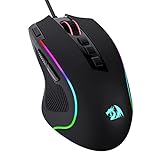
The M612 is the entry point of this list. The listing describes an 8,000 DPI optical sensor, remappable keys, macro keybinding, a stable wired connection, a backlight and an ergonomic grip body. It is the mouse to choose if you are replacing an office mouse and want a first taste of programmable buttons without spending much. Treat the DPI as a ceiling rather than a target, and expect build quality that matches its tier.
- Connection: wired USB
- Sensor: optical, 8,000 DPI listed
- Software: key remapping and macros
- Weight and polling rate: not listed, check the maker
Best for: First gaming mouse, kids’ setups, spare or travel mouse.
Skip if: You want a verified lightweight shell or a well-known sensor name.
Pros: Very low cost; remappable buttons; simple plug-in use; ergonomic body.
Cons: Sensor model not named in the listing; no weight figure; software is basic.
Razer DeathAdder Essential Ergonomic Wired Gaming Mouse
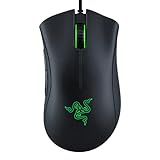
The DeathAdder Essential carries Razer’s long-running ergonomic shape into the budget tier. The listing names a 6,400 DPI optical sensor, five programmable buttons, rubber side grips and mechanical mouse switches. The side grips are the practical highlight, because they help a larger hand keep control during long sessions. The five-button layout is enough for shooters and most competitive games, but not for MMO-style bindings.
- Shape: right-handed ergonomic
- Sensor: optical, 6,400 DPI listed
- Buttons: 5 programmable
- Grip: rubber side panels
Best for: Palm-grip players with medium to large hands.
Skip if: You are left-handed or want a lightweight honeycomb shell.
Pros: Comfortable familiar shape; rubber grips; mechanical switches; trusted brand support.
Cons: Lower DPI ceiling than rivals; only 5 buttons; right-handed only.
Logitech G305 LIGHTSPEED Wireless Gaming Mouse

The G305 is the wireless pick for players who do not want to pay flagship money. The listing highlights the HERO 12K sensor, 12,000 DPI, six programmable buttons, on-board memory and a 250-hour battery life. Long battery life matters more in a budget wireless mouse than any spec-sheet number, because it removes the main annoyance of going cordless. The listing calls it lightweight but gives no gram figure, so check the maker if weight is critical.
- Connection: LIGHTSPEED wireless receiver
- Sensor: HERO 12K, 12,000 DPI
- Buttons: 6 programmable, on-board memory
- Battery: 250 hours listed
Best for: Anyone who wants a cable-free desk and a named, proven sensor.
Skip if: You want an ambidextrous symmetrical shell or more than six buttons.
Pros: Long listed battery life; named sensor; on-board memory saves your profile; widely supported.
Cons: Fixed shape; only six buttons; battery type not stated in the listing.
Logitech G502 HERO Wired Gaming Mouse
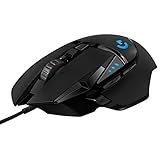
The G502 HERO is the feature-rich end of the budget range. The listing lists a HERO 25K sensor, 25,600 DPI, RGB lighting, adjustable weights, 11 programmable buttons and on-board memory. The adjustable weights are rare at this tier and let you tune the mouse from lighter to heavier. It is a bigger mouse than most on this list, so it suits a palm or relaxed claw grip better than a fingertip grip.
- Connection: wired USB
- Sensor: HERO 25K, 25,600 DPI
- Buttons: 11 programmable
- Extras: adjustable weights, RGB, on-board memory
Best for: Players who bind many actions, and anyone who likes to tune weight.
Skip if: You prefer a small, light shell or a wireless setup.
Pros: Many buttons; adjustable weights; strong sensor; on-board profiles.
Cons: Large body; wired only; more buttons than some players need.
Redragon M725 Honeycomb Shell Wireless Gaming Mouse
The M725 is the lightest budget mouse on this list by its own listing, at 49g, thanks to a honeycomb shell. It supports three connection modes: Bluetooth 5.1, a 2.4GHz receiver and a wired USB-C cable. That flexibility lets one mouse serve a gaming PC and a laptop. The listing gives an 8,000 DPI sensor, two side buttons and macro programming. Battery life is not stated in the title, so check the maker.
- Weight: 49g listed
- Connection: Bluetooth 5.1, 2.4GHz, USB-C wired
- Sensor: 8,000 DPI listed
- Buttons: two side buttons plus macros
Best for: Claw and fingertip grips, and people who switch between devices.
Skip if: You want a named flagship sensor or confirmed battery hours.
Pros: Very light; three connection modes; wired fallback; low cost for wireless.
Cons: Honeycomb shell lets in dust; sensor model not named; battery life not listed.
TECKNET Wireless Gaming Mouse

The TECKNET model is the budget-minded wireless option without a well-known gaming brand behind it. The listing describes 2.4GHz wireless with USB-C charging, a 1,000Hz polling rate, seven custom buttons, 12,800 DPI, a 700mAh rechargeable battery, 13 RGB modes and an ergonomic design. A built-in rechargeable cell means no loose batteries, which some players prefer. As with any lesser-known brand, support and long-term durability are harder to judge.
- Connection: 2.4GHz receiver, USB-C charging
- Polling rate: 1,000Hz listed
- Buttons: 7 custom
- Battery: 700mAh rechargeable
Best for: Casual gamers who want rechargeable wireless at a minimal spend.
Skip if: You rely on brand support or want a named sensor.
Pros: Rechargeable cell; 1,000Hz polling listed; seven buttons; low cost.
Cons: Unknown brand; sensor not named; weight not listed.
Glorious Model O Eternal Ultralight Wired Gaming Mouse

The Model O Eternal brings a well-known lightweight shape to a lower tier. The listing gives a 55g weight, wired connection, 12K DPI optical sensor, six programmable buttons, a symmetrical design and customizable RGB. A symmetrical shell suits both left and right hands and works for several grips, which is why this shape has a following. The wired connection keeps weight down and avoids battery concerns.
- Weight: 55g listed
- Connection: wired
- Sensor: 12K DPI optical
- Shell: symmetrical, ultralight
Best for: Left-handed players and fast flick-aim shooters who want light and wired.
Skip if: You want wireless or a tall ergonomic shape.
Pros: Lightweight; symmetrical; wired reliability; recognisable brand.
Cons: No thumb rest on one side; six buttons; wired only.
Also Consider
ATTACK SHARK X3
The listing shows a 49g wireless mouse with Bluetooth 5.2, 2.4GHz and wired modes, a PAW3395 sensor, 26K DPI and 200 hours of battery. It sits at the top of the budget tier, so choose it if you want a named, newer sensor in a very light body.
TMKB Falcon M1SE
A wired honeycomb mouse with 12,800 DPI, six buttons, a paracord cable and PTFE skates. It is a good fit if you want light and cheap, and are fine with an unfamiliar brand.
Razer Basilisk V3
A wired ergonomic mouse with 26K DPI, 11 buttons and a tilt wheel. It costs more than the picks above, but suits players who want many bindings in a comfortable shape.
Which Budget Mouse Fits Which Game Type?
Genre changes what you need from a mouse more than any spec sheet number. The table below maps common game types to the mouse traits that matter, then points to the picks that fit.
| Game type | What matters most | Picks that fit |
|---|---|---|
| Tactical and arena shooters | Light weight, consistent tracking, quick flicks | Redragon M725, Glorious Model O Eternal, Logitech G305 |
| MMOs and RPGs | Many programmable buttons | Logitech G502 HERO, Razer Basilisk V3 (also consider) |
| MOBAs and strategy | Comfort, a few extra buttons, long-session grip | Razer DeathAdder Essential, Logitech G502 HERO |
| Casual and mixed use | Low cost, simple setup | Redragon M612, TECKNET Wireless |
| Laptop and travel | Wireless, small, multi-device | Redragon M725, Logitech G305 |
Budget Gaming Mouse Setup: Settings That Matter More Than the Mouse
A budget mouse set up well beats a pricier one set up badly. These four adjustments cost nothing and make any mouse on this list feel better.
Set a sensible DPI, then tune in-game sensitivity
Pick one DPI value, commonly in the 400 to 1,600 range, and adjust sensitivity inside each game. This keeps your aim consistent across titles. Avoid constantly changing DPI, because muscle memory needs a stable reference. If you play several games, multiply your DPI by in-game sensitivity to compare them, and match that number where you can.
Check the polling rate
Polling rate is how often the mouse reports its position to the PC. A 1,000Hz rate is a common gaming standard and the TECKNET lists it. Higher rates exist on premium mice, but 1,000Hz is plenty for a budget setup. Where a listing does not state a polling rate, look it up on the maker’s page.
Use a proper mouse pad
A cloth pad gives control and a hard pad gives speed. Both beat a bare desk, which can make an optical sensor jitter on glossy or glass surfaces. A pad also protects the mouse feet, which is useful on lightweight mice with thin skates.
Manage the cable or battery
With a wired mouse, keep the cable free of the desk edge so it does not drag. A paracord cable, like the one listed on the TMKB Falcon M1SE, is more flexible than rubber. With a wireless mouse, place the receiver on a front USB port or an extension close to the mouse to reduce interference.
Wired Versus Wireless Budget Mice, Side by Side
| Factor | Wired | Wireless |
|---|---|---|
| Cost for the same sensor | Usually lower | Usually higher |
| Battery to manage | None | Yes (replaceable cell or rechargeable) |
| Cable drag | Possible | None |
| Weight | Cable adds drag but body can be lighter | Battery adds weight |
| Best for | One fixed desk, competitive play | Tidy desks, laptops, couch use |
The practical rule: if you play at one desk, buy wired and put the savings toward a mouse pad. If you move around, a well-reviewed wireless model with a long listed battery, like the G305, is worth the extra cost.
Common Mistakes When Buying a Budget Gaming Mouse
- Chasing DPI. A 25,600 DPI listing does not mean better aim. Few players go above 3,200 DPI.
- Ignoring hand size. A mouse that is too large or too small causes fatigue. Measure your hand from wrist crease to the tip of the middle finger and compare to maker size guides.
- Buying by looks. RGB lighting adds nothing to performance and may add cost. Pay for shape, sensor and switches first.
- Skipping the warranty check. Switch failures such as double-clicking are the common failure of cheap mice. A mouse with a stated warranty is easier to replace.
- Forgetting the platform. Most mice work on PC. Check Mac or console notes if you use anything else. The G305 and G502 listings both name PC and Mac.
How Long Will a Budget Gaming Mouse Last?
With normal care, a budget gaming mouse can last several years. The most common failure is a worn left-click switch, and the second is a frayed cable at the strain relief. Wireless mice add battery wear, which for a rechargeable cell means reduced life after several hundred charge cycles.
To extend its life, clean the sensor window and feet with a dry cloth, avoid pulling on the cable, and replace worn skates if the maker sells them. If the mouse starts double-clicking inside the warranty window, use the warranty instead of opening it up.
Upgrade Path: When to Move Beyond a Budget Mouse
Move up when you notice specific limits, not just because a new model exists. Signs include hand fatigue that a different shape would fix, a need for a lighter body, or wanting a wireless mouse with a named flagship sensor. At that point, look at the Also Consider picks above, then at the maker’s mid-range line. Until then, a budget mouse set up well is all most players need.
Gaming Mouse Terms in Plain Language
- DPI: dots per inch, how far the cursor moves for each inch of mouse travel. Higher is more sensitive, not better.
- Polling rate: how many times per second the mouse reports to the PC. 1,000Hz means once every millisecond.
- Optical sensor: a sensor that reads the surface with light. Most budget gaming mice use one, and it works on most cloth and hard pads.
- Honeycomb shell: a perforated body that cuts weight. It can let dust inside, so give it a quick clean now and then.
- PTFE skates: the smooth feet on the base. They decide how easily the mouse glides.
- On-board memory: storage inside the mouse for profiles, so your settings follow you to another PC. The G305 and G502 listings mention it.
- Tri-mode: a mouse that can connect by Bluetooth, a 2.4GHz receiver or a cable, as the Redragon M725 lists.
Quick Answers by Situation
You have a very small budget
Start with the Redragon M612 or the TECKNET if you want wireless. Put any leftover money toward a mouse pad, which changes the feel more than a small spec step.
You want to go wireless without risk
The Logitech G305 is the safest wireless pick here, because it lists a named sensor, on-board memory and a long battery figure. Keep the receiver close to the mouse.
You have large hands
Choose the Razer DeathAdder Essential or the Logitech G502 HERO. Both have a longer body that supports a palm grip.
You play fast shooters
Go light. The Redragon M725 at 49g or the Glorious Model O Eternal at 55g, both stated in their listings, are easy to flick, and the G305 is another light option.
You are left-handed
Choose the symmetrical Glorious Model O Eternal. The DeathAdder Essential is shaped for the right hand, and the G502 has a right-hand thumb layout.
How We Chose
This guide is research-based. We did not use these products ourselves. We compared product listing details, maker specifications where the listing stated them, and common buyer needs across grip styles. We kept the list to mice that sit in the budget tier, limited each brand to two main picks, and left out renewed or unavailable items. Where a listing was silent on weight, battery life or sensor model, we say so.
Budget Gaming Mouse Buying Guide
Connection thresholds
- Wired: pick this if your mouse stays at one desk and you want the fewest failure points.
- 2.4GHz wireless: look for a stated polling rate or a named gaming receiver, not Bluetooth alone.
- Bluetooth only: fine for office use, but avoid it as your only mode for fast games.
Weight thresholds
- Under about 60g: ultralight, honeycomb-style shells; best for flick aim.
- About 60g to 90g: a balance of control and speed for most players.
- Above that: steadier for slow tracking; suits large hands and adjustable-weight mice.
Sensor and buttons
Prefer a mouse that names its sensor. A named sensor can be checked against independent reviews. For buttons, six to eight is plenty for shooters; MMO and strategy players may want 11 or more.
Build and warranty
Check the switch type, cable quality and the maker’s warranty before buying. A cheaper mouse that replaces itself under warranty can beat a pricier one with no support.
Frequently Asked Questions
What is the best budget gaming mouse overall?
The Logitech G305 is the best all-round choice here if you want wireless, and the Redragon M612 is the better pick if you want the lowest cost and a cable.
Is a wireless gaming mouse worth it on a budget?
Yes, if the battery lasts a long time and the receiver is stable. The G305 lists 250 hours, which makes cordless practical without frequent charging.
Do I need a high DPI gaming mouse?
No. Most players use a few hundred to a few thousand DPI. A very high maximum matters far less than the sensor quality and a comfortable shape.
Are lightweight honeycomb mice good for gaming?
They suit fast aim and claw or fingertip grips. The trade-off is dust through the holes and less rigidity, so handle them gently.
What is the best budget gaming mouse for small hands?
Choose a shorter, lighter shell such as the Redragon M725 or the Glorious Model O Eternal. Large ergonomic shapes like the G502 can feel oversized.
Is a cheap gaming mouse better than an office mouse?
Usually yes for gaming, because it adds a better sensor, more buttons and adjustable DPI. For office work an office mouse is fine.
How long does a budget gaming mouse last?
It depends on use and the switches. Expect several years of normal play from a reputable brand, and keep your receipt in case a button fails early.
Which One Should You Buy?
- Want wireless without overspending: Logitech G305.
- Want the cheapest wired starter: Redragon M612.
- Palm grip, larger hand: Razer DeathAdder Essential.
- Many buttons and adjustable weight: Logitech G502 HERO.
- Light, multi-device wireless: Redragon M725.
- Rechargeable wireless at minimal spend: TECKNET.
- Left-handed or flick-aim shooters: Glorious Model O Eternal.
Sources
- Product listings in the store (titles and feature lists)
- Logitech G maker product pages
- Razer maker product pages
- Redragon, Glorious and Attack Shark maker pages
Last updated: November 2026
Related guides
More from Amazon
Programs that pair well with the guide above. Offers and eligibility are set by Amazon and may change.
Free shipping on eligible items, Prime Video and more. Eligible new members can start with a free trial.
Start a Prime free trialAd-free music streaming. Eligible new subscribers can start with a free trial.
Try Music Unlimited freeA Prime membership for ages 18-24 with a trial period. Eligibility is set by Amazon.
See Prime for Young AdultsAudiobooks and podcasts to listen to on the go. Eligible new members can start with a free trial.
Try Audible freeAs an Amazon Associate we earn from qualifying purchases.


