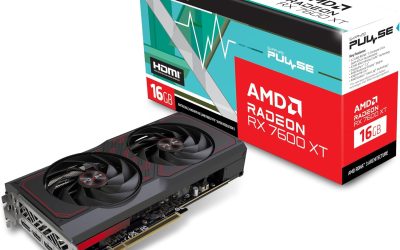
Sacrifice, the 2000 action-strategy game from Shiny Entertainment, needs only a 1 GHz processor, 256 MB of RAM and a DirectX 7 compatible graphics card in its modern digital release, so almost any PC that runs Windows 10 or 11 can play it. The original retail box was even lighter, and no part of the game calls for a gaming-grade graphics card.
Requirements Side by Side
Two sets of numbers circulate, because the game has been sold in two forms. The original 2000 retail release listed lower figures, and the DRM-free digital re-release lists a slightly higher baseline aimed at current Windows. PCGamingWiki documents the retail numbers, and the store page for the re-release documents the second set.
| Component | Original 2000 retail minimum | Original retail recommended | Digital re-release listing |
|---|---|---|---|
| Processor | Pentium II 300 MHz | Pentium II 450 MHz | 1 GHz |
| Memory | 64 MB | 128 MB | 256 MB |
| Graphics | 8 MB, DirectX 7.0a card | 16 MB card | 3D card compatible with DirectX 7 |
| Storage | 650 MB | Not separately listed | Not stated in the summary reviewed |
| Operating system | Windows 95/98/2000 era | Same | Windows 7, 8, 10 (store listing); works on 11 per player reports |
Some sites publish much higher numbers, such as a GTX 660 and 4 GB of RAM as minimums. Those figures match neither the retail box nor the store listing and appear to be auto-generated, so ignore them.
Can My PC Run Sacrifice?
If your PC was built in the last fifteen years, yes. The published bar is lower than the specification of the weakest laptop still in regular use. The remaining questions concern software compatibility rather than hardware strength, and the table below shows where to look.
| Situation | Expectation | First thing to try |
|---|---|---|
| Modern desktop with discrete GPU | Exceeds every published figure | Set resolution in the options menu; update the graphics driver |
| Thin laptop with integrated graphics | Meets the DirectX 7 requirement | Confirm the display adapter is the real GPU, not a basic fallback |
| Windows 11 PC | Players report it works | Use the compatibility tab if the executable will not open |
| Steam Deck, other handheld, Mac | No official statement found | Look for community reports before buying |
What the Requirements Mean in Practice
Processor
A 1 GHz class chip is the stated target. Every current desktop or laptop processor is many generations ahead of that. Sacrifice is also an old, mostly single-threaded design, so a processor with high per-core speed matters more than the number of cores, although you will not run into trouble on any recent chip.
Memory
256 MB is the listed figure for the digital edition. Windows needs far more than that on its own, so a machine with 4 GB or more has abundant headroom.
Graphics
DirectX 7 is a fixed-function era of hardware. Current GeForce, Radeon and Intel graphics drivers still support older DirectX paths through Windows, which is the reason such games generally run. The game offers no ray tracing, no DLSS and no FSR. Visual quality is set by the 2000-era assets, so a faster card improves smoothness only until the frame rate hits your monitor’s limit.
Storage
The retail box asked for 650 MB. A solid-state drive helps load times a little, but there is no need to install it on one.
Common Setup Problems
- Resolution and aspect ratio. The game predates widescreen displays. Check the options menu for the highest offered resolution, and expect black bars or stretching on a 16:9 or ultrawide monitor. Fan-made fixes exist; read the author’s instructions and download only from the project page.
- Disc versus digital copy. A retail disc copy may need patches to run properly on a current Windows version. The DRM-free digital edition is described as pre-patched for modern systems by PCGamingWiki, which makes it the simpler route.
- Multiplayer keys. PCGamingWiki notes that serial keys for multiplayer are available from the store’s support on request. Online populations are small, so expect to arrange games with friends.
- Audio drivers. If the sound is missing or distorted, check Windows sound settings and try a different output device; older DirectSound titles sometimes behave oddly with unusual sample rates.
- Compatibility mode. Right-click the executable, choose Properties, then the Compatibility tab, and try an older Windows profile. The change can be undone at any time.
Should You Upgrade Anything?
No hardware purchase is justified by this game. If it fails to run, treat the cause as software: the driver, display mode, or a missing component. Updating the graphics driver from the maker’s support page resolves a large share of startup problems with old titles. If problems persist, look for the game’s PCGamingWiki entry, which collects verified fixes and settings notes, and avoid applying changes from unknown forums without reading what each one does.
Quick Reference
| Question | Answer |
|---|---|
| Does it need a dedicated GPU? | No; a DirectX 7 capable adapter is enough |
| Is there DLSS or FSR? | No |
| How much RAM? | 256 MB listed for the digital release |
| Works on Windows 11? | Store lists Windows 7 to 10; user reports indicate it also runs on 11 |
| Does it have DRM? | The digital edition is described as DRM-free and playable offline |
| Is Steam Deck support official? | Not stated |
Frequently Asked Questions
What are the minimum requirements for Sacrifice?
The digital re-release lists a 1 GHz processor, 256 MB of RAM and a graphics card compatible with DirectX 7. The original retail release was lower still, with a Pentium II 300 MHz, 64 MB of RAM and an 8 MB DirectX 7.0a card, according to PCGamingWiki.
Is there a recommended specification?
The original retail documentation recommended a Pentium II 450 MHz, 128 MB of RAM and a 16 MB video card. The store listing for the digital edition gives a single baseline. Any modern PC is far above both.
Will Sacrifice run on Windows 11?
The store lists Windows 7, 8 and 10, and players commonly report it works on 11 as well. If it does not start, try the compatibility tab and update the graphics driver. Contact the store’s support if the problem continues.
Do I need a new graphics card to play it?
No. A DirectX 7 level of graphics support is the requirement, and every current GPU and integrated graphics chip supplies that. Upgrading hardware will not change the look of a game built from 2000-era assets.
Can I play it on a laptop or handheld?
A laptop that runs Windows 10 or 11 meets the stated needs. For handhelds or other platforms, no official support is stated, so rely on community compatibility reports.
Why does the game look stretched on my widescreen monitor?
The original interface targeted 4:3 displays. Choose the closest offered resolution, use your monitor’s aspect-ratio scaling, or use a community widescreen fix, keeping a backup of your save files before changing anything.
Related guides
- Intel Core i5-12600 Specs: Cores, Clocks, Memory and Gaming Fit (2026)
- RTX 3090 Ti Specs: Cores, Clocks, Memory and Gaming Fit (2026)
- Intel Core i7-13700K vs Intel Core i7-14700: Gaming Performance Class, Specs and Which to Buy
- Intel Core i5-12600 vs Intel Core i5-13400f: Gaming Performance Class, Specs and Which to Buy
More from Amazon
Programs that pair well with the guide above. Offers and eligibility are set by Amazon and may change.
Free shipping on eligible items, Prime Video and more. Eligible new members can start with a free trial.
Start a Prime free trialAd-free music streaming. Eligible new subscribers can start with a free trial.
Try Music Unlimited freeA Prime membership for ages 18-24 with a trial period. Eligibility is set by Amazon.
See Prime for Young AdultsAudiobooks and podcasts to listen to on the go. Eligible new members can start with a free trial.
Try Audible freeAs an Amazon Associate we earn from qualifying purchases.