
If your desk is up against a bedroom wall or tucked into a living room corner, a flat 27-inch panel can feel like staring down a hallway. Edges wash out, you lean in to catch minimaps, and the whole setup feels smaller than it is. A 32-inch curve solves that by wrapping the image around your natural field of view, pulling you in without demanding a deeper desk or a full cockpit rig.
This roundup focuses on value-driven 32-inch curved monitors that actually deliver immersion for gaming without charging for features you will not use. We prioritized QHD and FHD VA panels with fast refresh rates, tight curves for closer viewing distances, and proven gamer-friendly extras, then ranked them by what you get for what you pay in 2026.
As an Amazon Associate we earn from qualifying purchases at no extra cost to you. Product prices and availability are accurate as of the date shown and are subject to change.



Top 3 picks at a glance
Quick Picks
| Product | Best for | Price |
|---|---|---|
| SANSUI 32 Inch Curved 240Hz Gaming Monitor High Refresh Rate, FHD 1080P | Best for Competitive FHD Speed on a Budget | $179.99 |
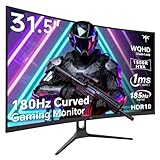
| SANSUI 32-Inch Curved Gaming Monitor WQHD 2560 x 1440 180Hz Curved 1500R | Best for Sharp QHD Clarity Under $190 | $189.98 |
| Samsung 32″ Odyssey (G55C) Series QHD 1000R Curved Gaming Monitor | Best for Deep 1000R Immersion | $249.49 |
| LG 32GS60QC-B Ultragear 32-inch Curved Gaming Monitor QHD (2560×1440) 180Hz 1ms 1000R AMD FreeSync HDR10 HDMIx2 DisplayPort Borderless Design Black Stabilizer DAS Crosshair FPS Counter – Black | Best for Feature-Packed QHD with Gaming Tools | $199.99 |
| ZZA 32 Inch Curved Gaming Monitor 180Hz Computer Monitor FHD 1080p VA Panel | Best Budget FHD Alternative | $179.99 |
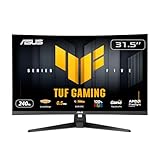
| ASUS TUF Gaming VG32VQM5AZ 32 Inch 1080p 240Hz Curved Gaming Monitor | Best for 240Hz TUF Durability | $189.00 |
| KTC 32 Inch Curved Gaming Monitor, 2K 180Hz (OC 185Hz) 1500R Monitor, H32S5 | Best for Overclockable 2K Value | $189.97 |
| AOC 32 Inch Curved Gaming Monitor FHD 260Hz Overclocked VA 0.3ms, C32G42ZE | Best for Highest Overclocked Refresh Rate | $169.99 |
How We Picked
We filtered for true 32-inch curved VA panels that balance immersion and affordability, then weighted refresh rate, resolution, and curve radius for real-world desk setups. FHD 1080p models earned points for high refresh rates at lower GPU cost, while QHD 2560 x 1440 models were judged on how much sharper they look at arm’s length without demanding a top-tier graphics card. We also checked curve depth, with 1000R for a tighter wrap and 1500R for a more relaxed arc, plus connectivity like HDMI and DisplayPort and gaming aids such as FreeSync, HDR10, and low response times. Price was the tiebreaker, favoring monitors that keep street prices under $250 while still offering 180Hz or higher.
The 8 Best Picks
1. SANSUI 32 Inch Curved 240Hz Gaming Monitor High Refresh Rate, FHD 1080P
This SANSUI is built for players who want maximum motion clarity without pushing QHD pixels. The 32-inch FHD 1080p canvas paired with a 240Hz refresh rate makes fast shooters and racing games feel exceptionally fluid, and the curve helps the large panel feel cohesive at close range. It is ideal for esports-focused setups or budget PCs where every frame counts more than extra resolution.
- Pro: 240Hz high refresh rate keeps fast motion smooth and responsive
- Pro: 32-inch curved FHD format is easy on midrange GPUs while still immersive
- Con: FHD at 32 inches looks softer for desktop work than QHD
When to skip: Choose a QHD option if you do a lot of text work, photo editing, or want crisper image quality at the same screen size.
2. SANSUI 32-Inch Curved Gaming Monitor WQHD 2560 x 1440 180Hz Curved 1500R
For mixed gaming and everyday use, this SANSUI hits the sweet spot. The WQHD 2560 x 1440 resolution adds noticeable sharpness over FHD on a 32-inch panel, while 180Hz keeps gameplay quick and fluid. The 1500R curve is immersive but not aggressive, so it works well even if your desk is a bit shallower or you sit slightly farther back.
- Pro: QHD resolution delivers crisper detail for games and browsing
- Pro: 180Hz refresh rate with 1500R curve balances speed and comfort
- Con: Not as tightly wrapped as 1000R models for cockpit-style immersion
When to skip: If you crave the most enveloping wrap for sim racing or flight sims, a 1000R monitor will feel more surrounding.
3. Samsung 32″ Odyssey (G55C) Series QHD 1000R Curved Gaming Monitor
Samsung’s Odyssey G55C leans hard into immersion. The QHD panel with its deep 1000R curvature follows the natural curve of the eye, which helps reduce edge distortion and eye movement during long sessions. At $249.49 it is the priciest pick here, but you are paying for that signature Odyssey wrap and Samsung’s gaming pedigree, which many players prefer for single-player epics and cockpit games.
- Pro: Aggressive 1000R curve creates a strong wrap-around effect
- Pro: QHD resolution on a 32-inch panel keeps images sharp at close viewing distance
- Con: Higher price than other QHD 32-inch curved options
When to skip: If you are budget-first or prefer a gentler curve for shared or multi-purpose use, a 1500R QHD model saves money.
4. LG 32GS60QC-B Ultragear 32-inch Curved Gaming Monitor QHD (2560×1440) 180Hz 1ms 1000R AMD FreeSync HDR10 HDMIx2 DisplayPort Borderless Design Black Stabilizer DAS Crosshair FPS Counter – Black
The LG UltraGear 32GS60QC-B packs the spec sheet many gamers check first: QHD 2560×1440, 180Hz, 1ms response, and a 1000R curve, plus AMD FreeSync, HDR10, and dual HDMI plus DisplayPort. Extras like Black Stabilizer, DAS, Crosshair, and FPS Counter are useful for competitive play, and the borderless design helps the big panel feel less bulky. At $199.99 it delivers premium features without a premium jump.
- Pro: Full gaming toolset with FreeSync, HDR10, and UltraGear software aids
- Pro: 1ms response and 180Hz with 1000R curve for fluid, immersive play
- Con: VA contrast is strong but viewing angles are narrower than IPS
When to skip: If you need wide viewing angles for co-op couch viewing or color-critical IPS accuracy, consider a flat IPS alternative.
5. ZZA 32 Inch Curved Gaming Monitor 180Hz Computer Monitor FHD 1080p VA Panel
The ZZA offers a straightforward entry to big-screen curved gaming. With FHD 1080p resolution, a 180Hz refresh rate, and a VA panel, it prioritizes smooth motion and deep contrast over pixel density. It is a good fit for dorm rooms, first builds, or secondary setups where you want size and speed for less, and its VA technology helps movies and dark games look richer.
- Pro: 180Hz VA panel provides smooth motion and strong contrast
- Pro: Low $179.99 price keeps large curved gaming accessible
- Con: FHD on 32 inches is less sharp for productivity than QHD
When to skip: Skip if you edit photos, read small text all day, or want the extra clarity of QHD at this screen size.
6. ASUS TUF Gaming VG32VQM5AZ 32 Inch 1080p 240Hz Curved Gaming Monitor
ASUS TUF Gaming aims this VG32VQM5AZ squarely at high-refresh players who do not want to chase QHD horsepower. The 32-inch 1080p panel runs at 240Hz with a curve that makes the large width feel more unified, and the TUF line’s focus on durability and stable performance appeals to long-session gamers. At $189 it undercuts several slower panels while offering top-end speed.
- Pro: 240Hz refresh rate is ideal for competitive shooters and fast action
- Pro: TUF Gaming reputation for robust build and gaming stability
- Con: 1080p resolution limits sharpness for work and detailed open-world games
When to skip: If your GPU can comfortably drive QHD and you prioritize image crispness, a 1440p model is a better match.
7. KTC 32 Inch Curved Gaming Monitor, 2K 180Hz (OC 185Hz) 1500R Monitor, H32S5
The KTC H32S5 gives you 2K resolution with a little headroom. Its 180Hz panel can overclock to 185Hz for a small extra bump, and the 1500R curve offers comfortable immersion that suits both gaming and general use. For players who want QHD clarity and near-180Hz class speed at $189.97, this is one of the most balanced values in the group.
- Pro: 2K 180Hz panel with OC to 185Hz for extra smoothness
- Pro: 1500R curve is versatile for gaming, streaming, and work
- Con: Overclocked gain to 185Hz is modest in real feel
When to skip: If you want the deepest 1000R wrap or the absolute highest refresh rate, other picks specialize further.
8. AOC 32 Inch Curved Gaming Monitor FHD 260Hz Overclocked VA 0.3ms, C32G42ZE
AOC pushes refresh rate to the limit for the price. The C32G42ZE starts at a high base and overclocks to 260Hz with a fast 0.3ms VA response, making it the most responsive feeling FHD option here. At $169.99 it is also the most affordable, which is a rare combo. This is the pick for frame-chasers who play on lower settings to maximize hertz and want every millisecond advantage.
- Pro: Overclocked 260Hz with 0.3ms response leads this list for motion clarity
- Pro: Lowest price in the roundup at $169.99
- Con: FHD resolution again trades sharpness for speed at 32 inches
When to skip: If you prioritize text sharpness or tend to keep settings at ultra, a native QHD 180Hz monitor will look cleaner.
Buying Guide
Resolution vs. Refresh Rate: Pick Your Bottleneck
On a 32-inch curved screen, FHD 1080p is fastest to drive and cheapest to feed, which is why 240Hz and 260Hz overclocked models live there. QHD 2560 x 1440 and 2K look noticeably sharper at desk distance, but they need a stronger GPU to hold 180Hz in demanding titles. If your graphics card is midrange or you play competitive shooters at low settings, FHD at 240Hz makes sense. If you mix single-player, browsing, and media, QHD at 180Hz feels more balanced and future-proof.
Curve Radius and Desk Distance Matter
1000R is a tight, deep curve that matches a closer seating position, often about an arm’s length away, and makes the edges feel present without turning your head. 1500R is gentler and more forgiving if your desk is shallow, you share the screen, or you sit a bit farther back. Both improve immersion over flat panels at 32 inches, but 1000R feels more cockpit-like while 1500R feels more like a big, comfortable TV wrap.
Panel Tech and Extras That Are Worth Paying For
Most value 32-inch curved monitors use VA panels for high contrast and deep blacks, which helps night scenes and HDR10 content pop, though viewing angles are narrower than IPS and response times vary. Look for at least 180Hz, adaptive sync like AMD FreeSync, and the right ports, typically two HDMI and one DisplayPort, so you can hook up a console and PC without swapping cables. Gaming aids such as Black Stabilizer, crosshairs, and FPS counters are genuinely useful, while HDR10 and 1ms or 0.3ms ratings help but do not replace a true HDR hardware setup.
Our Verdict
For most buyers who want immersion without overspending, QHD 180Hz with a 1500R or 1000R curve is the best all-around value. The SANSUI WQHD 1500R at $189.98 and the KTC 2K OC 185Hz at $189.97 are the most balanced, while the LG UltraGear 32GS60QC-B at $199.99 adds the strongest feature set for just a bit more. If pure speed is your priority, the ASUS TUF VG32VQM5AZ at $189 with 240Hz or the AOC C32G42ZE at $169.99 with 260Hz overclocked deliver the most frames per dollar on a big curved canvas.
FAQ
Is a 32-inch curved monitor too big for a small desk?
Not if you choose the right curve and viewing distance. A 32-inch 1000R or 1500R panel is designed to be viewed at about 24 to 36 inches away, so you see the whole image without leaning in. Use a monitor arm if the included stand is deep, and keep at least a few inches behind the panel for ventilation. If your desk is less than 20 inches deep, a 1500R curve often feels more comfortable than 1000R.
Should I get FHD or QHD at 32 inches?
FHD 1080p is easier to run at 240Hz to 260Hz and costs less, but pixels are more visible at 32 inches, so text and fine detail look softer. QHD 2560 x 1440 looks sharper at the same distance and is better for work plus gaming, with 180Hz still plenty fast for most players. Choose FHD for maximum speed on a midrange GPU and QHD for better overall clarity.
What does 1000R vs 1500R actually mean?
The R number is the radius of the curve in millimeters. 1000R has a radius of 1000mm and is a tighter, more pronounced wrap, while 1500R has a 1500mm radius and is more subtle. A tighter 1000R shines when you sit close and centered, while 1500R is more forgiving off-angle and for shared viewing.
Do I need HDMI 2.1 or DisplayPort for these refresh rates?
For most of these monitors you will reach advertised refresh rates over DisplayPort and often over HDMI as well, but the exact port version and cable quality matter. Check the monitor’s spec label for which port supports the top refresh rate at your chosen resolution, and use the cable included in the box when possible. Enable adaptive sync in both the monitor menu and your GPU settings to avoid tearing.


