
A good budget gaming monitor has to solve a very practical problem: you want a smooth, responsive screen for a desk, dorm room, bedroom, or compact gaming setup without spending more on the display than on the console or graphics-card upgrade. At this price, a 24-inch-class Full HD panel remains a sensible fit because it keeps text and game interfaces comfortably sized at a typical desk distance while avoiding the extra cost of higher-resolution hardware.
For 2026, the strongest value in this group is refresh rate. Every pick below costs less than $100, yet options range from 120Hz to 240Hz. The right choice comes down to whether you prioritize the fastest motion, IPS viewing characteristics, a curved screen, built-in speakers, or simple office-and-gaming versatility.
As an Amazon Associate we earn from qualifying purchases at no extra cost to you. Product prices and availability are accurate as of the date shown and are subject to change.







Top 3 picks at a glance
Quick Picks
| Product | Best for | Price |
|---|---|---|
| Dell SE2426HG 23.8-inch 240Hz Gaming Monitor | Competitive gaming value | $99.99 |
| SANSUI 24-inch 180Hz Gaming Computer Monitor | Lowest-cost 180Hz option | $79.99 |
| Dell SE2426H 23.8-inch 144Hz Monitor | Everyday gaming with IPS | $89.99 |
| MSI PRO MP243L E14 24-inch IPS Monitor | Gaming and office setups | $89.99 |
| Sceptre E248B-FW165T 24-inch Prime Gaming Monitor | Built-in speakers and flexible inputs | $83.97 |
| Sceptre C248W-1920RN Curved 24-inch Monitor | Casual gaming and media | $79.97 |
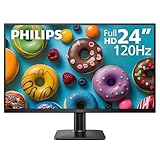
| Philips 24E2N2100 24-inch IPS Monitor | Simple IPS everyday use | $79.99 |
| Sceptre C248B-FW180T Curved 24-inch Prime Gaming Monitor | Curved 180Hz gaming | $87.97 |
How We Picked
We ranked these monitors by the value of their listed gaming features at their stated prices, with special attention to refresh rate, panel technology, adaptive-sync support, connection selection, ergonomics, and useful extras such as speakers or VESA mounting. A 23.8-inch or 24-inch Full HD display is the common format here, so the meaningful differences are in how each model serves a particular desk and gaming style. We also favored models that make their limitations clear rather than assuming unlisted specifications.
The 8 Best Picks
1. Dell SE2426HG 23.8-inch 240Hz Gaming Monitor
The Dell SE2426HG is the best overall pick for shoppers who want the highest listed refresh rate without crossing the $100 mark. Its 23.8-inch 1920×1080 IPS display combines 240Hz operation with AMD FreeSync Premium, making it especially appealing for fast-paced PC games. It also includes two HDMI connections and DisplayPort 1.4, which is helpful when a gaming PC shares desk space with another device. Tilt adjustment adds basic positioning flexibility, while TÜV 3-Star certification is a welcome comfort-focused detail.
- Pro: 240Hz is the highest listed refresh rate in this roundup.
- Pro: IPS technology, AMD FreeSync Premium, two HDMI ports, and DisplayPort 1.4 create a well-rounded feature set.
- Con: It costs $99.99, the highest price here.
Skip it if your games and hardware do not benefit from 240Hz and you would rather save $10 to $20.
2. SANSUI 24-inch 180Hz Gaming Computer Monitor
The SANSUI 24-inch 180Hz Gaming Computer Monitor is for the buyer who wants a clear refresh-rate upgrade while keeping the purchase near $80. Its listed Full HD 1080p resolution is a familiar, practical match for a compact gaming desk, game room, or student setup. At 180Hz, it sits above common 120Hz and 144Hz choices, offering an attractive middle ground for players who value smooth motion but do not need a 240Hz display. Its game-and-office positioning also makes it a straightforward multipurpose candidate.
- Pro: 180Hz refresh rate at a $79.99 price.
- Pro: Full HD 1080p suits gaming and routine computer use.
- Con: The listed details do not specify panel type, ports, speakers, or stand adjustments.
Skip it if connection options or IPS technology are must-have requirements for your setup.
3. Dell SE2426H 23.8-inch 144Hz Monitor
The Dell SE2426H is a balanced choice for someone who wants a recognizable gaming-and-work monitor with clearly listed essentials. This 23.8-inch IPS screen has a 1920×1080 resolution, 144Hz refresh rate, 1ms display specification, and AMD FreeSync support. Two HDMI ports make it convenient for a PC and console-style device arrangement, and the tilt stand helps with basic viewing-angle adjustments. At $89.99, it costs more than entry-level alternatives, but its combination of IPS, adaptive sync, and dual HDMI makes the price easy to understand.
- Pro: IPS technology pairs with 144Hz and a listed 1ms display specification.
- Pro: Two HDMI ports support a tidy multi-device desk.
- Con: No DisplayPort is listed.
Skip it if 165Hz, 180Hz, or 240Hz is your primary shopping priority.
4. MSI PRO MP243L E14 24-inch IPS Monitor
The MSI PRO MP243L E14 makes sense for a home office that turns into a gaming station after work. Its 24-inch IPS panel runs at 1920×1080 with a 144Hz refresh rate, Free-Synch support, HDR Ready labeling, and a listed 1ms specification. Practical desktop features stand out: it has HDMI and VGA, is VESA mountable, tilts, and uses a four-side slim bezel. At $89.99, it is not the lowest-priced model, but it offers a notably work-friendly collection of features alongside gaming credentials.
- Pro: VESA mounting, tilt, VGA, and a four-side slim bezel suit flexible desk layouts.
- Pro: IPS, 144Hz, Free-Synch, and 1ms cover core gaming needs.
- Con: Its listed refresh rate is lower than the 165Hz, 180Hz, and 240Hz alternatives.
Skip it if you only want the most gaming-focused refresh rate for the least money.
5. Sceptre E248B-FW165T 24-inch Prime Gaming Monitor
The Sceptre E248B-FW165T is a compelling pick for gamers who want more connection flexibility and built-in speakers without spending much. This new 24-inch Prime Gaming Monitor lists two DisplayPort inputs and two HDMI inputs, with 165Hz support on both connection types. The included speakers can simplify a small room or secondary gaming station where separate speakers are not desirable. At $83.97, it lands below the Dell and MSI 144Hz options while offering a higher listed refresh rate and four total listed display inputs.
- Pro: Two DisplayPort and two HDMI inputs offer unusually flexible device connections.
- Pro: Built-in speakers and 165Hz support add value at $83.97.
- Con: Panel technology and stand-adjustment details are not listed.
Skip it if IPS technology or a specified ergonomic stand is more important than input variety.
6. Sceptre C248W-1920RN Curved 24-inch Monitor
The Sceptre C248W-1920RN is aimed at casual players and media viewers who prefer the look and feel of a curved screen. Its 24-inch 1080p display uses an R1500 curve and lists 98% sRGB coverage, two HDMI ports, VGA, built-in speakers, and VESA wall-mount compatibility. Those features make it an appealing budget display for a bedroom console area, a small entertainment desk, or general computing. At $79.97, it is among the least expensive choices in this guide, though its listing does not emphasize a high-refresh-rate gaming specification.
- Pro: R1500 curvature and built-in speakers suit entertainment-focused setups.
- Pro: 98% sRGB, dual HDMI, VGA, and VESA compatibility provide useful versatility.
- Con: A refresh-rate figure is not listed in the provided specifications.
Skip it if competitive gaming and a clearly stated high refresh rate are your main goals.
7. Philips 24E2N2100 24-inch IPS Monitor
The Philips 24E2N2100 is the uncomplicated choice for shoppers who want IPS technology and a step up from a standard 60Hz-style office display. Its 24-inch Full HD screen runs at 120Hz and costs $79.99, making it suitable for lighter gaming, web browsing, schoolwork, and home-office use. The 120Hz refresh rate can still make everyday cursor movement and supported games feel smoother than lower-refresh alternatives. It is a practical fit when the monitor needs to do many basic tasks well rather than chase the highest possible gaming specification.
- Pro: IPS technology is included at a $79.99 price.
- Pro: 120Hz offers a smoother option for mixed work and play.
- Con: It has the lowest listed refresh rate among models with a stated refresh rate.
Skip it if you play competitive games and specifically want 144Hz or higher.
8. Sceptre C248B-FW180T Curved 24-inch Prime Gaming Monitor
The Sceptre C248B-FW180T is the best curved option for buyers who still want a high listed refresh rate. This new 24-inch Prime Gaming Monitor combines 1080p resolution, a 1500R curve, a listed 1ms specification, and up to 180Hz operation. It also has two DisplayPort inputs, two HDMI inputs, and built-in speakers, giving it strong small-setup appeal. At $87.97, it costs only modestly more than the entry-level models while delivering a feature mix tailored to immersive single-player games and fast multiplayer sessions.
- Pro: Up to 180Hz and a listed 1ms specification support gaming-focused use.
- Pro: The 1500R curved panel, speakers, two DisplayPort ports, and two HDMI ports are highly versatile.
- Con: A curved screen is a matter of personal preference.
Skip it if you prefer a flat panel for work-heavy tasks or want IPS specifically.
Buying Guide
Choose the Refresh Rate for Your Games
Refresh rate is the most important divider in this group. A 120Hz display is a sensible starting point for mixed use, while 144Hz and 165Hz are strong all-around gaming targets. The 180Hz SANSUI and Sceptre curved model raise the ceiling further, and Dell’s 240Hz SE2426HG is the choice for shoppers building around fast competitive play. A higher figure is most useful when your gaming system can deliver enough frames to take advantage of it.
Match the Panel and Screen Shape to the Room
IPS models are clearly identified on the Dell SE2426HG, Dell SE2426H, MSI PRO MP243L E14, and Philips 24E2N2100. Curved models offer a different desk experience: the Sceptre C248W-1920RN has an R1500 curve, while the C248B-FW180T has a 1500R curve. For a compact desk, a 23.8-inch or 24-inch Full HD monitor is easier to place than a larger screen and keeps the setup visually restrained.
Check Inputs and Mounting Before Ordering
Count every device you plan to connect. The Dell SE2426HG includes two HDMI ports and DisplayPort 1.4; the Sceptre E248B-FW165T and C248B-FW180T each list two DisplayPort and two HDMI inputs. For wall arms or monitor arms, confirm VESA needs: the MSI and Sceptre C248W-1920RN are listed as VESA mountable. Built-in speakers on several Sceptre models can reduce cable clutter, but buyers with existing audio equipment may value ports and panel type more.
Our Verdict
The Dell SE2426HG earns the top spot because $99.99 buys a 23.8-inch IPS, 1920×1080, 240Hz monitor with AMD FreeSync Premium, dual HDMI, DisplayPort 1.4, and tilt. For a lower-cost high-refresh alternative, the SANSUI delivers 180Hz for $79.99. Choose the MSI PRO MP243L E14 for a work-and-gaming desk, or the Sceptre C248B-FW180T if a curved 180Hz display with speakers and plentiful inputs sounds more appealing.
FAQ
Is a 24-inch monitor big enough for gaming?
Yes. A 23.8-inch or 24-inch monitor is a practical size for a standard desk, especially at 1920×1080. It keeps the screen close enough for focused play without dominating a small room.
Is 144Hz better than 120Hz for gaming?
For supported games and capable hardware, 144Hz can provide smoother motion than 120Hz. The difference may matter most in quick competitive games, while 120Hz remains a worthwhile upgrade for mixed home-office and gaming use.
Should I buy 180Hz or 240Hz?
Buy 240Hz if fast competitive gaming is your central priority and you want the highest listed refresh rate here. Choose 180Hz if you want a less expensive high-refresh option; the SANSUI costs $79.99, while the curved Sceptre C248B-FW180T costs $87.97.
Are built-in speakers worth having on a gaming monitor?
They are useful for a compact desk, dorm, bedroom, or backup audio solution because they reduce the need for separate speakers. If you already use headphones or dedicated speakers, inputs, refresh rate, panel type, and mounting options may be more important buying factors.


