
A small desk, a shared office, or a media console can make a full-size keyboard feel unnecessarily bulky. A 65 percent layout is a practical middle ground: it removes the number pad and trims excess space while retaining dedicated arrow keys on most models. For shoppers who want a cleaner work-from-home setup or a more flexible gaming station, the best 65 percent wireless keyboard under 80 dollars should balance connection options, key feel, and the features that matter for the way the room is used.
There is one important catch in this price range: not every compact keyboard marketed alongside wireless models is actually wireless, and not every wireless option is a true 65 percent layout. This ranking keeps those distinctions clear. Our top pick is the FREEWOLF M68 for its tri-mode connectivity and $26.99 price, while the wired GEODMAER models are included as low-cost alternatives for fixed desk setups. Prices below reflect the listed options at the time of this 2026 roundup.
As an Amazon Associate we earn from qualifying purchases at no extra cost to you. Product prices and availability are accurate as of the date shown and are subject to change.


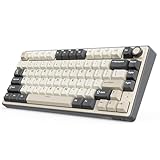


Top 3 picks at a glance
Quick Picks
| Product | Best for | Price |
|---|---|---|
| FREEWOLF M68 65% Wireless Gaming Keyboard | Best overall value for multi-device setups | $26.99 |
| GEODMAER 65% Gaming Keyboard, Wired Backlit Mini Keyboard | Best budget wired compact keyboard | $16.97 |
| GEODMAER 65% Gaming Keyboard, LED Backlit Mini Wired Gaming Keyboard | Best low-cost LED-backlit wired option | $16.97 |
| RK ROYAL KLUDGE R75 Wireless Mechanical Keyboard | Best premium-feature pick under $80 | $64.99 |
| E-YOOSO 65% Wireless Mechanical Gaming Keyboard with Knob | Best for shoppers who want a control knob | $34.99 |
| RK ROYAL KLUDGE RK68 Mechanical Gaming Keyboard | Best simple 65% mechanical choice | $38.99 |
| Womier Wireless Gaming Keyboard 60 Percent with QMK/VIA | Best for keyboard customization | $52.69 |
| Logitech MK270 Full Size Wireless Keyboard and Mouse Combo | Best for a basic keyboard-and-mouse package | $26.99 |
How We Picked
We ranked these options by layout relevance, connection flexibility, stated features, and value at their listed prices of $16.97 to $64.99. A true wireless 65 percent keyboard naturally ranks higher for this specific search than a wired model or a full-size bundle. We also gave credit to practical features named in the product listings, including Bluetooth, 2.4GHz wireless, USB-C connectivity, hot-swappable switches, PBT keycaps, knobs, and QMK/VIA support.
We did not treat unlisted specifications as facts. Dimensions, weight, battery runtime, switch force, and charging wattage are not provided for most of these products, so buyers should verify those details in the current manufacturer listing before ordering. That matters especially if the keyboard must fit a shallow pullout tray, travel bag, or narrow apartment desk.
The 8 Best Picks
1. FREEWOLF M68 65% Wireless Gaming Keyboard
The FREEWOLF M68 is the strongest match for shoppers who specifically want an affordable 65 percent wireless keyboard. It combines Bluetooth, 2.4GHz wireless, and wired operation, so it can suit a laptop station, desktop gaming setup, or shared household workspace. Its 67-key layout preserves compactness, while the listed PBT keycaps, rainbow LED backlighting, silent membrane design, and 2000mAh rechargeable battery make it unusually feature-rich at $26.99. It is a sensible choice when desk space and connection flexibility matter more than a mechanical switch feel.
- Pro: Tri-mode Bluetooth, 2.4GHz, and wired connectivity.
- Pro: 67 keys, PBT keycaps, and a 2000mAh rechargeable battery.
- Con: It uses a membrane keyboard design rather than mechanical switches.
Skip it if you know you prefer a mechanical keyboard or want advanced remapping support.
2. GEODMAER 65% Gaming Keyboard, Wired Backlit Mini Keyboard
At $16.97, this GEODMAER is for the buyer who needs a compact secondary keyboard without spending much. The 68-key membrane layout is designed for a small desk, dorm room, or dedicated desktop corner where a cable is not a problem. Its anti-ghosting, no-conflict positioning and backlighting speak to entry-level gaming use, while the ultra-compact format can free up mousing room. It is not a wireless keyboard, but it earns a place here as the lowest-cost 65 percent-style alternative for a stationary PC or laptop setup.
- Pro: Very low $16.97 entry price.
- Pro: 68-key compact layout with anti-ghosting and backlighting.
- Con: Wired-only membrane construction.
Skip it if cable-free use, Bluetooth pairing, or mechanical keys are nonnegotiable.
3. GEODMAER 65% Gaming Keyboard, LED Backlit Mini Wired Gaming Keyboard
This second GEODMAER option is another $16.97 compact wired keyboard aimed at shoppers prioritizing basic function over extra connectivity. It has an ultra-compact 68-key layout, LED backlighting, and anti-ghosting no-conflict key support for PC and laptop use. It makes the most sense in a permanent desk arrangement where the keyboard will stay plugged in and a low purchase price is the primary goal. Since it is wired, it avoids the battery-management question altogether, but it does not solve the clutter concern that leads many buyers to search for wireless keyboards.
- Pro: LED backlighting in a space-saving 68-key format.
- Pro: Anti-ghosting support at a budget price.
- Con: No wireless connection option.
Skip it for a living-room PC, tablet pairing, or any setup where cable routing is inconvenient.
4. RK ROYAL KLUDGE R75 Wireless Mechanical Keyboard
The RK ROYAL KLUDGE R75 is the feature-forward choice for buyers willing to spend $64.99 while remaining under budget. Although it is a 75 percent keyboard rather than a 65 percent model, it offers Bluetooth 5.1, 2.4GHz wireless, and USB-C wired connectivity. The listed gasket mount, RGB backlighting, knob, PBT keycaps, hot-swappable design, and Cream switches give it a more enthusiast-oriented specification than most options in this lineup. Choose it for a primary desk where feel, lighting, and flexibility matter as much as compactness.
- Pro: Bluetooth 5.1, 2.4GHz, and USB-C connection choices.
- Pro: Hot-swappable design, knob, PBT keycaps, and RGB lighting.
- Con: Its 75 percent layout is larger than a 65 percent keyboard.
Skip it if maximum desk space is the priority or if $64.99 exceeds your comfort zone.
5. E-YOOSO 65% Wireless Mechanical Gaming Keyboard with Knob
The E-YOOSO 65% Wireless Mechanical Gaming Keyboard is a compelling middle-price option at $34.99 for shoppers who want a mechanical compact board with a knob. That physical control is useful in mixed-use rooms where quick adjustments can be more convenient than reaching for on-screen controls. Its 65 percent format is better aligned with this roundup than the larger R75, and the listing highlights a creamy sound profile for buyers who care about character as well as function. It is best approached as a style-and-convenience pick rather than a spec-sheet leader.
- Pro: True 65 percent wireless mechanical format.
- Pro: Includes a knob and is priced at $34.99.
- Con: The supplied listing does not specify its wireless modes or battery capacity.
Skip it if you need confirmed Bluetooth, 2.4GHz, or wired connection details before buying.
6. RK ROYAL KLUDGE RK68 Mechanical Gaming Keyboard
The RK ROYAL KLUDGE RK68 is a straightforward option for someone who wants a recognizable 65 percent mechanical keyboard format at $38.99. Its 65 percent compact size is its main appeal: it is more space-conscious than a conventional full-size board while still aimed at gaming use. The white finish can also suit a light, minimal desk scheme better than the usual all-black gaming peripheral. This is a good candidate for buyers who value a mechanical keyboard and compact footprint but do not need the R75’s broader feature set.
- Pro: Mechanical keyboard in a compact 65 percent format.
- Pro: Moderate $38.99 price for an RK ROYAL KLUDGE model.
- Con: The provided product name does not confirm wireless connectivity.
Skip it if wireless operation is essential or if you want clearly listed lighting and customization features.
7. Womier Wireless Gaming Keyboard 60 Percent with QMK/VIA
The Womier Wireless Gaming Keyboard stands out for shoppers who want software-level customization. QMK/VIA support is the defining feature here, making this $52.69 model the best fit for users interested in adjusting layouts and controls rather than simply using a standard factory configuration. It is wireless, but it is a 60 percent keyboard, not a 65 percent model. That smaller format can be excellent for tiny desks and large mouse movements, though it generally requires greater comfort with a condensed key arrangement.
- Pro: Wireless design with QMK/VIA customization support.
- Pro: Smaller 60 percent footprint for tight work surfaces.
- Con: It lacks the 65 percent layout requested by many buyers.
Skip it if dedicated arrow-key convenience matters more than programmability and maximum compactness.
8. Logitech MK270 Full Size Wireless Keyboard and Mouse Combo
The Logitech MK270 is best viewed as a practical exception rather than a direct 65 percent competitor. For $26.99, it pairs a full-size wireless keyboard with a mouse, which can be useful for a home office, family computer, or spare workstation that needs both peripherals at once. The value is clear for basic productivity, especially when replacing an entire desktop input setup. However, its full-size format takes up substantially more room than the compact keyboards above, so it does not meet the space-saving goal of a 65 percent board.
- Pro: Wireless keyboard and mouse are included for $26.99.
- Pro: Appropriate for uncomplicated full-size productivity setups.
- Con: It is not a 65 percent keyboard.
Skip it if your desk is small, you want mechanical keys, or you are shopping specifically for a compact gaming layout.
Buying Guide
Choose the Right Compact Layout
A 65 percent keyboard is the sweet spot for many people because it reduces desk width without going as minimal as a 60 percent layout. The FREEWOLF M68 has 67 keys, while both GEODMAER keyboards have 68 keys. The Womier is a 60 percent alternative, and the RK R75 is a larger 75 percent option. If you regularly use arrow keys, compare layout images before purchase rather than assuming every compact keyboard places keys identically.
Confirm the Connection Method
Wireless is not interchangeable with wired. The FREEWOLF M68 lists Bluetooth, 2.4GHz, and wired modes; the RK R75 lists Bluetooth 5.1, 2.4GHz, and USB-C. The GEODMAER models are wired. For a couch-side computer, flexible desk, or laptop that moves between rooms, wireless is worth prioritizing. For a permanent desktop setup, a wired model may offer the simplest and least expensive solution.
Spend for Features You Will Actually Use
The $16.97 GEODMAER choices suit strict budgets, while the $64.99 RK R75 adds features such as a knob, RGB lighting, PBT keycaps, a gasket mount, and hot-swappable Cream switches. The E-YOOSO brings a knob to the $34.99 range, and the Womier’s QMK/VIA support may justify $52.69 for customization-minded buyers. Check current dimensions, weight, and battery details if portability or a specific desk fit is important, as those specifications are not consistently listed here.
Our Verdict
For the best 65 percent wireless keyboard under 80 dollars, choose the FREEWOLF M68. At $26.99, it offers the most direct combination of a compact 67-key layout, Bluetooth, 2.4GHz wireless, wired use, PBT keycaps, backlighting, and a 2000mAh rechargeable battery. Move up to the RK ROYAL KLUDGE R75 if you prefer premium mechanical features and can accept a larger 75 percent layout. For the lowest-cost fixed-desk solution, either $16.97 GEODMAER wired keyboard is the sensible budget fallback.
FAQ
What is the best wireless 65 percent keyboard under $80 in this list?
The FREEWOLF M68 is the best overall fit because it is explicitly a 65 percent wireless model with 67 keys and tri-mode Bluetooth, 2.4GHz, and wired connectivity for $26.99.
Are all of these keyboards wireless?
No. The two GEODMAER keyboards are wired models, and the supplied RK68 listing does not confirm wireless connectivity. The Logitech MK270 is wireless but full size, while the Womier is wireless but uses a 60 percent layout.
Is a 65 percent keyboard good for gaming?
Yes, a 65 percent layout can work well for gaming because it frees more desk area for mouse movement while staying more practical for many users than a 60 percent layout. Features such as anti-ghosting, mechanical switches, and connection type should guide the final choice.
Should I choose membrane or mechanical keys?
Choose membrane if you prefer the FREEWOLF M68’s listed silent membrane approach or want to keep costs low. Choose mechanical if you want the stated mechanical designs offered by E-YOOSO, RK ROYAL KLUDGE, or Womier. Feel and sound are personal, so confirm return policies and current product details before purchasing.


