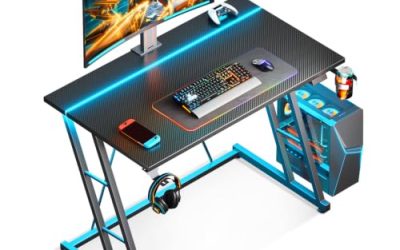
The best adjustable gaming desk for most players is a dual-motor sit-stand desk in the 55 to 60 inch width class, and the FlexiSpot E7 and Uplift V2 are the names that come up most in 2026 roundups. The Secretlab Magnus Pro is the premium gamer-focused pick with an all-metal top and magnetic cable management, while the Autonomous SmartDesk Pro is a lower-cost dual-motor option. This guide compares the picks, shows how to check weight ratings against a real rig, and explains what to look for in height range and stability.
As an Amazon Associate we earn from qualifying purchases at no extra cost to you.


Our Top Picks
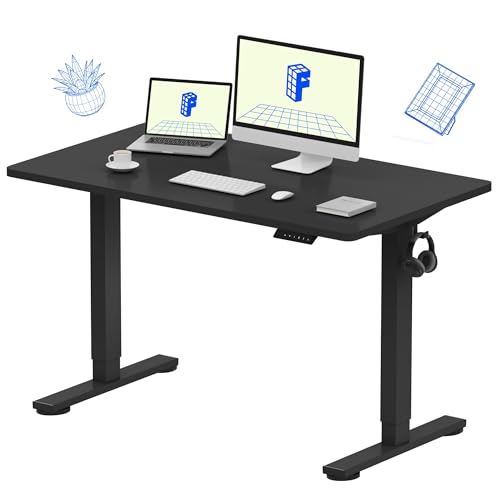
 FlexiSpot E6 Bamboo 3-Stage Dual Motor Electric Standing55"x28" Bamboo Whole-piece55.1 x 27.5 x 23.6 inches100 poundsCheck on Amazon

Top 3 picks at a glance
Quick Comparison of Adjustable Gaming Desks
| Desk | Best for | Lift capacity | Notable feature | Price range |
|---|---|---|---|---|
| FlexiSpot E7 | Value, heavy rigs | About 355 lb | Dual motors, sturdy frame | Mid-range |
| FlexiSpot E7 Plus | Maximum stability | Rated higher via four-leg frame (check spec sheet) | Four-leg design | Mid-range |
| Uplift V2 / V2 Commercial | Customization and longevity | Up to about 355 lb (Commercial) | Many sizes, tops, accessories | Upper mid-range |
| Secretlab Magnus Pro | Gamer-focused premium build | About 265 lb | All-metal top, magnetic cable system | Premium |
| Autonomous SmartDesk Pro | Budget dual motor | About 300 lb | Height range about 26 to 52 inches | Budget to mid-range |
| FlexiSpot E8 | Mid-range upgrade | Check current spec | Thicker top options | Mid-range |
Specs change between versions, so confirm the lift rating and dimensions on the maker’s spec sheet before buying.
Best Value: FlexiSpot E7
PCGamesN highlights the E7’s roughly 355 pound capacity as ideal for heavy gaming setups with a tower, multiple monitors and speakers. Dual motors and a steel frame keep wobble down at full height. The trade-off is that you add gaming extras such as a desk mat or cable tray yourself.
Best Overall Customization: Uplift V2
Uplift lets you choose the size, top material and accessories, including an optional wire-management tray and a keyboard tray. The V2 is often recommended for stability and long-term durability. The cost is that a fully configured desk lands in the upper price tier, and lead times can be longer than for stock desks.
Best Premium Gaming Desk: Secretlab Magnus Pro
TechRadar picks the Magnus Pro as the best standing desk for gamers. The all-metal top works with magnetic accessories such as cable trays and cup holders, and the 265 pound lift rating is enough for most rigs. It is the priciest choice in this list and its capacity is below the heavy-duty FlexiSpot and Uplift options.
Best Budget: Autonomous SmartDesk Pro
This dual-motor desk lifts around 300 pounds and covers a height range of about 26 to 52 inches. It is a solid entry to sit-stand gaming. Prices have moved a lot between sales, so compare against FlexiSpot before you buy.
How to Choose an Adjustable Gaming Desk
Add up your weight
Add the weight of your monitors (10 to 25 pounds each), PC tower (20 to 40 pounds), speakers, desk mat and accessories. A typical rig with two monitors and a tower lands near 80 to 120 pounds. Pick a desk rated for at least double that, since ratings are measured under ideal conditions.
Check the height range
Most adjustable desks range from about 25 to 50 inches. If you are over 6 feet 3 inches, make sure the maximum height clears your standing elbow height with a keyboard tray. Shorter players should check that the minimum height lets feet rest flat with a gaming chair.
Choose dual motors
Dual-motor frames lift more smoothly, carry more weight and wobble less than single-motor ones. They are the right default for gaming.
Pick the size
A 55 by 28 inch top fits two monitors and a keyboard. A 60 by 30 inch top lets you add a desk mat, speakers and room to move a mouse. Ultrawide or triple-monitor setups need 70 inches or more.
Look at stability
Crossbars, thick legs and low-wobble reviews matter at standing height, especially with fast mouse movement. Four-leg frames are the most stable, though not required.
Plan the cables
A cable tray under the top and a power strip mounted on it prevent cords from catching during height changes. Leave 8 to 12 inches of slack for each cable.
Worked Example: Is a Standing Desk Worth It?
If you game 3 hours a day and alternate between sitting and standing every 45 minutes, you change position about four times per session. A desk with memory presets turns each change into a single press. At a mid-range price spread across a five-year life, the desk costs only a few cents per day of use, and many players find it also helps their work-from-home day.
Common Mistakes
- Skipping a weight check. Underrated desks wobble and may stall at the top.
- Buying a single-motor desk for a heavy rig.
- Forgetting a cable plan, which pulls plugs during lift.
- Choosing a top that is too shallow. Under 28 inches deep forces monitors too close.
- Ignoring floor space. Allow clearance behind the desk for the frame to travel without hitting a wall.
Who Should Skip a Standing Desk
Not every player needs one. If your room is small, a fixed desk at the right height and a good chair may be better value. If you rarely stand, the lift mechanism is extra cost and extra weight. Renters who move often should also remember that a desk top and frame can weigh over 100 pounds together. For everyone else, a sit-stand model gives flexibility, and many players use the standing option for strategy games, streaming and work between sessions.
Assembly and Setup Tips
Plan about one to two hours and two people for assembly, since tops can weigh 50 to 80 pounds. Assemble the frame upside down on cardboard to protect the finish, then flip with a helper. Set the memory presets for sitting and standing immediately, and check the lift with your monitors in place before tightening cable ties. Keep at least 2 inches of clearance between the top and any wall or shelf above.
Which Desk Fits Which Player
| Player | Pick | Reason |
|---|---|---|
| Heavy multi-monitor rig | FlexiSpot E7 or Uplift V2 Commercial | Higher lift rating, about 355 lb |
| Streamer who wants a polished look | Secretlab Magnus Pro | Metal top and magnetic accessories |
| Budget-minded | Autonomous SmartDesk Pro | Dual motor at a lower price tier |
| Wants to configure every detail | Uplift V2 | Wide choice of sizes and tops |
Frequently Asked Questions
Are standing desks good for gaming?
Yes. They let you change position during long sessions. Ensure the desk is stable at standing height so mouse movement does not shake the monitor.
How much weight should a gaming desk hold?
Look for at least 200 pounds for a standard rig, and 300 or more if you use multiple monitors and a heavy tower on the desk.
What size adjustable desk is best?
Most players do well with 55 to 60 inches wide and 28 to 30 inches deep. Larger setups need 70 inches or more.
Dual motor or single motor?
Dual motor. It lifts heavier loads more smoothly and wobbles less, which suits the weight of a gaming rig.
Do adjustable desks wobble?
All of them wobble a little at full height. Frames with crossbars, thicker legs or four legs wobble least, and keeping the extension lower reduces shake.
Related guides
More from Amazon
Programs that pair well with the guide above. Offers and eligibility are set by Amazon and may change.
Free shipping on eligible items, Prime Video and more. Eligible new members can start with a free trial.
Start a Prime free trialAd-free music streaming. Eligible new subscribers can start with a free trial.
Try Music Unlimited freeA Prime membership for ages 18-24 with a trial period. Eligibility is set by Amazon.
See Prime for Young AdultsAudiobooks and podcasts to listen to on the go. Eligible new members can start with a free trial.
Try Audible freeAs an Amazon Associate we earn from qualifying purchases.