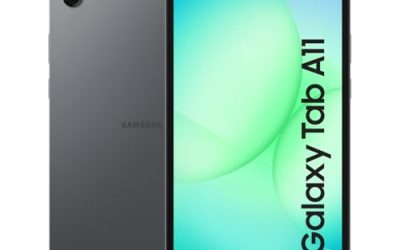
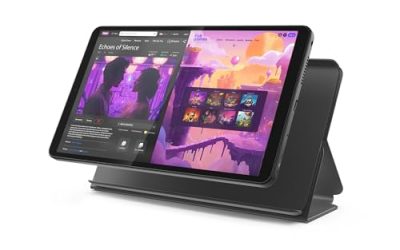
Starting digital art raises one question before any brush or layer: do you want a pen tablet that plugs into a computer, a pen display with a built-in screen, or a standalone device that needs nothing else? The answer shapes the price, the learning curve, and how quickly drawing feels natural. For absolute beginners the cheapest route is usually a plain pen tablet, because it lets you test whether you enjoy the hobby before committing to a screen.
This guide is written for hobbyists, students, and anyone sketching on a laptop for the first time in 2026. It covers eight tablets that span the full range, from a 6×4-inch pad suited to learning pen control, through 10-inch graphics tablets, up to two models with 13.3-inch screens. Every judgment below comes from the specs in the product titles, so treat the notes as a shortlist guide, not a performance report.
Our Top Picks



Top 3 picks at a glance
Quick Picks
As an Amazon Associate we earn from qualifying purchases at no extra cost to you.





| Product | Best for | Key spec from the title |
|---|---|---|
| Frunsi RubensTab T11 Pro | Drawing with no computer | 10.1-inch FHD standalone, octa-core, apps included |
| HUION Inspiroy H640P | Tiny desks, first pen tablet | 6×4 inch, 8192 pressure levels, tilt |
| Frunsi T8 Standalone | Portable sketching | 8-inch standalone, octa-core, tutorials |
| HUION Inspiroy H1060P | Room to grow | 10 x 6.25 inch, 12+16 hot keys |
| XPPen Artist 13.3 Pro V2 | Drawing directly on a screen | Full-laminated, 123% sRGB, 16K |
| GAOMON M10K | Students and teachers | 10×6 inch, touch ring, 10 keys |
| XPPen Deco 01 V3 | Clean, simple 10-inch setup | 10×6 inch, 16K battery-free stylus |
| HUION Kamvas 13 (Gen 3) | Step-up pen display | 13.3-inch, 99% sRGB, 16384 levels |
How to Choose
Decide between pen tablet, pen display, and standalone
A pen tablet has no screen: you draw on a blank surface while watching your monitor. It takes a few days of hand-eye adjustment but costs the least. A pen display shows the image under the pen, which feels natural from the first stroke but costs more and needs more desk space. A standalone tablet runs its own apps, so no computer is required, which suits kids and casual users. Pick the format that matches your patience and budget.
Check active area and pressure levels
Active area is the drawing surface. Around 6×4 inches is fine for notes and signatures, while 10×6 inches gives enough room for full arm strokes without wearing out your wrist. Pressure levels of 8192 are common among beginner models and plenty for learning; 16K-level pens add finer gradations that matter more to experienced artists. Battery-free stylus designs mean one less thing to charge.
Look at compatibility and shortcut keys
Confirm the tablet works with your operating system. Several models here list Mac, PC, and Android support, so a single tablet can serve a desktop today and a different device later. Hot keys and dials map to undo, brush size, or zoom, saving trips to the keyboard. Beginners need only a few; do not pay extra for 28 keys you will never program.
It also helps to think about the software you will use. Free programs such as Krita or the drawing apps bundled with the standalone tablets are enough for the first few months. Paid programs make sense once you know which tools you reach for every session, so avoid letting a software subscription drive the hardware decision.
Where cheap models cut corners
Low-cost pen displays may skip lamination, creating a gap between glass and image called parallax that makes strokes feel slightly off-target. Look for “full lamination” and a stated color coverage figure such as 99% sRGB. Ignore bundled extras like gloves or stylus nibs when comparing; they add little value. Drivers matter too: a tablet with weak software support can frustrate beginners more than any hardware gap.
Finally, set a realistic ergonomic baseline. Place the tablet where your forearm rests naturally, angle it slightly toward you, and take short breaks. A modest tablet used comfortably for an hour a day beats an expensive one that makes your wrist ache after twenty minutes.
The 8 Best Options
Frunsi RubensTab T11 Pro
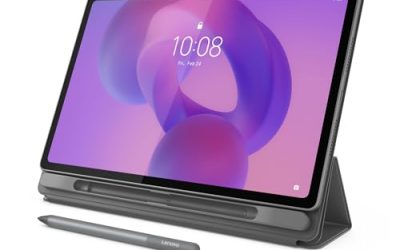
This is a standalone 10.1-inch FHD drawing tablet with an octa-core CPU, pre-installed drawing apps, and tutorials, so nothing else is needed to start. It suits hobbyists and anyone without a spare computer who wants a larger canvas than a phone offers. The 10.1-inch display is also the biggest of the two standalone models listed, which helps when a drawing needs more room.
- Strength: standalone operation removes cables, drivers, and computer requirements.
- Strength: pre-installed apps and tutorials give beginners a guided start.
- Trade-off: a self-contained tablet cannot run full desktop software the way a PC-connected one can.
Skip it if: you plan to work in desktop programs like Photoshop or Clip Studio on a computer.
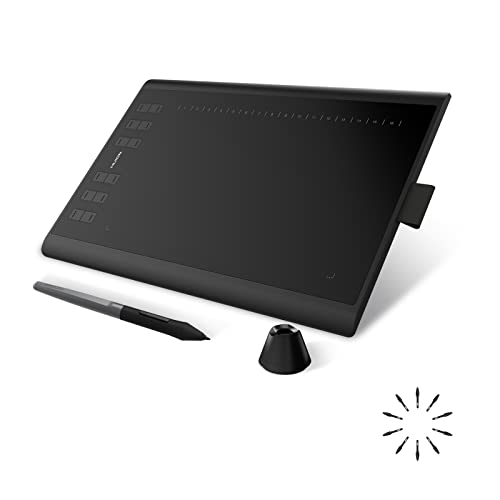
HUION Inspiroy H640P
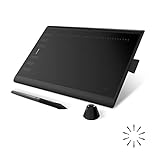
A compact 6×4-inch pen tablet with 8192 pressure levels, a battery-free stylus, tilt support, and six hot keys. It works with Mac, PC, and Android. It is a gentle first step for someone learning pen control without spending much, and the same pad can double as a mouse replacement for signing documents or marking up screenshots.
- Strength: small footprint fits cramped desks and travels easily.
- Strength: tilt support and a battery-free pen offer more than basic pen tablets at this size.
- Trade-off: the small surface forces short strokes, which can feel cramped for large drawings.
Skip it if: you draw with sweeping arm movements.
Frunsi T8 Standalone Drawing Tablet
The 8-inch sibling of the T11 Pro, again standalone with an octa-core CPU plus pre-installed drawing apps and tutorials. It is easier to carry and a natural fit for casual sketching on a couch, a commute, or a library table where a laptop and pen pad would feel like too much gear.
- Strength: compact 8-inch body is light enough for travel and small bags.
- Strength: no computer needed, so setup is minimal.
- Trade-off: a smaller screen limits detail work and wider canvases.
Skip it if: you want a larger drawing area or PC-connected workflow.
HUION Inspiroy H1060P
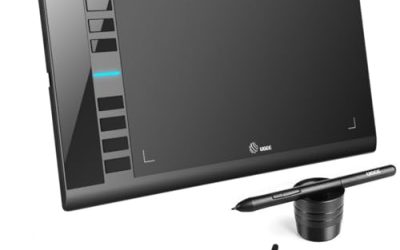
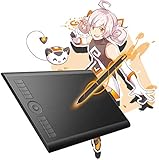
A 10 x 6.25-inch graphics tablet with 8192 pressure levels, a battery-free stylus, and 12 plus 16 hot keys. The large key set suits users who like shortcuts. It fits beginners who expect to keep drawing and want a surface to grow into, since the same pad will still feel adequate after the first year of practice rather than needing replacement.
- Strength: a roomy 10-inch-wide surface suits full arm movement.
- Strength: the extensive hot key set speeds up repetitive actions.
- Trade-off: dozens of keys can overwhelm a true beginner at first.
Skip it if: you prefer a minimal tablet with few buttons.
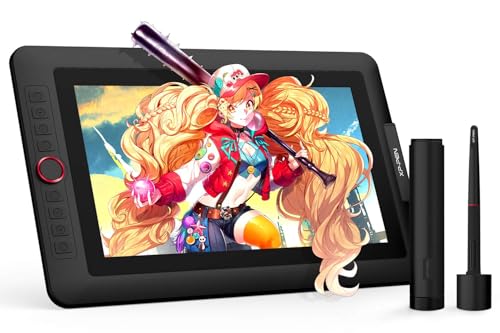
XPPen Artist 13.3 Pro V2
A pen display with a 13.3-inch full-laminated, anti-glare screen listed at 123% sRGB, 16K pen pressure, and 8 keys. Mac, PC, and Android compatibility are listed. It suits beginners who want to draw directly on the image and are ready to spend a bit more.
- Strength: full lamination reduces the gap between pen tip and image.
- Strength: 123% sRGB listing signals generous color coverage for an entry display.
- Trade-off: a screen tablet costs more and takes more desk space than a plain pad.
Skip it if: you only want to try drawing cheaply.
GAOMON M10K
This 10×6-inch tablet adds a touch ring, 10 keys, 8192 pressure levels, and a battery-free stylus. The title directly targets beginners, students, and teachers. It is a fit for classroom use, online lessons, and note-taking alongside sketching.
- Strength: the touch ring offers a handy scroll or zoom control.
- Strength: described as suitable for students and teachers, it reads as an education-friendly choice.
- Trade-off: no screen means a learning curve for hand-eye coordination.
Skip it if: you want to draw straight onto a display.
XPPen Deco 01 V3
A 10×6-inch tablet with a 16K battery-free stylus and 8 keys, with listed support for Mac, PC, Android, and OSU gameplay. It is a tidy pick for beginners who want a simple, balanced surface without extras, and the OSU mention shows it is also aimed at rhythm-game players who value a light, responsive pen.
- Strength: 16K pressure listed in a plain 10-inch tablet gives room for finer control.
- Strength: 8 keys are enough to learn shortcuts without clutter.
- Trade-off: no touch ring or dial, so scrolling relies on keys or keyboard.
Skip it if: you want a dial for zooming.
HUION Kamvas 13 (Gen 3)
A 13.3-inch pen display with full lamination, Canvas Glass 2.0, 99% sRGB, a dual dial, and PenTech 4.0 with 16384 pressure levels. It is the most advanced listing here, aimed at beginners who plan to improve fast.
- Strength: full lamination and 99% sRGB support accurate on-screen drawing.
- Strength: the dual dial speeds up zoom and brush changes.
- Trade-off: it asks for more budget and desk space than any pen tablet here.
Skip it if: you are still deciding whether the hobby will stick.
Which One Fits Your Situation
You have no spare computer
The Frunsi RubensTab T11 Pro is built to work on its own, with apps and tutorials included. Choose the Frunsi T8 if you want something smaller and easier to carry.
You want to test the hobby cheaply
The HUION Inspiroy H640P keeps cost and desk footprint low while still offering tilt and 8192 pressure levels. If you outgrow it, move up to the H1060P.
You are a student or teacher
The GAOMON M10K lists student and teacher use, a touch ring, and a roomy 10×6 surface, which fits note-taking, diagrams, and online teaching in one device.
You want to draw directly on a screen
The XPPen Artist 13.3 Pro V2 and HUION Kamvas 13 (Gen 3) both offer full lamination. The Kamvas lists a dual dial and finer pressure steps, while the Artist 13.3 Pro V2 lists wider sRGB coverage.
Common Mistakes
- Buying a pen display on day one when a cheaper pen tablet would show whether you enjoy drawing.
- Choosing a 6×4-inch tablet and then struggling with large, sweeping strokes.
- Assuming more pressure levels automatically make a beginner draw better; practice matters far more than 8192 versus 16K.
- Ignoring operating system compatibility, especially if you plan to use an Android phone or Mac.
- Skipping the practice phase: a new pen tablet feels awkward for the first week, and many people give up just before the hand-eye connection clicks.
Related guides
- Gaming Chair Cushions And Lumbar Supports
- How To Use Camelcamelcamel For Amazon Deals
- Warranty Considerations When Buying On Sale
Frequently Asked Questions
Do beginners need a tablet with a screen?
No. Pen tablets without a screen are cheaper and work well after a short adjustment period. A screen tablet feels more natural but is a larger investment better suited to those who already know they will keep drawing.
What size drawing area is best for a beginner?
A 10×6-inch surface is a comfortable middle ground, allowing full arm strokes without wasting desk space. A 6×4-inch tablet is fine for small sketches and travel but limits larger motions.
Is a standalone tablet good for learning?
It can be, especially for children and casual users, because pre-installed apps and tutorials remove setup hurdles. The limit is software: you will not run full desktop programs on it.
Does a battery-free stylus matter?
Yes, for convenience. You never charge it or swap batteries, so it is always ready to use. Every pen tablet on this list names a battery-free stylus, which removes one more source of frustration for new users and keeps the pen light in the hand.
Related guides
More from Amazon
Programs that pair well with the guide above. Offers and eligibility are set by Amazon and may change.
Free shipping on eligible items, Prime Video and more. Eligible new members can start with a free trial.
Start a Prime free trialAd-free music streaming. Eligible new subscribers can start with a free trial.
Try Music Unlimited freeA Prime membership for ages 18-24 with a trial period. Eligibility is set by Amazon.
See Prime for Young AdultsAudiobooks and podcasts to listen to on the go. Eligible new members can start with a free trial.
Try Audible freeAs an Amazon Associate we earn from qualifying purchases.