The best gaming PC rig in 2026 depends on your monitor: an RTX 5060-class rig for 1080p, an RTX 5070 or RX 9070-class rig for 1440p, and an RTX 5070 Ti, RX 9070 XT or better for 4K. Buy the graphics tier that matches your screen first, then match the processor and 32 GB of memory to it. Below are real prebuilt rigs for each tier, plus the power and resolution math that shows why.
As an Amazon Associate we earn from qualifying purchases at no extra cost to you.
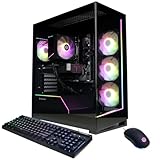
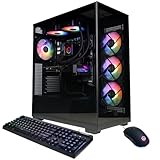


Top 3 picks at a glance
Quick comparison of gaming rigs by tier
| Rig | Tier | Key specs (typical listing) | Price range |
|---|---|---|---|
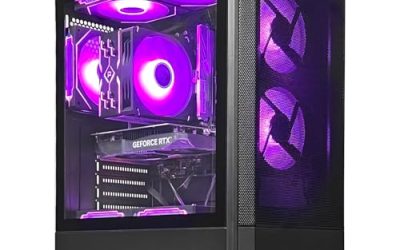
| CyberPowerPC Gamer Xtreme VR | Budget 1080p | Core i5-13400F, RTX 5060 | Budget |
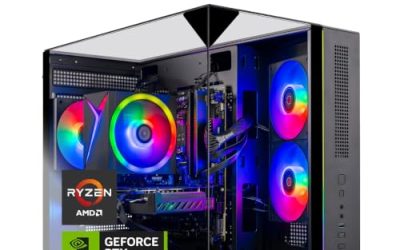
| MSI Codex Z2 | 1440p | Ryzen 7 8700F, RTX 5070, 32 GB DDR5 | Mid to upper-mid |
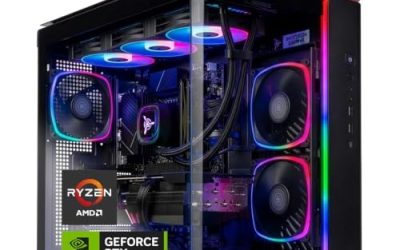
| Skytech Azure 3 | 1440p value | Ryzen 7 7700X, RTX 5070, 850 W Gold, 360 mm AIO | Upper-mid |
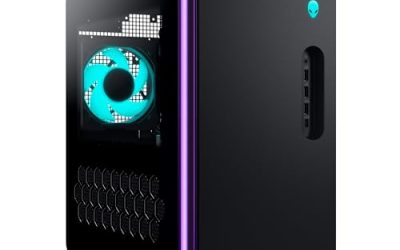
| Alienware Aurora ACT1250 | 1440p with support | Core Ultra 7 265F, RTX 5070 12 GB, 1000 W Platinum | Premium |
| MSI Aegis R2 AI | High-end 1440p / 4K | Core Ultra 9 285, RTX 5070 Ti | Premium |
| Corsair Vengeance a7500 | High-refresh 1440p / entry 4K | Ryzen 7 9800X3D, RTX 5070 Ti 16 GB | Premium |
| Alienware Area-51 | Flagship 4K | Core Ultra 9 or Ryzen 9 X3D, RTX 5080 to 5090 | Flagship |
Prebuilt configurations change often. Verify the processor, graphics card, power supply and warranty on the current listing.
Budget 1080p rig: CyberPowerPC Gamer Xtreme VR
An RTX 5060 with a Core i5-13400F handles esports and most modern games at 1080p with high settings. The i5-13400F is an older platform, so it is a sensible floor rather than a long-term investment. Pair it with a 1080p 144 Hz monitor and you will not waste money on pixels the card cannot push.
1440p rigs: MSI Codex Z2, Skytech Azure 3, Alienware Aurora ACT1250
These three share the RTX 5070 and differ in what surrounds it. The Codex Z2 is the balanced choice. The Azure 3 offers the strongest supporting hardware, including an 850 W Gold supply and a 360 mm cooler. The Aurora costs more but adds Dell’s support. Typical published results put modern games at roughly 70 to 140 fps at 1440p high settings on this class of card, varying with the game, CPU and patch.
High-end rigs: MSI Aegis R2 AI and Corsair Vengeance a7500
The RTX 5070 Ti with 16 GB of memory is the entry point for comfortable 4K gaming with upscaling. The Vengeance a7500’s Ryzen 7 9800X3D is the stronger gaming processor, while the Aegis R2 AI’s Core Ultra 9 285 offers more multi-core power for streaming and editing.
Flagship 4K rig: Alienware Area-51
Configured with an RTX 5080 or 5090, this tower targets 4K at high settings. The cost is considerable and the power draw high, so make sure your wall circuit and monitor justify it.
Worked calculation: GPU tier by resolution and refresh rate
| Target | Pixels per second to render | Relative to 1080p 60 | Suggested GPU class |
|---|---|---|---|
| 1080p at 144 Hz | 299 million | 2.4x | RTX 5060 |
| 1440p at 144 Hz | 531 million | 4.3x | RTX 5070 |
| 1440p at 240 Hz | 885 million | 7.1x | RTX 5070 Ti |
| 4K at 120 Hz | 995 million | 8.0x | RTX 5070 Ti to 5080 |
Pixels per second is width times height times refresh rate. It ignores game complexity and upscaling, but it shows why a 1440p 240 Hz monitor demands a much stronger card than a 1440p 144 Hz one.
Power budget example
For an RTX 5070 Ti rig: about 300 W for the graphics card, 140 W for the processor and 80 W for the rest comes to roughly 520 W peak. Multiplying by 1.5 suggests a 780 W supply, so an 850 W unit is the right size and a 1000 W unit is generous. Figures are estimates drawn from manufacturer board-power ratings.
Decision matrix
| You have… | Buy… |
|---|---|
| 1080p 144 Hz monitor | RTX 5060 rig |
| 1440p 165 Hz monitor | RTX 5070 rig |
| 4K TV or monitor | RTX 5070 Ti or higher |
| Stream while gaming | Core Ultra 9 or 8-core+ Ryzen |
| Play competitive shooters | X3D processor |
Where prebuilt rigs cut corners
- Power supplies: Unbranded or low-wattage units limit upgrades. Look for Gold rating and a recognisable maker.
- Memory: A single stick halves bandwidth. Make sure two matched modules are fitted.
- Storage: A QLC budget SSD fills and slows. 1 TB is a minimum; 2 TB is better.
- Cooling: Stock coolers on 8-core processors can be loud.
- Warranty: Check whether it covers parts and labour and who ships the unit.
Settings that make a rig feel faster
A rig’s hardware sets the ceiling, but settings decide where you land. Four changes give most players the biggest gains for the least visual loss:
- Turn on upscaling. Quality mode in NVIDIA DLSS or AMD FSR renders at a lower internal resolution, commonly around 67 percent per axis, and can lift frame rates by roughly 30 to 60 percent depending on the game.
- Lower shadows and volumetric effects one notch. These settings are typically the most expensive for the least visible difference.
- Cap the frame rate just under the monitor’s refresh rate. This keeps adaptive sync active and reduces heat and fan noise.
- Enable the memory profile. XMP or EXPO must be switched on in the BIOS, otherwise DDR5 may run at a lower default speed. Most prebuilts ship with it enabled, but verify it.
Frame rates differ widely with the game, driver, CPU and patch, so use published reviews for your specific titles rather than a single number.
Matching the processor to the graphics card
A balanced rig avoids wasting money on a card the CPU cannot feed. For 1080p and 1440p with an RTX 5060 to 5070, a modern six- or eight-core processor such as a Ryzen 7 or Core Ultra 7 is enough. At 1080p with a very fast card, or in competitive games where frame rates exceed 200, the processor becomes the limit, and X3D cache chips pull ahead. At 4K the graphics card does nearly all the work, so spending extra on the CPU adds less value than moving up a GPU tier.
| GPU tier | CPU that avoids a bottleneck | Memory |
|---|---|---|
| RTX 5060 | 6-core Ryzen 5 / Core i5 | 16 to 32 GB DDR5 |
| RTX 5070 | 8-core Ryzen 7 / Core Ultra 7 | 32 GB DDR5 |
| RTX 5070 Ti | Ryzen 7 X3D / Core Ultra 7 or 9 | 32 GB DDR5 |
| RTX 5080 and up | Top-tier X3D or Core Ultra 9 | 32 to 64 GB DDR5 |
Frequently Asked Questions
What is a gaming PC rig?
The term simply means a desktop gaming computer, whether prebuilt or custom, usually with a dedicated graphics card, fast memory and an SSD.
Which GPU is best for a 1440p gaming rig?
An RTX 5070 or Radeon RX 9070-class card is the sweet spot for 1440p at high settings and high refresh rates.
How much RAM do I need in a gaming rig?
32 GB of DDR5 is recommended in 2026. 16 GB works but leaves little room for background apps and modern open-world games.
Is a prebuilt gaming rig worth it?
Often yes, thanks to warranty and assembly, provided the listing uses standard parts and a quality power supply.
How long will a gaming rig last?
Many stay playable for four to six years, with a graphics card upgrade around the midpoint extending life.
Related guides
More from Amazon
Programs that pair well with the guide above. Offers and eligibility are set by Amazon and may change.
Free shipping on eligible items, Prime Video and more. Eligible new members can start with a free trial.
Start a Prime free trialAd-free music streaming. Eligible new subscribers can start with a free trial.
Try Music Unlimited freeA Prime membership for ages 18-24 with a trial period. Eligibility is set by Amazon.
See Prime for Young AdultsAudiobooks and podcasts to listen to on the go. Eligible new members can start with a free trial.
Try Audible freeAs an Amazon Associate we earn from qualifying purchases.