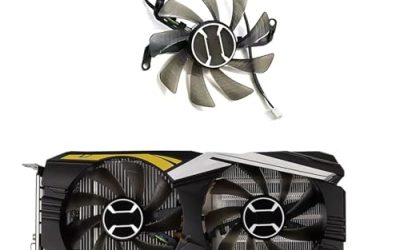
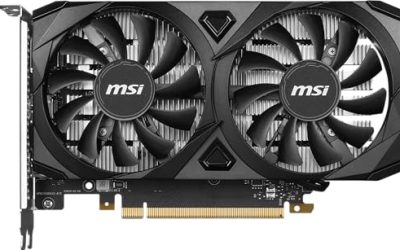
For Star Wars Jedi Knight II: Jedi Outcast, a budget graphics card or even modern integrated graphics is the right match, since the Steam listing asks for a 16 MB OpenGL card, a 350 MHz processor and 64 MB of RAM. Spending on a mid-range or high-end card only makes sense if you also play newer games. This buyer guide sorts the options by tier, explains why VRAM and upscaling barely matter here, and lists what to skip.
What Jedi Outcast needs from a GPU
The publisher’s minimum, as shown on Steam, is a Pentium II or Athlon at 350 MHz, 64 MB of memory, a 16 MB OpenGL-compatible graphics card, DirectX 9.0c, 800 MB of storage and a DirectX 8.0a sound solution. There is no recommended specification. The game uses OpenGL, which every current graphics driver from NVIDIA, AMD and Intel supports, so this title usually avoids the legacy DirectDraw issues of older games.
The game has no DLSS, FSR or XeSS support, and nothing in the store listing suggests otherwise. Upscaling technologies are relevant to the rest of your library, not to a 2002 engine. Memory demands are tiny by current standards; the game was designed for cards with a few dozen megabytes.
Where the GPU does matter: resolution and display
Where a graphics card influences this game is in high-resolution and high-refresh play. Community guides explain that you can set a custom resolution through the console, such as 1920 by 1080, using a custom video mode and a video restart. They also suggest running as administrator, setting DPI scaling to application and raising the field of view. Open-source engine ports are another route, with a single-player build for Jedi Outcast and a separate project for multiplayer that supports widescreen. A reference wiki notes the port is in development and that Jedi Outcast support is weaker than for the sequel, so expect rough edges. A tool of this kind decides how good the game looks on a large monitor more than the graphics card does.
Tier comparison
| Tier | Hardware class | Target resolution | Best for | Limits |
|---|---|---|---|---|
| Integrated | Graphics inside recent Intel or AMD processors | 1080p for this game | Small builds, older games, media | Modest for new titles |
| Budget discrete | Entry cards from NVIDIA, AMD or Intel | 1080p | Classics plus lighter new games | Less headroom for demanding releases |
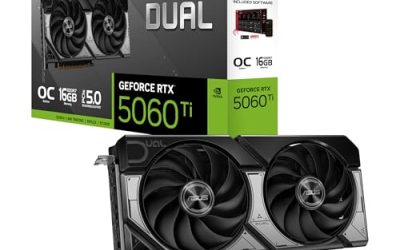
| Mid-range | GeForce RTX 5060 and 5060 Ti, Radeon RX 9060 XT class | 1080p high and 1440p | Mixed library including new releases | More than this game uses |
| High-end | Upper RTX 50-series and Radeon RX 9000 cards | 1440p high refresh and 4K | New releases and ultrawide | No extra benefit here |
Picks by resolution
1080p
Integrated graphics or an entry card handles 1080p in this game with room to spare. If you want one card for general 1080p gaming too, NVIDIA lists the GeForce RTX 5060 with 8 GB of GDDR7, 3,840 CUDA cores, 145 W total graphics power and a suggested 550 W system supply, plus DLSS 4 and PCI Express Gen 5 support.
1440p
For 1440p across newer titles, the GeForce RTX 5060 Ti is listed by NVIDIA with 8 GB or 16 GB of GDDR7, 4,608 CUDA cores, 180 W and a suggested 600 W supply. The Radeon RX 9060 XT is the closest AMD class. In Jedi Outcast the choice will not change what you see, since the engine is the limit, but the larger memory option protects you in games with heavier texture loads.
4K
A 4K display works with a custom resolution or an engine port, and any card in the mid-range tier will move this game easily. A premium card is justified by other games, not by this one.
Pick this if
| Choose | If | Reason |
|---|---|---|
| Integrated graphics | You mostly play older games and want a low-cost, low-power PC | Far above the published minimum |
| Entry discrete GPU | You want some headroom for lighter modern titles | Inexpensive step up with modern drivers |
| RTX 5060 or 5060 Ti class | You want one card for 1080p and 1440p gaming across the board | Maker lists DLSS 4 and PCIe Gen 5; useful beyond this game |
| Radeon RX 9060 XT class | You prefer AMD for new releases | Handles OpenGL older games like any current Radeon |
| High-end card | You target 4K or high refresh in demanding games | Not needed for Jedi Outcast |
Alternatives and what to skip
- Try an engine port first. It can fix widescreen, mouse feel and stability without any hardware change.
- Use a spare older PC or a compact mini PC if you want a dedicated machine for classic games.
- Skip cards sold on ray tracing or frame generation for this purpose; neither applies to a 2002 game.
- Skip upgrading the power supply for this game alone. If you buy a newer card, follow the maker’s stated supply and connector guidance.
- Be careful with downloads of engine ports. Take them from established fan sites and keep a backup of the original install.
Common mistakes
- Setting Windows display scaling above 100 percent while using a custom resolution; a Steam thread suggests 100 percent.
- Mixing single-player and multiplayer ports. They are separate projects.
- Assuming an uncapped frame rate is harmless. Older engines can show physics or animation oddities at very high rates, so cap it if you notice problems.
- Buying for VRAM. The game’s memory use is negligible.
Frequently Asked Questions
What is the best GPU for Jedi Outcast?
The game is not demanding, so the best card is the one that suits your wider library. Integrated graphics or an entry card runs it fine. A mid-range card is sensible if you also play recent releases.
Does Jedi Outcast support DLSS or FSR?
No support for either is listed, and the engine predates both. Those features apply to other games on the same card.
How much VRAM does it need?
The publisher lists a 16 MB card as the minimum. Any current graphics solution has vastly more, so VRAM is not a factor for this title.
Can I play at 4K or ultrawide?
Players use console commands for a custom resolution or an open-source engine port. Results depend on the tool, and community notes say the original engine was not designed for ultrawide shapes.
Is an AMD, NVIDIA or Intel card better for it?
All three support OpenGL, which this game uses. Differences show up in newer games, so choose based on the rest of your library and the maker’s current specifications.
Do I need a new power supply?
Not for this game. If you buy a new card, follow the maker’s stated power requirement and connector type, and consult a technician if you are unsure about the wiring.
Related guides
More from Amazon
Programs that pair well with the guide above. Offers and eligibility are set by Amazon and may change.
Free shipping on eligible items, Prime Video and more. Eligible new members can start with a free trial.
Start a Prime free trialAd-free music streaming. Eligible new subscribers can start with a free trial.
Try Music Unlimited freeA Prime membership for ages 18-24 with a trial period. Eligibility is set by Amazon.
See Prime for Young AdultsAudiobooks and podcasts to listen to on the go. Eligible new members can start with a free trial.
Try Audible freeAs an Amazon Associate we earn from qualifying purchases.