
The best graphics cards & GPUs for laptops in 2026 are the NVIDIA GeForce RTX 4070 Laptop, RTX 4080 Laptop, RTX 5070 Laptop and RTX 5080 Laptop for high-refresh 1440p and 4K gaming, the RTX 4060 Laptop and RTX 5060 Laptop for 1080p and 1440p value builds, and the AMD Radeon RX 7600M XT and RX 7900M for efficiency-focused alternatives, with your choice depending entirely on your display resolution, wattage limit, and VRAM needs rather than just the model name.
As an Amazon Associate we earn from qualifying purchases at no extra cost to you.


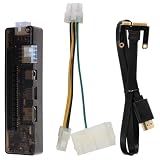
Our Top Picks
 Khadas Mind Graphics 2 eGPU External Graphics CardRTX 5060 Ti丨16GB GDDR77.83 x 5.24 x 0.1 Inches6.6 PoundsCheck on Amazon
 Khadas Mind Graphics Card RTX 4060 Ti DesktopRTX 4060 Ti丨16GB GDDR67.83 x 5.24 x 0.1 Inches6 poundsCheck on Amazon
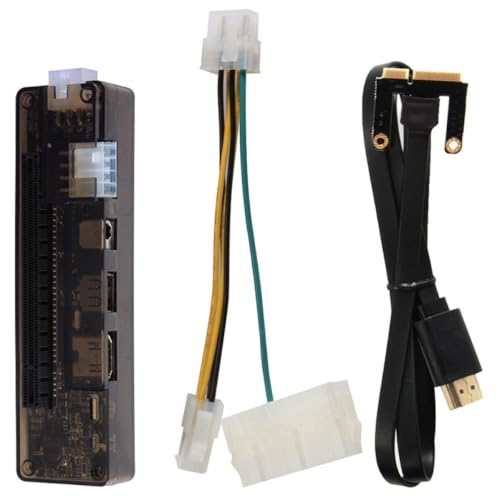 Yardenfun External Graphics Card Dock for Laptop -E13.8X3.8cm5.43 x 1.5 x 0.1 Inches0.33 PoundsCheck on Amazon
Top 3 picks at a glance
How Laptop GPU Tiers Actually Map to Gaming Workloads
Laptop GPUs are not scaled-down desktop cards. They share architectures but are capped by power (TGP), cooling, and VRAM, which creates distinct performance tiers. Understanding tiers by workload is more useful than comparing model numbers alone.
Tier 1: 1080p High-Refresh Entry (RTX 4050 Laptop, RTX 4060 Laptop, RTX 5060 Laptop, Radeon RX 7600M XT)
This class is built for 1080p 144Hz displays. Expect 60-100 fps at ultra settings in competitive shooters like Valorant, Apex Legends, and Fortnite, and 55-75 fps at high settings in demanding single-player games like Cyberpunk 2077 or Alan Wake 2 without heavy ray tracing. The sweet spot is high settings with DLSS Balanced or FSR Quality enabled. These GPUs usually come with 8GB GDDR6 and a TGP of 45W to 115W.
Tier 2: 1440p Balanced (RTX 4070 Laptop, RTX 5070 Laptop, Radeon RX 7700S / 7800M)
This is the most common tier for 2026 mid-range gaming laptops with 2560×1440 165Hz or 240Hz screens. These GPUs handle 1440p at high to ultra settings at 70-110 fps with upscaling, and can push ray tracing to medium when paired with DLSS 3 or FSR 3 frame generation. They typically have 8GB to 12GB VRAM and a TGP of 80W to 140W. They are the minimum recommendation if you play at 1440p native and want to keep texture quality on ultra for the next 2-3 years.
Tier 3: Enthusiast 1440p / 4K (RTX 4080 Laptop, RTX 5080 Laptop, Radeon RX 7900M)
Designed for 2560×1600 240Hz and 3840×2400 120Hz laptop displays or for driving an external 4K monitor. These GPUs deliver 90-130 fps at 1440p ultra with ray tracing and 60-80 fps at 4K high with DLSS Performance mode. They ship with 12GB to 16GB VRAM and require 95W to 175W TGP with robust cooling, usually in 17-18 inch chassis. RTX 5080 Laptop and RTX 4090 Laptop sit at the top of this tier and are the only laptop GPUs that can run path-traced titles at 1440p without dropping below 60 fps.
VRAM: How Much You Actually Need by Resolution
VRAM is the hard limit on texture quality, not just average fps. When VRAM is exceeded, you get stuttering and sharp 1% low drops even if average fps looks fine. In 2026, game asset sizes have grown significantly.
- 1080p High/Ultra: 6GB is workable, 8GB is comfortable. Most 1080p titles use 5.5-7.5GB with ultra textures.
- 1440p High/Ultra: 8GB is the minimum, 12GB is ideal. Modern AAA games at 1440p ultra with high-res texture packs use 8-10.5GB.
- 4K or 1440p with Ultra Ray Tracing: 12GB minimum, 16GB recommended. Path tracing plus ultra textures can push 11-14GB.
If you plan to keep your laptop for 3+ years, do not buy an 8GB card for a 1440p display if you play AAA open-world games. An RTX 4070 Laptop with 8GB will age faster than an RTX 5070 Laptop with 12GB, even if their raw performance today is similar, because the extra VRAM prevents texture downscaling in 2027-2028 titles.
Wattage Limits Matter More Than the GPU Name
The same GPU name can perform 25-35% differently depending on its TGP configuration. A low-wattage RTX 4070 Laptop at 60W will often be slower than a high-wattage RTX 4060 Laptop at 115W. Manufacturers are required to list TGP, but it is often buried in spec sheets.
Worked calculation: Total system power budget and real performance:
A thin-and-light 14-inch chassis typically has a combined CPU+GPU thermal budget of 120W to 150W. If the CPU uses 35W sustained during gaming, that leaves 85W to 115W for the GPU. A thicker 16-inch chassis with a 230W or 280W power brick can sustain 45W for the CPU and 130W to 175W for the GPU simultaneously. That 40-60W difference translates to roughly 20-30% higher clocks and frame rates. This is why an RTX 4070 Laptop at 115W in a 16-inch laptop will consistently beat the same chip at 85W in a 14-inch model, even with identical RAM and CPU.
When comparing models, check three numbers: 1) Base TGP, 2) Dynamic Boost wattage, and 3) Power brick wattage. If the brick is only 180W for an i7 + RTX 4070 system, the GPU will be power-limited. A 230W+ brick is a good sign the laptop can actually sustain its advertised TGP.
Matching Your GPU to Your Display Resolution and Refresh Rate
Your display determines the pixel throughput your GPU must deliver. Buying a GPU that is too weak for your screen wastes the screen, and buying one too powerful for 1080p wastes money.
Worked calculation: Pixel bandwidth needed:
Pixel throughput per second = horizontal pixels x vertical pixels x refresh rate. For a 2560 x 1600 240Hz display: 2560 x 1600 x 240 = 983,040,000 pixels per second, or about 983 million pixels. For a 1920 x 1080 144Hz display: 1920 x 1080 x 144 = 298,598,400 pixels per second. The 1440p 240Hz screen requires roughly 3.3x the raw pixel fill rate. Even with upscaling like DLSS, you need a Tier 2 or Tier 3 GPU to actually saturate that 240Hz panel in modern games. For 1080p 144Hz, a Tier 1 GPU is sufficient.
| GPU Class | Typical TGP Range | VRAM | Best Paired Display | Realistic FPS Target (AAA High, with Upscaling) |
|---|---|---|---|---|
| RTX 4050 Laptop / RX 7600M XT | 45W – 100W | 6GB – 8GB | 1080p 144Hz | 65-85 fps at 1080p |
| RTX 4060 Laptop / RTX 5060 Laptop | 55W – 115W | 8GB | 1080p 165Hz / 1440p 60Hz | 60-75 fps at 1440p |
| RTX 4070 Laptop / RTX 5070 Laptop | 80W – 140W | 8GB / 12GB | 1440p 165Hz – 240Hz | 75-105 fps at 1440p |
| RTX 4080 Laptop / RTX 5080 Laptop | 95W – 175W | 12GB | 1440p 240Hz / 4K 120Hz | 95-125 fps at 1440p, 60-75 fps at 4K |
| RTX 4090 Laptop / RTX 5090 Laptop | 120W – 175W | 16GB / 24GB | 4K 144Hz+ (external) or 1600p 240Hz | 110-140 fps at 1440p, 75-90 fps at 4K |
Decision Matrix: Which Laptop GPU Should You Buy?
Use your primary use case and laptop size to choose, not just the highest number you can afford.
| Your Situation | Recommended GPU Class | Why |
|---|---|---|
| 14-inch thin-and-light, prioritize battery and portability, play esports + some AAA at 1080p | RTX 4060 Laptop 85W or RTX 5060 Laptop | Best performance per watt, stays within 150W system budget, 8GB is enough for 1080p. |
| 15-16 inch, 1440p 165Hz display, want to keep laptop 3-4 years | RTX 4070 Laptop 115W+ or RTX 5070 Laptop 12GB | 12GB variant future-proofs textures, wattage allows 80+ fps at 1440p without max fan noise. |
| Creator + gamer, video editing, 4K external monitor, play ray-traced AAA titles | RTX 4080 Laptop / RTX 5080 Laptop | 12GB+ VRAM and higher memory bus handle 4K and creative workloads, AV1 encode and CUDA benefit. |
| Maximum performance, 18-inch desktop replacement | RTX 4090 Laptop / RTX 5090 Laptop | Only tier that sustains 4K 60+ fps at high settings with ray tracing on. |
| Tight budget, mostly 1080p, upgrade again in 2 years | RTX 4050 Laptop or Radeon RX 7600M XT | Lowest cost entry to DLSS/FSR frame generation, acceptable 1080p ultra, easy to resell. |
Concrete Settings for Getting the Most From Your Laptop GPU
Rather than running everything on ultra, these settings give you 15-30% more fps with minimal visual loss on laptop screens.
- Texture Quality: Set to High if you have 8GB VRAM at 1440p, Ultra only if you have 12GB+. This single setting decides VRAM stutter.
- Upscaling: Use DLSS Quality at 1080p and DLSS Balanced at 1440p. For AMD cards, use FSR 2/3 Quality. Avoid Performance mode at 1080p as it softens the image noticeably on smaller screens.
- Ray Tracing: On Tier 1 GPUs, turn ray tracing off. On Tier 2, use Medium ray tracing + DLSS. On Tier 3, you can use High or Ultra ray tracing.
- Frame Generation: Enable DLSS Frame Generation or FSR Frame Generation only if your base fps is already above 45 fps. Below that, it increases input lag without helping responsiveness.
- Power Profile: Set Windows to Best Performance and use the manufacturer’s Hybrid/Performance mode when plugged in. For battery gaming, cap to 60 fps and use iGPU-only or NVIDIA Optimus/Advanced Optimus to extend runtime by 40-60%.
- Fan Curve and MUX Switch: If your laptop has a MUX switch or Advanced Optimus, enable Discrete GPU mode for 5-10% more fps. Keep bottom vents unobstructed; a 5-degree CPU/GPU temperature drop from a simple laptop stand can prevent thermal throttling that costs 10 fps.
Upgrade Value: When to Choose a Higher Tier or Wait
Laptop GPUs are soldered and not upgradeable, so upgrade value means resale and longevity. Laptops with RTX 4060 Laptop and RTX 4070 Laptop GPUs usually fall in the $900 to $1400 range for the complete system, while RTX 4080/5080 systems are usually $1800 to $2800. The price jump to the top tier is steep for a 20-30% fps gain over the tier below.
Good value logic: If you play at 1080p, the value ceiling is the RTX 4060 Laptop or RTX 5060 Laptop. Paying more yields diminishing returns you will not see on a 1080p panel. If you play at 1440p, the extra cost for a 12GB RTX 5070 Laptop over an 8GB RTX 4070 Laptop is justified for longevity, even if launch fps is similar. If you already own an RTX 3060 Laptop or RTX 3070 Laptop and play at 1080p, waiting for RTX 5060/5070 Laptop refresh models offers a better generational uplift than buying a discounted RTX 40-series at close to the same price.
For future-proofing, prioritize in this order: 1) Sufficient VRAM for your resolution, 2) High TGP within your chassis size, 3) Newer architecture for better DLSS/FSR support. A well-cooled 115W RTX 4070 will outlast a thermally constrained 85W RTX 4070 by a year or more in playable settings.
FAQ
Is an RTX 4060 Laptop enough for 1440p in 2026?
Yes for 60-75 fps at high settings with DLSS Balanced, but you will need to lower texture quality to high and avoid ultra ray tracing due to the 8GB VRAM limit. For 1440p 144Hz+ in AAA games, an RTX 4070 Laptop or RTX 5070 Laptop is a safer long-term choice.
Does wattage really affect battery life?
Yes. A 140W GPU will drain a 80Wh battery in under 35 minutes under load. Battery gaming should use the integrated GPU or cap frame rate to 60 fps and lower TGP via Whisper Mode or Eco Mode, which can extend battery runtime to 90-120 minutes for light games.
Should I choose AMD or NVIDIA for a laptop in 2026?
Choose NVIDIA if you want DLSS 3.5, better ray tracing performance, and broader creator app support. Choose AMD Radeon RX 7600M XT or RX 7900M if you find a better price-to-performance ratio or prefer slightly lower power draw in thin designs. Both support FSR, but DLSS remains more widely implemented.
Can I upgrade the GPU in my gaming laptop later?
No, almost all 2024-2026 gaming laptops have soldered GPUs. The only upgrade paths are external GPU enclosures via USB4 or Thunderbolt 4/5, which add cost and lose 10-20% performance due to bandwidth limits, or replacing the entire laptop.

