Modern game libraries outgrow internal storage fast. A handful of big releases can fill the internal drive of a Steam Deck, ROG Ally, or Nintendo Switch, and deleting and redownloading games gets old quickly. A microSD card is the simplest upgrade any of these handhelds accepts: slide it in, format it, and your library space grows without opening the device or moving to a larger internal drive.
The catch is that not every card performs the same once games live on it. Cards carry a stack of ratings for sequential speed, video recording, and app performance, and only some of those numbers matter for loading games. The five cards in this guide are established models from Samsung, SanDisk, and Lexar, in 512GB and 1TB sizes, chosen because their ratings line up with what a gaming handheld actually needs.
As an Amazon Associate, we earn from qualifying purchases.
Top 3 picks at a glance


What to look for in a microSD card for a gaming handheld
The rating that matters most for games is the Application Performance Class, printed as A1 or A2. Games load thousands of small files, so random read and write speed matters more than the headline sequential number on the front of the pack. A2 cards guarantee higher random performance than A1 cards, and in practice they install, patch, and load games more smoothly. Every serious pick for a Steam Deck or Ally should carry an A2 rating, with A1 reserved for budget storage of smaller titles.
Sequential read speed, the big number in megabytes per second, still counts for large file transfers and initial game installs. Be aware that the handheld itself sets the ceiling: the Steam Deck and the Switch both use UHS-I card readers, so real-world transfers top out around the 100MB/s mark no matter how fast the card is on paper. A card rated well above that is not wasted, since it keeps the reader fed at its limit and transfers faster in a PC card reader, but there is no benefit to paying for UHS-II speed for a UHS-I slot.
Capacity is a simple calculation based on your library. At 512GB, a card holds a healthy rotation of large games alongside smaller indie titles, and it is the size most players settle on. A 1TB card suits collectors who want the whole library installed at once and anyone who also stores a large emulation collection. Smaller 256GB cards work for Switch owners with mostly first-party games, which tend to be compact.
The remaining letters are easy to decode. U3 and V30 both guarantee a minimum sustained write speed that is more than fast enough for game installs and 4K video. Class 10 is the older baseline almost every card meets. Finally, buy from reputable sellers and check the card with a capacity test when it arrives, because counterfeit microSD cards are common and a fake card fails exactly when your library depends on it.
1. Samsung EVO Select 512GB microSDXC
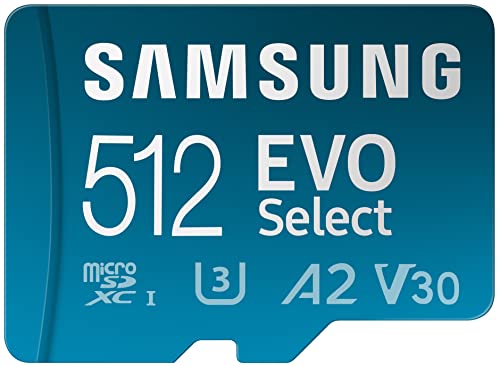
The EVO Select has been the default recommendation for handheld storage for years, and this 512GB version shows why. It carries the full set of ratings a gaming handheld wants: UHS-I with U3, V30 for sustained writes, and the A2 application rating that keeps game loading and patching responsive. Samsung rates it for read speeds up to 130MB/s, comfortably above what a UHS-I reader in a Steam Deck or Switch can use.
Samsung manufactures its own flash memory, and the EVO line has a strong record for consistent real-world performance rather than just peak benchmark numbers. The card is rated to resist water, temperature extremes, X-rays, magnets, drops, and wear, and Samsung backs it with a 10-year limited warranty.
For most Steam Deck and Switch owners, this is the balanced pick: proven A2 performance, a full 512GB of space, and a long warranty, in the card that has quietly become the category standard.
Specs
| Detail | Value |
|---|---|
| Capacity | 512GB microSDXC |
| Ratings | UHS-I, U3, V30, A2, Class 10 |
| Read speed | Up to 130 MB/s |
| In the box | Card and full-size SD adapter |
| Warranty | 10-year limited warranty |
| Model number | MB-ME512KA/AM |
2. SanDisk 512GB Extreme microSDXC
The SanDisk Extreme is the performance pick in the SanDisk range, aimed at users who move big files often. It is rated for read speeds up to 190MB/s and write speeds up to 130MB/s in a fast UHS-I reader, and it holds the same A2, U3, and V30 ratings that matter inside a handheld. In a Steam Deck the reader is the limit, but the Extreme’s strong sustained writes make game installs and large updates finish as quickly as the hardware allows.
SanDisk includes access to its RescuePRO Deluxe recovery software for restoring accidentally deleted files, and the card is built to shrug off water, shock, temperature swings, and X-rays. The Extreme line is a favorite in action cameras and drones for its sustained write consistency, and that same trait suits a card that will spend its life installing and patching large games.
Choose the Extreme over the Ultra below if you regularly copy games from a PC, record gameplay to the card, or simply want the fastest UHS-I card SanDisk sells in this size. It is the strongest all-round performer in this guide.
Specs
| Detail | Value |
|---|---|
| Capacity | 512GB microSDXC |
| Ratings | UHS-I, U3, V30, A2, Class 10 |
| Read speed | Up to 190 MB/s |
| Write speed | Up to 130 MB/s |
| Extras | SD adapter and RescuePRO Deluxe recovery software offer |
| Model number | SDSQXAV-512G-GN6MA |
3. SanDisk 512GB Ultra microSDXC
The Ultra is SanDisk’s mainstream card, and its specification sheet tells you exactly where it sits: read speeds up to 150MB/s, but an A1 application rating and a U1 speed class instead of the A2 and U3 ratings of the cards above it. That combination makes it a storage card rather than a performance card.
In practice, that still works for a lot of handheld owners. Games stored on an Ultra load fine, especially smaller titles, indie games, and emulation libraries where file sizes are modest. Where you feel the difference is in big open-world installs, long patch downloads writing to the card, and heavy games that stream assets constantly.
If the card’s job is to hold a large back catalog that you dip into rather than your most demanding current games, the Ultra’s 512GB at the mainstream end of the range makes sense. Demanding Steam Deck players should step up to an A2 card from this list instead.
Specs
| Detail | Value |
|---|---|
| Capacity | 512GB microSDXC |
| Ratings | UHS-I, U1, A1, Class 10 |
| Read speed | Up to 150 MB/s |
| Best for | Back catalog, indie and emulation libraries |
| In the box | Card and full-size SD adapter |
| Model number | SDSQUAC-512G-GN6MA |
4. Samsung PRO Plus 512GB microSDXC
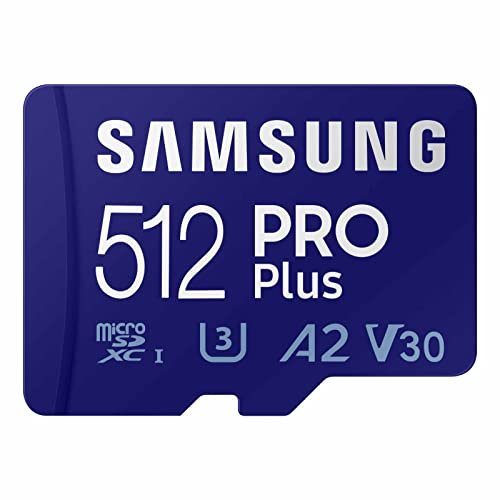
The PRO Plus is Samsung’s flagship UHS-I card, and it posts the strongest balanced numbers here: read speeds up to 180MB/s and write speeds up to 130MB/s, with the A2, U3, and V30 ratings a gaming handheld needs. Paired with a fast USB reader, it is the quickest way in this guide to move a large library from a PC onto a card, and inside a Steam Deck it keeps the UHS-I reader working at its ceiling with headroom to spare.
Like the EVO Select, it is built on Samsung’s own flash, carries the company’s multi-proof protection against water, temperature, X-rays, magnets, drops, and wear, and is covered by a 10-year limited warranty. An SD adapter is included for use in full-size slots and card readers.
This is the card for players who split time between handhelds and a desktop, shuttle games back and forth, or simply want the fastest UHS-I option from a first-party flash maker.
Specs
| Detail | Value |
|---|---|
| Capacity | 512GB microSDXC |
| Ratings | UHS-I, U3, V30, A2, Class 10 |
| Read speed | Up to 180 MB/s |
| Write speed | Up to 130 MB/s |
| Warranty | 10-year limited warranty |
| Model number | MB-MD512SA/AM |
5. Lexar 1TB PLAY microSDXC
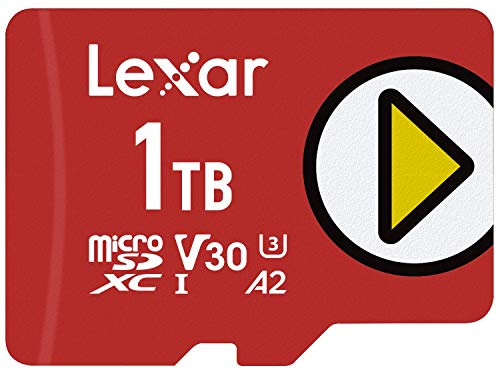
The PLAY is the capacity pick, and the only 1TB card in this guide. Lexar designed the PLAY line specifically for portable gaming devices, naming the Nintendo Switch and handheld gaming PCs as its targets, and it carries the right ratings for the job: A2 application performance, U3, and V30, with read speeds up to 150MB/s. A terabyte swallows a full Steam library rotation, a large Switch collection, and an emulation archive at the same time, with room left over.
That space changes how you use a handheld. Instead of curating a small installed list and redownloading the rest, the whole library travels with you. The PLAY card is also rated for the usual shocks of portable life, and Lexar supports the line with its recovery tool for restoring lost files.
A 1TB card only makes sense if you will actually fill it, and the A2 rating means filling it does not come with the sluggish loading of a budget big card. For library hoarders and dual-handheld households, this is the one-card answer.
Specs
| Detail | Value |
|---|---|
| Capacity | 1TB microSDXC |
| Ratings | UHS-I, U3, V30, A2, Class 10 |
| Read speed | Up to 150 MB/s |
| Designed for | Nintendo Switch and portable gaming devices |
| Use case | Full game libraries and emulation collections |
| Model number | LMSPLAY001T-BNNNU |
FAQ
Does a faster microSD card make Steam Deck games load faster?
Up to a point. The Steam Deck’s card reader is UHS-I, which caps transfers at roughly 100MB/s in real use, so any quality A2 card gets you most of what the hardware can do. The A2 rating matters more than the headline read speed, because its stronger random performance helps with the small-file work that game loading and patching involve.
Can I move one microSD card between a Steam Deck and a Switch?
Not without reformatting. The Steam Deck formats cards to a Linux file system and the Switch uses its own format, and each device will want to erase the card before using it. Pick a card per device, or move games through a PC rather than swapping the card itself.
How much microSD storage do I actually need for a handheld?
A 512GB card is the sweet spot for most players, holding a solid rotation of large games plus smaller titles. If you keep a big library installed, play several large games in parallel, or store an emulation collection as well, 1TB removes the need to manage space at all. Switch owners with mostly first-party games can get by with less, since those titles are relatively small.
Is UHS-II worth it for the ROG Ally or other handhelds?
Only if the device has a UHS-II reader and you regularly move large files, because UHS-II cards cost more and UHS-I handhelds cannot use the extra speed at all. For gaming inside the device, a good UHS-I A2 card like the ones in this guide delivers the loading performance that matters, and UHS-II makes its case mainly for fast transfers in a PC reader.
Final verdict
For most handheld owners, the Samsung EVO Select 512GB is the easy recommendation, with the SanDisk Extreme as the pick for faster installs and file moves. The Samsung PRO Plus suits players who shuttle games between PC and handheld, the SanDisk Ultra covers back-catalog storage duties, and the Lexar PLAY 1TB is the answer when the goal is to carry the entire library at once.
Product and ASIN Reference
| Product | ASIN |
|---|---|
| Samsung EVO Select 512GB microSDXC | B09B1HMJ9Z |
| SanDisk 512GB Extreme microSDXC | B09X7C2GBC |
| SanDisk 512GB Ultra microSDXC | B0B7NVXLLM |
| Samsung PRO Plus 512GB microSDXC | B0C1PRYPYX |
| Lexar 1TB PLAY microSDXC | B08T8LL7G8 |
Related guides
More from Amazon
Programs that pair well with the guide above. Offers and eligibility are set by Amazon and may change.
Free shipping on eligible items, Prime Video and more. Eligible new members can start with a free trial.
Start a Prime free trialAd-free music streaming. Eligible new subscribers can start with a free trial.
Try Music Unlimited freeA Prime membership for ages 18-24 with a trial period. Eligibility is set by Amazon.
See Prime for Young AdultsAudiobooks and podcasts to listen to on the go. Eligible new members can start with a free trial.
Try Audible freeAs an Amazon Associate we earn from qualifying purchases.