
Choosing between a claw grip and palm grip gaming mouse is less about copying a competitive player’s setup and more about matching the mouse to the way your hands, desk, and household actually work. The real decision is whether you want a compact, nimble shape that supports quick finger-and-wrist movements or a fuller mouse that lets your whole hand rest comfortably through long work, study, and gaming sessions.
For a home setup, the answer can affect more than aim. A mouse that feels too narrow may cause fatigue after a night of gaming or a day of remote work. One that is too large can make a small apartment desk feel crowded. Wireless models also introduce practical considerations: charging habits, battery replacements, and the odds of a mouse being borrowed by kids or knocked behind a desk by a pet.
As an Amazon Associate we earn from qualifying purchases at no extra cost to you. Product prices and availability are accurate as of the date shown and are subject to change.



Grip style is not a product category by itself; it is the way your hand holds a mouse. Claw grip users arch their fingers and keep part of the palm lightly touching or hovering above the rear of the mouse. Palm grip users rest most of the hand across the mouse body. Many people use a blend of both, but knowing the differences makes shopping much easier in 2026.
Top 3 picks at a glance
Quick Verdict
Choose a claw grip gaming mouse if you prefer quick, precise movement, have small-to-medium hands, play fast shooters or strategy games, or work with limited desk depth. Look for a shorter body, a raised rear hump, responsive buttons, and a weight around 55 to 85 grams.
Choose a palm grip gaming mouse if comfort is your first priority, your hand is medium-to-large, or the mouse will also be used for schoolwork, office tasks, creative work, and casual gaming. A longer, fuller ergonomic body in the 80- to 110-gram range is often easier on the hand during extended sessions.
Neither grip is inherently better. The best choice is the one that keeps your wrist neutral, lets your fingers reach the buttons without stretching, and fits the space and shared-use needs of your home.
Side by Side
| Buying Factor | Claw Grip Gaming Mouse | Palm Grip Gaming Mouse |
|---|---|---|
| Comfort | Excellent for short, active sessions; can fatigue fingers or forearm during long general-computing days. | Best for relaxed, extended use because more of the palm is supported. |
| Typical shape | Shorter body, prominent rear hump, tapered sides, usually about 4.5 to 4.9 inches long. | Longer and wider body with broad palm support, commonly about 4.7 to 5.2 inches long. |
| Typical weight | Often 55 to 85 grams for quick lifting and repositioning. | Often 80 to 110 grams, though lightweight ergonomic options also exist. |
| Durability | Depends on switch and wheel quality; frequent clicking and lifting can show wear on feet over time. | Also depends on build quality; larger shells can feel sturdier, but size alone does not guarantee longevity. |
| Price range | About $25 to $150, with many capable wired and wireless options from $40 to $90. | About $30 to $160, with premium ergonomic wireless models commonly above $80. |
| Maintenance | Clean button gaps and side grips regularly; replace worn glide feet if movement becomes scratchy. | Wipe the larger contact area often, especially if the mouse is shared or used near meals. |
| Space needed | Works well with a compact 10-by-8-inch mouse pad, though low sensitivity gaming benefits from more room. | Benefits from a stable 12-by-10-inch or larger pad because the hand rests more heavily on the mouse. |
| Look | Usually sleek, compact, and performance-focused; easy to tuck into a desk drawer. | Often fuller and more traditional in appearance, especially in right-handed ergonomic designs. |
| Resale | Popular lightweight models can retain interest, but heavily worn grips and missing accessories reduce value. | Recognizable wireless ergonomic models tend to be easier to resell if clean and fully functional. |
| Best for | Competitive games, compact desks, fingertip-heavy control, and users who lift the mouse frequently. | All-day home-office use, larger hands, relaxed gaming, and households sharing one computer. |
Where Claw Grip Wins
Claw grip wins on agility. Because the palm does not fully settle onto the shell, the user can make fast corrections with the fingertips and wrist. This can feel especially natural in first-person shooters, real-time strategy games, and games that require rapid selection or repeated flick movements.
It is also a strong fit for constrained desk setups. In a bedroom workstation, dorm-like nook, or compact apartment office, every inch of desktop space matters. A smaller claw-oriented mouse can be easier to maneuver beside a keyboard, notebook, coffee mug, and monitor stand. If your available mouse area is only 12 to 14 inches wide, a lighter model can feel more manageable than a large, heavy ergonomic mouse.
Claw grip can suit users with smaller hands because it does not require the palm to span the whole shell. As a rough shopping guide, people with hand lengths under about 7 inches, measured from wrist crease to the tip of the middle finger, often find compact mice easier to control. Shape matters more than the number alone, however. A tall rear hump can provide useful support even on a short mouse.
For wireless examples, the Logitech G305 Lightspeed is a compact option that many buyers consider for claw or claw-fingertip use. At $29.99, it sits in the accessible end of the wireless gaming market. Its replaceable battery approach may appeal to a household that does not want another device on a charging cable, although keeping a spare AA battery in a drawer is sensible.
The tradeoff is that a claw grip can encourage tension when the mouse is too small or too low. If your knuckles remain sharply bent for hours, your fingers may feel worked over by the end of the day. A claw mouse should give your ring finger and pinky a secure place to rest rather than forcing them to drag against the mouse pad.
Where Palm Grip Gaming Mouse Wins
A palm grip gaming mouse wins where everyday comfort matters more than maximum quickness. With the palm supported across the shell, the hand can relax. This is valuable for a computer that handles mixed use: an eight-hour workday, homework, budgeting, browsing, photo sorting, then a few hours of gaming.
Palm grip designs are often the safer starting point for larger hands. A mouse around 4.9 to 5.2 inches long and 2.6 to 3 inches wide gives the hand more surface area, reducing the tendency to pinch the sides. Right-handed ergonomic models may also angle the hand slightly, which some users find more natural than a symmetrical shell.
The Logitech G703 Lightspeed, priced at $68.49, is the kind of fuller wireless gaming mouse buyers often compare when they want more palm support than a compact ambidextrous design provides. It is not necessary to buy a premium wireless model to use palm grip, but a comfortable shape is worth prioritizing over extra lighting zones or a very high sensor specification.
Palm grip also makes sense in shared family spaces. A relaxed, conventional shape is usually easier for occasional users to understand immediately. That can be useful when one desktop is used by adults, teenagers, and guests. It is similar to choosing an easy-to-hold household tool: specialized grips have a place, but universal comfort is often more useful in a busy home.
That does not mean palm grip is automatically better for every long session. A mouse that is too wide can force the thumb outward, while one that is too tall can press awkwardly into the base of the palm. Try to keep the wrist straight rather than bent up or sideways. If possible, measure your desk height and chair position as well: the top of the desk should generally allow your forearm to sit roughly level with the floor.
Cost Over 5 Years
A grip style does not determine ownership cost nearly as much as whether you choose wired, rechargeable wireless, or replaceable-battery wireless. Still, the numbers help frame the purchase.
A reliable wired claw or palm mouse typically costs $25 to $70. Over five years, add roughly $10 to $25 for a replacement cable only if the cable is detachable, plus $8 to $20 for replacement glide feet or grip tape if needed. Expected five-year spend: about $35 to $95.
A rechargeable wireless mouse commonly costs $60 to $150. Most draw only a small amount of power while charging; even frequent charging typically adds well under $2 per year to a household electric bill. A replacement charging cable or optional charging dock may add $10 to $40. Expected five-year spend: about $70 to $190, assuming the internal battery remains healthy.
A replaceable-battery wireless model may cost $30 to $80. If it uses one AA battery every four to eight months, plan on roughly 8 to 15 batteries across five years. At about $0.50 to $2 each depending on battery type and pack size, that adds approximately $4 to $30. Rechargeable AA cells can reduce ongoing waste and cost. Expected five-year spend: about $35 to $110.
For households with young children, remember that loose batteries should be stored securely. Small accessories, USB receivers, and replacement batteries are easier to lose than the mouse itself.
Which One for Your Home
Small apartment
Start with a claw-friendly or compact hybrid mouse if your desk is shallow, your mouse pad is under 12 inches deep, or your computer setup shares space with dining and living areas. A 60- to 80-gram mouse is easy to move and store. Choose palm grip instead only if your hand clearly overhangs compact mice or you spend more time working than gaming.
Family with kids and pets
A palm-friendly, durable wireless mouse is often the practical choice because it is comfortable for more users and avoids a cable that can be tugged, chewed, or swept into a vacuum path. Store the USB receiver when traveling, wipe the mouse weekly, and choose a finish without deep grooves that collect crumbs. The soft silicone material used in aids such as The Classics Writing CLAW Pencil Grip Medium 6 Pack can remind shoppers why tactile grip matters, but a gaming mouse needs an integrated shape that works for an entire hand rather than a pencil-sized barrel.
Rental
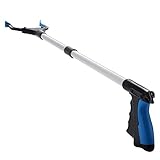
Choose based on your existing desk and avoid buying an oversized mouse pad or permanent cable-routing accessories before you know the room layout. A compact claw mouse with a wireless receiver or a flexible wired cable keeps the setup portable. If you need to retrieve a dropped receiver behind a heavy desk, a lightweight 32-inch grabber reacher tool can be more useful than shifting furniture against a rental wall.
Long-term home
Invest in the grip you can use comfortably for several hours, not the one that merely feels exciting for five minutes. A palm grip mouse is usually the better all-purpose choice for a dedicated office or game room, especially when paired with a properly sized desk and supportive chair. Dedicated competitive players may still prefer claw grip, but should budget for a large enough mouse pad—roughly 18 by 16 inches or more for lower-sensitivity play—and occasional replacement feet.
FAQ
Can I use claw grip on a palm grip mouse?
Yes. Many people use a hybrid grip. A medium-size symmetrical mouse can work for both, but a very long ergonomic shell may feel slow or awkward for a true claw grip. Your finger placement and comfort after an hour matter more than the marketing label.
Is claw grip better for gaming?
Not universally. Claw grip can make rapid adjustments feel easier, but palm grip can be just as effective for many games and is often more comfortable for long sessions. Game genre, hand size, sensitivity settings, and mouse shape all matter.
What mouse size should I choose for palm grip?
For palm grip, choose a mouse that supports most of your palm without forcing your fingers to curl tightly over the buttons. Medium hands often do well with bodies around 4.7 to 5 inches long; larger hands may prefer 5 inches or more. Width and hump position are equally important.
How do I know if my current mouse is causing discomfort?
Warning signs include persistent finger tension, a pinched thumb, numbness, wrist bending, or the urge to repeatedly shake out your hand. First adjust chair height, desk position, and mouse sensitivity. If discomfort continues, switch to a shape that better matches your natural grip and consider taking regular breaks.


