
The best Prime Day external hard drive deals are the ones that deliver low cost per terabyte without sacrificing the USB speed, portability, durability, or backup features your use case requires.
For most desktop gamers, a 4TB or 5TB portable HDD usually offers the lowest purchase cost per terabyte. For a laptop, console library, or frequent file transfers, a portable SSD can be better value despite its higher price because it is faster, quieter, lighter, and more resistant to movement. Compare the total package rather than choosing the largest discount percentage.
As an Amazon Associate we earn from qualifying purchases at no extra cost to you.


Our Top Picks
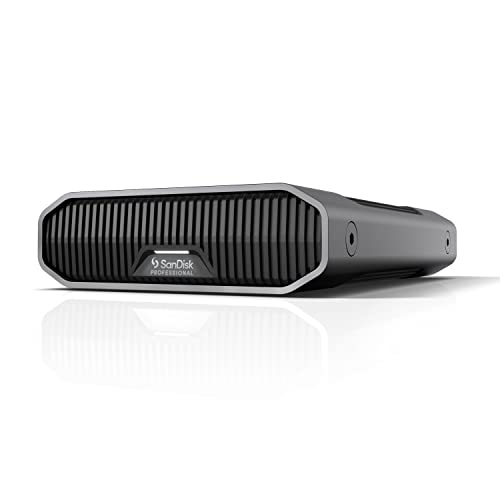 SanDisk Professional 8TB G-Drive Enterprise-Class External Desktop Hard8TB8.27 x 5.24 x 1.61 inches4.25 PoundsCheck on Amazon
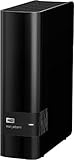
 Western Digital Easystore 14TB External USB 3.0 Hard5.5 x 1.9 x 6.7 Inches2.8 PoundsDigitalCheck on Amazon


Top 3 picks at a glance
Quick picks by use case
| Your situation | Best choice | Why |
|---|---|---|
| Large game library on a desktop | 4TB–5TB USB 3.x portable HDD | Lowest cost per terabyte; suitable for storing games and media |
| Traveling with a laptop | 1TB–2TB portable SSD | Small, silent, shock-resistant, and much faster for frequent transfers |
| Console game storage | 2TB–5TB USB HDD or SSD | HDDs maximize capacity; SSDs reduce copying and installation time |
| Important photo or work backup | Two separate drives, preferably one stored elsewhere | A single external drive is not a complete backup strategy |
| Editing large video projects | USB 10Gbps or faster SSD | HDD transfer rates can become a workflow bottleneck |
How to measure the deal: cost per terabyte
Calculate the usable value with this formula:
Cost per terabyte = drive price ÷ advertised capacity in terabytes.
For example, a 5TB portable HDD priced at $100 works out to $20 per advertised terabyte. A 2TB portable SSD at $120 costs $60 per terabyte. The SSD is three times more expensive by capacity, but that premium may be worthwhile if you regularly move large files or carry the drive in a backpack.
Remember that advertised capacity and operating-system capacity differ slightly because manufacturers use decimal units while Windows and other systems display capacity differently. Compare drives using the same convention, and do not treat a small formatting difference as a meaningful value disadvantage.
Typical deal ranges
| Drive class | Common capacities | Usual market range | Approximate cost per advertised TB |
|---|---|---|---|
| Portable HDD | 2TB | $55–$80 | $28–$40 |
| Portable HDD | 4TB–5TB | $85–$140 | $17–$35 |
| Portable SSD | 1TB | $65–$120 | $65–$120 |
| Portable SSD | 2TB | $110–$220 | $55–$110 |
| Portable SSD | 4TB | $250–$450 | $63–$113 |
These are broad sale-season ranges, not guaranteed prices. A deal is more compelling when it beats the normal range for its capacity while retaining a useful warranty and an appropriate interface.
HDD versus SSD: the performance trade-off
Portable hard disk drives such as the WD Elements Portable, Seagate Expansion Portable, and Toshiba Canvio Basics are designed primarily for capacity. They commonly use USB 3.x connections and can be adequate for game storage, photographs, videos, and scheduled backups. Their mechanical platters make them more vulnerable to drops and movement, and random access is considerably slower than on an SSD.
Portable SSDs such as the Samsung T7 Shield, Crucial X9, Crucial X10 Pro, and SanDisk Extreme Portable SSD are better for frequent transfers. Depending on the model, the computer, cable, and workload, USB 5Gbps-class SSDs may approach roughly 400–500 MB/s in sequential work, while USB 10Gbps models can reach roughly 800–1,050 MB/s under suitable conditions. USB 20Gbps models can go higher, but only when both the host port and cable support that mode.
Large sequential speed does not make every game run proportionally faster. Game loading depends on many small files, decompression, CPU work, and the game engine. An SSD generally improves responsiveness and installation or copying times, but it should not be purchased on sequential speed alone.
A simple transfer-time calculation
Moving a 100GB game at a sustained 100 MB/s requires approximately 1,000 seconds, or about 17 minutes. At 450 MB/s, the theoretical time falls to about 222 seconds, or four minutes. Real transfers take longer because of file layout, cache behavior, thermal limits, and source-drive speed. This explains why an SSD premium matters most when large transfers happen often, not merely because a specification lists a higher USB number.
Portability and durability matter more than the label
A portable HDD is usually light enough for a bag, but it contains moving parts. Avoid disconnecting it while active, and do not place it on a surface where it can be knocked over during a transfer. For a drive that will travel every day, an SSD is the safer choice because it has no spinning platters.
Among SSDs, look for an enclosure with an impact-resistant design, a stated water or dust rating, and a protected USB connector. The Samsung T7 Shield, for example, is marketed with rugged protection and an IP65 rating; still, a rating is not permission to unplug it while wet. Check the exact model because protection can vary within a product family.
For HDDs, the most useful durability feature is often a good case rather than a premium appearance. A padded case, careful ejection, and a second backup reduce risk more effectively than paying extra for a decorative enclosure.
USB speed and compatibility checks
- USB 3.0, USB 3.1 Gen 1, and USB 3.2 Gen 1: These names generally describe the 5Gbps class, with practical storage transfers below the theoretical limit.
- USB 3.2 Gen 2: The 10Gbps class, useful for many portable SSDs.
- USB 3.2 Gen 2×2: The 20Gbps class, but it requires a compatible computer port and cable; many systems fall back to 10Gbps.
- USB4 or Thunderbolt: Potentially faster, but the drive, host, cable, and enclosure must all support the same mode.
A 5TB HDD will not become a high-speed drive simply because its cable plugs into a 10Gbps port. The disk mechanism is usually the limiting factor. Conversely, a fast SSD connected through an old USB-A port may operate at a lower speed than advertised. Check the port symbol, the included cable, and whether your computer supports the advertised mode.
Warranty coverage and backup suitability
Warranty length should influence a close buying decision, but it does not replace a backup. Many basic portable HDDs carry limited warranties commonly around one to two years, while some premium SSDs offer longer coverage. Read the exact regional terms, because warranty duration, support, and data-recovery policies vary by model.
Manufacturers generally do not guarantee that a failed drive’s data can be recovered. Keep at least two copies of important files, and ideally keep one copy disconnected or stored in another location. A practical home setup is:
- Use the external drive as the local backup destination.
- Schedule automatic backups rather than relying on memory.
- Disconnect or safely eject the drive after the backup completes if ransomware or accidental deletion is a concern.
- Keep a second copy on another drive or a reputable cloud service.
- Restore a sample file every few months to confirm that the backup is usable.
For Windows File History, Windows Backup, or third-party imaging software, leave free space rather than filling the disk to 100 percent. For a game library, a single external drive may be acceptable because many games can be re-downloaded. For irreplaceable photos, documents, and creative projects, use the two-copy or three-copy approach.
Which type of Prime Day deal should you choose?
Choose a portable HDD when capacity is the priority
Buy a 4TB or 5TB HDD if you need inexpensive storage for a desktop game library, media collection, installers, or a secondary backup. Models such as WD Elements Portable, Seagate Expansion Portable, and Toshiba Canvio Basics fit this category. Favor the larger capacity when its cost per terabyte is substantially lower and the drive will stay mostly in one place.
Choose a portable SSD when time and movement are the priority
Choose a 1TB or 2TB SSD if you transfer projects regularly, work from a laptop, carry the drive between locations, or want a quiet storage device. The Samsung T7 Shield emphasizes rugged portability, while the Crucial X9 and X10 Pro cover different performance tiers. Verify the exact USB specification before paying for a faster model.
Choose a larger desktop drive for always-on storage
If you need 8TB or more, a powered desktop external HDD can offer better capacity value than several small portable drives. It requires a wall outlet and is less convenient to transport, but it is suitable for a stationary PC, media server, or large backup archive. Do not treat desktop capacity as a substitute for an off-site copy.
Bottom line
The best prime day external hard drive deals are usually 4TB–5TB portable HDDs for maximum capacity per dollar, while rugged 1TB–2TB SSDs are the better choice for laptops, travel, and frequent transfers. Before buying, calculate cost per terabyte, match the USB speed to your computer, check warranty terms, and decide whether the drive is for replaceable game data or files that require a real backup plan.


