The best gaming monitor to buy on sale in 2026 is a 27-inch 1440p OLED, with the Alienware AW2725DF (360Hz QD-OLED) and Alienware AW2726DM (240Hz QD-OLED) offering the strongest mix of speed and picture quality when their price drops. If you want an IPS panel and a lower budget, the Gigabyte M27Q gives you 1440p at a high refresh rate and a built-in KVM switch for less.
Monitor discounts are common because manufacturers cycle prices often, but the best sales rarely match the loudest “percent off” banners. Below, each pick is paired with the spec that matters and the point at which a discount makes sense. Prices are general market bands that move quickly, so verify the current listing before buying.
As an Amazon Associate we earn from qualifying purchases at no extra cost to you.


Our Top Picks
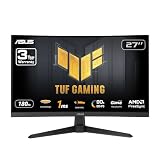
 ASUS TUF Gaming VG27AQ3A 27 Inch 1440p 180Hz14.4" x 24.2" x 2.1"24.2 x 8.4 x 17.9 inches10.1 poundsCheck on Amazon
 ASUS ROG XG27AQDMGR 27 Inch 1440p 240Hz Glossy14.5" x 23.8" x 2.5"7.4 x 23.8 x 19.7 inches14.6 poundsCheck on Amazon
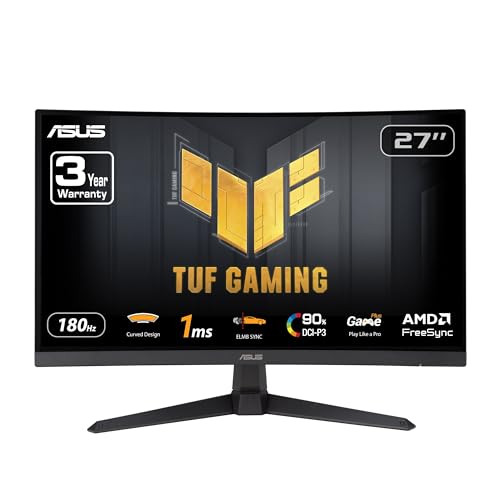 ASUS TUF Gaming VG27VQ3B 27 Inch 1080p 180Hz14.4" x 24" x 3.1"21 x 38 x 49 inches13.9 poundsCheck on Amazon

Top 3 picks at a glance
Quick comparison of the best gaming monitors to watch for sales
| Pick | Best for | Panel | Resolution / refresh | Usual market band |
|---|---|---|---|---|
| ASUS ROG Swift PG27AQDP | Fastest 1440p OLED | 27-inch WOLED | 2560×1440, 480Hz | Check price |
| Alienware AW2725DF | Best QD-OLED overall | 27-inch QD-OLED | 2560×1440, 360Hz | Check price |
| MSI MPG 271QRX | Best for connectivity | 27-inch QD-OLED | 2560×1440, 360Hz | Check price |
| Alienware AW2726DM | Best OLED value | 27-inch QD-OLED | 2560×1440, 240Hz | Check price |
| LG UltraGear 27GS95QE | Gaming and work | 27-inch OLED | 2560×1440, 240Hz | Check price |
| Gigabyte M27Q | Best IPS budget | 27-inch IPS | 2560×1440, 170Hz | Check price |
Fastest 1440p OLED: ASUS ROG Swift PG27AQDP
The PG27AQDP offers a 480Hz refresh rate at 2560×1440 on a WOLED panel, one of the fastest 1440p gaming monitors you can buy. Pixel response is near instant, motion is very clear, and image quality is superb for shooters. The price at list is high, so treat any discount as a real opportunity, but only if your graphics card can push several hundred frames per second. A card that holds 150fps in your games cannot take advantage of 480Hz.
Best QD-OLED overall: Alienware AW2725DF
The AW2725DF is a 27-inch QD-OLED running at 360Hz and 1440p, and independent reviews describe it as outstanding for PC gaming. Its matte-style coating handles room light better than a glossy OLED. The limits to know are that HDMI bandwidth is restricted, so you need DisplayPort for full speed, and you may see some VRR flicker in dark scenes when frame rates change. If it falls toward the lower end of its price band, it is the sale to chase.
Best for connectivity: MSI MPG 271QRX
MSI’s MPG 271QRX performs much like the AW2725DF and adds a KVM switch and USB-C with up to 90W power delivery, so one cable can charge and display from a laptop. It is a strong pick if your desk includes both a gaming PC and a work laptop. Compare the warranty and burn-in policy before buying, because OLED coverage varies by brand.
Best OLED value: Alienware AW2726DM
This 240Hz QHD QD-OLED skips extras such as ambient lighting and offers the core of the premium experience at a much lower price. For most players, the jump from 240Hz to 360Hz is small compared with the jump from IPS to OLED, so this is the best way to get into OLED gaming. A sale on this model is often the best use of money on this list.
Best for gaming and work: LG UltraGear 27GS95QE
LG’s 27GS95QE is a 27-inch 1440p OLED at 240Hz. Reviewers recommend it for people who also spend time on documents and browsing, thanks to sharp text and a clean design. It is a good fit if you split your day between work and play, and sales on LG’s OLED line show up regularly.
Best IPS budget: Gigabyte M27Q
The Gigabyte M27Q is a 27-inch IPS panel with a 170Hz refresh rate, 1440p resolution and a built-in KVM switch. It lacks the contrast and instant response of OLED, but it avoids burn-in concerns and costs far less. For a mixed-use desk or a first 1440p monitor, a sale price here is hard to beat.
OLED or IPS: which is worth buying on sale?
| Factor | OLED | IPS |
|---|---|---|
| Contrast | Near-infinite black levels | About 1000:1 typical |
| Response time | About 0.03 ms class | About 1 ms class (claimed), often slower in practice |
| Brightness in a full-white screen | Lower, with auto dimming | Higher, steadier |
| Burn-in risk | Low with care, not zero | None |
| Price | Higher | Much lower |
Choose OLED if you play in a dim room and want the best motion and contrast. Choose IPS if you read documents all day, keep static windows open, or are on a tight budget.
Worked check: will your PC use the refresh rate?
A monitor can only show the frames your PC makes. If your graphics card delivers an average of 140fps in a game, a 240Hz or 360Hz monitor will mostly show 140 distinct frames per second. To use 360Hz, you need roughly 300fps or more in the games you play, which usually means esports titles on a high-end card. For AAA games at ultra settings, 144Hz to 240Hz is a more realistic target, and buying a 240Hz OLED instead of 360Hz often saves hundreds of dollars.
How to judge a gaming monitor sale
- Compare to the usual band. Several monitors are listed at inflated “original” prices. Use the ranges in the table above and a price history tool.
- Read the model number. Similar names hide different panels. For example, a 27-inch Alienware with the wrong suffix can be a different refresh rate or panel type.
- Check ports. Make sure your GPU’s DisplayPort or HDMI 2.1 output matches the monitor, especially with 360Hz and above.
- Check the warranty. OLED monitors should come with a warranty that explicitly includes burn-in.
- Confirm return terms. Panel quality varies and a return window lets you check for dead pixels and uniformity.
Frequently Asked Questions
When are gaming monitors cheapest?
Black Friday, Cyber Monday and spring sale events usually give the lowest prices, with some manufacturers also discounting before new models launch. Watch listings for a few weeks to learn the real low.
Is a 1440p monitor better than 4K for gaming?
For most gaming PCs, yes. 1440p needs far less graphics power, so you can reach high refresh rates. 4K looks sharper but requires a top-end card to hold high frame rates.
Are OLED gaming monitors safe from burn-in?
Modern OLED monitors include pixel shifting and refresh cycles that reduce risk, and normal gaming use is low risk. Static content such as a taskbar for many hours daily raises the chance, so check the burn-in warranty.
Is 240Hz enough for gaming?
For nearly everyone, yes. The step from 60Hz to 144Hz is huge, 144Hz to 240Hz is noticeable, and beyond that returns shrink unless you play competitive shooters at very high frame rates.
Do I need G-Sync or FreeSync?
Adaptive sync prevents tearing and stutter when frame rates change. Most current monitors support both G-Sync Compatible and FreeSync, so you rarely need to pay extra for a specific module.
Related guides
More from Amazon
Programs that pair well with the guide above. Offers and eligibility are set by Amazon and may change.
Free shipping on eligible items, Prime Video and more. Eligible new members can start with a free trial.
Start a Prime free trialAd-free music streaming. Eligible new subscribers can start with a free trial.
Try Music Unlimited freeA Prime membership for ages 18-24 with a trial period. Eligibility is set by Amazon.
See Prime for Young AdultsAudiobooks and podcasts to listen to on the go. Eligible new members can start with a free trial.
Try Audible freeAs an Amazon Associate we earn from qualifying purchases.