The best desktop PC in 2026 depends on workload: a mid-range prebuilt gaming tower with an RTX 5070-class graphics card and 32 GB of DDR5 suits most people who game and create, a Mac mini or a compact business desktop suits quiet everyday work, and a Ryzen X3D tower is the pick when frame rates matter most. The sections below sort the field by what you actually do, then show how to size the parts so you do not overpay for performance you will never use.
As an Amazon Associate we earn from qualifying purchases at no extra cost to you.



Our Top Picks
 Dell Desktop Computer Windows 11 Pro OptiPlex 704032GB | New 1TB SSD15 x 14 x 6 inchesCheck on Amazon


Top 3 picks at a glance
Quick comparison of the desktop picks
| Pick | Best for | Key specs (as commonly listed) | Price range |
|---|---|---|---|
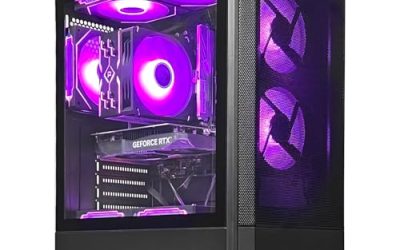
| MSI Codex Z2 | 1440p gaming all-rounder | Ryzen 7 8700F, RTX 5070, 32 GB DDR5, 2 TB SSD | Upper-mid |
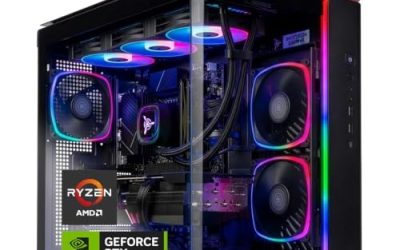
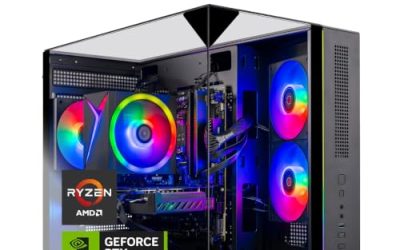
| Skytech Azure 3 | Value for money | Ryzen 7 7700X, RTX 5070, 32 GB DDR5, 850 W Gold PSU, 360 mm liquid cooler | Upper-mid |
| iBUYPOWER Y40 | Gaming plus a future GPU swap | Ryzen 7 9800X3D, RTX 5070-class card | Premium |
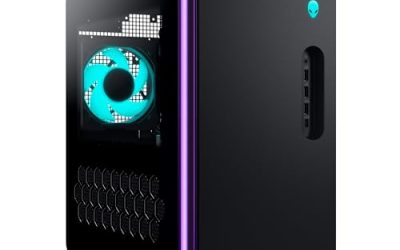
| Alienware Aurora ACT1250 | Buyers who want brand support | Core Ultra 7 265F, RTX 5070 12 GB, 32 GB DDR5, 1000 W PSU | Premium |
| Corsair Vengeance a7500 | High-end 1440p and light 4K | Ryzen 7 9800X3D, RTX 5070 Ti 16 GB | Premium |
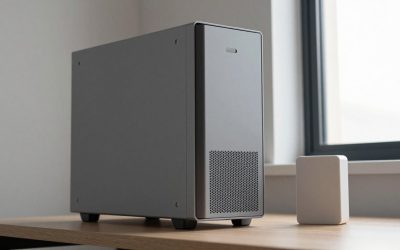
| Apple Mac mini (M4) | Quiet home and creative work | Apple M4 chip, tiny enclosure, no discrete GPU slot | Mid-range |
| Lenovo ThinkCentre neo 50q Gen 4 | Office, school, light multitasking | Compact business desktop, integrated graphics | Budget to mid |
| ASUS ROG NUC | Small-footprint gaming | Roughly 3-liter chassis with desktop-class graphics | Premium |
Configurations change often between retailers, so treat the spec column as typical listings rather than a guarantee and check the manufacturer’s current spec sheet before buying.
Best overall for gaming and everyday use: MSI Codex Z2
Several 2026 roundups place the MSI Codex Z2 at the top for 1440p play. Its Ryzen 7 8700F and RTX 5070 pairing is balanced: the processor will not hold the graphics card back at 1440p, and 32 GB of DDR5 leaves room for a browser, a launcher and a chat app running at the same time. The trade-off is that the 8700F is not an X3D chip, so esports titles at very high refresh rates will not scale as far as they do on a Ryzen 7 9800X3D.
Best value: Skytech Azure 3
The Azure 3 is regularly named the value pick because the supporting parts are better than the price implies: an 850 W Gold-rated power supply and a 360 mm liquid cooler are things people usually pay extra for. The compromise is a Ryzen 7 7700X, which is an older platform than the 9000-series, so future CPU upgrades are more limited.
Best for longevity: iBUYPOWER Y40 or Corsair Vengeance a7500
Both machines pair a Ryzen 7 9800X3D with an RTX 5070-class card. The processor matters because many people replace a graphics card after three or four years while the CPU stays; an X3D part is the one that still feels fast after a GPU swap. The Vengeance a7500, listed with an RTX 5070 Ti and 16 GB of video memory, gives extra headroom for 4K textures. Expect the highest price in this list.
Best with warranty support: Alienware Aurora ACT1250
Reviewers consistently mention Dell’s onsite service as the reason to pay Alienware’s premium. The typical ACT1250 listing has a Core Ultra 7 265F, an RTX 5070 and a 1000 W Platinum supply. One caveat from published reviews is that some configurations still use air cooling, so check the exact listing if you plan to run long sessions.
Best quiet desktop: Apple Mac mini (M4)
For writing, photo editing, light video work and web browsing, the Mac mini is small, nearly silent and power-efficient. It cannot take a graphics card and the memory and storage are fixed at purchase, so choose the configuration you need up front. It is not a gaming desktop in the PC sense.
Best for office and school: Lenovo ThinkCentre neo 50q Gen 4
Business desktops like this one use integrated graphics, which is plenty for documents, video calls, streaming and dozens of browser tabs. They are quiet, compact and easy to service, but gaming beyond older or lightweight titles is out of reach.
Best small gaming box: ASUS ROG NUC
If desk space is tight, the ROG NUC offers desktop-class graphics in a chassis of about 3 liters. The trade-off is limited upgradability and a price that is higher than a full-size tower with comparable performance.
Worked example: how big a power supply do you need?
Take the Skytech Azure 3 configuration. The RTX 5070 has a rated total board power of 250 W per the manufacturer. A Ryzen 7 7700X peaks around 140 W under heavy load. Add roughly 80 W for the motherboard, memory, SSD, fans and pump.
| Component | Approximate peak draw |
|---|---|
| RTX 5070 graphics card | 250 W |
| Ryzen 7 7700X processor | 140 W |
| Board, RAM, SSD, fans, pump | 80 W |
| Total | 470 W |
| Recommended supply (about 1.5x total) | 700 to 850 W |
That is why an 850 W unit is more than adequate and leaves headroom for a larger GPU later. Do the same sum for any desktop: add the graphics card power and CPU power, add 80 W, then multiply by 1.5 so the supply runs in its efficient middle range and handles transient spikes.
Decision matrix: match your situation to a desktop
| If you mostly… | Choose | Why |
|---|---|---|
| Browse, stream, do homework | Compact business desktop | Integrated graphics are enough; low noise and power use |
| Edit photos and video quietly | Mac mini (M4) | Efficient chip, small, silent |
| Game at 1080p or 1440p | RTX 5070 tower with 32 GB RAM | Best balance of cost and frame rate |
| Play competitive shooters at 240 Hz | Ryzen X3D tower | Cache-heavy CPUs help minimum frame rates |
| Want 4K and a long lifespan | RTX 5070 Ti or higher with 850 W+ | More video memory for high-resolution textures |
| Have almost no desk space | Small-form-factor or NUC-style PC | Fits a shelf or monitor stand |
How to choose: the numbers that matter
- Memory: 16 GB is the floor, but 32 GB DDR5 is the sensible default for gaming and multitasking in 2026.
- Storage: A 1 TB NVMe SSD fills quickly with modern games, since many individual titles exceed 100 GB. A 2 TB drive avoids early upgrades.
- Graphics: For 1080p, an RTX 5060-class card is adequate; for 1440p, RTX 5070 or better; for 4K, RTX 5070 Ti or above.
- Power supply: Look for 80 Plus Gold and an ATX 3.0 or newer design if you intend to upgrade the GPU.
- Standard parts: Prefer machines using a standard ATX or micro-ATX motherboard and power supply; proprietary parts make repairs and upgrades harder.
Frequently Asked Questions
Is a prebuilt desktop worth it compared with building one?
For many buyers, yes. Prebuilts include a warranty, assembly and support, and recent models use mostly standard parts. Building yourself can save money and give better component choices, but only if you are comfortable with assembly and troubleshooting.
How much RAM does a desktop need in 2026?
16 GB works for office use, while 32 GB is the better choice for gaming, content creation and heavy multitasking. DDR5 is standard on current platforms.
Do I need a dedicated graphics card?
Only for gaming, 3D work or GPU-accelerated video editing. Everyday computing runs well on integrated graphics, and skipping a discrete card keeps the desktop cheaper, cooler and quieter.
Which is better, Intel or AMD, in a desktop?
Both are strong. AMD’s X3D processors are widely praised for gaming, while Intel Core Ultra chips are competitive in productivity. Choose based on the specific model and price rather than the brand alone.
How long will a desktop PC last?
A well-built desktop commonly stays useful for five years or more. The graphics card tends to age first, which is why a standard power supply and case that allow a later GPU upgrade extend its life.
Related guides
More from Amazon
Programs that pair well with the guide above. Offers and eligibility are set by Amazon and may change.
Free shipping on eligible items, Prime Video and more. Eligible new members can start with a free trial.
Start a Prime free trialAd-free music streaming. Eligible new subscribers can start with a free trial.
Try Music Unlimited freeA Prime membership for ages 18-24 with a trial period. Eligibility is set by Amazon.
See Prime for Young AdultsAudiobooks and podcasts to listen to on the go. Eligible new members can start with a free trial.
Try Audible freeAs an Amazon Associate we earn from qualifying purchases.