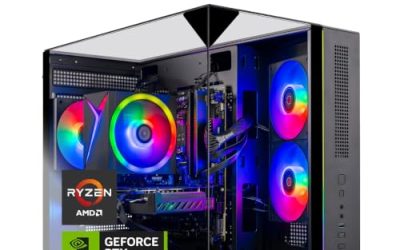
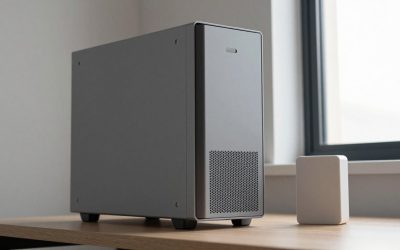
Spending under 1500 dollars on a ready-made gaming PC sounds like a generous allowance, and in one sense it is: that ceiling is high enough to rule out the worst corner-cutting. The trap is that the same cap covers very different machines. One listing puts most of the money into the graphics card, another into the processor, and a third into lighting, fans and a glass panel. A buyer who shops by the headline “RTX” label can end up with a fast card strapped to a weak platform, or a handsome case wrapped around a graphics chip that struggles with new games.
So the real decision under this keyword is where to put the weight. This guide is aimed at buyers who want to plug in a tower and play at 1080p or 1440p without assembling anything. We stay with what each listing title states: processor, graphics card, memory type and capacity, storage, power supply, cooling and wireless. Seven distinct builds from the batch are reviewed, and every judgment is drawn only from those title facts. Read the closing buyer scenarios if you want a quick answer.
Our Top Picks




Top 3 picks at a glance
Quick Picks
As an Amazon Associate we earn from qualifying purchases at no extra cost to you.




| Product | Best for | Key spec from the title |
|---|---|---|
| ZYNEEX Ryzen 5 5500 / RTX 3050 | Entry 1080p gaming with big storage | RTX 3050 6GB, 16GB DDR4 3200MHz, 1TB NVMe SSD |
| Olialia Ryzen 5 5500 / RTX 3060 Ti | Graphics-first buyers | RTX 3060 Ti, 16GB RAM, 512GB SSD, 600W power |
| LXZ Ryzen 7 8700F / RTX 5060 | Newest platform with DDR5 | Ryzen 7 8700F, RTX 5060, 16GB DDR5, 650W PSU |
| Ryzen 7 5700X / RTX 5060 prebuilt | Balanced mid-range build | Ryzen 7 5700X, RTX 5060, 16GB DDR4, 1TB SSD |
| HELLOLAND King White | Light-colored build on a tight budget | Ryzen 5 5500, RX 6500 XT 4GB, 16GB DDR4, 1TB PCIe SSD |
| HOENGAGER Panorama | Multitasking and streaming | Ryzen 7 5700X, RTX 5060, 32GB DDR4, 240mm AIO |
| LXZ Ryzen 7 4700LE / RTX 3050 8GB | Core-count value | 8 cores and 16 threads, RTX 3050 8GB, 512GB NVMe |
The 7 Best Options
ZYNEEX Ryzen 5 5500 and RTX 3050
This tower is aimed at the buyer who wants a complete system with generous storage and does not need the highest frame rates. The listing names an AMD Ryzen 5 5500, a GeForce RTX 3050 with 6GB of video memory, 16GB of DDR4 memory running at 3200MHz, a 1TB NVMe SSD, ARGB air cooling and Wi-Fi. The 1TB drive stands out against several rivals that ship with half as much space.
The graphics card is the entry point of the RTX range, which makes this a machine for esports titles and older games at 1080p, with settings lowered for newer releases. The 6GB of video memory is the number to watch, because recent games with high-resolution textures can ask for more. For a younger player or a first gaming PC, the combination of a modern platform and a large drive is easy to live with, and the air cooler avoids the pump noise of a liquid kit.
It is also the type of machine that suits a household where the PC does double duty. Homework, streaming and a weekend of multiplayer games all fit within its stated hardware. The Ryzen 5 5500 is a six-core processor, enough to keep a mid-range card fed, and the DDR4 platform means extra memory is cheap and easy to find if you outgrow 16GB. What you give up is headroom: this build is not the one to buy if you expect to run the newest releases at their highest settings.
- A 1TB NVMe SSD holds a sizable game library without early cleanups.
- 16GB of DDR4 at 3200MHz is a sensible baseline for current games.
- Air cooling is simple, quiet and has no pump to fail.
- 6GB of video memory can limit texture settings in newer titles.
- The title does not name a power supply wattage.
Skip it if you want to play demanding new releases at high settings. Compared with the Olialia that follows, you get twice the storage but a lower tier of graphics card.
Olialia Ryzen 5 5500 and RTX 3060 Ti
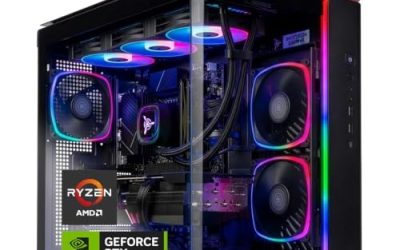
Olialia puts its weight on the graphics card. The listing shows an RTX 3060 Ti, a Ryzen 5 5500, 16GB of RAM, a 512GB SSD, RGB lighting, WiFi 6, a 600W power supply, Windows 11 and a panoramic tower. The 3060 Ti belongs to an earlier generation than the RTX 5060 machines in this list, so buyers should read up on how the two compare rather than assuming the newer number always wins.
A panoramic case shows off the parts through glass, which suits a desk where the tower sits in view. The stated 600W power supply gives some margin for the card and processor, though the title does not name the efficiency tier or the brand. The 512GB drive is the compromise: it fills up after a handful of large games, and the case probably has room for a second drive later, which is worth confirming with the seller.
The pairing of a six-core Ryzen 5 5500 with a stronger card is a common budget approach, because the graphics card does most of the work in modern games. It works best at 1080p, where the processor is less likely to hold the card back. A buyer who wants to push toward 1440p should weigh the memory capacity on the card, which the title does not state. Windows 11 is installed, so the machine is ready to use after a driver update on first boot.
- The graphics card tier is stronger than the RTX 3050 builds in this list.
- A 600W power supply is named, which is more than several listings say.
- WiFi 6 and Windows 11 are both stated.
- 512GB of storage is tight for a modern game library.
- The graphics card is from an older generation than the RTX 5060 machines.
Skip it if you want the newest graphics features or a very large drive. Next to the LXZ Ryzen 7 build, the Olialia gives up processor class and memory generation in exchange for a graphics-first design.
LXZ Ryzen 7 8700F and RTX 5060
This is the forward-looking option. The title lists a Ryzen 7 8700F, an RTX 5060, 16GB of DDR5 memory, a 1TB SSD, six RGB fans, a 650W power supply and a mix of USB ports: seven USB 2.0 and three USB 3.0. DDR5 and a newer graphics card put it ahead of the DDR4 machines for buyers who plan to keep the system several years.
The processor is an eight-core Ryzen from the 8000 series, which gives room for gaming alongside a browser, chat and background apps. The port list is unusual. Seven USB 2.0 ports are handy for peripherals like keyboards and mice but slow for external drives, so buyers who move large files should check how the three USB 3.0 ports are placed. Six fans suggest the case is built for airflow, though noise depends on fan speeds that the title does not state.
For a buyer who plans to keep a tower for four or five years, this is the platform that ages most gracefully. DDR5 memory prices and speeds keep improving, and the 650W supply means a future graphics card swap is less likely to force a second purchase. It is a good fit for someone moving up from an older machine who wants to avoid replacing the whole system again soon.
- DDR5 memory and an RTX 5060 make it the most current platform here.
- A 650W power supply leaves headroom for a later graphics upgrade.
- Ten USB ports in total cover many peripherals at once.
- Most of the USB ports are the slower 2.0 type.
- 16GB of RAM is the minimum comfortable amount, with no stated room to expand.
Skip it if you want 32GB of memory out of the box. Compared with the unbranded Ryzen 7 5700X build next, the LXZ costs more in platform terms but offers faster memory and a more modern processor family.
Ryzen 7 5700X and RTX 5060 Prebuilt
This unbranded tower lists a Ryzen 7 5700X, a GeForce RTX 5060, 16GB of DDR4 RAM, a 1TB SSD, an RGB fan with a remote control, WiFi and Bluetooth, and Windows 11. It is the most balanced entry in the list on paper. An eight-core processor and a current-generation graphics card suit 1080p gaming and also leave room for 1440p in many titles.
Because the listing does not carry a brand name, buyers should look closely at the seller’s return terms and warranty length. Remote-controlled lighting is a nice touch for people who like to change colors without installing software. The DDR4 platform is older than the DDR5 build above, but it is also well understood, and DDR4 kits are widely available if you decide to add more memory later. The title does not name a power supply, so confirm the wattage before ordering.
This is the type of listing where the specification does the selling, and the buyer has to do more homework on the seller. If the vendor offers clear photos of the inside, a named power supply and a reasonable return window, the tower can be a strong value for an upper mid-range gaming setup. If those details are missing, treat the low-key branding as a reason to hold back and compare it with the other RTX 5060 options in this list.
- An eight-core Ryzen 7 paired with an RTX 5060 is a well-matched pair.
- A 1TB SSD gives room for a real library.
- Remote-controlled lighting avoids extra software.
- No brand or power supply wattage appears in the title.
- DDR4 is an older memory generation than the LXZ build.
Skip it if brand support matters more than the specification. Against the HELLOLAND next, this tower raises the processor and graphics tiers well beyond a six-core and RX 6500 XT pairing.
HELLOLAND King White
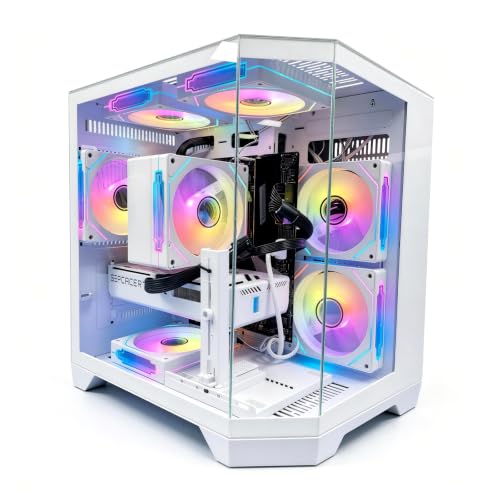
The King White is a light-colored tower for buyers who want a clean look and are happy to give up some graphics strength. The listing gives a six-core Ryzen 5 5500, a Radeon RX 6500 XT with 4GB, 16GB of DDR4 at 3200MHz, a 1TB PCIe SSD and five RGB fans with software control. The white case, the large drive and the software-driven lighting position it as a styled build.
The graphics card is the limit here. A 4GB video memory pool is small for current games, so this machine is best matched to esports titles, older releases and lower settings. For someone who mostly plays a few competitive games and also uses the PC for school or work, it can be a sensible entry. If you want to play new releases at high detail, the stronger cards in this list are a safer choice.
Where it shines is the room setup. A white case with five lit fans looks at home on a light desk, and software control means the colors can be switched off for late-night sessions. Buyers who like the look but want more power can use this listing as a yardstick for what style costs them in performance terms, then step up to a model with a newer card.
- A 1TB PCIe SSD is generous for the class of build.
- Five RGB fans with software control give plenty of lighting options.
- Six cores handle everyday tasks and lighter games.
- 4GB of video memory is the weakest graphics spec in the list.
- The title omits the power supply and wireless details.
Skip it if you want to play new games at high settings. Compared with the HOENGAGER next, it trades an eight-core processor, a stronger card and a liquid cooler for a lighter look and lower expectations.
HOENGAGER Panorama
The Panorama aims at the buyer who wants to game and do something else at the same time. The listing names a Ryzen 7 5700X, a GeForce RTX 5060, 32GB of DDR4, a 1TB NVMe SSD, a 240mm all-in-one liquid cooler and software-controlled ARGB fans. The 32GB of memory is double the amount in most builds here and suits streaming, editing and running several applications.
A 240mm liquid cooler is a larger kit than the air coolers on cheaper builds, and it can help keep a sustained load cooler, though the title does not give noise or temperature numbers. The panoramic case shows the parts off. Its mix of processor, card and memory makes it the most capable all-round entry from a stated-spec view, and also the one most likely to tempt buyers who want streaming and gaming together.
Plenty of memory also helps when the PC doubles as a workstation: a video editor, a photo library or a pile of browser tabs will not crowd out the game that is running. If you keep the system for several years, the extra memory is likely to be the part you appreciate most, because it is the kind of resource that gets used up quietly over time.
- 32GB of DDR4 supports streaming, editing and many open apps.
- A 240mm all-in-one cooler is a step above basic air coolers.
- Ryzen 7 5700X and RTX 5060 are the same capable pair as another entry.
- Liquid coolers add a pump that can fail over time.
- The title does not state the power supply wattage.
Skip it if you only game and would rather have air cooling. Next to the LXZ 4700LE build, the Panorama offers a far stronger graphics card, although the 4700LE counts eight cores and 16 threads in its own title.
LXZ Ryzen 7 4700LE and RTX 3050 8GB
The last entry leans on core count. The title lists a Ryzen 7 4700LE with 8 cores and 16 threads, a GeForce RTX 3050 with 8GB, 16GB of DDR4, a 512GB NVMe SSD and WiFi 6. The 8GB graphics memory is more than the 6GB RTX 3050 in the first entry, which helps with texture-heavy games.
An eight-core, 16-thread chip suits a buyer who also runs a browser with many tabs, game launchers and chat, while the graphics card keeps 1080p play comfortable at medium settings. The processor name is not common in retail builds, so check the seller’s description for details. The modest 512GB drive and the lack of lighting or cooler details in the title keep it in the value tier, not the showpiece tier.
The strongest argument for it is the thread count. Games that spread work over many threads, along with background tasks like recording or voice chat, run more smoothly on a chip with 16 threads than on a six-core chip with 12. A buyer who wants a bridge machine that handles everyday multitasking and medium-setting games can find it a reasonable fit.
- Eight cores and 16 threads are stated in the title.
- 8GB of video memory beats the other RTX 3050 listing.
- WiFi 6 and NVMe storage are both named.
- 512GB of storage fills up quickly.
- The processor name is unfamiliar, so details need a closer look.
Skip it if you want the newest graphics generation. Compared with the ZYNEEX at the top of the list, it has more cores and more video memory but half the storage.
Why Buy a Prebuilt Gaming PC at This Budget
A prebuilt tower makes sense for many buyers when the cap is under 1500 dollars, though the reasons differ by person.
You want a working PC today
A prebuilt arrives assembled, with the operating system installed and parts matched by the seller. That saves hours of research, cable routing and troubleshooting. For a gift, a school-year purchase or a first gaming PC, that reduction in risk is worth real money.
You care about one warranty, not many
If something fails, a single seller handles the claim instead of you working out which component to return. That matters most for first-time buyers. Check the warranty length in the full listing, because the titles here do not state it.
You want to spend the cap wisely
At this ceiling you can aim for a current graphics card, a solid processor and 1TB of storage. Several builds in this list meet that mark. The goal is to avoid paying for decoration while the weak spot, such as a small video memory pool, stays unaddressed. Prebuilt sellers know that glass, fans and lighting catch the eye in photos, so the title is worth reading for the dull parts first.
How to Choose
Graphics card first
The graphics card sets the ceiling for frame rates. For 1080p gaming, look for at least 8GB of video memory when you can, and treat 6GB and 4GB cards as budget picks that suit lighter games. Cards from the RTX 5060 tier are the newest in this list. Compare the card name against independent reviews before paying extra for a higher tier. A useful threshold: for 1080p at high settings in recent games, 8GB of video memory is the comfortable target, while 6GB works at medium settings and 4GB is best kept to esports titles. For 1440p, move up a tier and expect to lower a few settings in the heaviest games. Also check the card’s output ports against your monitor, since a high-refresh display needs DisplayPort or a good HDMI connection.
Processor and cores
Six cores is the floor for current gaming, and eight cores provide more room for streaming and background tasks. A Ryzen 7 5700X or 8700F pairs well with an RTX 5060. A six-core Ryzen 5 5500 pairs better with entry-level graphics, since a faster card would be held back by it in some games. Threads matter as well: 12 threads are enough for most players, and 16 threads help if you record, stream or run chat and capture software in the background. Do not pay extra for a processor tier that the graphics card cannot make use of.
Memory: capacity and generation
16GB is the modern baseline, and 32GB suits creators, streamers and heavy multitaskers. DDR5 offers a longer upgrade path than DDR4, but a DDR4 machine with a strong card and processor is still a good gaming PC. Listings that say 3200MHz give you a speed figure to check against the kit you might add later. Two sticks run in dual channel are faster than one large stick, so a 2x8GB or 2x16GB layout is better than a single module, though listings seldom say which they use. Ask the seller if the title is silent, and prefer builds that leave a free memory slot.
Storage
1TB of NVMe storage is a comfortable baseline, since single games often reach large sizes, and a few installs plus updates will fill 512GB quicker than expected. 512GB works if you play a few titles at a time and add a second drive. Look for NVMe or PCIe wording rather than an unspecified SSD, and confirm an open M.2 slot or drive bay for later. A PCIe 4.0 drive is a good target, while the oldest SATA SSDs are slower for loading large game files. Avoid any listing that mentions only a hard drive for the main storage.
Power supply and cooling
A 600W to 650W unit suits the cards in this list, but wattage alone does not tell you about quality. Look for a named brand and an efficiency tier in the full specs. Air coolers are quieter in design and simpler to maintain, while 240mm liquid coolers help with sustained load but add a pump. Case airflow matters as much as the cooler: at least one intake and one exhaust fan, and a front panel that is not sealed by glass, keep the graphics card from throttling.
What to ignore, and where cuts happen
Ignore fan counts and RGB descriptions as measures of performance, and ignore Windows 11 as a selling point since every serious build has it. Budget prebuilts often cut corners on the power supply, the motherboard features, the case airflow and the warranty length. Unbranded towers may also use proprietary parts that are harder to replace later. Look for an included keyboard and mouse only as a bonus, and never let a bundle of accessories outweigh a stronger card or a bigger drive.
Prebuilt vs Building Your Own under 1500 Dollars
| Factor | Prebuilt tower | Build it yourself |
|---|---|---|
| Time | Ready to plug in | Hours of research and assembly |
| Warranty | Often one seller for everything | Separate claims for each part |
| Part choice | Fixed by the listing | Every part is your call |
| Upgrade path | Depends on case and power supply | Chosen up front |
| Risk of weak parts | Power supply and board can be basic | Under your control |
When a prebuilt wins
If you want to be gaming this week and value a single point of contact, a prebuilt wins. The listings here give enough information to judge the card, processor, memory and storage. A prebuilt is also the safer route for anyone who has never opened a case. Gift buyers and parents shopping for a teenager will find the single-box convenience hard to beat, since the system arrives ready to play after a driver update.
When building is smarter
If you care about a named power supply, a specific motherboard or a quiet cooler, building lets you choose each part. It can also cost less for the same performance, because you skip the assembly margin. The downside is the time and the need to troubleshoot problems yourself.
Whichever route you take, spend the cap on the graphics card, the processor and the storage, and keep the extras modest. A buyer who is unsure can compare the listed specs here against a parts list from any popular builder site and see whether the prebuilt premium is small enough to accept for the convenience.
Setup, Compatibility and Upgrade Tips
What to check before buying
Read the full listing for the power supply brand and wattage, the motherboard model, the number of free M.2 slots and the warranty length. Confirm your monitor has an input that matches the card’s outputs. Check the return window, particularly for unbranded builds, and look for a clear statement of what is included in the box. Make sure the tower’s size fits your desk or the cabinet it will live in, and that the side panel is not blocked by a wall, because panoramic and glass cases need clear space for both looks and airflow.
What to upgrade first
Storage is the easiest early upgrade, and a second NVMe drive costs less than most other parts. After that, memory is the next step for 16GB builds, if the motherboard has free slots. Replace the graphics card last, and only after confirming the power supply can supply it and the case has room.
Common compatibility traps
Do not mix DDR4 and DDR5 expectations, because the sockets differ and the memory is not interchangeable. Do not assume the power supply has spare connectors for a larger card. Do not forget to update graphics drivers on first boot, and enable the memory profile in the BIOS so your RAM runs at its listed speed. Finally, remember that the power connector for a new card depends on the card, so check which cable it needs against the leads your supply provides.
Which One Fits Your Situation
A first gaming PC for esports titles
The ZYNEEX Ryzen 5 5500 and RTX 3050 gives a modern platform and a 1TB drive for the most modest outlay in the list. If your games are mostly competitive titles, this is all the hardware you need.
A player who wants the best mix of card and processor
The Ryzen 7 5700X and RTX 5060 prebuilt pairs an eight-core chip with a current graphics card on a 1TB drive. Confirm the power supply details with the seller first.
A streamer or editor
The HOENGAGER Panorama adds 32GB of memory and a 240mm cooler, which suits recording and running several programs.
A buyer planning to keep it for years
The LXZ Ryzen 7 8700F and RTX 5060 brings DDR5, a 650W supply and a newer processor family for a longer upgrade path. If the budget is tighter and you favor a light look, the HELLOLAND King White covers the basics.
Common Mistakes
- Choosing by the graphics card name alone and ignoring video memory.
- Overlooking a 512GB drive until the library fills it.
- Assuming every power supply is the same quality at a given wattage.
- Paying for lighting and glass while the processor is the weak link.
- Ignoring return terms on unbranded towers.
- Forgetting to enable the memory speed profile in the BIOS.
Related guides
- Gaming Chair Cushions And Lumbar Supports
- Business Laptops With Long Battery Life
- Business Laptops For Graphic Designers
Frequently Asked Questions
Is 16GB of RAM enough for gaming?
Yes, for most games and everyday use. If you stream or edit video while playing, 32GB gives more comfort.
Is an RTX 5060 worth it over an RTX 3050?
The RTX 5060 is a newer-generation card in a higher tier, which suits newer games and higher settings. The RTX 3050 builds suit lighter games and tighter budgets.
Does DDR5 matter for gaming?
It matters mainly for upgrade path and long-term value. A strong card and processor on DDR4 still make a capable gaming machine.
Is liquid cooling better than air?
Not automatically. A 240mm liquid kit can help under sustained load, while a good air cooler is quieter in design and simpler to maintain.
Can I add a second SSD later?
Most towers allow it, but check the motherboard for a free M.2 slot or a drive bay before you buy.
Which build suits 1440p?
The RTX 5060 builds are the more suitable choices of the group. Settings still matter, so expect to adjust them in demanding games.
Final Words
For 2026 shoppers staying under 1500 dollars, the strongest picks are the RTX 5060 towers, with the HOENGAGER Panorama for streamers and the LXZ 8700F for buyers who want DDR5. The RTX 3050 and RX 6500 XT machines suit lighter play and tighter budgets. Check the power supply, the warranty and the free storage slots before ordering, because those details separate a long-lived tower from a short-lived one. Treat video memory and storage size as the two numbers that decide how long the machine feels fast, and buy the largest of each that the cap allows.
Related guides
More from Amazon
Programs that pair well with the guide above. Offers and eligibility are set by Amazon and may change.
Free shipping on eligible items, Prime Video and more. Eligible new members can start with a free trial.
Start a Prime free trialAd-free music streaming. Eligible new subscribers can start with a free trial.
Try Music Unlimited freeA Prime membership for ages 18-24 with a trial period. Eligibility is set by Amazon.
See Prime for Young AdultsAudiobooks and podcasts to listen to on the go. Eligible new members can start with a free trial.
Try Audible freeAs an Amazon Associate we earn from qualifying purchases.