A 65-inch screen is the size where a living room stops feeling like a living room and starts feeling like a small theater, and the word QLED narrows the field further. Quantum-dot layers sit in front of the backlight to widen color and lift brightness, which matters most in rooms with windows or lamps that stay on during the day. If you are shopping for this exact combination, you are already past the question of whether to buy a basic LED set. The real decision is how much extra backlight hardware, gaming support, and smart platform polish you want on top of the quantum-dot panel.
This guide is built for households replacing a 50- or 55-inch set that suddenly looks small, for gamers who want a big panel that handles console features, and for anyone who streams more than they watch cable. The picks below span the Roku, Fire TV, Google TV, and Samsung ecosystems, with entry QLED sets at one end and Mini LED models at the other. Everything is judged from the specs printed in each product title, which is why you will see phrases like “the listing shows” rather than any claim about screen performance in a living room.
Our Top Picks
 Samsung QN65QN70F 65 inch Class Neo QLED 4K65 inches11 x 57.2 x 35.1 inches48.1 poundsCheck on Amazon



Top 3 picks at a glance
Quick Picks
As an Amazon Associate we earn from qualifying purchases at no extra cost to you.




| Product | Best for | Key spec taken from the title |
|---|---|---|
| Roku Select Series 65-inch | Simple streaming setup | 4K QLED with Bluetooth headphone mode |
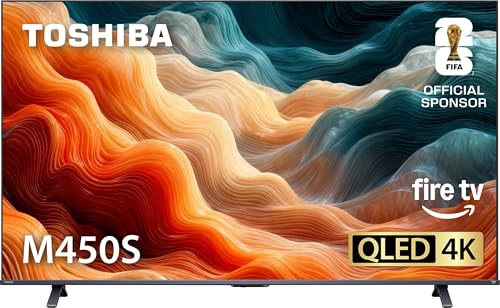
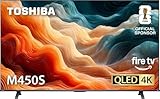
| Toshiba M450 65-inch | Alexa households | QLED 4K UHD Fire TV with Alexa voice remote |
| TCL 65T7 | Gaming on a mid-range budget | 144Hz, VRR, Game Accelerator 288, Dolby Vision |
| Samsung QN70H | Bright rooms, Samsung users | Neo QLED Mini LED with Vision AI |
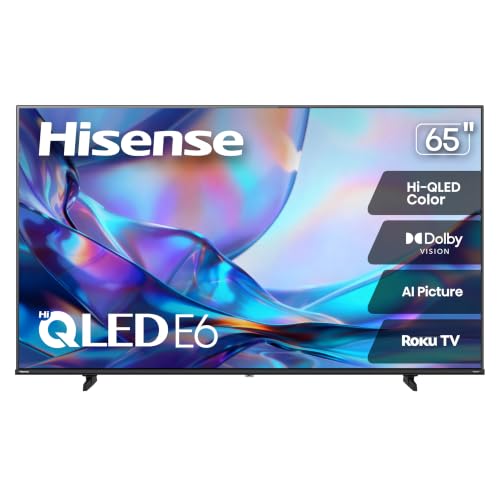
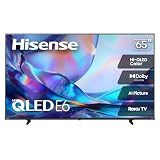
| Hisense 65E6SR | Console owners who want extras | Hi-QLED with ALLM, VRR, Game Mode Plus, AirPlay |
| Roku Plus Series 65-inch | Roku fans who want more backlight control | QLED Mini-LED with Dolby Vision |
| Samsung QN80H | Premium motion and backlight | Neo QLED Mini LED Full Array, 144Hz Motion Xcelerator |
How to Choose
Match the backlight type to your room
Standard QLED means a quantum-dot film over an LED backlight. Mini LED variants, which several picks below list, pack far more tiny lights behind the panel, and a “Full Array” label means those lights sit directly behind the screen rather than along the edge. In a dim basement, the gap between a basic QLED and a Mini LED set is easier to notice because black areas show the difference. In a sunlit living room, any QLED with decent brightness will do, so a Mini LED premium may not be worth chasing. Ignore the term “100% color volume” as a purchase driver unless you watch a lot of vivid animation or HDR content; it describes color range, not overall picture quality.
Check the refresh rate and gaming features together
A 60Hz panel is fine for television and streaming, but anyone connecting a current console or a gaming PC should look for 120Hz or 144Hz, plus VRR (variable refresh rate) and ALLM (auto low latency mode). Several titles here list 144Hz, VRR, or Game Mode Plus. Be careful with budget sets that advertise a high number but support it on only one HDMI port; the spec sheet usually names which port. A 144Hz label does not help a cable box or a streaming stick, so only pay for it if a gaming source is in the plan.
Look at HDR formats, not just the word HDR
Dolby Vision, HDR10+, and basic HDR10 are different formats. A set that lists Dolby Vision will carry more scene-by-scene detail on supported streaming apps, while HDR10+ is the format favored in Samsung-leaning ecosystems. Titles with Dolby Atmos or DTS Virtual:X refer to audio processing; they help the built-in speakers sound wider but never replace a soundbar. Budget models often accept the HDR signal but lack the brightness to display it well, so treat the HDR label as a compatibility note rather than a performance promise.
Pick the smart platform you will not fight with
The platform shapes daily life more than the panel does. Roku TV has a clean, app-grid layout and a simple remote. Fire TV leans on Alexa and tends to push Prime content. Google TV is built around recommendations and casting from Android phones. Samsung uses its own Tizen-based interface with a Vision AI layer. Check that your essential apps, such as the sports or news streaming services you subscribe to, are available. Where budget sets cut corners is usually the processor behind the interface, which affects how fast menus open, rather than the number of apps offered.
The 7 Best Options
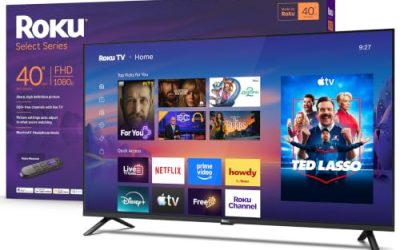
Roku Select Series 65-Inch QLED
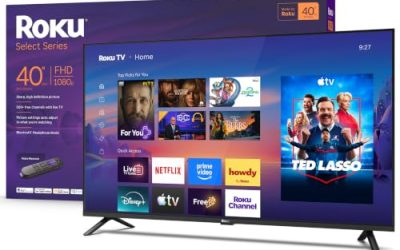
This set pairs a 4K QLED panel with the Roku operating system, and the title mentions a voice remote, Wi-Fi, and a Bluetooth headphone mode. It suits people who want a large TV that works within minutes and who want late-night listening without waking a sleeping household. The headphone feature is a practical tie-breaker for apartment dwellers.
- Strength: Roku TV software is easy to learn for every age group in the house.
- Strength: Bluetooth headphone mode makes private listening straightforward.
- Trade-off: the listing does not mention gaming features such as VRR or a high refresh rate.
Skip it if a gaming console is the main reason for the upgrade.
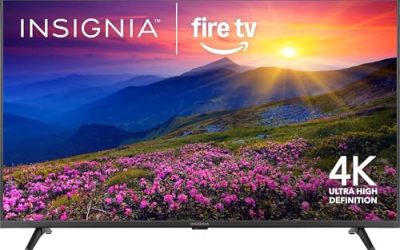
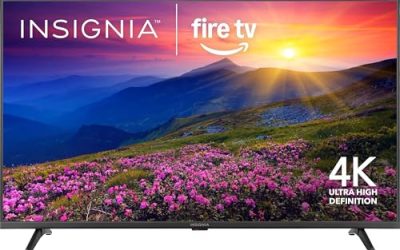
Toshiba 65-Inch M450 QLED Fire TV
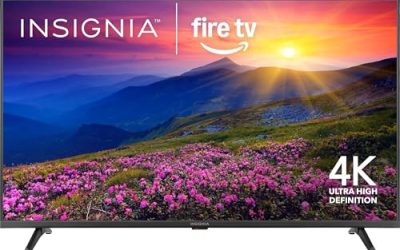
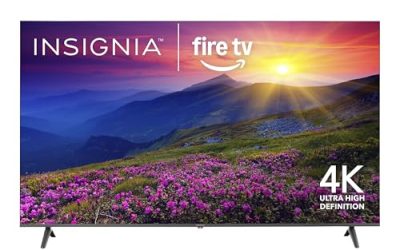
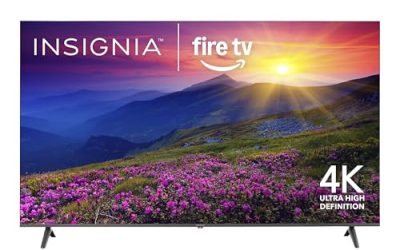
The M450 combines a QLED 4K UHD panel with Fire TV software and an Alexa voice remote, and the title promises live TV streaming without a cable subscription. It fits shoppers already living inside Alexa, with smart bulbs and speakers they want to control from the couch. It is a straightforward, no-frills pick in this size class.
- Strength: the Alexa remote handles search and smart-home commands by voice.
- Strength: Fire TV’s interface puts streaming services front and center.
- Trade-off: the title lists no premium HDR format or high refresh rate.
Skip it if you want Dolby Vision or advanced gaming support.
TCL 65T7 144Hz QLED Google TV
The T7 is the most feature-dense of the mid-range entries. The title lists 144Hz, Dolby Vision HDR and Atmos, HDR10+, a Game Accelerator 288, and VRR for sports. That combination points to a set that supports console play and fast sports motion without moving to a premium tier. Google TV adds easy casting from Android phones.
- Strength: broad HDR format coverage, including Dolby Vision and HDR10+.
- Strength: 144Hz with VRR gives gamers real headroom on a big panel.
- Trade-off: it is a standard QLED, not a Mini LED, so deep-black performance in dark rooms is limited by that design.
Skip it if you want a Mini LED backlight or a Roku interface.
Samsung 65-Inch QN70H Neo QLED Mini LED
The QN70H title lists Neo QLED with Mini LED, Samsung Vision AI, and Quantum Mini LED with 100% color volume using quantum dots. It targets buyers who want a brand-name, brighter-looking panel and are comfortable with Samsung’s interface. As a 2026 release, it sits above entry QLEDs but below the QN80H.
- Strength: Mini LED backlighting is a clear upgrade over edge-lit QLED designs.
- Strength: the quantum-dot color volume claim suits colorful HDR content.
- Trade-off: Samsung’s Tizen interface differs from Roku and Google TV, and the title shows no Dolby Vision mention.
Skip it if Dolby Vision support is on your must-have list.
Hisense 65E6SR Hi-QLED Roku TV
This Roku-powered set lists Dolby Vision, Game Mode Plus, VRR, ALLM, DTS Virtual:X audio processing, and Apple AirPlay support. That is a thorough feature list for a Hi-QLED panel, and it suits mixed households with iPhones, a console, and Roku familiarity.
- Strength: gaming support through ALLM, VRR, and Game Mode Plus.
- Strength: AirPlay lets Apple users mirror photos and video easily.
- Trade-off: the title does not state a 144Hz panel, so very high frame-rate gaming is unconfirmed.
Skip it if a Mini LED backlight matters most.
Roku Plus Series 65-Inch QLED Mini-LED
The Plus Series sits one step above the Select line, adding Mini-LED to the QLED description and listing Dolby Vision. It is aimed at Roku loyalists who want better backlight control without leaving the platform. The title also notes Wi-Fi streaming for live local news and sports.
- Strength: Mini-LED backlight plus Dolby Vision in a Roku ecosystem.
- Strength: the same easy interface found across Roku models.
- Trade-off: the title says nothing about refresh rate or gaming features.
Skip it if you need a 120Hz or 144Hz gaming panel.
Samsung 65-Inch QN80H Neo QLED Mini LED
The QN80H adds a Full Array Mini LED backlight and Motion Xcelerator at 144Hz to the Samsung Vision AI and Quantum Mini LED package. That puts it at the premium end of this list, aimed at buyers who watch sports, play games, and want the best backlight design the lineup offers.
- Strength: Full Array Mini LED backlighting, a step beyond edge-lit designs.
- Strength: 144Hz Motion Xcelerator suits fast action and gaming.
- Trade-off: as the premium option here, it costs noticeably more than the budget QLED sets.
Skip it if you only stream shows and a mid-range panel covers your needs.
Which One Fits Your Situation
You want a big TV for the lowest effort
Choose the Roku Select Series. The interface is familiar, the Bluetooth headphone mode is handy, and nothing about it requires menu tinkering. It is the easiest recommendation for a guest room or a parent’s living room.
You play a console every night
The TCL 65T7 and Hisense 65E6SR both list VRR and gaming modes. The TCL adds a 144Hz refresh rate and Game Accelerator 288, so it is the stronger pick on paper, while the Hisense is better if the household uses Apple devices and Roku.
Your room gets a lot of daylight
A Mini LED model such as the Samsung QN70H handles bright rooms with confidence because of its denser backlight. If sports and fast motion matter too, step up to the Samsung QN80H.
You live in the Roku world already
The Roku Plus Series keeps the familiar interface while adding Mini-LED and Dolby Vision. Choose it over the Select if movies in a darker room are the priority, and stay with the Select if budget leads.
Common Mistakes
- Buying on the word QLED alone without checking whether the backlight is edge-lit or Mini LED.
- Paying for a 144Hz label when the only sources are a cable box and a streaming stick.
- Assuming every HDMI port supports the high-refresh gaming modes listed in the title.
- Ignoring the smart platform and then disliking the remote and menus every day.
- Skipping a soundbar and expecting built-in speakers to match the size of a 65-inch picture.
Specs and Terms Explained
| Term | Plain meaning | What to look for |
|---|---|---|
| Quantum dot (QLED) | A color layer in front of an LED backlight; it is not a self-lit panel like OLED. | Better color volume and brightness in a lit room, with blacks depending on the backlight. |
| Neo QLED / Mini LED | A QLED panel lit by many small LEDs grouped into dimming zones. | Tighter control of bright and dark areas in the same frame. |
| Full-array local dimming | LEDs sit behind the whole screen rather than only at the edge. | Confirm the spec sheet says full-array, not edge-lit. |
| Peak brightness (nits) | How bright small highlights can get in HDR scenes. | Higher helps in sunny rooms; a published figure is better than none. |
| VRR and ALLM | Variable refresh rate matches the screen to the console; auto low-latency mode switches to game settings. | Look for both if a console is plugged in most nights. |
Sizing and Compatibility Checklist
- Allow for width: a 65-inch panel is about 57 inches across, so the cabinet or wall needs more than that for a clean fit.
- Look at the stand design. Wide outer feet suit a long media console; a center pedestal suits a narrower table.
- Count the HDMI ports and see which ones carry the advanced features. Consoles, a soundbar, and a streaming box can use all of them quickly.
- Check the audio return port label, usually marked ARC or eARC, before choosing a soundbar.
- If you already own a mount, compare its VESA pattern and weight limit with the set’s specification.
- Think about your Wi-Fi coverage. A 4K stream that travels through several walls may stutter, and a wired connection avoids the problem.
Setup and Care Tips
Begin in the Movie, Cinema, or Filmmaker picture mode, since vivid presets crush shadow detail and shift skin tones. Turn off motion smoothing for films, but try a low setting for sport if the picture looks juddery. Use a separate Game picture mode for the console, which reduces processing delay.
Keep the screen clean with a dry microfiber cloth, and use a barely damp cloth only for stubborn marks; spray cleaners can seep into the edges. Leave a few inches of airflow behind the set, and install firmware updates when the television offers them.
Who Should Skip These
Someone who watches mostly in a dark basement may prefer an OLED, which turns individual pixels fully off, though that is a different category than this guide covers. If your room has strong glare from a window directly opposite the screen, even a bright QLED will show reflections, and curtains or repositioning will help more than extra brightness.
Frequently Asked Questions
Is a 65-inch TV too big for a small living room?
A common guideline is a viewing distance of roughly 8 to 10 feet for a 65-inch 4K set. Closer than that, you may notice the screen edges; farther away, you gain a more cinematic feel.
What is the difference between QLED and Neo QLED?
QLED uses a quantum-dot layer with a conventional LED backlight. Neo QLED, as the Samsung titles describe, adds a Mini LED backlight, which uses much smaller lights for finer control over bright and dark areas.
Do I need Dolby Vision?
It helps if your streaming apps deliver Dolby Vision titles, but it is not essential. HDR10+ and standard HDR10 still look good, so choose based on the formats your favorite services use.
Which smart platform is easiest for older relatives?
Roku TV is generally the simplest, with a plain grid of apps and a short remote. Fire TV and Google TV offer more voice and recommendation features but present busier home screens.
Related guides
More from Amazon
Programs that pair well with the guide above. Offers and eligibility are set by Amazon and may change.
Free shipping on eligible items, Prime Video and more. Eligible new members can start with a free trial.
Start a Prime free trialAd-free music streaming. Eligible new subscribers can start with a free trial.
Try Music Unlimited freeA Prime membership for ages 18-24 with a trial period. Eligibility is set by Amazon.
See Prime for Young AdultsAudiobooks and podcasts to listen to on the go. Eligible new members can start with a free trial.
Try Audible freeAs an Amazon Associate we earn from qualifying purchases.