A search for a “cheap tv smart” usually comes from someone with a specific room in mind: a dorm desk, a guest bedroom, a kitchen counter, or a console corner where the main living room set is already taken. The goal is not the best picture money can buy. It is a screen that boots straight into streaming apps, has a voice remote, and does not need a separate box. The real decision is how small you can go before the screen feels cramped, and whether a few extra inches or a 4K label are worth leaving the lowest budget tier.
This guide is for buyers who want an inexpensive smart TV that is simple to set up and fine for streaming, casual gaming, and everyday viewing. All six sets below run a built-in smart platform, either Roku TV or Fire TV, so you will not need to add a streaming stick. Because the comparisons here rest on the listed specs, we stick to what each listing states: screen size, resolution class, platform, and remote features. For 2026 shoppers, that is enough to separate the choices sensibly.
Our Top Picks


Top 3 picks at a glance
Quick Picks
As an Amazon Associate we earn from qualifying purchases at no extra cost to you.


| Product | Best for | Key spec from the title |
|---|---|---|
| Roku 40-Inch Select Series | Easy Roku setup in a bedroom | 40-inch, 1080p Full HD, voice remote, Bluetooth headphone mode |
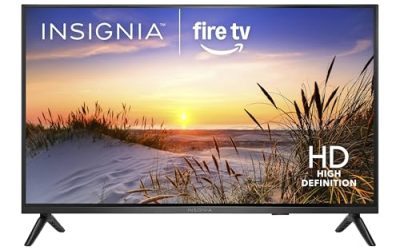
| Insignia 24-inch F20 Series | Kitchens, desks, and tiny spaces | 24-inch class, HD, Fire TV, Alexa voice remote |
| Insignia 40-inch F40 Series | Everyday Full HD viewing | 40-inch class, LED Full HD, Fire TV, Alexa voice remote |
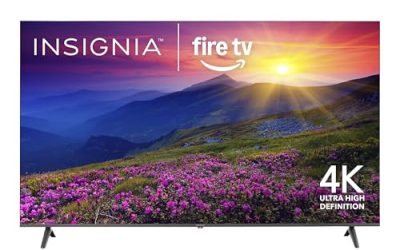
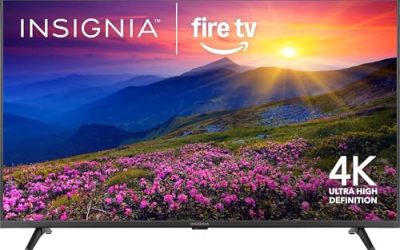
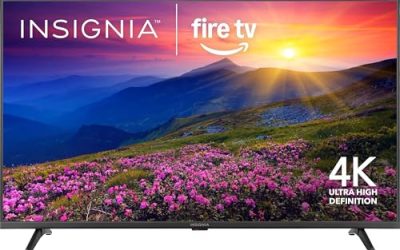
| Insignia 43-inch F50 Series | Stepping up to 4K on a budget | 43-inch class, 4K UHD, Fire TV, Alexa voice remote |
| Insignia 32-inch F40 Series | Bedrooms and dorm rooms | 32-inch class, 1080P Full HD, Direct LED, Fire TV |
| Roku 43-Inch Select Series | 4K with the Roku interface | 43-inch, 4K (2160p), HDR, voice remote, Bluetooth headphone mode |
How to Choose
Pick the size from the viewing distance
A simple rule is to sit about one and a half to two times the screen’s diagonal away for Full HD. That puts a 24-inch screen at roughly three to four feet, which suits a desk or counter, and a 32-inch model at five to six feet, which fits a small bedroom. A 40-inch or 43-inch set works from about six to eight feet. Going bigger than your seating distance allows makes a budget panel look soft, so measure the room before you decide.
Resolution: HD, Full HD, or 4K
On screens of 32 inches and below, Full HD (1080p) is the practical target and plain HD is acceptable only on very small screens viewed up close. From 40 inches up, 4K starts to pay off if you stream in high resolution, though the benefit shrinks if you sit far away. Titles that mention HDR hint at wider brightness range, but budget panels are modest, so treat HDR as a bonus rather than a reason to buy.
Platform and remote matter more than they seem
Choose the interface you would enjoy living with. Roku TV gives a simple grid of channels and a Bluetooth headphone mode for private listening, which the Roku titles here list. Fire TV models include a voice remote with Alexa and a home screen with live TV integration. Both let you search by voice, so the deciding factor is which account ecosystem and layout you already prefer. Avoid any listing that never names its smart platform.
Where budget sets cut corners
Expect modest brightness, limited viewing angles, basic built-in speakers, and a small number of HDMI ports. Gamers should note that most inexpensive sets do not advertise 120Hz or low-latency modes in their titles, so consoles will run fine but not at top speed. The corner not worth cutting is a real smart platform with ongoing app support. A TV that cannot update its streaming apps becomes a headache within a few years.
The 6 Best Options
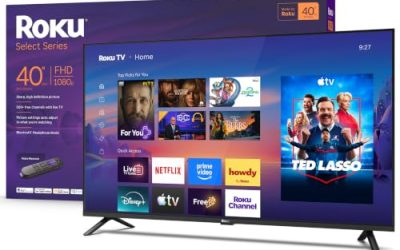
Roku 40-Inch Select Series
This set is aimed at buyers who want the Roku interface on a mid-size screen without paying for 4K. According to the title, it offers a 40-inch 1080p Full HD LED panel, a voice remote, Wi-Fi, and a Bluetooth headphone mode. That last feature is handy for late-night viewing in a shared home, since you can pair headphones and keep the room quiet. It is a natural first television for someone who wants a familiar, no-fuss interface and a screen big enough for a bedroom wall.
- Strength: Roku TV is simple to navigate, with a straightforward channel layout.
- Strength: Bluetooth headphone mode supports private listening.
- Trade-off: Full HD on 40 inches is fine, but there is no 4K or HDR claim here.
Skip it if you want Alexa built into the remote or plan to sit close enough that you would notice a lack of sharper resolution.
Insignia 24-inch F20 Series Fire TV
The smallest set here is for places where a big screen does not fit: kitchen counters, workshop shelves, a nightstand, or a tiny dorm. The listing shows a 24-inch class LED HD panel with Fire TV, a voice remote with Alexa, and free and live TV access. It gives you a full smart platform in a footprint that most other sets cannot match, which is why it works as a second or third screen around the house, or as a companion display for a game console on a desk.
- Strength: a compact size fits almost any surface.
- Strength: the Alexa voice remote makes searching easy without typing.
- Trade-off: HD resolution is the lowest in this lineup, so text and detail look softer up close.
Skip it if you will sit farther than a few feet away, or if this will be your only television.
Insignia 40-inch F40 Series Fire TV
This 40-inch class model is built for everyday viewing in a bedroom or den. The title names an LED Full HD panel, Fire TV, a voice remote with Alexa, and free and live TV. It sits in the sweet spot where size grows noticeably over a 32-inch set while staying in the budget tier. For a family room that mostly shows cable-free streaming, sports, and movie nights, that extra size makes group viewing more comfortable.
- Strength: Full HD at 40 inches gives a good balance of size and sharpness for the tier.
- Strength: the Alexa voice remote covers search and basic smart-home commands.
- Trade-off: no 4K or HDR is listed, so it lacks the extra headroom of the 43-inch model.
Skip it if you stream a lot of 4K content or want a panel that will age well as streaming quality rises.
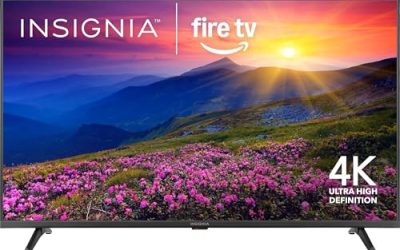
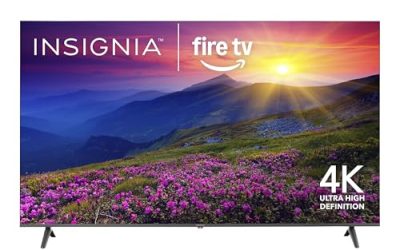
Insignia 43-inch F50 Series 4K Fire TV
The F50 is for shoppers who want 4K without leaving the budget tier. The title shows a 43-inch class LED 4K UHD panel running Fire TV with a voice remote and Alexa, plus the ability to stream live TV without cable. It is the larger, sharper version of the Insignia family in this group, and it makes the most sense for a living room or a shared den where several people watch together and picture detail is noticed.
- Strength: 4K UHD gives the sharpest image in the Insignia line here.
- Strength: Fire TV with Alexa remote keeps navigation and search simple.
- Trade-off: it is larger than the small-room sets and needs more wall or stand space.
Skip it if you are furnishing a tiny room or prefer the Roku interface over Fire TV.
Insignia 32-inch F40 Series Fire TV
This is the classic small-room choice, aimed at bedrooms, kids’ rooms, and dorms. The listing describes a 32-inch class 1080P Full HD Direct LED panel with Fire TV and a voice remote with Alexa. Compared with the 24-inch model, it adds real Full HD sharpness at a still-compact size that fits most dressers. A parent furnishing a kid’s room or a student packing for a dorm will find the size and the simple voice remote easy to live with.
- Strength: 1080P at 32 inches keeps text and menus crisp for the size.
- Strength: Direct LED backlighting and Fire TV make this a simple, practical set.
- Trade-off: the screen can feel small if your bed or sofa is several feet back.
Skip it if the screen will serve as the main living room television.
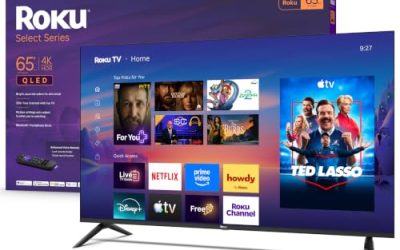
Roku 43-Inch Select Series 4K
This set suits buyers who want both 4K and the Roku interface. According to the title, it is a 43-inch 4K (2160p) HDR LED television with a voice remote, Wi-Fi, and Bluetooth headphone mode. Of the 4K options here, it is the one to pick if Roku apps and private listening are your priority. A household where one person watches late at night while others sleep is the clearest fit for the headphone feature.
- Strength: 4K with HDR support gives more detail and a wider brightness range than the Full HD sets.
- Strength: Bluetooth headphone mode allows quiet viewing.
- Trade-off: the listing does not mention Alexa, so smart-home voice control may differ from the Fire TV models.
Skip it if you prefer Fire TV or only need a small bedroom screen.
Which One Fits Your Situation
You need a screen for a small dorm or bedroom
The Insignia 32-inch F40 Series is the safest fit, with Full HD sharpness at a compact size. If space is truly tight, the Insignia 24-inch F20 Series fits on a desk or shelf.
You want a main bedroom TV with simple controls
Choose the Roku 40-Inch Select Series if you like Roku’s layout and want Bluetooth headphone mode, or the Insignia 40-inch F40 Series if you would rather have Alexa on the remote.
You stream a lot of high-resolution shows
The Insignia 43-inch F50 Series and the Roku 43-Inch Select Series are the 4K options. Pick Insignia for Fire TV and Alexa, or Roku for the headphone mode and its channel grid.
Common Mistakes
- Buying the largest screen the budget allows without checking how far you will sit from it.
- Assuming every inexpensive smart TV supports every streaming app, instead of confirming the platform’s app library.
- Paying for 4K on a small screen that is viewed from across a room, where the benefit is hard to see.
- Ignoring the remote, even though voice search and simple navigation shape daily use.
- Expecting premium sound from the built-in speakers and skipping the idea of a soundbar or headphones.
Sizing and Compatibility Checklist
Small televisions create their own set of problems. Run through these before you choose between the 24, 32, 40, and 43 inch models in this guide.
- Measure the space, not just the diagonal. Add a couple of inches for the stand and a few more behind for cables.
- Match the size to the distance. A 24 inch set suits a desk or kitchen counter within a few feet, a 32 inch set fits a bedside or dresser, and 40 or 43 inches suits a bed or couch several feet away.
- Check the wall-mount hole pattern on the spec sheet if you want to hang it. Small TVs often use a compact pattern that standard large brackets will not fit.
- Look at the stand. Some small sets use feet at the far edges and others use a central pedestal, which changes how narrow a desk or shelf can be.
- Count HDMI ports. One is enough for a lone streaming set, but you need a second if you add a game console or a soundbar.
- If you use an indoor antenna, make sure the TV has an antenna input and a tuner for over-the-air channels.
- In a dorm, read the network rules. Campus Wi-Fi often needs a device to be registered or to pass a sign-in page, which can be tricky on a TV, and a phone hotspot or a travel router may be an easier fix.
Setup and Care Tips
When the TV first turns on, choose a home setting over any store or demo mode, which keeps a bright showroom picture and can limit options. Set up the Fire TV or Roku account from your phone to skip typing long passwords with the remote. Look through the privacy menu and switch off viewing-data tracking if you would rather not share it. Install system updates early, since app compatibility depends on them, and place the TV where air can move around the back, away from a hot stove. In a bedroom, set a sleep timer or auto power-off so the screen does not play all night.
Who Should Skip These
- Serious console players who want fast refresh rates and low lag will be better served by a gaming monitor or a higher-tier television.
- Film fans who sit in a dark living room will notice the limited contrast on entry-level screens.
- Anyone who wants a big, room-filling picture will find that the largest set here is still modest, and a 55 inch or larger model is a better fit.
- Households that want one remote to run the TV, soundbar, and console may find the simple remotes supplied here too limited.
Related guides
- Gaming Chair Cushions And Lumbar Supports
- Business Laptops With Long Battery Life
- Warranty Considerations When Buying On Sale
Frequently Asked Questions
Do I need a separate streaming stick with these TVs?
No. Each set listed here has a built-in smart platform, either Roku TV or Fire TV, so you can sign in to your streaming accounts straight away.
Is 4K worth it on a cheap smart TV?
It is worth it from about 43 inches up if you stream in high resolution and sit fairly close. On very small screens or from across a large room, Full HD looks nearly the same.
Which is better, Roku TV or Fire TV?
Neither is universally better. Roku TV is known for a clean channel grid, while Fire TV pairs with Alexa. Pick the one that matches the voice assistant and apps you already use.
Can I use a budget smart TV for gaming?
Yes for casual play on a console, though the titles here do not advertise high-refresh or low-latency gaming modes. Competitive players should look for those features specifically.
Related guides
More from Amazon
Programs that pair well with the guide above. Offers and eligibility are set by Amazon and may change.
Free shipping on eligible items, Prime Video and more. Eligible new members can start with a free trial.
Start a Prime free trialAd-free music streaming. Eligible new subscribers can start with a free trial.
Try Music Unlimited freeA Prime membership for ages 18-24 with a trial period. Eligibility is set by Amazon.
See Prime for Young AdultsAudiobooks and podcasts to listen to on the go. Eligible new members can start with a free trial.
Try Audible freeAs an Amazon Associate we earn from qualifying purchases.