A cheap 4K TV is not the same thing as a bad TV, but it is a TV with a short list of things it does well and a long list it skips. At the entry level, almost every screen offers a 4K panel, a smart platform, and a voice remote. What separates them is subtler: how the set handles bright rooms, how smooth fast motion looks, whether it supports Dolby Vision, and what operating system sits behind the home screen. Anyone looking for the best cheap 4K TVs is really deciding which compromises will not bother them in daily viewing.
This guide covers eight budget-friendly 4K sets, mostly 43-inch models with a few larger Insignia options, spanning Fire TV, Roku, and Samsung software. Judgments come from what the listings state, such as screen size, panel type, voice control, and picture features. If you are buying for a bedroom, dorm, kitchen, or a first apartment in 2026, the sections below explain what each spec means for how the TV will actually behave.
Our Top Picks



Top 3 picks at a glance
Quick Picks
As an Amazon Associate we earn from qualifying purchases at no extra cost to you.



| Product | Best for | Key spec from the title |
|---|---|---|
| Toshiba 43 inch C350 | Bedroom or dorm | LED 4K UHD, Fire TV, Alexa voice remote |
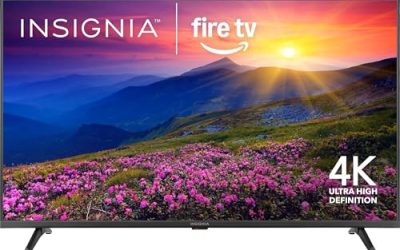
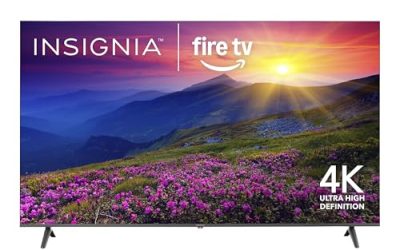
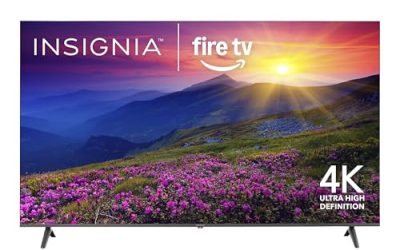
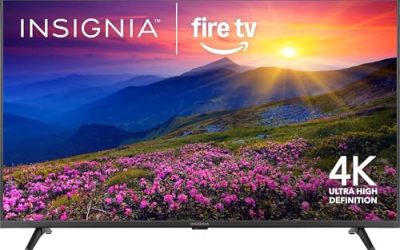
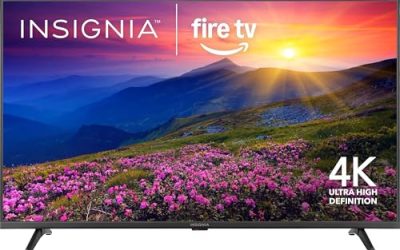
| Insignia 50 inch F50 | Small living room | LED 4K UHD, Fire TV, Alexa voice remote |
| Insignia 55 inch F50 | Larger family room | LED 4K UHD, Fire TV, Alexa voice remote |
| Insignia 43 inch F50 | Compact spaces | LED 4K UHD, Fire TV, Alexa voice remote |
| Samsung 43 inch U8000H | Samsung ecosystem fans | Crystal UHD, Vision AI, Motion Xcelerator |
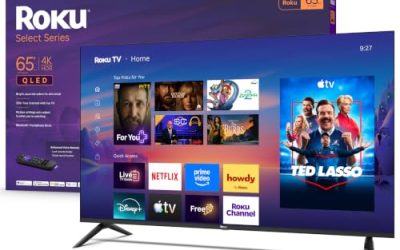
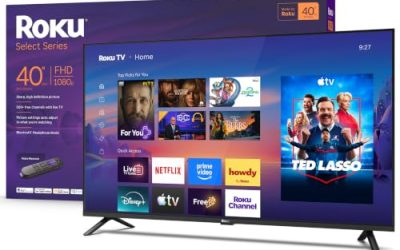
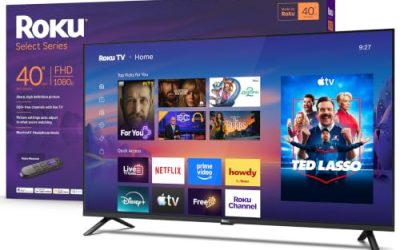
| Roku 43 inch Select Series | Simple Roku interface | 4K HDR, voice remote, Bluetooth headphone mode |
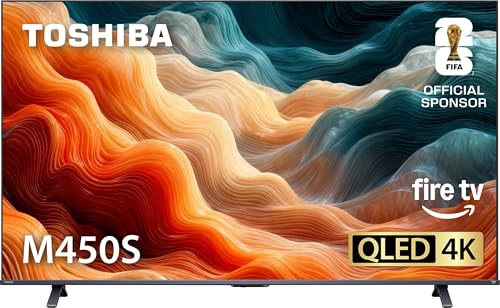
| Toshiba 43 inch M450 | Richer color on a budget | QLED 4K UHD, Fire TV |
| Hisense 43 inch E6 | Movie-focused small room | Hi-QLED, Dolby Vision and Atmos, Motion Rate 120 |
How to Choose
Match screen size to seating distance
For 4K, a rule of thumb is to sit roughly 1.2 to 1.6 times the screen diagonal away. A 43 inch TV works from about four to five and a half feet, ideal for a bedroom or desk. A 50 or 55 inch set suits a living room with a sofa six to eight feet away. Buying bigger than your room allows just makes pixels and flaws more noticeable, so measure first. Mark the distance from your sofa to the wall with a tape measure, and remember that a TV stand adds depth too; a screen that fits the wall may not fit the console table below it.
Understand the panel names
Entry sets use LED panels with various marketing labels. “QLED” or “Hi-QLED,” as on the Toshiba M450 and Hisense E6, adds a quantum-dot layer that aims for richer color. Samsung’s “Crystal UHD” is its entry-level 4K branding. None of these equals the contrast of an OLED, so keep expectations realistic: a dark room will show lighter blacks than on a premium set. If you watch mostly in a bright room, that matters less; if you watch films with the lights off, it matters more.
Pick the smart platform you will enjoy
Fire TV, Roku, and Samsung’s own platform each carry the major streaming apps, but the interface differs. Fire TV leans on Alexa voice control. Roku is known for a simple, uncluttered home screen. Choose the one your household already uses on phones and speakers. Also look for the number of HDMI ports, since a console, soundbar, and streaming stick can use them up quickly. Also look at how the remote handles inputs, because a clunky input menu becomes a daily annoyance.
Ignore motion hype and watch the corners cheap sets cut
Marketing terms such as Motion Rate 120 or Motion Xcelerator describe processing, not true panel speed, so do not treat them as a guarantee of smooth gaming. Budget TVs typically cut peak brightness, speaker quality, and viewing angles. Plan to add a soundbar if audio matters. Dolby Vision support, like the Hisense lists, is a useful extra for streaming films but will not turn a basic panel into a premium one. The same goes for a light sensor: it helps the picture adapt to the room, but it cannot add brightness the panel lacks.
The 8 Best Options
Toshiba 43 Inch C350 Fire TV
The C350 is a 43 inch LED 4K UHD smart TV with Fire TV software and an Alexa voice remote, plus free and live TV listed in the title. It is a sensible bedroom or dorm set for people who just want a clean 4K picture and easy streaming, without paying for premium panels. A student furnishing a first room or a parent buying a second set for the guest bedroom will find it fits the brief.
- Strength: 4K UHD resolution at a compact 43 inch size.
- Strength: Alexa voice remote for hands-free searching.
- Trade-off: a basic LED panel with no QLED or Dolby Vision mention.
Skip it if you want richer color or advanced picture features, since the listing mentions neither QLED nor Dolby Vision.
Insignia 50 Inch F50 Fire TV
The 50 inch F50 is an LED 4K UHD Fire TV with an Alexa voice remote, built to stream live TV without cable. It is a step up in size for small living rooms where a 43 inch screen would feel lost. It is also a reasonable middle option for people who find 43 inches too small yet do not need a 55 inch screen.
- Strength: larger 50 inch screen for shared viewing.
- Strength: Fire TV with Alexa voice remote.
- Trade-off: nothing in the title mentions advanced HDR or color technology.
Skip it if you need a screen smaller than 50 inches, because a compact wall or stand will not suit it.
Insignia 55 Inch F50 Fire TV
The 55 inch F50 offers the same LED 4K UHD and Fire TV package at the biggest size here. It suits a family room or a movie-night wall, as long as the sofa is far enough back for 55 inches. Households that watch sports or stream movies together benefit most from the extra screen area.
- Strength: the largest screen in this lineup.
- Strength: consistent Fire TV platform with voice remote.
- Trade-off: bigger size magnifies the flaws of a budget panel.
Skip it if your seating is close or your wall space is limited, as a smaller sibling in the same series would be easier to place.
Insignia 43 Inch F50 Fire TV
The 43 inch F50 is the compact version of the same series, designed for small rooms where wall space is tight. It is a natural pick for kitchens, guest rooms, and offices, where the TV is background company rather than the main event.
- Strength: compact size with Fire TV and Alexa voice remote.
- Strength: 4K UHD resolution at an entry level.
- Trade-off: no premium panel or Dolby Vision mention.
Skip it if you want a big-screen cinematic feel, since 43 inches is on the small side for a main room.
Samsung 43 Inch Crystal UHD U8000H
The U8000H is a 43 inch Crystal UHD Samsung smart TV with Vision AI, a 4K processor, free content, and Motion Xcelerator. It is the choice for buyers who prefer Samsung’s interface and want a well-known brand at an entry size. People who already use a Samsung phone or soundbar may appreciate staying inside one ecosystem.
- Strength: Samsung processor and Vision AI branding.
- Strength: Motion Xcelerator for smoother motion processing.
- Trade-off: its own platform rather than Fire TV or Roku.
Skip it if you already use Fire TV or Roku and want the same interface, since you would be learning a new home screen.
Roku 43 Inch Select Series 4K
The Roku Select Series is a 43 inch 4K HDR smart TV with a voice remote, Wi-Fi, and a Bluetooth headphone mode. It suits people who want a simple home screen and private listening, handy in shared bedrooms or dorms. Night owls living with roommates are the obvious audience.
- Strength: Roku interface known for its simplicity.
- Strength: Bluetooth headphone mode for quiet viewing.
- Trade-off: a modest LED panel, with no QLED or Dolby Vision listed.
Skip it if you want Alexa voice control, as the title points to a Roku-style voice remote instead.
Toshiba 43 Inch M450 QLED
The M450 is a 43 inch QLED 4K UHD Fire TV with an Alexa voice remote. The quantum-dot layer is the headline upgrade over the C350, aimed at buyers who want richer color without moving to a premium price tier. Anyone who watches colorful animation, sports, or nature shows will see the point of the upgrade most clearly.
- Strength: QLED technology for more vivid color.
- Strength: Fire TV with Alexa voice remote.
- Trade-off: still an entry-class screen, so brightness expectations should stay modest.
Skip it if you only need a basic set for news and sitcoms, since the extra color technology would go largely unnoticed.
Hisense 43 Inch E6 Cinema Series
The E6 is a 43 inch Hi-QLED 4K UHD Fire TV with an AI light sensor, Dolby Vision and Atmos, an Alexa voice remote, and Motion Rate 120. It is the most movie-oriented set in the group, a fit for a small room where film nights matter. Pairing it with a soundbar that handles Atmos would make full use of the audio listing.
- Strength: Dolby Vision and Atmos support for streaming films.
- Strength: AI light sensor adjusts to the room.
- Trade-off: the smallest size class, so it is not a big-screen pick.
Skip it if you want a larger screen for a living room, because 43 inches is the only size listed here.
Which One Fits Your Situation
A dorm or bedroom
The Toshiba C350 or the Roku Select Series covers streaming in a compact footprint, with the Roku adding private listening through its Bluetooth headphone mode.
A living room with a sofa six feet or more away
The Insignia 55 inch F50 or the 50 inch model brings a larger picture to the room where the family gathers for games and shows.
A small room for movie nights
The Hisense E6 adds Dolby Vision, Atmos, and a light sensor.
A Samsung household
The Samsung U8000H keeps you in that interface and the familiar remote layout.
Common Mistakes
- Buying a screen too large for the seating distance, so that pixels and compression flaws stand out.
- Assuming QLED equals OLED-level contrast.
- Ignoring HDMI port count until the soundbar and console arrive.
- Treating motion-rate numbers as proof of gaming speed.
- Skipping a soundbar and relying on thin built-in speakers, then wondering why dialogue sounds muffled.
Related guides
- How To Use Camelcamelcamel For Amazon Deals
- Warranty Considerations When Buying On Sale
- Browser Extensions For Finding Deals
Frequently Asked Questions
Is 4K noticeable on a 43 inch TV?
It helps at normal seating distances, especially with 4K streaming content. The difference is smaller than on larger screens.
Which platform is best, Fire TV or Roku?
Both cover major apps. Fire TV leans on Alexa, while Roku emphasizes simplicity, so pick the one that matches your household.
Do cheap TVs need a soundbar?
Built-in speakers on budget sets are usually modest. A soundbar is a common upgrade for movies and music.
Is QLED worth it on a budget?
It can add richer color. If your budget allows, it is a useful step up over a basic LED panel.
Related guides
More from Amazon
Programs that pair well with the guide above. Offers and eligibility are set by Amazon and may change.
Free shipping on eligible items, Prime Video and more. Eligible new members can start with a free trial.
Start a Prime free trialAd-free music streaming. Eligible new subscribers can start with a free trial.
Try Music Unlimited freeA Prime membership for ages 18-24 with a trial period. Eligibility is set by Amazon.
See Prime for Young AdultsAudiobooks and podcasts to listen to on the go. Eligible new members can start with a free trial.
Try Audible freeAs an Amazon Associate we earn from qualifying purchases.