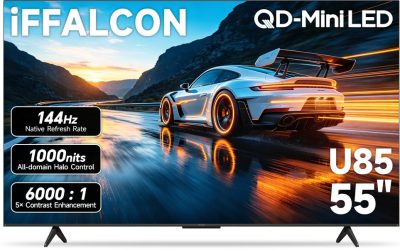
The phrase “big screen” changes the shopping problem in a way that a normal TV search does not. Once you cross roughly 65 inches, the decision stops being only about picture quality and starts being about the room: how far the couch sits from the wall, whether the panel will fit through the doorway, and whether the stand or mount can carry it. A set that looks sensible at 50 inches can feel undersized in a large living room, while a 98-inch or 100-inch panel can overwhelm a space that cannot give it enough viewing distance.
This guide is written for buyers who already know they want a large display and need to sort the field by what the listings actually state: panel type, smart platform, HDR formats, refresh rate and screen size. It covers eight models from entry-level 4K LED sets to Mini LED and giant QLED panels, so a family replacing a dated living-room set, a movie-night host and a console player can each find a realistic match. Where a title leaves a detail out, the review says so rather than guessing, and the 2026 model year is noted where the listing names it.
Our Top Picks


Top 3 picks at a glance
Quick Picks
As an Amazon Associate we earn from qualifying purchases at no extra cost to you.


| Product | Best for | Key spec taken from the product title |
|---|---|---|
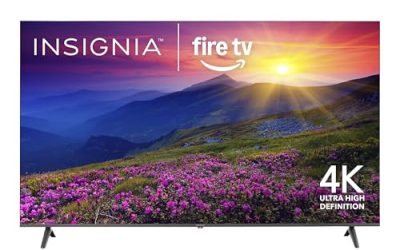
| Insignia 75-inch F50 | Large screen on a modest budget | 75-inch LED 4K UHD, Fire TV, Alexa voice remote |
| Insignia 50-inch F50 | Bedrooms and small dens | 50-inch LED 4K UHD, Fire TV |
| TCL 75-inch R7D | Bright rooms | QLED 4K HDR, high brightness, Motion Rate 240, AirPlay 2 |
| Insignia 65-inch F50 | Mid-size living rooms | 65-inch LED 4K UHD, Fire TV |
| Hisense 100-inch E6 | Home theater centerpiece | 100-inch QLED 4K, native 144Hz, Dolby Vision IQ |
| TCL 98-inch Q65 | Huge screen with gaming features | 98-inch QLED 4K, Google TV, Game Accelerator |
| Sony 75-inch BRAVIA 3 II | Picture processing and glare control | LED 4K HDR, XR Processor, anti-glare, Google TV |
| Samsung 65-inch M70H | Mini LED on a mid-size wall | Mini LED 4K, Mini LED Processor 4K, Vision AI Companion |
How to Choose
Match screen size to seating distance
A common rule of thumb for 4K is to sit about 1.0 to 1.5 times the screen diagonal away. For a 75-inch set that works out to roughly 6.5 to 9.5 feet; for a 98-inch or 100-inch set, 8 to 12 feet. If your couch is only 7 feet from the wall, a 100-inch panel will make you scan the image like a cinema front row. Measure the distance, the wall width, and the doorway and stairwell the box must travel through before ordering.
Panel technology and HDR formats
Standard LED sets are the baseline. QLED adds a quantum-dot layer that generally helps color volume and peak brightness, and Mini LED uses many smaller backlight zones for tighter contrast control. On the spec sheet, look for Dolby Vision or HDR10+ if you stream a lot of premium content, and note that the listing wording matters: “HDR” alone says little about which formats are supported. Budget LED models often support basic HDR10 but cannot reach the brightness that makes HDR look convincing, so treat the label as a compatibility feature, not a promise of punch.
Refresh rate and gaming features
Most 4K sets run a 60Hz panel. If you game on a console or PC, look for a native 120Hz or 144Hz panel, which the listing should state explicitly. “Motion Rate” numbers are marketing figures that blend panel speed with processing, so do not compare Motion Rate 240 against a native 120Hz claim as though they were the same thing. Game modes, low-latency settings and variable refresh support matter more than a headline number.
Smart platform and extras to ignore
Fire TV, Roku TV and Google TV all cover the major streaming apps; pick the interface you will tolerate daily, and check whether the remote has voice control. Built-in speakers on thin big panels are rarely impressive, so factor in a soundbar if audio matters, and ignore bundled “streaming live TV without cable” language, which describes app access rather than hardware quality. Budget models cut corners on brightness, local dimming, viewing angles and the number of HDMI inputs, so verify the port count if you have a console, a receiver and a streaming box.
The 8 Best Options
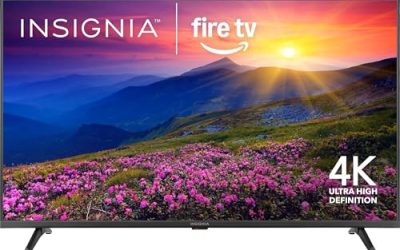
Insignia 75-inch F50 Fire TV
This is the entry point into the 75-inch class for buyers who want a lot of screen without a premium panel. The title lists an LED 4K UHD display, a Fire TV smart system and a voice remote with Alexa, which covers the basics for streaming and everyday viewing.
- Strength: Large 75-inch 4K canvas with a simple Fire TV interface and voice search.
- Strength: Positioned as an accessible way to get a big picture for movies and sports.
- Trade-off: The listing mentions no QLED or Mini LED technology, so expect standard LED contrast and brightness.
Skip it if you plan to watch mostly in a very bright room or want a premium HDR experience.
Insignia 50-inch F50 Fire TV
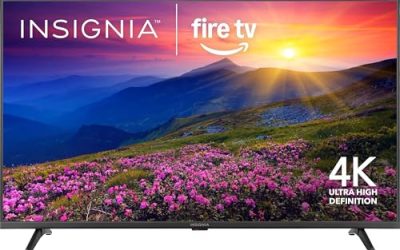
The smallest set here is also the one that least fits the “big screen” label, so treat it as the on-ramp for a bedroom, home office or secondary room. It shares the F50 series features: LED 4K UHD, Fire TV and an Alexa voice remote.
- Strength: Fits tighter spaces and shorter viewing distances where a 75-inch panel would be too much.
- Strength: Same Fire TV software as the larger Insignia sizes, so the experience matches.
- Trade-off: At 50 inches it does not deliver a true big-screen feel in a large living room.
Skip it if the screen will be the focal point of a main family room.
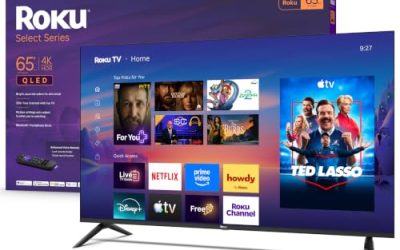
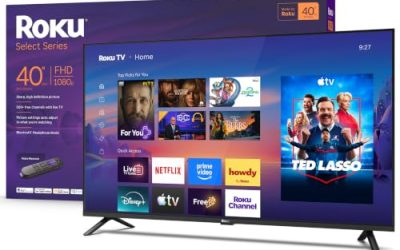
TCL 75-inch R7D Roku TV
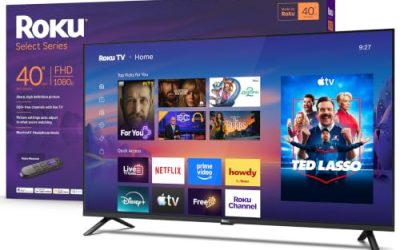
The R7D is the only listing here built around Roku. It pairs a 75-inch QLED 4K panel with HDR, high brightness, Motion Rate 240, Google Cast and AirPlay 2, which suits households that cast from both Android and Apple devices.
- Strength: QLED with a high-brightness claim is a sensible match for rooms with windows.
- Strength: Both Google Cast and AirPlay 2 support make mixed-phone households easier.
- Trade-off: Motion Rate 240 is a processing figure, not proof of a native high-refresh panel.
Skip it if you want a native 120Hz or 144Hz panel for fast console gaming.
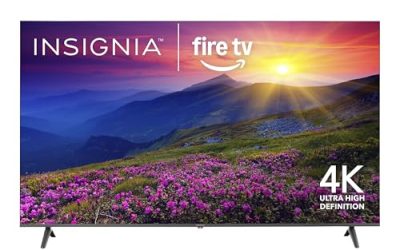
Insignia 65-inch F50 Fire TV
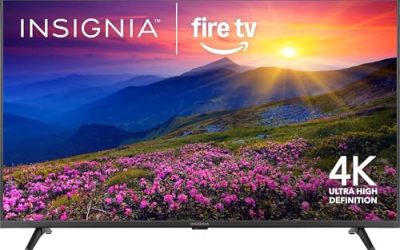
Sixty-five inches is the sweet spot for many living rooms, large enough to feel cinematic at moderate distances yet manageable to mount and move. Like its siblings, the title lists LED 4K UHD, Fire TV and a voice remote with Alexa.
- Strength: A common size that fits many existing media consoles and wall mounts.
- Strength: Voice remote and live-streaming options simplify cable-free viewing.
- Trade-off: Standard LED panel specs, with no advanced HDR or high-refresh claims listed.
Skip it if you want a screen well above 65 inches or a more advanced panel type.
Hisense 100-inch E6 QLED Fire TV
This is the one for a dedicated theater room. A 100-inch QLED 4K panel lands in projector territory, and the title adds a native 144Hz panel, Dolby Vision IQ, Dolby Atmos, Motion Rate 240 and HDR10+, a rare combination at this size.
- Strength: Native 144Hz is stated outright, which helps PC and console players.
- Strength: Dolby Vision IQ, HDR10+ and Atmos cover the major premium video and audio formats.
- Trade-off: A 100-inch set demands serious wall space, a strong mount or stand, and a long viewing distance.
Skip it if your room is small or you cannot arrange delivery and installation help.
TCL 98-inch Q65 Google TV
The 98-inch Q65 is for buyers who want near-theater scale with Google TV. The title names QLED 4K, Dolby Vision, Dolby Atmos, HDR Pro+ and Game Accelerator Enhanced Gaming, plus voice control.
- Strength: One of the largest screens in this roundup with Dolby Vision and Atmos support.
- Strength: Game Accelerator branding signals gaming-oriented modes at this size.
- Trade-off: The listing does not state a native high refresh rate, so check the spec sheet before pairing it with a fast console.
Skip it if you want the newest generation, since the title shows an earlier model year than several others here.
Sony 75-inch BRAVIA 3 II Google TV
Sony sells this set on processing and screen finish rather than size alone. The title lists an LED 4K HDR panel, Google TV with Gemini, an anti-glare screen, an XR Processor with AI technology, Dolby Vision and Atmos, and a 120Hz refresh rate.
- Strength: Anti-glare treatment helps in living rooms with lamps and windows.
- Strength: A 120Hz refresh rate and XR Processor suit sports, movies and game consoles.
- Trade-off: It is an LED model, so it will not match Mini LED sets for local dimming depth.
Skip it if you want the largest possible screen for the least outlay.
Samsung 65-inch M70H Mini LED
This newer model brings Mini LED to a 65-inch frame. The title lists a 4K Mini LED panel, a Mini LED Processor 4K, Pure Spectrum Color and Samsung Vision AI Companion, which positions it above standard LED sets for contrast control.
- Strength: Mini LED backlighting generally improves contrast and highlight handling.
- Strength: Vision AI Companion adds smart-home and assistant features within Samsung’s platform.
- Trade-off: At 65 inches it is not the largest screen in the field, so the premium goes toward panel tech, not size.
Skip it if raw screen size matters more to you than backlight technology.
Which One Fits Your Situation
You want the biggest screen possible for movie nights
The Hisense 100-inch E6 is the natural choice, thanks to its 100-inch QLED panel, native 144Hz and Dolby Vision IQ. The TCL 98-inch Q65 is the alternative if you prefer Google TV. Both need a wide wall and at least 8 to 10 feet of viewing distance.
Your living room is bright and sports matter
The Sony 75-inch BRAVIA 3 II with its anti-glare screen and 120Hz refresh rate is built for this. The TCL 75-inch R7D, with its high-brightness QLED panel, is a strong second option.
You want a large TV without stretching the budget
The Insignia 75-inch F50 offers the biggest screen at an accessible tier, while the 65-inch version suits smaller rooms. Both bring Fire TV and an Alexa remote.
You care about contrast in a dim room
The Samsung 65-inch M70H Mini LED is the most contrast-focused listing here. Pair it with a darkened room, and consider a soundbar to match the picture upgrade.
Common Mistakes
- Buying a screen that is too large for the seating distance, then sitting too close to see the whole picture comfortably.
- Assuming Motion Rate 240 means a native 240Hz panel, when it usually blends panel speed with processing.
- Skipping the measurements for doorways, stands and wall mounts before ordering a 98-inch or 100-inch box.
- Counting on built-in speakers to fill a big room, instead of budgeting for a soundbar or receiver.
- Reading “HDR” on a budget LED set as proof of strong HDR performance rather than a basic compatibility label.
Related guides
- Warranty Considerations When Buying On Sale
- How To Use Camelcamelcamel For Amazon Deals
- Browser Extensions For Finding Deals
Frequently Asked Questions
What size counts as a big screen TV?
Most buyers treat 65 inches as the entry point, 75 to 85 inches as the mainstream large range, and 98 inches or more as giant. The right pick still depends on how far you sit from the wall.
Is QLED better than standard LED?
QLED adds a quantum-dot layer that typically improves color and brightness over a basic LED set. Mini LED goes further on contrast through finer backlight control, but each model still varies, so read the specific spec sheet.
Do I need 120Hz or 144Hz for gaming?
If you play on a recent console or a PC at high frame rates, a native 120Hz or 144Hz panel is worth having. For streaming and casual play, a standard 60Hz panel is perfectly adequate.
Should I buy a soundbar with a big TV?
Thin panels leave little room for speakers, so most large sets sound modest in a big room. A soundbar or small receiver system is usually the most noticeable upgrade after the TV itself.
Related guides
More from Amazon
Programs that pair well with the guide above. Offers and eligibility are set by Amazon and may change.
Free shipping on eligible items, Prime Video and more. Eligible new members can start with a free trial.
Start a Prime free trialAd-free music streaming. Eligible new subscribers can start with a free trial.
Try Music Unlimited freeA Prime membership for ages 18-24 with a trial period. Eligibility is set by Amazon.
See Prime for Young AdultsAudiobooks and podcasts to listen to on the go. Eligible new members can start with a free trial.
Try Audible freeAs an Amazon Associate we earn from qualifying purchases.