A home-office monitor gets stared at for eight hours a day, which makes it a different purchase from a gaming display or a living-room TV. Resolution and size matter, but so do the things people rarely think about until their eyes ache: flicker, blue light, panel type, and whether the stand lets you raise the screen to eye level. When you search for the best PC monitors for a home office, the real question is how much desk space, how many screens, and how much adjustability your workday needs.
The seven monitors below are all 1080p-class screens in 22 to 27 inch sizes, including one pair of curved 27 inch displays sold together for a dual-screen desk. They are compared by what the listings state: panel type, refresh rate, ports, mounting, and eye-comfort features. If you are upgrading a spare-room desk in 2026 and want something sensible rather than flashy, the guidance below should narrow the list quickly.
Our Top Picks
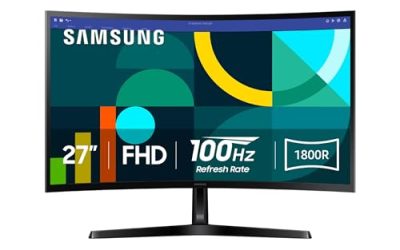
 Philips 24 Inch Computer Monitor FHD 100Hz VA24 inch 100Hz8.7 x 21.3 x 16.4 inches6.4 poundsCheck on Amazon
 MNNM 24 Inch Computer Monitor FHD 1080p 100Hz24"/FHD/100Hz1.62 x 21.27 x 16.14 inchesCheck on Amazon
 Kado 2-Pack Dual 27" Curved 1500R 1920x1080 75Hz27" Curved 2-Pack2.83 x 24.46 x 14.56 inches11 poundsCheck on Amazon
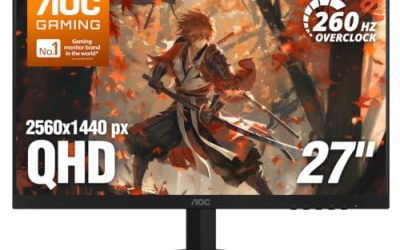
 Acer 27in FHD 1920x1080 IPS 120Hz Gaming Monitor27-inch8.27 x 24.07 x 17.44 inches11 poundsCheck on Amazon
 Philips 22 Inch Computer Monitor FHD 100Hz VA22 inch 100Hz8.7 x 19.4 x 14.5 inches9.3 poundsCheck on Amazon
- Acer 23.8in FHD 1920x1080 IPS 120Hz Office Monitor23.8-inch4.53 x 21.21 x 16.7 inches7.7 poundsCheck on Amazon
Top 3 picks at a glance
Quick Picks
As an Amazon Associate we earn from qualifying purchases at no extra cost to you.


| Product | Best for | Key spec from the title |
|---|---|---|
| Philips 241V8LB (24 inch) | Flicker-free everyday work | FHD, 100Hz VA, 4ms, HDMI 1.4, tilt |
| MNNM 24 inch | Adjustable stand with speakers | FHD 100Hz VA, height/tilt/pivot/swivel, dual speakers |
| Kado 2-pack 27 inch curved | Dual-monitor desk | Two 27 inch 1500R curved FHD 75Hz screens |
| Acer KB272 G0bi (27 inch) | Roomy IPS workspace | FHD IPS 120Hz, 99% sRGB, HDMI, VGA |
| Philips 221V8LB (22 inch) | Compact desk | FHD 100Hz VA, 4ms, HDMI 1.4, tilt |
| Acer KB242Y G0bi (23.8 inch) | Colorful IPS at a compact size | FHD IPS 120Hz, 99% sRGB, HDMI, VGA |
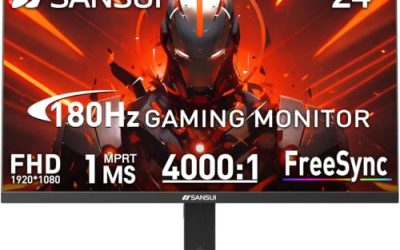
| SANSUI 24 inch | Simple ports and slim design | FHD, 100Hz or 120Hz, HDMI, VGA, VESA |
How to Choose
Size and resolution for a desk
At 1920×1080, a 24 inch screen has a sharp pixel density for text, while a 27 inch screen at the same resolution looks softer and is better suited to arm’s-length viewing. If you work mainly with documents and spreadsheets, 24 inches is comfortable. If you want side-by-side windows, 27 inches gives more room. Two screens side by side, such as the Kado pair, increase workspace more than any single bigger monitor. Sit at your desk and measure the usable width first: two 27 inch screens need roughly four feet of clear space, which many desks do not offer.
Panel type and eye comfort
IPS panels, like the Acer models, offer wider viewing angles and tend to show colors more consistently. VA panels, like the Philips and MNNM, often deliver deeper contrast. For long days, look for flicker-free backlighting and a low-blue-light mode, both named on several listings. These features do not cure eye strain by themselves, but they remove some common irritants. Also note the sRGB coverage if you do light photo or design work, and remember that matte finishes handle window glare better than glossy ones in a bright spare room.
Ports, mounting, and ergonomics
Check for HDMI, since it covers most modern laptops and desktops, and VGA if you have older equipment. Keep in mind that an HDMI 1.4 port limits the refresh rate and resolution in some setups. A stand with only tilt is common at the entry level, while height, pivot, and swivel, as on the MNNM, help you set an eye-level screen. A VESA mount lets you add an arm and free the desk. If you plan to use a laptop alongside the monitor, also confirm how the laptop will connect, since a single cable that carries video from the laptop is far more convenient than swapping adapters.
Ignore the gaming labels and see where budget monitors cut corners
Refresh rates of 100Hz or 120Hz make scrolling smoother, but they are a bonus for office work, not a necessity. Response-time claims like 1ms or 4ms matter little for documents. Budget monitors cut stand adjustability, built-in speaker quality, and color accuracy. If you value posture, factor in an arm or riser rather than expecting the stock stand to do it all. A monitor with a good panel and a weak stand is usually fixable; a monitor with a poor panel is not.
The 7 Best Options
Philips 241V8LB 24 Inch
The Philips 241V8LB is a 24 inch FHD monitor with a 100Hz VA panel, flicker-free backlighting, a 4ms response time, Adaptive Sync, HDMI 1.4, tilt adjustment, and a low blue light mode. It is a straightforward all-day office screen for spreadsheets, email, and video calls on a standard desk. Its pared-down feature list means there is little to configure, which suits people who want to plug in and get on with the day.
- Strength: flicker-free backlight and low blue light mode support long sessions.
- Strength: 100Hz refresh makes scrolling smoother than 60Hz screens.
- Trade-off: tilt-only stand, with no height adjustment listed.
Skip it if you need a pivot or height-adjustable stand without buying an arm, since the listing names only tilt.
MNNM 24 Inch Monitor
The MNNM is a 24 inch FHD 1080p 100Hz VA monitor with dual speakers, an adjustable stand that offers height, tilt, pivot, and swivel, VESA support, TUV eye-care certification, and 100 percent sRGB. It is the ergonomics-first pick, since you can raise it to eye level and rotate it for vertical documents. Writers, coders, and anyone reading long pages benefit from a portrait orientation, and the VESA support leaves room for an arm later.
- Strength: height, tilt, pivot, and swivel adjustment.
- Strength: built-in dual speakers save desk space.
- Trade-off: built-in speakers on a monitor are usually basic.
Skip it if you already own good speakers or a headset, because the speakers would only add cost you do not need.
Kado 2-Pack 27 Inch Curved Monitors
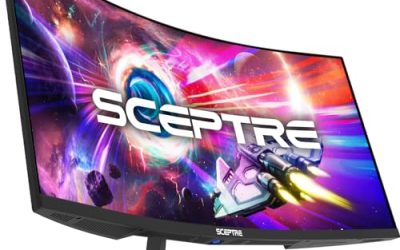
This listing is a pair of 27 inch curved 1500R 1920×1080 75Hz FHD monitors for a dual-screen setup, with HDMI, VESA wall-mount support, and a hybrid office-gaming pitch. It suits someone who wants two screens for a work-from-home desk without hunting for matching models. Traders, analysts, and developers who keep reference material open beside the main window are the likeliest audience, and the curve helps keep both edges comfortably in view.
- Strength: two matching screens come in the pack.
- Strength: curved 27 inch design wraps around your view.
- Trade-off: 1080p stretched over 27 inches looks softer than on a smaller screen.
Skip it if you have limited desk depth or want a single crisp screen, since two 27 inch panels need a wide, deep desk.
Acer KB272 G0bi 27 Inch
The KB272 G0bi is a 27 inch FHD IPS monitor with a 120Hz refresh, a 1ms response time, AdaptiveSync, 99 percent sRGB, HDMI, VGA, VESA mounting, and a blue light filter. It is a roomy, color-consistent choice for people who value IPS viewing angles for documents and light creative work. It also works well for shared family desks, where several people use the same screen and viewing angle matters.
- Strength: IPS panel with 99 percent sRGB.
- Strength: HDMI and VGA inputs cover old and new gear.
- Trade-off: 1080p on 27 inches is less sharp than a higher-resolution panel.
Skip it if you want higher-than-1080p sharpness, because 27 inches at 1920×1080 will look less crisp than a smaller screen.
Philips 221V8LB 22 Inch
The 221V8LB is the smaller cousin of the 241V8LB, a 22 inch FHD 100Hz VA monitor with flicker-free technology, 4ms response time, Adaptive Sync, HDMI 1.4, and tilt adjustment. It fits compact desks, shelves, and secondary-monitor roles. Pair it with a laptop for a mixed setup, or use it as a dedicated screen for chat and email beside a larger main display.
- Strength: compact size for small desks.
- Strength: flicker-free backlighting with a low blue light mode.
- Trade-off: only tilt adjustment is listed.
Skip it if you want a larger workspace, since 22 inches leaves little room for side-by-side windows.
Acer KB242Y G0bi 23.8 Inch
The KB242Y G0bi is a 23.8 inch FHD IPS office monitor with 120Hz, 1ms response, AdaptiveSync, 99 percent sRGB, HDMI, VGA, VESA mounting, and a blue light filter. It is the IPS option at a compact size, suited to a tidy desk where color consistency still matters. Bookkeepers and students who spend hours on documents and slides may like the wider viewing angles of IPS.
- Strength: IPS panel and 99 percent sRGB at 23.8 inches.
- Strength: HDMI and VGA ports plus VESA mount.
- Trade-off: the 1ms response time is a gaming figure that matters little for office work.
Skip it if you prefer the deeper contrast of a VA panel, since this one is an IPS design.
SANSUI 24 Inch Monitor
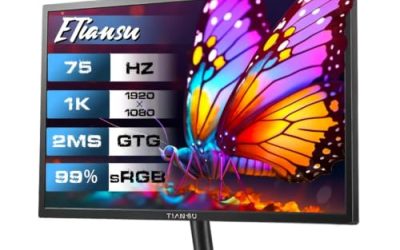
The SANSUI is a 24 inch FHD monitor with a 100Hz or 120Hz refresh rate, HDMI and VGA ports, ergonomic tilt, VESA mounting, an ultra-slim body, and eye-care features. It targets home-office buyers who want a simple, slim display without extras. It would suit a spare-room desk, a kid homework station, or a secondary display for a laptop.
- Strength: HDMI and VGA connectivity.
- Strength: slim design with VESA mounting.
- Trade-off: the title lists tilt only, and the refresh figure is given as a range.
Skip it if you want a brand with detailed spec transparency, since the refresh rate is listed as a range rather than a single figure.
Which One Fits Your Situation
You want an adjustable stand without buying an arm
The MNNM 24 inch offers height, tilt, pivot, and swivel, which is rare to find on an entry-level stand and saves the cost of an arm.
You work in spreadsheets and email on a standard desk
The Philips 241V8LB offers a flicker-free 24 inch screen with a low blue light mode, which keeps a plain workday setup comfortable.
You want a dual-screen workspace
The Kado 2-pack gives two curved 27 inch monitors in one purchase, ready for a side-by-side workflow.
You do light photo or design work
The Acer KB272 G0bi brings IPS viewing angles and 99 percent sRGB, which holds up for web graphics and slide decks.
Common Mistakes
- Buying a 27 inch 1080p screen and expecting razor-sharp text, when the pixels are simply spread over a larger area.
- Ignoring stand adjustability, then stacking books under the monitor and straining the neck all week.
- Forgetting to check that the monitor ports match the laptop.
- Paying for gaming response times in an office monitor.
- Skipping a VESA arm when desk space is limited.
Related guides
- How To Use Camelcamelcamel For Amazon Deals
- Warranty Considerations When Buying On Sale
- Browser Extensions For Finding Deals
Frequently Asked Questions
Is 1080p enough for a home office?
For documents, email, and video calls, 1080p on a 24 inch screen is comfortable. A larger screen benefits from a higher resolution.
IPS or VA for office work?
IPS offers wider viewing angles and consistent color, while VA offers deeper contrast. Both work well for typical office tasks.
Is a high refresh rate necessary?
It is not required for office work, but 100Hz or 120Hz makes scrolling feel smoother.
Why does VESA mounting matter?
It lets you attach a monitor arm or wall mount, freeing desk space and letting you set the screen to eye level.
Related guides
More from Amazon
Programs that pair well with the guide above. Offers and eligibility are set by Amazon and may change.
Free shipping on eligible items, Prime Video and more. Eligible new members can start with a free trial.
Start a Prime free trialAd-free music streaming. Eligible new subscribers can start with a free trial.
Try Music Unlimited freeA Prime membership for ages 18-24 with a trial period. Eligibility is set by Amazon.
See Prime for Young AdultsAudiobooks and podcasts to listen to on the go. Eligible new members can start with a free trial.
Try Audible freeAs an Amazon Associate we earn from qualifying purchases.