The best Acer monitor for most gamers in 2026 is a 27-inch 1440p IPS panel from the Nitro line, such as the Nitro XV272U W2, because it delivers high refresh rates without a flagship price. Step up to the Predator line only if you want 4K or very high refresh speeds, and drop to a 24-inch Nitro 1080p panel if you play competitive shooters on a budget GPU. This guide maps each Acer series to the kind of player it fits.
As an Amazon Associate we earn from qualifying purchases at no extra cost to you.


Our Top Picks
 Acer Nitro 24.5in FHD 1920x1080 200Hz Gaming Monitor24.5-inch8.28 x 21.93 x 16.28 inches7.39 poundsCheck on Amazon
 Acer 27in FHD 1920x1080 IPS 120Hz Gaming Monitor27-inch8.27 x 24.07 x 17.44 inches11 poundsCheck on Amazon
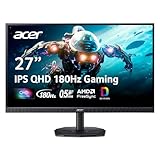
 Acer Nitro 27in QHD 2560x1440 IPS 180Hz Gaming27-inch8.28 x 24.2 x 18.14 inches12.1 poundsCheck on Amazon
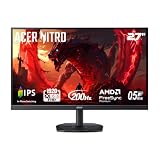
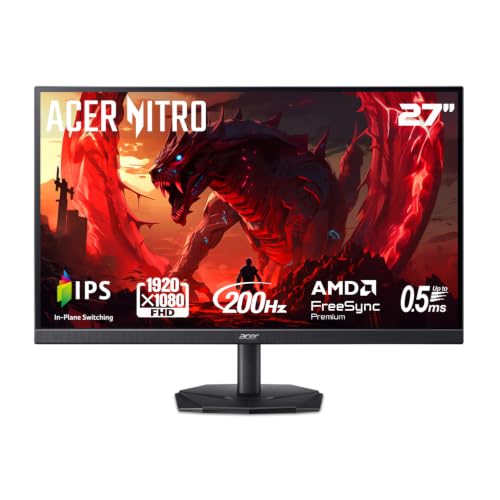 Acer Nitro 27in FHD 1920x1080 IPS 200Hz Gaming27-inch8.28 x 24.11 x 18.03 inches13 poundsCheck on Amazon
Top 3 picks at a glance
Quick comparison of Acer monitor picks
| Pick | Best for | Key specs | Price range |
|---|---|---|---|
| Nitro KG241Y | Budget 1080p esports | 24 inch, 1080p, high refresh | Budget |
| Nitro KG271U N3 | Budget 1440p | 27 inch, 1440p | Budget to mid |
| Nitro XV272U W2 | 1440p all-rounder | 27 inch, 1440p, high refresh IPS | Mid-range |
| Nitro XV271U M3 | Desk comfort and 1440p | 27 inch, QHD 180 Hz, ErgoStand | Mid-range |
| Nitro XV275U Z2 | Fast 1440p with a 720p boost mode | 27 inch, 1440p 275 Hz, up to 520 Hz at 720p via DFR | Mid-range |
| Nitro XV270X P | 5K sharpness | 27 inch, 5K 165 Hz, 330 Hz at 1440p via DFR | Upper-mid |
| Predator X34 F3 | Ultrawide | 34 inch ultrawide | Premium |
| Predator XB273U F6 | Maximum speed | 27 inch IPS with a 1,000 Hz mode | Premium |
Several of these models were announced in 2026 with North American availability scheduled for the fourth quarter, so confirm stock and exact specs on Acer’s product page before buying.
Best budget Acer monitor: Nitro KG241Y
A 24-inch 1080p panel pairs well with an entry-level graphics card, because pixel count stays low and frame rates stay high. It suits esports titles where refresh rate matters more than sharpness. The trade-off is pixel density: at 24 inches, 1080p looks softer than 1440p on a 27-inch screen, so avoid it if you also read a lot of text.
Best value 1440p: Nitro XV272U W2 and KG271U N3
The XV272U W2 is the all-rounder recommended in several 2026 buyer guides: 27 inches, 2560×1440 and an IPS panel with good viewing angles. The KG271U N3 is the cheaper alternative if you can accept fewer features. Both fit a mid-range graphics card, since 1440p at high refresh rates typically needs an RTX 5060 Ti or RX 9060 XT class card.
Best for desk comfort: Nitro XV271U M3
This 27-inch QHD 180 Hz model is singled out for its ErgoStand, which allows height and tilt adjustment that many budget monitors omit. If you sit for long sessions, a stand that lets the top edge align with your eyes is worth more than a few extra hertz.
Best new high-refresh pick: Nitro XV275U Z2
Acer lists this panel at 1440p and 275 Hz, with a Dynamic Frequency and Resolution (DFR) mode that raises refresh to as high as 520 Hz by dropping resolution to 720p. DFR is useful for competitive players who prefer motion clarity over sharpness in certain games, but most people will leave it at native resolution.
Best for sharpness: Nitro XV270X P (5K)
A 27-inch 5K panel has about 218 pixels per inch, far sharper than the roughly 109 PPI of a 27-inch 1440p screen. It runs 165 Hz at native resolution and 330 Hz at 1440p through DFR. The catch is GPU load: native 5K needs roughly twice the pixels of 1440p, so plan on an RTX 5070 Ti-class card or on running games at 1440p.
Best premium: Predator XB273U F6 and X34 F3
The XB273U F6 is a 27-inch IPS with a 1,000 Hz mode aimed at competitive players, while the X34 F3 is a 34-inch ultrawide for immersive play and productivity. Both sit at the premium end, so they only make sense if your system can feed them.
Worked calculation: can your GPU drive the panel?
| Resolution | Pixels per frame | Relative load vs 1080p | Typical GPU class |
|---|---|---|---|
| 1920×1080 | 2.07 million | 1.0x | RTX 5060 or equivalent |
| 2560×1440 | 3.69 million | 1.8x | RTX 5060 Ti to 5070 |
| 3440×1440 | 4.95 million | 2.4x | RTX 5070 to 5070 Ti |
| 5120×2880 (5K) | 14.7 million | 7.1x | RTX 5070 Ti or higher |
Frame rates vary with settings, game, CPU and patch, but the table shows the scaling. If a game gives 200 fps at 1080p, expect roughly 110 fps at 1440p if the GPU is the bottleneck, and far less at 5K.
Which Acer line should you pick?
| Your situation | Choose |
|---|---|
| Esports on a budget | Nitro 24-inch 1080p |
| Mixed gaming and homework | Nitro 27-inch 1440p IPS |
| Long sessions, posture matters | Model with a full ergonomic stand |
| Love crisp text and photos | 5K Nitro, with a strong GPU |
| Racing and flight sims | Predator ultrawide |
Bandwidth check: will your cable carry the refresh rate?
A quick calculation avoids a common surprise. Uncompressed 8-bit video needs about width x height x refresh x 24 bits. For 2560×1440 at 275 Hz that is roughly 2560 x 1440 x 275 x 24, or about 24.3 Gbps before blanking overhead, which lands near the usable limit of DisplayPort 1.4 (about 25.9 Gbps) and above what older HDMI 2.0 ports (about 14.4 Gbps usable) can carry. In practice that means three rules:
- Use the DisplayPort cable in the box for any 1440p panel above 144 Hz.
- For 5K at 165 Hz, expect the monitor to rely on DisplayPort 2.x-class bandwidth or compression, so confirm your GPU’s output version in its spec sheet.
- If your graphics card only offers HDMI 2.0, cap the refresh rate lower or use a different port.
Treat these figures as estimates; actual limits depend on blanking timings and whether Display Stream Compression is active on both the card and the monitor.
Panel type and HDR: what to expect from the Nitro and Predator lines
Most Nitro and Predator models in this list use IPS panels. IPS offers wide viewing angles and strong colour, usually around 99 percent sRGB, but contrast sits near 1000:1, so dark rooms show greyish blacks. Mini-LED and OLED variants in the Predator range improve contrast, but they carry a higher price and, for OLED, a risk of static-image burn-in that is covered differently by each warranty. Budget HDR labels such as DisplayHDR 400 add little over a good SDR picture, so do not pay extra for the badge alone. If you edit photos as well as game, look for a published sRGB coverage figure in the manufacturer’s spec sheet rather than relying on marketing terms.
Common mistakes when buying an Acer monitor
- Buying 4K or 5K with a 1080p-class GPU. The panel will look sharp on the desktop but force low settings in games.
- Ignoring the stand. Tilt-only stands push the screen too low; budget for a VESA arm if the model lacks height adjustment.
- Chasing refresh rates the CPU cannot reach. A 540 Hz panel gives little if your system manages 150 fps in your games.
- Skipping the return window. Check for backlight bleed and dead pixels in the first days, using a dark full-screen image.
Buying checklist
- Refresh rate: 144 Hz is the minimum worth paying for; 180 to 240 Hz is plenty for most players.
- Adaptive sync: Confirm FreeSync Premium or G-SYNC Compatible support to avoid tearing.
- Ports: DisplayPort 1.4 is safer than HDMI for high refresh at 1440p.
- Stand: Check for height adjustment, or ensure a VESA mount fits.
Frequently Asked Questions
Are Acer monitors good for gaming?
Yes. Acer’s Nitro and Predator lines are built for gaming, offering high refresh rates, adaptive sync and a range of sizes and resolutions, from entry-level 1080p up to 5K and ultrawide models.
What is the difference between Acer Nitro and Predator?
Nitro is the mainstream gaming line aimed at value, while Predator is the premium line with faster panels, ultrawide options and more advanced features. Both use similar adaptive-sync technology.
Is 1440p or 4K better for an Acer gaming monitor?
1440p is easier to drive and allows higher frame rates on mid-range graphics cards. 4K and 5K look sharper but need much stronger GPUs, so choose them only if your hardware can keep up.
What does DFR mean on Acer monitors?
Dynamic Frequency and Resolution lets the monitor switch to a lower resolution at a much higher refresh rate, which is aimed at competitive play. You can still use native resolution for everyday use.
Does Acer include a warranty on its monitors?
Warranty terms vary by region and model, so check the product page. A pixel-defect policy is worth confirming before purchase.
Related guides
More from Amazon
Programs that pair well with the guide above. Offers and eligibility are set by Amazon and may change.
Free shipping on eligible items, Prime Video and more. Eligible new members can start with a free trial.
Start a Prime free trialAd-free music streaming. Eligible new subscribers can start with a free trial.
Try Music Unlimited freeA Prime membership for ages 18-24 with a trial period. Eligibility is set by Amazon.
See Prime for Young AdultsAudiobooks and podcasts to listen to on the go. Eligible new members can start with a free trial.
Try Audible freeAs an Amazon Associate we earn from qualifying purchases.