A cheap monitor is a bundle of trade-offs, and the smart move is knowing which ones cost you nothing. Most budget screens in 2026 share the same 1080p resolution, so the real differences hide in panel type, refresh rate, ports, and stand movement. Spend your attention there rather than on marketing words like “ultra” or “pro,” and a low-priced screen can feel surprisingly close to a pricey one for everyday work.
This guide is for people filling a desk without draining a wallet: students who need a second display next to a laptop, home-office workers running spreadsheets and video calls, console owners who want a small extra screen, and first-time PC builders who need something to plug into. The eight monitors below, from 15.6-inch portable panels to 24-inch curved screens, are judged on the specs shown in their listings, not on guesses about performance.
Our Top Picks
 Anyuse 15.6" FHD IPS USB-C HDMI Portable Monitor15.6" FHD16.9 x 1.96 x 11.4 inches1.42 poundsCheck on Amazon
 Philips 22 Inch Computer Monitor FHD 100Hz VA22 inch 100Hz8.7 x 19.4 x 14.5 inches9.3 poundsCheck on Amazon

Top 3 picks at a glance
Quick Picks
As an Amazon Associate we earn from qualifying purchases at no extra cost to you.




| Product | Best for | Key spec from the title |
|---|---|---|
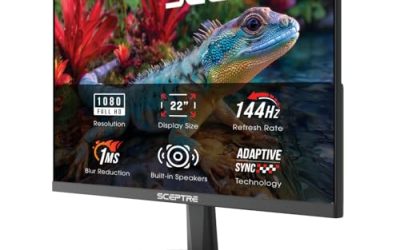
| Sceptre E225W 22-inch | Budget gaming and office mix | 1080p, up to 144Hz, HDMI plus DisplayPort, speakers |
| Anyuse 15.6-inch Portable | Laptop second screen, consoles | IPS, USB-C and HDMI, 60Hz |
| Philips 221V8LB 22-inch | Plain home-office use | 100Hz VA, 4ms GtG, Adaptive Sync |
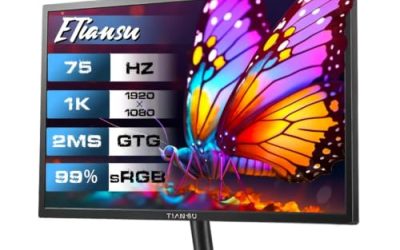
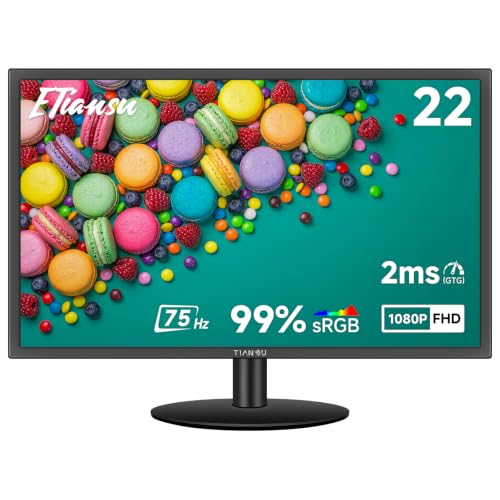
| ETiansu 22-inch IPS | Wide viewing angles on a tight budget | IPS, 75Hz, FreeSync, HDMI and VGA |
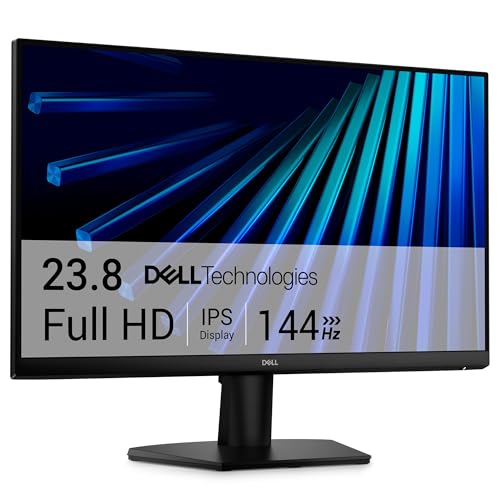
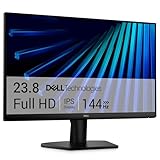
| Dell SE2426H 24-inch | Brand-name 24-inch with IPS | 23.8-inch, 144Hz, 1ms, IPS, FreeSync |
| Sceptre 22-inch 2-Pack | Dual-monitor setups | Two 1080p monitors, up to 144Hz |
| Philips 241V8LB 24-inch | Larger office screen | 100Hz VA, 4ms GtG, VESA, flicker-free |
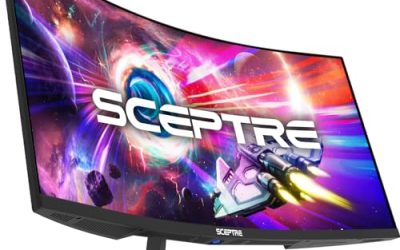
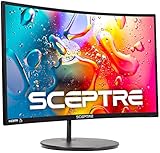
| Sceptre C248W Curved 24-inch | Immersive media on a budget | Curved, 98% sRGB, HDMI x2 and VGA |
How to Choose
Pick the panel type before the brand
Budget monitors mostly use IPS or VA panels. IPS screens hold their color and brightness when you sit off-center, which matters if two people share a desk or you tilt the screen often. VA panels usually offer deeper blacks and stronger contrast, which suits movies and dark game scenes, but color can shift at wide angles. If the listing never names the panel type, treat that as a warning and look for a model that does.
Match refresh rate to what you actually do
A 60Hz screen is fine for documents, browsing, and video. A 75Hz or 100Hz screen gives a visible smoothness bump for scrolling and cursor movement at almost no extra cost. Go for 144Hz only if you have a graphics card or console capable of feeding it frames. Also check that the refresh rate is reachable over the port you plan to use: older HDMI versions can cap you below the headline number, while DisplayPort usually reaches it.
Count the ports and mounting options
Make a list of what plugs in today and what may plug in next year. HDMI covers consoles and most laptops, DisplayPort suits PCs at higher refresh rates, VGA only matters for older office hardware, and USB-C is the standout for single-cable laptop setups. If you want an arm or wall bracket, confirm VESA support in the listing. Budget stands often tilt only, so height adjustment may require a separate arm.
Where cheap models cut corners
Expect plastic stands, small built-in speakers, and limited color accuracy. A claim like 98% sRGB is a helpful hint about color coverage, while vague talk of “vivid colors” is not. Ignore dynamic contrast ratios with enormous numbers; they are marketing, not a measure of picture quality. At 22 to 24 inches, 1080p still looks sharp enough from a normal desk distance, so skip paying extra for a higher resolution on these sizes.
One more practical check: measure your desk. A 24-inch panel is roughly 21 inches wide before the bezel and stand are counted, and a pair of 22-inch screens needs well over three feet of clear space. A monitor that dominates the desk makes you sit farther back, which defeats the point of a bigger screen.
The 8 Best Options
Sceptre E225W 22-Inch Gaming Monitor
This is a straightforward 22-inch 1080p screen that reaches up to 144Hz and offers both HDMI and DisplayPort, a rare pairing at the low end. Built-in speakers mean you can skip separate desktop audio for casual use. It suits someone building a first gaming-capable desk on a tight budget.
- Strength: up to 144Hz with two modern video inputs keeps options open for upgrades.
- Strength: built-in speakers reduce the number of extras you must buy.
- Trade-off: the title names no panel type, so viewing-angle quality is unclear.
Skip it if: you want a confirmed IPS panel or a larger screen.
Anyuse 15.6-Inch Portable Monitor
A slim 15.6-inch IPS screen with USB-C and HDMI, built to be a second display for a laptop, a phone, or a console. The 1080p 60Hz spec is typical for the category. It fits travelers and small-space users who cannot fit a full desktop monitor. A remote worker in a shared apartment, for instance, can set it beside a laptop for a calendar and chat window, then store it flat in a drawer when the workday ends.
- Strength: IPS panel and 1080p resolution give a sharp, consistent image at this size.
- Strength: USB-C plus HDMI covers laptops, phones, and consoles with one device.
- Trade-off: 60Hz and a small panel make it a companion screen, not a main display.
Skip it if: you need a primary monitor for long desk sessions.
Philips 221V8LB 22-Inch Monitor
Philips keeps this one simple: a 22-inch 1080p VA panel at 100Hz with a 4ms GtG response, Adaptive Sync, and flicker-free backlighting. It is a sensible office or study screen where eye comfort matters across long sessions.
- Strength: 100Hz is a noticeable step above basic 60Hz screens for everyday scrolling.
- Strength: flicker-free backlighting is aimed at long reading and typing sessions.
- Trade-off: HDMI 1.4 and a tilt-only stand limit connectivity and ergonomics.
Skip it if: you need DisplayPort or height adjustment.
ETiansu 22-Inch IPS Monitor
This 22-inch model pairs an IPS panel with 75Hz, FreeSync, and a 2ms response claim. HDMI and VGA inputs cover modern and older sources, and VESA support leaves the door open to an arm. It suits shoppers who prioritize viewing angles at the lowest tier.
- Strength: IPS keeps color steadier from off-center seating positions.
- Strength: VGA alongside HDMI helps if an older desktop is still in the mix.
- Trade-off: no DisplayPort is listed, which caps future options for high-refresh PCs.
Skip it if: you plan to run a high-refresh PC over DisplayPort.
Dell SE2426H 24-Inch Monitor
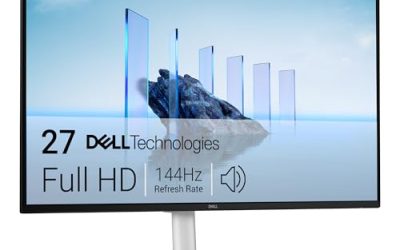
A 23.8-inch 1080p IPS monitor at 144Hz with a 1ms response and AMD FreeSync. The title also lists a TÜV eye-comfort certification and dual HDMI. It is the all-rounder for buyers who want a known name and room to grow into gaming.
- Strength: IPS and 144Hz together are an uncommon mix at an affordable tier.
- Strength: two HDMI ports let you share the screen between a PC and a console.
- Trade-off: the listing mentions tilt adjustment but no height or pivot movement, so ergonomics look basic.
Skip it if: you need DisplayPort or a pivoting stand, since the title lists HDMI only.
Sceptre 22-Inch Gaming Monitor, 2-Pack
This listing bundles two 22-inch 1080p monitors, each up to 144Hz with two HDMI ports, DisplayPort, and speakers. That makes it a ready-made dual-screen setup, ideal for trading, coding, or streaming where multiple windows stay open. One screen can hold the main document or code editor while the other keeps chat, reference pages, or a video call visible, which saves constant window switching.
- Strength: two matching screens simplify bezel alignment and color consistency.
- Strength: DisplayPort and HDMI on each unit allow flexible hookups.
- Trade-off: you need desk space and enough graphics outputs to drive both.
Skip it if: you only need one screen or have a small desk.
Philips 241V8LB 24-Inch Monitor
The larger sibling of the 221V8LB: a 24-inch FHD VA panel at 100Hz with 4ms GtG, Adaptive Sync, HDMI 1.4, VESA mounting, and flicker-free tech. It works for spreadsheet-heavy days where extra width helps.
- Strength: 24 inches offers more working room than 22-inch options.
- Strength: VESA support allows a wall mount or arm for a cleaner desk.
- Trade-off: HDMI 1.4 and a tilt-only stand keep it basic.
Skip it if: you want IPS color angles or DisplayPort.
Sceptre C248W Curved 24-Inch Monitor
A curved 24-inch 1080p screen with 98% sRGB coverage, dual HDMI, and VGA, plus built-in speakers and VESA wall-mount support. The curve suits movies and casual gaming, and the sRGB figure hints at decent color for hobby photo browsing.
- Strength: 98% sRGB listed gives a concrete color-coverage reference.
- Strength: HDMI x2 and VGA cover several devices without a switch.
- Trade-off: the curve can distort straight lines in design or CAD-style work.
Skip it if: you do precise layout work or want a flat panel.
Which One Fits Your Situation
You work from a laptop at a cramped desk
The Anyuse 15.6-inch portable monitor lets you add a second screen over a single USB-C cable and slide it away at the end of the day. If you have room for a permanent screen, the Dell SE2426H is the stronger main display.
You want one screen for work and weekend games
The Dell SE2426H pairs IPS with 144Hz and FreeSync, so it covers documents and play equally. The Sceptre E225W is the cheaper alternative if DisplayPort matters more than panel type.
You live in spreadsheets and email
The Philips 241V8LB gives you 24 inches of working space with flicker-free comfort, and VESA mounting lets you raise it to eye level on an arm. Pick the 221V8LB if desk space is tight.
You need two screens fast
The Sceptre 22-inch 2-pack saves the hassle of matching two separate monitors and keeps costs lower than buying two single units. Make sure your PC has two video outputs first.
You are connecting an older office PC
Older desktops often have only VGA. The ETiansu 22-inch IPS lists HDMI and VGA together, so it can serve the old machine today and a newer laptop later without a second purchase.
Common Mistakes
- Buying 144Hz and then leaving it at 60Hz in the operating system settings, which wastes the feature.
- Ignoring the cable type: an older HDMI version may cap the refresh rate below the headline number.
- Assuming every 1ms or 2ms claim means a better picture; response numbers are measured under favorable conditions.
- Skipping a check for VESA support, then discovering a desk arm will not attach.
- Choosing a curved panel for work that depends on straight lines and precise alignment.
Related guides
- Gaming Chair Cushions And Lumbar Supports
- How To Use Camelcamelcamel For Amazon Deals
- Warranty Considerations When Buying On Sale
Frequently Asked Questions
Is 1080p enough for a cheap monitor?
At 22 to 24 inches, yes. Pixel density is high enough for crisp text from a normal desk distance. Higher resolutions make more sense on larger screens or when you need extra workspace.
Is IPS always better than VA?
No. IPS gives steadier color across viewing angles, while VA often delivers deeper blacks and higher contrast. Choose IPS for shared screens and design-leaning work, VA for movies in a dim room.
Do I need 144Hz for office work?
No. A 75Hz or 100Hz screen is already smoother than 60Hz for scrolling and cursor movement. Pay for 144Hz only if you game on hardware that can deliver those frame rates.
Are built-in speakers good enough?
They are fine for video calls and casual videos but thin for music or games. If sound matters, plan on a small speaker set or headphones and treat the built-in option as a backup.
Related guides
More from Amazon
Programs that pair well with the guide above. Offers and eligibility are set by Amazon and may change.
Free shipping on eligible items, Prime Video and more. Eligible new members can start with a free trial.
Start a Prime free trialAd-free music streaming. Eligible new subscribers can start with a free trial.
Try Music Unlimited freeA Prime membership for ages 18-24 with a trial period. Eligibility is set by Amazon.
See Prime for Young AdultsAudiobooks and podcasts to listen to on the go. Eligible new members can start with a free trial.
Try Audible freeAs an Amazon Associate we earn from qualifying purchases.