A 1ms label on a monitor box sounds like a clear promise, but it hides a decision most shoppers skip: which response-time method produced that number, and does the panel behind it match the games you actually play? Manufacturers quote gray-to-gray figures taken at the most favorable overdrive setting, so the number alone tells you little about motion clarity. What it does tell you is that the panel is built for fast movement, which is why the 1ms tier has become the default shopping filter for competitive players.
This guide is for buyers who want a gaming monitor that keeps trailing and smearing to a minimum without paying for hardware they cannot use. A 1080p screen paired with a mid-range graphics card has different needs than a 4K ultrawide on a 2026 build, so the picks below span compact 24-inch esports panels, QHD workhorses, and large curved displays. Each is judged only on what its listing states: size, resolution, refresh rate, sync support, and connections.
Our Top Picks
 SANSUI 24 Inch 180Hz Gaming Computer Monitor23.8121.2 x 7.95 x 16.28 inches8.7 poundsCheck on Amazon
 Acer 27in FHD 1920x1080 IPS 120Hz Gaming Monitor27-inch8.27 x 24.07 x 17.44 inches11 poundsCheck on Amazon
 Pixio PX248 Wave White 24 inch 200Hz Refresh24 inch7.87 x 21.38 x 17.13 inches10.5 poundsCheck on Amazon


Top 3 picks at a glance
Quick Picks
As an Amazon Associate we earn from qualifying purchases at no extra cost to you.




| Product | Best for | Key spec from the title |
|---|---|---|
| SANSUI 24-inch | Budget 1080p gaming and office | 180Hz, 1ms, 110% sRGB, FreeSync |
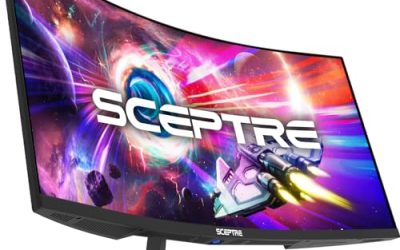
| Acer KB272 G0bi | Mixed work and play on a 27-inch IPS | 120Hz IPS, 1ms, sRGB 99%, HDMI and VGA |
| Samsung Odyssey G5 32-inch | Big curved QHD screen | 2560 x 1440, 1000R, 165Hz |
| Pixio PX248 Wave | High refresh on a small desk | 200Hz Fast IPS, 1ms GTG, built-in speakers |
| Samsung Odyssey G7 40-inch | Immersive ultrawide play | WUHD curved, 180Hz, DisplayHDR 600 |
| Samsung Odyssey G5 27-inch | QHD with NVIDIA-friendly sync | 180Hz Fast IPS, HDR10, G-Sync Compatible |
| Samsung Odyssey G7 37-inch | 4K with fast motion | 4K UHD curved, 165Hz, FreeSync Premium Pro |
How to Choose
Read the response-time claim correctly
Look for the GtG or GTG tag next to the 1ms figure. That measurement describes pixel transitions between gray shades, not the slower real-world changes between dark and bright colors. A 1ms GtG monitor and a 4ms monitor often look close in practice, so treat 1ms as a minimum entry requirement rather than a ranking tool. Ignore any listing that gives a response time without naming the method.
Match resolution to your graphics card
At 1080p, 24-inch panels stay sharp and are easy to drive at 144Hz or higher. At QHD (2560 x 1440), 27 to 32 inches is the sweet spot. At 4K, you need a card capable of pushing 100-plus frames per second in your games, or the extra pixels will force you to lower settings. Budget cards cut corners here, so pick resolution for your hardware, not for the box.
Refresh rate and sync support
Aim for at least 144Hz for shooters, though 120Hz is acceptable for casual play. Check which adaptive-sync flavor is listed: FreeSync suits AMD cards, G-Sync Compatible is the label for NVIDIA owners, and generic AdaptiveSync usually works with either on a DisplayPort connection. HDMI ports on cheaper monitors may cap refresh rates below the headline number, so confirm that a DisplayPort input is present.
Panel type, ports, and mounting
Fast IPS panels deliver wider viewing angles and richer color than VA, while curved VA screens such as 1000R models trade some angle consistency for contrast. Look for VESA mounting if you use a monitor arm, and count the inputs: a VGA port helps with older office hardware, while two modern ports let a console and PC share the screen. Skip built-in speakers as a deciding factor, since headphones will almost always sound better.
The 7 Best Options
SANSUI 24-Inch 180Hz Monitor
This is a straightforward entry point for someone building a first gaming desk or adding a second screen for office tasks. The title lists a 24-inch FHD 1080p panel at 180Hz with a 1ms response time, 110% sRGB coverage, and FreeSync, along with HDMI and DisplayPort inputs and VESA support. A cable is also included, which saves a small shopping trip.
- Strength: 180Hz refresh at 1080p is a good match for esports titles on modest graphics cards.
- Strength: Both HDMI and DP ports plus VESA mounting keep setup flexible.
- Trade-off: A 24-inch 1080p screen offers less workspace than the QHD options here.
Skip it if you need a screen for photo editing or want a larger, more immersive view. Anyone planning to run two monitors side by side should also confirm that the stand and VESA pattern suit their desk before buying.
Acer KB272 G0bi 27-Inch IPS
Acer positions this model for both gaming and office use. The listing shows a 27-inch FHD IPS panel at 120Hz with a 1ms response time, AdaptiveSync, 99% sRGB, a bluelight filter, and VESA mounting. HDMI and VGA are the connections named, which suits a mix of old and new equipment.
- Strength: 99% sRGB on an IPS panel is a stronger color base than the typical budget gaming screen.
- Strength: The VGA input makes it easy to reuse with older computers.
- Trade-off: 120Hz is the lowest refresh rate in this group, and the title does not list DisplayPort.
Skip it if fast shooters are your main game and you want 165Hz or higher. Casual players, students, and home-office users who occasionally game are the people this spec sheet really serves.
Samsung Odyssey G5 32-Inch Curved
This model steps up to a 32-inch QHD (2560 x 1440) screen with a 1000R curve, 165Hz refresh, 1ms response, and AMD FreeSync. DisplayPort and HDMI are both listed. The aggressive curve pulls the edges of a large panel toward your eyes, which many players find immersive in racing and open-world games.
- Strength: QHD resolution on a large screen gives noticeably more detail than 1080p.
- Strength: The 165Hz refresh rate suits fast action without demanding 4K-class hardware.
- Trade-off: A sharp 1000R curve can make straight lines look bent for spreadsheet or design work.
Skip it if your desk is shallow or you share the screen with others who sit off-center. A 32-inch panel also asks for roughly arm’s-length viewing distance, so measure the space first.
Pixio PX248 Wave 24-Inch 200Hz
The PX248 targets players who prioritize refresh rate over size. Its listing shows a 24-inch FHD Fast IPS panel running at 200Hz with a 1ms GTG response, plus built-in speakers and adaptive sync. The Wave Pink finish stands out on a themed desk setup.
- Strength: 200Hz refresh is the highest in this lineup, helpful for competitive shooters.
- Strength: A Fast IPS panel combines quick transitions with wider viewing angles than many budget VA screens.
- Trade-off: At 1080p on 24 inches the workspace is limited, and the listed speakers are a convenience rather than a sound upgrade.
Skip it if you prefer a subtle black finish or want more screen real estate. Buyers who plan to use dedicated headphones can ignore the speakers entirely and judge it on panel and refresh rate alone.
Samsung Odyssey G7 40-Inch WUHD
This is the largest screen in the roundup. The title lists a WUHD curved panel with 180Hz refresh, 1ms GtG response, VESA DisplayHDR 600, and FreeSync Premium Pro. WUHD implies an ultrawide format, which fills peripheral vision in simulation, racing, and cinematic games.
- Strength: DisplayHDR 600 certification suggests brighter highlights than a basic HDR10 label.
- Strength: FreeSync Premium Pro and 180Hz support smooth play across a wide image.
- Trade-off: Driving that many pixels at high frame rates calls for a capable graphics card.
Skip it if desk depth is under roughly three feet or your card sits in the entry tier. At this size the screen works more like a small television, which also suits couch-distance setups with a console.
Samsung Odyssey G5 27-Inch QHD
The G50F model is the pick for NVIDIA owners who want QHD without paying for a larger panel. It is described as a 27-inch QHD gaming monitor with 180Hz refresh, a Fast IPS panel, HDR10, G-Sync Compatible support, and 1ms GtG response.
- Strength: Fast IPS with QHD at 180Hz balances sharpness and smoothness at a common desk size.
- Strength: G-Sync Compatible labeling reduces guesswork for GeForce buyers.
- Trade-off: HDR10 on its own is an input format, so do not expect dramatic HDR highlights.
Skip it if you want a curved screen or a larger display. It is a flat, conventional design, which makes it easier to place beside a second monitor or use for everyday office tasks.
Samsung Odyssey G7 37-Inch 4K
Aimed at players with a powerful graphics card, this model pairs a 4K UHD curved panel with 165Hz refresh, 1ms GtG response, DisplayHDR 600, and FreeSync Premium Pro. It combines high resolution and a quick panel, which is rare at this tier.
- Strength: 4K resolution delivers fine detail for single-player titles and creative work.
- Strength: DisplayHDR 600 and FreeSync Premium Pro round out a feature-rich spec sheet.
- Trade-off: Reaching high frame rates at 4K is demanding, so older GPUs will struggle.
Skip it if your graphics card is mid-range or you play mainly esports titles. Buyers weighing it against the 40-inch ultrawide should decide whether they value pixel density or sheer width more.
Which One Fits Your Situation
You are on a tight budget with a mid-range card
The SANSUI 24-inch is the sensible match. At 1080p and 180Hz it will not outrun a modest graphics card, and the extra refresh headroom leaves room to grow.
You play competitive shooters above all
The Pixio PX248 Wave and its 200Hz Fast IPS panel fit this use best. Pair it with a DisplayPort cable for the full refresh rate.
You want sharper detail and play on an NVIDIA card
The Samsung Odyssey G5 27-inch with G-Sync Compatible support gives QHD detail at 180Hz without requiring top-tier hardware.
You own a high-end card and want maximum immersion
Choose between the Samsung Odyssey G7 37-inch for 4K detail or the 40-inch WUHD version for a wider field of view.
Common Mistakes
- Treating the 1ms number as proof of superior motion clarity, without checking whether it is a GtG rating.
- Buying a 4K panel before confirming that the graphics card can deliver the frame rates you want.
- Connecting through HDMI when the full refresh rate only works over DisplayPort.
- Choosing a steeply curved screen for a desk shared with others or used for precise layout work.
- Counting on built-in speakers or an HDR10 label as major selling points instead of panel type and sync support.
Related guides
- Gaming Chair Cushions And Lumbar Supports
- Business Laptops For Graphic Designers
- How To Use Camelcamelcamel For Amazon Deals
Frequently Asked Questions
Is 1ms response time worth paying extra for?
It is now common even on budget monitors, so it should not carry a big premium. Focus on refresh rate, resolution, and panel type, and treat 1ms as a baseline.
Do I need FreeSync or G-Sync Compatible?
Adaptive sync reduces tearing when frame rates fluctuate. Most modern monitors work with both brands of graphics cards, but the labeled brand is the safer choice for your own hardware.
Is a curved monitor better for gaming?
Curves add immersion on large screens, especially at 32 inches and above. On smaller monitors, a flat panel is usually more practical.
What refresh rate is enough?
For casual and single-player games, 120Hz to 144Hz feels smooth. Competitive players who can sustain high frame rates benefit from 165Hz and above.
Related guides
More from Amazon
Programs that pair well with the guide above. Offers and eligibility are set by Amazon and may change.
Free shipping on eligible items, Prime Video and more. Eligible new members can start with a free trial.
Start a Prime free trialAd-free music streaming. Eligible new subscribers can start with a free trial.
Try Music Unlimited freeA Prime membership for ages 18-24 with a trial period. Eligibility is set by Amazon.
See Prime for Young AdultsAudiobooks and podcasts to listen to on the go. Eligible new members can start with a free trial.
Try Audible freeAs an Amazon Associate we earn from qualifying purchases.