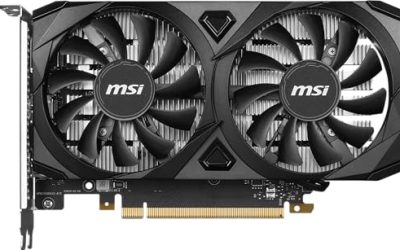
For I Was a Teenage Exocolonist, almost any graphics card from the last decade is enough, so the best GPU is the cheapest current-generation card that also suits the other games you play. Budget buyers can stop at an entry-level card or an integrated graphics chip, while 1440p and 4K players only need a bigger GPU if their other titles demand it.
Short Answer by Resolution
The developer’s Steam page lists a GeForce GTX 970 4GB or Radeon R9 290 4GB as the recommended graphics card, paired with a Core i5-4690K or Athlon 3000G class processor, 8 GB of RAM and about 5 GB of storage. The minimum listing is even gentler: any DirectX 10, 11 or 12 capable GPU, 4 GB of RAM and 2 GB of storage. Both of those cards are roughly a decade old, and every card in the current RTX 50-series, Radeon RX 9000 and Intel Arc B-series lineups sits far above them.
The practical consequence is that this is a game where your resolution target barely matters for the GPU choice. The game is a story-driven life sim built around illustrated scenes and card-based choices, not a showcase for ray tracing or heavy 3D rendering. No published figure from the developer ties it to a specific frame rate, and none is invented here.
| Target | GPU class that fits | Why |
|---|---|---|
| 1080p, high settings | Entry-level modern card, or a recent integrated GPU | The recommended listing is a GTX 970 or R9 290 class card |
| 1440p, high settings | Entry-level to lower mid-range card | Higher pixel count adds little load for a 2D-style presentation |
| 4K, high settings | Mid-range card | Chosen for the monitor and your other games, not for this title |
What the Publisher Lists
The requirements below come from the game’s own store listing. Treat them as the baseline for decisions, because independent benchmark data for a title this light is scarce, and any site offering precise frame-rate tables for it is either estimating or guessing.
| Item | Minimum | Recommended |
|---|---|---|
| Operating system | Windows 7 SP1, Windows 10 or Windows 11 | Windows 10 64-bit or later |
| Processor | x86 or x64 with SSE2 support | Intel Core i5-4690K or AMD Athlon 3000G |
| Memory | 4 GB | 8 GB |
| Graphics | DX10, DX11 or DX12 capable GPU | GeForce GTX 970 4GB or Radeon R9 290 4GB |
| Storage | 2 GB | 5 GB |
macOS and Linux listings also exist, with Apple Silicon named for the Mac recommended tier. If you play on a Mac or a Linux box, the same logic applies: the requirements are modest.
VRAM: How Much Do You Need?
The recommended GPUs both carry 4 GB of video memory, which is the only VRAM figure the publisher implies. That makes 4 GB the practical floor. In 2026 nearly every new discrete card ships with 8 GB or more, so VRAM is not a constraint for this game on any card you can currently buy new. If you are choosing between an 8 GB and a 16 GB version of a card, the extra memory would be for other games, not this one.
Upscaling and Frame Generation
The store listing does not advertise DLSS, FSR or XeSS support, and nothing in the publisher’s requirements suggests the game needs them. With such light demands, upscaling would only reduce image quality for no gain. Leave it off if you see an option, and put those features to use in more demanding games.
Cards That Make Sense in 2026
Because the game is undemanding, the useful question is which card suits the rest of your library. Below are current-generation options, with specs taken from the makers’ own product pages as of their launch listings.
| Card | Best for | Maker-stated memory | Limits |
|---|---|---|---|
| Intel Arc B570 / B580 | Budget 1080p and light 1440p gaming | 10 GB (B570), 12 GB (B580) | Driver maturity in older games is a frequent reviewer topic |
| GeForce RTX 5060 | Entry-level 1080p with DLSS in other games | 8 GB | 8 GB can limit newer titles at higher settings |
| Radeon RX 9060 XT | 1080p and 1440p value pick | 8 GB or 16 GB versions | Choose the memory version carefully |
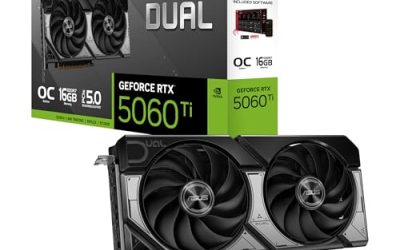
| GeForce RTX 5060 Ti | 1440p all-rounder | 8 GB or 16 GB versions | The 8 GB version is aimed at 1080p |
| Radeon RX 9070 / 9070 XT | High refresh 1440p, entry 4K | 16 GB | Overkill for this game alone |
| GeForce RTX 5070 / 5070 Ti | Strong 1440p and capable 4K | 12 GB (5070), 16 GB (5070 Ti) | Higher power draw and cost tier |
Pick X If
| Situation | Pick |
|---|---|
| This is the only game you want to play | Whatever you already own, or a recent integrated GPU |
| You want a low-cost card for several indie and older titles | Entry-level RTX 5060 or Arc B570 class |
| You also play new AAA games at 1440p | RTX 5060 Ti 16 GB or RX 9060 XT 16 GB class |
| You play on a 4K TV and want future headroom | RX 9070 XT or RTX 5070 Ti class |
| You use a compact PC or laptop | Any recent mobile GPU; the game is light enough for integrated graphics |
The CPU, RAM and Storage Side
The recommended processor is a Core i5-4690K, a quad-core part from 2014, or an Athlon 3000G, a dual-core chip with integrated Vega graphics. Any modern Ryzen 5, Core i5 or Core Ultra chip beats both. With 8 GB of RAM recommended, a modern 16 GB kit leaves plenty of room. The roughly 5 GB storage figure means a SATA or NVMe SSD of any size will do, and install time is trivial. An older hard drive may lengthen loading, but the publisher does not state an SSD requirement.
Common Mistakes
- Paying for a card based on this game alone. A mid-range GPU will not change how this title looks or plays compared with an entry-level one.
- Chasing VRAM for it. The game’s published GPUs carry 4 GB, so a card with 12 or 16 GB is bought for other reasons.
- Trusting invented benchmark tables. Frame-rate charts for a game with no widely published benchmark suite are usually estimates.
- Ignoring the monitor. A 4K display looks sharp with this game’s artwork, but a fast refresh rate matters little for a story game.
- Overlooking the power supply. If you do move up to a stronger card for other games, check the maker’s recommended PSU wattage and connector type.
Alternatives and What to Skip
Alternative: stay on integrated graphics. Recent Ryzen processors with integrated Radeon graphics and Intel Core Ultra chips with integrated Arc graphics fall well within the minimum DX10-or-newer listing, so a small-form-factor build is a legitimate way to play.
Alternative: a used previous-generation card. A GTX 1060, RX 580 or newer used card exceeds the recommended GTX 970 class, although warranty and driver support vary. Older Nvidia and AMD cards have moved toward reduced driver attention, so reviewers often advise buyers to weigh that.
Skip: flagship cards. An RTX 5080 or RTX 5090 class card would be wasted on this game and only makes sense if other demanding games drive the purchase.
Skip: 8 GB cards bought for the long haul. If you plan to keep a card for many years and play a wide library, reviewers frequently point to 12 or 16 GB models as safer for newer titles, though that has nothing to do with this game.
Setup Tips for Smooth Play
- Install the latest graphics driver from the GPU maker.
- Set the game to your monitor’s native resolution.
- Use the game’s built-in options before third-party tools.
- If you notice stutter, close background apps and confirm the game sits on an SSD.
- For laptops, make sure the game uses the discrete GPU, if present, through the operating system’s graphics settings.
Frequently Asked Questions
Can integrated graphics run I Was a Teenage Exocolonist?
The minimum listing asks only for a DirectX 10, 11 or 12 capable GPU, which modern integrated graphics from AMD and Intel meet. The recommended tier names discrete GPUs from 2014, which today’s integrated chips broadly match in capability. Results will depend on memory configuration, so use dual-channel RAM where possible.
Is 4 GB of VRAM enough?
The publisher’s recommended GPUs both have 4 GB, so that amount matches the stated recommendation. Today’s cards start at 8 GB for new discrete models, so the question rarely arises in practice.
Does the game support DLSS or FSR?
The store listing does not mention either, and the demands are low enough that it should not matter. Use native resolution rendering unless the in-game options say otherwise.
Do I need an SSD?
The listing gives a storage amount of 2 GB minimum and 5 GB recommended but does not state an SSD requirement. An SSD is still a sensible default for any modern PC and will shorten load times.
Will it run on a Mac or Linux PC?
The store page lists macOS and SteamOS or Linux requirements, with Apple Silicon named in the Mac recommended tier. The hardware needs are modest on both platforms, but follow the store listing for exact operating system versions.
Should I buy a new GPU just for this game?
No. If your PC meets the recommended listing, a new card will not change the experience. Upgrade only if other games on your list need more performance.
Related guides
More from Amazon
Programs that pair well with the guide above. Offers and eligibility are set by Amazon and may change.
Free shipping on eligible items, Prime Video and more. Eligible new members can start with a free trial.
Start a Prime free trialAd-free music streaming. Eligible new subscribers can start with a free trial.
Try Music Unlimited freeA Prime membership for ages 18-24 with a trial period. Eligibility is set by Amazon.
See Prime for Young AdultsAudiobooks and podcasts to listen to on the go. Eligible new members can start with a free trial.
Try Audible freeAs an Amazon Associate we earn from qualifying purchases.