
Most first-time gaming PC buyers lose money the same way: they spend $1,200 on a machine built around a flashy graphics card, then discover it has a weak processor, a no-name power supply, and only 8GB of RAM. Or they buy the cheapest tower on the marketplace shelf, and six months later they’re replacing parts instead of playing games. This guide exists to stop both mistakes. Instead of chasing brand names or RGB lighting, we’ll walk through the handful of decisions that actually determine whether a budget gaming PC feels great for years or frustrates you within months.
The prices in this guide reflect the real market as of early 2026: entry-level prebuilt gaming desktops start around $450, solid mid-range machines cluster between $700 and $1,000, and anything above roughly $1,300 is premium territory that most beginners don’t actually need. One useful benchmark when comparing examples: a CyberPowerPC with a Ryzen 7 8700F and RTX 5060 Ti at $1,496 sits at the top of the range, while an STGAubron with an older Core i7 and RX 580 at $499 shows what the true entry floor looks like — and why that floor has real trade-offs we’ll explain below.
As an Amazon Associate we earn from qualifying purchases at no extra cost to you. Product prices and availability are accurate as of the date shown and are subject to change.

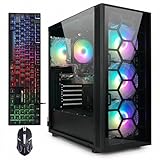


Top 3 picks at a glance
Decide These 3 Things First
Before you compare a single listing, answer these three questions. Every decision afterward depends on them.
1. What resolution will you play at? This is the single biggest factor. Gaming at 1080p (a 1920×1080 monitor) is the budget sweet spot — it lets a $500–$800 PC handle nearly every modern title at 60+ frames per second with adjusted settings. Gaming at 1440p (2560×1440) demands roughly 40–60% more GPU muscle, which pushes you toward the $1,000–$1,500 range. Buying a 1440p-class machine to play on a 1080p monitor wastes money; buying a 1080p-class machine for a 1440p monitor guarantees disappointment.
2. What’s your real total budget? The PC isn’t the whole cost. If you don’t already own them, add a monitor ($100–$200 for a decent 1080p/144Hz panel), keyboard and mouse ($50–$80), and optionally a headset ($40–$100). If your true all-in budget is $800, your PC budget should be around $600–$650.
3. How long do you want it to last? A $500 entry build typically stays comfortable for 2–3 years before settings drops become noticeable. A $800–$1,000 mid-range build buys 3–5 years. Spending more upfront almost always beats upgrading later, because budget towers often have small power supplies and cramped cases that limit what you can add.
Graphics Card: Where Most of Your Money Should Go
The GPU does the heavy lifting in games, so it deserves roughly 40–50% of the tower’s total price. In practice, here’s what each GPU tier delivers at 1080p with settings adjusted for the title:
- $450–$600 towers (like the RX 580 8GB or RX 6500 XT 4GB class): Playable in esports titles — Counter-Strike 2, Valorant, Rocket League, Fortnite — often well above 100 fps. Modern AAA games need medium or low settings to stay near 60 fps. The 4GB of VRAM on cards like the RX 6500 XT is the tightest constraint; it’s fine for 1080p today but ages fast.
- $750–$850 towers (RTX 3050 6GB / RTX 4060-class territory): The honest budget sweet spot. 6–8GB of VRAM handles 1080p high settings in most games, and the RTX 3050/4060 family supports DLSS upscaling, which stretches performance another 30–50% in supported titles. The STGAubron R7 5700X + RTX 3050 6G at $829.99 is a textbook example of this tier.
- $1,300+ towers (RTX 5060 Ti 8GB class): Comfortable 1080p ultra and capable 1440p gaming. If you see yourself upgrading your monitor within two years, this is the tier that won’t need replacing.
One hard rule: never buy a GPU with less than 6GB of VRAM in this market, and treat 8GB as the target if you want the machine to feel current for more than a couple of years.
Processor and RAM: The Pair That Prevents Stutters
A powerful GPU paired with a weak CPU creates bottlenecks — frame rates that spike and dip, plus stutter in CPU-heavy games like simulation, strategy, and open-world titles. In budget prebuilts, CPU tiers break down like this:
- Older quad/hexa-core chips (legacy Core i7 builds, Ryzen 5 5500): Acceptable for 1080p esports and older AAA games at $500–$770 price points. The Ryzen 5 5500, for instance, is a 6-core/12-thread part that pairs sensibly with entry GPUs. Just know these CPUs are the first thing you’ll feel when games get more demanding.
- Modern 8-core chips (Ryzen 7 5700X, Ryzen 7 8700F): 8 cores/16 threads is where we’d draw the line for a machine you want to keep 4+ years. It also handles streaming and background apps (Discord, browsers, recording) without frame drops.
RAM: 16GB is the non-negotiable floor. 8GB systems are obsolete for modern gaming — Windows alone eats 4–5GB. Two crucial details: verify the machine uses two sticks (2×8GB) rather than one, because dual-channel memory can be worth 10–20% in CPU-bound games. And prefer DDR4 3200MHz or DDR5 4800MHz+ speeds. Also confirm there’s a free RAM slot so you can jump to 32GB later.
Storage: SSD Capacity and Speed
Any gaming PC without an SSD (solid-state drive) should be disqualified immediately. Hard drives make Windows and games feel sluggish no matter how good the parts are. Here’s the current landscape:
- 512GB SSD: Common on $500 builds. Workable, but a handful of modern games each eat 80–150GB, so you’ll be uninstalling constantly.
- 1TB SSD: The realistic sweet spot at the $750–$850 tier, fitting roughly 8–12 large games comfortably.
- Upgrade path: Check that the motherboard has a spare M.2 slot or a free SATA port. Adding a 1–2TB SSD later costs $50–$110 and takes ten minutes — but only if the tower has somewhere to put it.
Power Supply and Cooling: The Parts That Kill Cheap PCs
The two components spec sheets downplay are the ones that fail first in bargain towers.
Power supply (PSU): A quality 500–650W unit from a known brand (Corsair, EVGA, Seasonic, Thermaltake’s higher lines) is what you want. Beware listings advertising “600W PSU” with no brand name — the true safe output of no-name units is often half the label, and a failing PSU can take the whole system with it. Check the GPU maker’s recommendation: an RTX 3050-class card wants a 450–550W PSU; an RTX 5060 Ti wants 600W. Also look for an 80 Plus certification (Bronze minimum) and confirm there’s spare wattage and connectors for a future GPU upgrade.
Cooling: Budget towers need at least one front intake fan and one rear/top exhaust fan; three or more total fans is better. Compact cases under roughly 18 inches tall with cramped cable routing run 5–10°C hotter, which throttles performance during long sessions. Air cooling is completely fine at this price range — you don’t need liquid cooling until you’re spending well over $1,500.
Case Size and Build Quality
Measure your desk space before buying. Typical budget mid-towers run 17–20 inches tall, 8–9 inches wide, and 15–18 inches deep, weighing 20–30 pounds. Compact micro-ATX cases (under 16 inches tall) save desk space but restrict future GPU lengths — many modern cards are 10–12 inches long, and small cases top out around 11 inches of clearance.
Build quality tells you a lot about the seller. Look for: a steel chassis (not thin stamped metal that flexes), routed cables rather than a spaghetti bundle blocking airflow, and clear photos of the inside of the actual unit. Sellers who only show glamor shots of the case exterior are hiding the motherboard and PSU — that’s usually for a reason.
Price Tiers: What Your Money Actually Buys
Mapping the example machines to the market shows the tiers clearly:
- $450–$550 (entry): Older-generation parts, 512GB SSD, GPUs with 4–8GB VRAM. Fine for esports and older AAA games; a 2–3 year machine. The STGAubron Core i7/RX 580 at $499.99 fits here — workable, but know exactly what you’re getting.
- $750–$850 (honest mid-range): Modern CPU, current-gen entry GPU with 6–8GB VRAM, 1TB SSD, 16GB RAM. The best value zone for most beginners; expect 3–5 comfortable years at 1080p.
- $1,000–$1,500 (premium budget): Strong 8-core CPUs paired with 1440p-capable GPUs like the RTX 5060 Ti. Only justified if you game heavily or plan to move to a 1440p monitor. Note that paying $1,496 versus $830 roughly doubles frame-rate headroom but doesn’t double real-world enjoyment at 1080p.
Avoid the dead zone: systems priced $600–$750 that pair an old CPU with an old GPU. That money is better saved toward the $830 tier.
Warranty, Support, and Assembly
Established prebuilt brands (CyberPowerPC, iBUYPOWER, and similar system integrators) typically include a 1-year parts-and-labor warranty with lifetime phone support; some offer 2–3 year options. Marketplace and boutique sellers often provide 90 days to 1 year — read the listing carefully, because 90-day coverage on a $500 machine is a genuine risk.
Prebuilts arrive fully assembled, which is the whole point for beginners: unbox, plug in monitor/power/peripherals, run Windows updates and GPU driver updates (NVIDIA GeForce Experience or AMD Adrenalin), and you’re gaming in under an hour. When the warranty runs out, though, confirm the tower uses standard parts — a standard ATX or micro-ATX motherboard and a normal PSU — so any PC shop (or you, with a screwdriver) can service it. Proprietary boards and PSUs are upgrade dead ends.
Spec Checklist
| Spec | Budget ($450–$600) | Mid ($750–$1,000) | Premium ($1,300+) |
|---|---|---|---|
| Graphics card | RX 580 8GB / RX 6500 XT 4GB class | RTX 3050 6GB–8GB / RX 6600 class | RTX 5060 Ti 8GB class |
| CPU | Legacy i7 / Ryzen 5 5500 (6-core) | Ryzen 7 5700X (8-core) | Ryzen 7 8700F or newer 8-core |
| RAM | 16GB DDR4 (2×8GB) | 16GB DDR4 3200MHz (2×8GB) | 16–32GB DDR4/DDR5 |
| Storage | 512GB SSD | 1TB SSD | 1–2TB NVMe SSD |
| PSU | 450–500W, 80 Plus certified | 550–650W, 80 Plus Bronze | 650–750W, 80 Plus Bronze or better |
| Target resolution | 1080p, medium settings | 1080p high / light 1440p | 1440p high settings |
| Realistic lifespan | 2–3 years | 3–5 years | 4–6 years |
Red Flags
- No brand name on the power supply. The most common failure point in cheap prebuilts. Walk away if the listing can’t name the PSU maker.
- 8GB of RAM in a “gaming” PC at any price. Adding 8GB later costs $25–$35, so price that in — or skip the listing.
- Vague CPU descriptions. “Quad-core gaming PC” with no model number usually means a decade-old chip pulled from an office desktop.
- GPUs with under 4GB VRAM or GTX 10-series and older cards. These no longer handle modern titles acceptably.
- “RGB” leading the headline. Lighting sells listings; parts determine lifespan. If the title emphasizes glowing fans over the GPU model, the parts inside are probably weak.
- Fewer than 50 reviews or no photos of the interior. Especially risky on marketplace sellers with 90-day warranties.
- Hard drive as the primary storage. Instant disqualification.
FAQ
Is it cheaper to build a gaming PC myself?
Marginally, and less than it used to be. Building your own saves maybe 5–10% versus a comparable prebuilt, since integrators buy parts wholesale. The prebuilt premium also buys assembly, cable management, a single warranty covering the whole machine, and OS installation. For beginners, a well-specced prebuilt is usually the smarter first purchase — especially when upgrade-friendly.
How much should a beginner spend on a gaming PC?
Between $750 and $850 for the tower is the sweet spot, plus another $150–$300 if you need a monitor and peripherals. That total gets you a machine that plays everything at 1080p and stays relevant for 3–5 years. Below $600 you’re making real compromises; above $1,300 you’re paying for headroom most beginners won’t use yet.
Can a budget gaming PC be upgraded later?
Yes, if you buy the right one. Check for four things before purchasing: a spare RAM slot (to go from 16GB to 32GB), a free M.2 slot or SATA port (for more storage), a PSU with 100W+ of headroom and the right connectors (for a future GPU), and a standard ATX/micro-ATX motherboard. GPU and RAM are the two upgrades that add the most years to a budget machine.
Do I need liquid cooling or extra fans?
No. A stock air cooler handles every CPU in the budget and mid-range tiers, and two or three case fans provide adequate airflow. Liquid cooling only makes sense in premium 8-core builds where you’re chasing maximum sustained performance. Spend the $50–$100 difference on a better GPU instead — it’s the upgrade you’ll actually feel.


