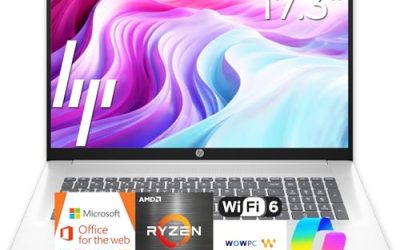
Our Short List of 3

- View on Amazon: https://www.amazon.com/dp/B0BWHLQ5HN

- View on Amazon: https://www.amazon.com/dp/B0BGKSMRL3

- View on Amazon: https://www.amazon.com/dp/B09SVQY3PF
All 4 Picks at a Glance
| Product | Specs | Action |
|---|---|---|
| 2. ASUS TUF Gaming F17 FX707ZC-ES53 — Higher GPU Power in a Tough Shell |
| Check price on Amazon |
| 3. Acer Nitro 5 17 AN517-55 — Big Storage and a Flexible Port Mix |
| Check price on Amazon |
| 4. ASUS TUF Gaming F17 FX706HCB-ES51 — Earlier Generation, Same Big Idea |
| Check price on Amazon |
 5. Lenovo IdeaPad Gaming 3 — The Smaller Alternative, Clearly Labelled |
| Check price on Amazon |
A 17-inch RTX 3050 laptop is the right answer when a gaming machine will live mostly on one desk and the screen itself is part of the point. The larger panel makes 1080p gaming, split-screen work and film watching feel closer to a desktop setup, while the wider chassis gives cooling hardware and a full keyboard more room to work. For desk-replacement use, that trade of portability for space, airflow and immersion is usually the sensible one.
Most gaming laptops cluster around 15.6 inches, because that size travels well. A different group of buyers has the opposite priority. The machine moves from a desk to a kitchen table, or from one room to another, but rarely leaves the house. A backpack fit matters less than whether a strategy map can be read without leaning in, and whether a long session stays comfortable without an external monitor taking over the desk.
That is where the 17.3-inch class earns its place. At Full HD resolution, the bigger panel spreads the same pixels over a larger area, so text grows easier to read and game scenes gain presence. Distant opponents and small minimap details become easier to pick out simply because they occupy more physical space. The RTX 3050 sits in a useful position for this format: it handles esports titles and a large library of 1080p games with ray tracing support and DLSS, and DLSS helps keep frame pacing smooth on a large screen where dips are more noticeable.
Size brings a second, less visible benefit. A wider chassis can fit larger fans, longer heat pipes and more exhaust area than a compact shell, plus a number pad and a roomier touchpad. None of that changes the name of the graphics chip, but it changes how comfortably that chip can work for an evening at a time.
Top 3 picks at a glance
How to Choose a 17-Inch RTX 3050 Laptop
Screen Size, Resolution and Refresh Rate
Every main pick in this guide uses a 17.3-inch Full HD panel, and that pairing is deliberate. At 1920 by 1080, the RTX 3050 is in its natural territory. Pushing a higher native resolution would demand more from the graphics chip in every scene, while the larger physical panel already delivers the immersion gain that motivates the purchase. A buyer choosing between a smaller high-resolution screen and a larger Full HD screen for gaming alone will usually get more enjoyment from the larger canvas.
Refresh rate matters just as much. A 144Hz panel, fitted to all the 17-inch models below, can display far more frames per second than a basic 60Hz screen, and esports titles are exactly the kind of software that can fill those frames on an RTX 3050. Motion looks clearer and input feels more connected. Brightness and colour coverage vary between models, so a machine intended for photo or video work deserves a closer look at those figures on its listing. The panels here follow the familiar IPS or IPS-level pattern with wide viewing angles.
Viewing distance changes with size, too. A 17.3-inch laptop invites sitting a little farther back, which relaxes posture and makes a separate monitor feel optional rather than necessary.
GPU Power Limits and Cooling Headroom
Two laptops can both carry an RTX 3050 badge and behave differently, because laptop graphics power is set within a range chosen by the maker. Listings and specification sheets in this guide show versions running near 75W and versions reaching 95W with boost behaviour. A higher limit generally allows the graphics chip to hold higher clock speeds for longer, which shows up as steadier frame pacing in demanding scenes rather than as a completely different class of performance.
The large chassis is the partner to that power setting. Bigger fans move air with less effort, wider exhausts clear heat from the case, and extra internal volume separates hot components. In practical terms, a well-cooled 17-inch machine is more likely to sound composed during a long session and to keep its keyboard deck comfortable. Fan control software on several of these models lets the owner choose quieter or stronger cooling profiles depending on whether the room is shared.
Memory paired with the graphics chip also differs. Some RTX 3050 laptops carry 4GB of video memory and others carry 6GB. The 6GB versions give textures and newer game settings more breathing room at 1080p, and that difference is worth weighing when two machines otherwise look similar.
Processor, Memory and Storage for a Desk Role
A desk-replacement machine tends to accumulate tasks: a game alongside voice chat, a browser full of guides and recording software. Sixteen gigabytes of system memory handles that mix far more comfortably than eight, and several picks below include 16GB as listed. Models with 8GB are not disqualified, but an upgrade path matters more with them, so socketed memory is a point to confirm on the listing.
The line-up spans 11th, 12th and 13th generation Intel H-series processors, all built for sustained workloads. Newer generations bring more cores and stronger multitasking, which helps streaming, compiling and editing alongside gaming.
Storage fills quickly with modern game installs. A 512GB solid-state drive is a workable foundation, a 1TB drive is noticeably more relaxed, and a 256GB drive, found on the smaller alternative at the end of this guide, needs active management.
Keyboard, Ports and Living on One Desk
A 17-inch deck usually includes a number pad, and that changes daily use more than many spec tables suggest. Spreadsheet work, data entry, video editing shortcuts and some game bindings all benefit. Key travel, backlighting and a full-size arrow key layout deserve attention, because this keyboard may be the only keyboard the desk has.
Port selection completes the desk picture. HDMI allows a television or monitor to join when wanted, Ethernet gives a fixed connection for large downloads and online matches, and multiple USB ports leave space for a mouse, headset, controller and external drive. Thunderbolt 4, present on the Acer model below, adds flexible docking through a single connection. Weight still matters at the margins: these machines sit around two and a half kilograms and upward, fine for moving between rooms, but nobody should choose this class expecting daily commuting comfort.
1. MSI Katana 17 B13UDXK — Strong Processor on the Largest Stage
The Katana 17 in this configuration pairs a 13th generation Intel Core i7-13620H with an RTX 3050 carrying 6GB of GDDR6 video memory, 16GB of DDR5 memory and a 512GB NVMe solid-state drive. On paper and in placement, it is the processing heavyweight of this line-up, and that suits a desk that hosts more than games. Editing, streaming tools and heavy multitasking all draw on the same core count that keeps a game feed supplied.
Its 17.3-inch Full HD display runs at 144Hz, matching the format this guide is built around. The Katana design keeps styling restrained for a gaming machine, with a dark finish that sits comfortably in a shared room or a work corner. A four-zone RGB keyboard spans the wide deck, and the number pad earns its space during the working day.
Cooling is handled under the Cooler Boost name, using the room inside the 17-inch shell for a dual-fan arrangement and shared heat pipes across processor and graphics. That layout fits the central argument for choosing this size: the same components have more space to breathe than they would in a compact case chasing thinness.
Connectivity covers the desk basics and a little more, with USB Type-C including DisplayPort behaviour, multiple USB Type-A ports, HDMI 2.1 and wired Ethernet. Wi-Fi 6 and Bluetooth handle the wireless side. For a buyer who wants the newest processor generation in this group together with the larger video memory version of the RTX 3050, the Katana 17 is the most direct route.
- View on Amazon: https://www.amazon.com/dp/B0BTW1RCWZ
2. ASUS TUF Gaming F17 FX707ZC-ES53 — Higher GPU Power in a Tough Shell
- View on Amazon: https://www.amazon.com/dp/B0BWHLQ5HN
This 2023 generation of the TUF Gaming F17 combines an Intel Core i5-12500H with an RTX 3050 listed at up to 95W maximum graphics power, 16GB of DDR4 memory and a 512GB PCIe solid-state drive. That graphics power figure is the headline. It places this machine at the upper end of the RTX 3050 laptop range, and the chassis was designed around sustaining it.
ASUS points to a pair of 84-blade Arc Flow fans in this design, along with anti-dust behaviour intended to keep the cooling path clear over time. In a machine expected to stay on one desk for years, that kind of durability thinking matters as much as the TUF name and its military-standard durability testing suggest. The shell feels built for a fixed post rather than for careful handling in transit.
The 17.3-inch Full HD 144Hz display anchors the experience, and the keyboard deck includes the number pad and highlighted movement keys familiar from the TUF line. Wi-Fi 6 covers wireless networking, and the port mix supports the usual desk companions: external display, wired peripherals and storage.
Between the two ASUS machines in this guide, this FX707ZC configuration is the one aimed at buyers who prioritise sustained graphics behaviour and memory capacity from the outset. It skips nothing essential for a desk role and leans into the strengths that a larger, sturdier case can provide.
3. Acer Nitro 5 17 AN517-55 — Big Storage and a Flexible Port Mix
- View on Amazon: https://www.amazon.com/dp/B0BGKSMRL3
The Nitro 5 in 17-inch form uses an Intel Core i5-12500H and an RTX 3050 described in its listing at a 95W graphics power level, again at the stronger end for this chip. This particular listed configuration includes 16GB of memory and a 1TB PCIe solid-state drive, the largest storage figure among the main picks, which changes daily life with a growing game library. Fewer installs need to be shuffled or removed to make room for the next one.
Acer built the Nitro cooling story around dual fans, dual intakes and a quad-exhaust layout, managed through the NitroSense utility. On a 17.3-inch chassis, that exhaust count has physical space to work with, and rear and side venting helps keep warm air moving away from hands and desk items.
The 17.3-inch Full HD IPS panel runs at 144Hz, and the keyboard is a four-zone RGB design with a full number pad. Port selection is a genuine strength here: Thunderbolt 4 sits alongside HDMI 2.1, multiple USB Type-A connections and Killer Ethernet. For a desk that might later gain a dock or a second screen, that flexibility extends the useful life of the setup.
4. ASUS TUF Gaming F17 FX706HCB-ES51 — Earlier Generation, Same Big Idea
- View on Amazon: https://www.amazon.com/dp/B09SVQY3PF
The earlier TUF Gaming F17 generation keeps the essential formula intact: a 17.3-inch Full HD IPS-type panel at 144Hz, an RTX 3050 with 4GB of GDDR6 video memory, and a chassis built around durability and cooling rather than thinness. Its processor is an Intel Core i5-11400H, a six-core chip from the generation before the other Intel models here, paired with 8GB of DDR4 memory and a 512GB PCIe solid-state drive.
Those figures define its position honestly. Graphics power here is listed up to 75W with Dynamic Boost behaviour, lower than the 95W versions above, and memory capacity is half that of the 16GB models. For esports titles, older games and everyday 1080p play at adjusted settings, the hardware remains well matched to the screen. For a desk running many applications at once, the memory figure is the first compromise to consider.
What it retains in full is the reason for browsing this category at all: the large display, the full keyboard deck with number pad, the TUF cooling approach with anti-dust design, and Wi-Fi 6. This F17 suits a buyer whose gaming leans toward lighter titles and who values the 17-inch format and TUF construction over newer internals.
5. Lenovo IdeaPad Gaming 3 — The Smaller Alternative, Clearly Labelled
- View on Amazon: https://www.amazon.com/dp/B09RND1LP2
This final pick breaks the pattern on purpose. The IdeaPad Gaming 3 is a 15.6-inch machine, included only as the smaller alternative for a buyer who likes the RTX 3050 formula but expects to carry the laptop often enough that a 17-inch case becomes a burden. Every other recommendation in this guide is a 17.3-inch model, and the size difference here is real in bag fit, desk footprint and screen presence.
Within its smaller frame, the specification is coherent. An AMD Ryzen 5 6600H pairs with an RTX 3050, 8GB of DDR5 memory and a 256GB NVMe solid-state drive. The 15.6-inch Full HD display runs at 120Hz, a step below the 144Hz panels of the larger models but still well beyond a basic screen for fast-moving games. The Shadow Black finish fits a classroom or workplace as readily as a gaming desk.
The compromises follow from the size: the screen gives up the immersion that motivates this guide, storage is the smallest in the line-up, and cooling works within a tighter case. None of that makes it a poor machine. It makes it a different answer, for a different routine. Choose this Lenovo when portability genuinely competes with screen size, and any of the four machines above when the desk comes first.
Comparison Table
| Product | Screen size | Display | Processor | Graphics | Memory | Storage |
|---|---|---|---|---|---|---|
| MSI Katana 17 B13UDXK | 17.3 inches | Full HD, 144Hz | Intel Core i7-13620H | RTX 3050, 6GB | 16GB DDR5 | 512GB SSD |
| ASUS TUF Gaming F17 FX707ZC-ES53 | 17.3 inches | Full HD, 144Hz | Intel Core i5-12500H | RTX 3050, up to 95W | 16GB DDR4 | 512GB SSD |
| Acer Nitro 5 17 AN517-55 | 17.3 inches | Full HD IPS, 144Hz | Intel Core i5-12500H | RTX 3050, 95W listed | 16GB | 1TB SSD |
| ASUS TUF Gaming F17 FX706HCB-ES51 | 17.3 inches | Full HD IPS-type, 144Hz | Intel Core i5-11400H | RTX 3050, 4GB | 8GB DDR4 | 512GB SSD |
| Lenovo IdeaPad Gaming 3 | 15.6 inches | Full HD, 120Hz | AMD Ryzen 5 6600H | RTX 3050 | 8GB DDR5 | 256GB SSD |
The first four rows hold screen size constant and vary the internals: processor generation, graphics power, video memory, system memory and storage. The last row changes the screen itself, and that change should be a conscious one.
Frequently Asked Questions
Is a 17-inch RTX 3050 laptop better than a 15.6-inch model for gaming?
For a machine that stays on a desk, the 17-inch format brings a larger picture, a full keyboard with number pad, and more internal room for cooling. Performance still depends on graphics power limit, memory and settings, so a well-specified 15.6-inch machine can match frame output. The gain is comfort, immersion and sustained behaviour rather than a different graphics chip.
Can an RTX 3050 handle modern games at 1080p on a large screen?
Yes, with settings matched to the hardware. Esports and competitive titles run at high frame output that suits a 144Hz panel, while larger open-world and story-driven games generally call for medium to high settings, with DLSS enabled where a game supports it. The screen size does not change the workload: a 17.3-inch Full HD panel and a 15.6-inch Full HD panel ask the graphics chip for the same number of pixels.
Why does graphics power, shown in watts, differ between RTX 3050 laptops?
NVIDIA allows laptop makers to set the RTX 3050 within a power range to suit each chassis. A thin design may use a lower limit, while a larger case with stronger cooling can use a higher one, as the 95W listings in this guide show. Higher power generally supports higher sustained clock speeds. Checking the wattage on a listing is one of the most useful habits when comparing two machines with the same graphics name.
Does a bigger laptop replace a desktop for desk use?
For many routines, it covers the role convincingly. A 17-inch gaming laptop combines screen, keyboard, processor and graphics in one unit that can still move rooms, and can drive an external monitor later if the desk grows. A desktop retains advantages in upgrade scope and absolute power. The laptop wins on space and simplicity.
How much memory and storage suit this class of laptop?
Sixteen gigabytes of memory is the comfortable point for gaming alongside chat, browser and recording tools, and it extends the useful life of the machine. For storage, 512GB is a workable foundation and 1TB is more relaxed, given the install size of current games. A model with a spare drive slot or socketed memory softens both limits over time.
Disclosure: As an Amazon Associate, we earn from qualifying purchases.
Related guides
More from Amazon
Programs that pair well with the guide above. Offers and eligibility are set by Amazon and may change.
Free shipping on eligible items, Prime Video and more. Eligible new members can start with a free trial.
Start a Prime free trialAd-free music streaming. Eligible new subscribers can start with a free trial.
Try Music Unlimited freeA Prime membership for ages 18-24 with a trial period. Eligibility is set by Amazon.
See Prime for Young AdultsAudiobooks and podcasts to listen to on the go. Eligible new members can start with a free trial.
Try Audible freeAs an Amazon Associate we earn from qualifying purchases.