Shopping for a Hewlett Packard laptop means choosing from one of the widest catalogs in computing. The same brand name covers a 14-inch machine with a low-power Intel N150 chip and a 17-inch notebook with a Ryzen 5 and 16GB of memory, and the two feel nothing alike. The first question is not “which HP” but “which size and tier of HP”, because screen size, memory, and storage separate the lineup far more than the logo does.
This guide is for buyers who already prefer HP, whether for familiarity, local service, or simple habit, and want to pick the right model inside the family. In 2026 the options below split into compact 14-inch starters, a mainstream 15.6-inch Core i7 machine, and four roomy 17-inch models, including two from the OmniBook 3 line. Read the quick table, then use the checklist to match a model to your daily routine.
Our Top Picks


Top 3 picks at a glance
Quick Picks
As an Amazon Associate we earn from qualifying purchases at no extra cost to you.



| Product | Best for | Key spec from the title |
|---|---|---|
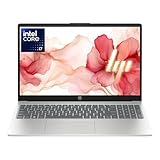
| HP 17 Business Laptop (Ryzen 5) | Big-screen office work | Ryzen 5, 16GB RAM, 512GB SSD, 17.3″ FHD |
| HP OmniBook 3 17.3 (Core Ultra 5) | Modern Intel platform on a big display | Core Ultra 5 225U, 8GB RAM, 512GB SSD |
| HP 14 Inch Laptop (N150, UFS) | Simple starter machine | N150, 4GB RAM, 128GB UFS, 1-year Microsoft 365 |
| HP 14 Ultra-Light (N150, SD card) | Student bag companion | N150, 4GB RAM, 128GB plus 128GB SD card |
| HP 15.6 Core i7 | Fast multitasking and big storage | Core i7-1255U, 16GB RAM, 1TB PCIe SSD |
| HP 17.3 Business (Core 5-120U) | Roomy storage for documents | 10-core Core 5-120U, 12GB RAM, 768GB total |
| HP OmniBook 3 17.3 (Ryzen 3) | Budget-minded large screen | Ryzen 3, 8GB RAM, 512GB SSD, Radeon 610M |
How to Choose
Start with screen size, not model name
HP sells essentially the same silicon in three body sizes. A 14-inch laptop fits a backpack easily and suits commuters. A 15.6-inch machine is the standard desk-and-couch compromise. A 17.3-inch model gives a larger canvas for spreadsheets and split windows, and often includes a numeric keypad, but it is bulkier to carry. Decide where the laptop lives most of the day before comparing anything else.
RAM and storage thresholds
Look for at least 8GB of RAM if the laptop will serve as your main computer, and 16GB if you keep many apps open. Four gigabytes is acceptable only for a basic secondary device. For storage, 256GB is the lowest comfortable size, and 512GB or more is better. Be careful with totals that combine different parts: a title that adds an SD card to an SSD is not the same as one large internal drive.
Processor families inside HP’s range
Intel N150 chips are built for efficiency and light jobs. Core Ultra 5, Core 5, and Core i7 models step up for multitasking, while Ryzen 3 and Ryzen 5 are the AMD alternatives. A Core i7-1255U or a 10-core Core 5-120U is aimed at busier workloads, whereas a Ryzen 3 sits closer to everyday duty. Do not chase clock-speed claims alone; read the exact model code.
What to ignore and where budget lines cut corners
Ignore generic words such as “long battery” or “high performance” when no capacity is listed. Treat bundled subscriptions as short-term perks. Entry models usually trim memory, internal storage, and display quality, so a “HD Display” in a title is a hint that the screen resolution is below full HD. If FHD is stated, as on the larger models here, text and video will look noticeably sharper.
The 7 Best Options
HP 17 Business Laptop (Ryzen 5)
This is the strongest all-around specification among the HP listings. The title lists a Ryzen 5 processor, 16GB of RAM, a 512GB SSD, a 17.3-inch FHD display, a numeric keypad, and a long-battery claim. It suits people who build spreadsheets, manage accounts, or keep many windows open at once, such as a small-business owner reconciling invoices beside a browser full of reference tabs.
- Strength: 16GB of memory gives real multitasking room.
- Strength: the 17.3-inch FHD screen and numeric keypad speed up data-heavy tasks.
- Trade-off: a 17-inch body is bulky for daily commuting.
Skip it if you want a laptop that slides into a small bag, or if the battery claim needs real figures before you commit.
HP OmniBook 3 17.3 (Core Ultra 5)
The OmniBook 3 line is HP’s newer mainstream family, and this version pairs a Core Ultra 5 225U with a 17.3-inch FHD display, 512GB of SSD storage, Intel graphics, and Windows 11 Home in Glacier Silver. It fits someone wanting a current-generation Intel platform and a large screen without moving into premium pricing. For a household that wants a shared computer in the living room, it is an easy model to understand.
- Strength: the newer Core Ultra platform is a modern choice for a long-term household computer.
- Strength: 512GB of SSD storage is comfortable for files and applications.
- Trade-off: only 8GB of RAM is listed, which is the main limit for heavy multitasking.
Skip it if you routinely run many programs together and want 16GB, or if the exact RAM type matters to you, since the shortened title does not spell it out.
HP 14 Inch Laptop (N150, UFS)
A small, simple HP for those who mostly browse, stream, and write. The title lists a 14-inch HD display, Intel N150, 4GB of RAM, 128GB of UFS storage, Windows 11 Home, and a one-year Microsoft 365 Personal subscription. Think of it as a first laptop for a teenager or a spare machine for the kitchen counter.
- Strength: the 14-inch format is easy to carry for school or travel.
- Strength: a bundled Microsoft 365 year covers documents right away.
- Trade-off: HD resolution, 4GB of RAM, and 128GB of storage leave little headroom.
Skip it if you plan to keep it for many years as your only computer, or if you edit photos and want a sharper panel.
HP 14 Ultra-Light (N150, SD card)
This 14-inch model is positioned for students and home users and is described as ultra-light with fast charging and a one-year Office 365 subscription. Specs shown are an Intel N150, 4GB of RAM, and 128GB of storage plus a 128GB SD card. Because the title mentions both a student and a home audience, it is aimed at shared family use as much as campus life.
- Strength: the included SD card doubles available space for files and media.
- Strength: the light build suits students carrying it between classes.
- Trade-off: an SD card is slower and less convenient than internal SSD space.
Skip it if you need fast internal storage for large projects or if you dislike juggling external media.
HP 15.6 Core i7
The only Core i7 in this lineup, this 15.6-inch HP lists an i7-1255U running up to 4.7GHz, 16GB of RAM, a 1TB PCIe SSD, a webcam, and an FHD display. It is for buyers who want strong multitasking and generous storage in a familiar mid-size body. Anyone who runs a bookkeeping program, a photo library, and a video call together is the target buyer.
- Strength: 16GB of RAM and a 1TB PCIe SSD make a capable all-day machine.
- Strength: the 15.6-inch size is easier to carry than a 17-inch laptop.
- Trade-off: the i7-1255U belongs to an older generation than the Core Ultra models.
Skip it if you want the newest processor platform or the smallest body, and verify the display resolution on the listing since only FHD is named.
HP 17.3 Business (Core 5-120U)
This big-screen HP lists a 10-core Intel Core 5-120U, 12GB of RAM, and 768GB of storage made of a 256GB SSD plus a 512GB SD card, with AI Copilot and Windows 11 mentioned in the title. It fits desk-based office users who like a large display and plenty of storage space, for example an accountant or administrator who spends most of the day at one desk.
- Strength: the 10-core processor and 12GB of RAM are a solid step up from entry models.
- Strength: total storage is generous for documents and media.
- Trade-off: only 256GB is the actual SSD; the rest is SD card storage.
Skip it if you need all of your storage on one fast internal drive, and confirm the Windows edition shown in the full listing, because the title is cut short.
HP OmniBook 3 17.3 (Ryzen 3)
The second OmniBook 3 here swaps in an AMD Ryzen 3 processor with Radeon 610M graphics, 8GB of RAM, a 512GB SSD, and an FHD 17.3-inch display, finished in Mica Silver. It is the practical large-screen choice for homework, family bills, and streaming. A parent who wants one shared computer with a readable screen will find it fits well.
- Strength: 512GB of SSD storage plus a full HD display at this size.
- Strength: AMD graphics are listed, which helps with video playback and casual visuals.
- Trade-off: the entry-level Ryzen 3 gives less headroom than the Ryzen 5 model.
Skip it if you expect heavy multitasking or demanding office workloads, in which case the Ryzen 5 or Core i7 listings above are a safer fit.
Which One Fits Your Situation
You live in spreadsheets and email all day
Pick the HP 17 Business Laptop (Ryzen 5). The 16GB of memory, FHD screen, and numeric keypad fit the work.
You need a laptop for classes
The HP 14 Ultra-Light (N150, SD card) is a light carry with bundled Office, though expect basic performance only.
You want power and storage without a huge body
Choose the HP 15.6 Core i7. It combines 16GB of RAM with a 1TB SSD in a mid-size frame.
You want a big screen on a tighter plan
The HP OmniBook 3 17.3 (Ryzen 3) delivers FHD and 512GB of storage in a large format at a lower tier than the Ryzen 5.
Common Mistakes
- Adding an SD card to an SSD and treating the total as one fast drive.
- Buying 4GB of RAM for a laptop that must serve as the primary computer.
- Choosing a 17-inch model without thinking about how often it must be carried.
- Assuming every HP with Copilot in the title has the same performance; the processor decides that.
- Counting a one-year software subscription as a permanent included program.
Related guides
- Gaming Chair Cushions And Lumbar Supports
- Travel Backpack With Laptop Compartment
- Business Laptops With Long Battery Life
Frequently Asked Questions
What does OmniBook mean in HP’s lineup?
OmniBook is HP’s newer mainstream laptop family, replacing many older naming schemes. The OmniBook 3 models here are 17.3-inch machines with 512GB SSDs, but memory and processor differ, so compare them directly.
Is a 17-inch HP laptop practical for travel?
It can be, but it takes more bag space and weight. If you travel often, the 14-inch models are easier, while the 17-inch ones suit desks.
How much RAM should an HP laptop have?
Eight gigabytes covers normal use. Sixteen gigabytes is the better choice for many windows, large spreadsheets, or keeping the laptop for years.
Are HP laptops with SD card storage a good value?
They add space cheaply, but the SD card is slower than an internal SSD. Use it for backups and media rather than for running programs.
Related guides
More from Amazon
Programs that pair well with the guide above. Offers and eligibility are set by Amazon and may change.
Free shipping on eligible items, Prime Video and more. Eligible new members can start with a free trial.
Start a Prime free trialAd-free music streaming. Eligible new subscribers can start with a free trial.
Try Music Unlimited freeA Prime membership for ages 18-24 with a trial period. Eligibility is set by Amazon.
See Prime for Young AdultsAudiobooks and podcasts to listen to on the go. Eligible new members can start with a free trial.
Try Audible freeAs an Amazon Associate we earn from qualifying purchases.